
 Web Development
 Data Science
 Python
 SQL
SQL JavaScript
 Artificial Intelligence
 IT & Software
 IT Certifications
 Hacking
 AWS
AWS Arduino
 DevOps
 3D Modeling
 Graphic Design
 Photoshop
 Drawing
 Digital Painting
 UX Design
 Business
 Data Analysis
 Communication Skills
 Project Management
 Leadership & Management
 Human Resources
 Digital Marketing
 Social Media Marketing
 Marketing
 SEO
SEO Google Analytics
 Branding
 Excel
Excel Office Productivity
 SAP
SAP PowerPoint
 Microsoft Access
 SharePoint
 Finance & Accounting
 Trading & Investing
 Accounting
 Bitcoin
 Personal Finance
 Video Editing & Animation
 Photography
 Adobe Premier Pro
 Adobe Lightroom
 Personal Development
 Productivity
 Career Development
 Life Coaching
 Health & Fitness
 Meditation & Mindfulness
 Yoga
Yoga Music
Music Music Production
 Guitar
 Piano
Piano Singing
 Language Learning
 Teaching & Academics
 Engineering
 Math
Math Lifestyle
Create A Digital Planner Using Adobe InDesign To Sell (Udemy.com)
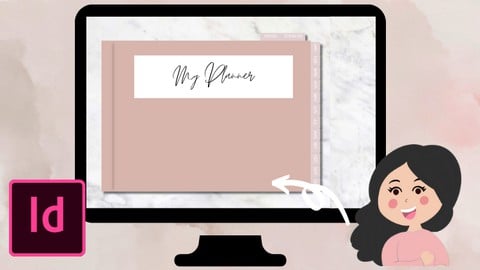
Learn how to create a digital planner using only InDesign, add hundreds of dates in a few clicks, sell these on Etsy!
Created by: Janna Uddin
Last updated December 2021
 What you will learn
- Digital Planner
- Digital Planning
- Create Digital Planner From Scratch
- How To Create A Digital Planner Using InDesign
- How To Create A Digital Product To Earn Passive Income
- How To Add Dates To Your Planner In A Few Clicks, No Manual Editing Needed
- How To Use Master Pages in InDesign
- InDesign tips for Planner Design
- How To Add Hyperlinks To Tabs
How it compares
Against the other 52 rated Udemy courses in Adobe Indesign on CourseDuck:
- Rating4.1 out of 5higher than 5% of them
- Reviews49#34 of 53 by number of reviews
- Length0.7 hoursshorter than 100% of them
- Last updatedDecember 2021more recently than 63% of them
 Course Description
Welcome All,
I’m Janna, by day analyst, by night digital tech savvy guru.
I first came across digital planning a while ago and was intrigued how they are made, all the functionalities and found it difficult to find videos on how to create a digital planner from scratch. Digital Planning has changed my life and I love how customisable they are and how personal you can make them!
I’ve created this video to share how I have created digital planners using InDesign. We will be creating this planner from scratch A - Z.
Have you ever wondered how people manage to add hundreds of dates to their dated planners? I will show you how to add hundred/thousands of dates/text in a few clicks instead of manually adding them into your planner in this course!
Planners can be created for your own personal use and to sell as passive income on sites such as Etsy. Digital downloads are a perfect way to make extra income this year.
For this project you will need a tablet/desktop, as well as a PDF reader (I use GoodNotes) but any PDF reader will work well with this.
This class will feature the following topics:
Introduction To The Course
Thinking About How Our Planner Will Be Structured
Setting Up Our InDesign Document
What Are Master Pages & Why Are They Useful To Digital Planners?
Creating Our Dates Text File For Our Planner
Creating Our Daily Planner Pages
Using Data Merge To Automatically Generate Dates
Creating Our Cover Page
Creating Our Monthly Planner Page
How To Override Master Elements On A Page
Creating Our Notes & Sticker Pages
Adding Hyperlinks To Our Planner Tabs
Arranging Our Planner Pages Into Order
How To Add A Background
How To Export Our Planner As A PDF
How To Import Planner Into GoodNotes
Conclusion
The digital planner we create together in this course will be available to you at the end of the course to start your digital planning journey, this planner isn’t to be resold or distributed, it’s for personal use only for the students of this course.
I would love to see what designs everyone creates, please share your projects with me!
I hope you find this tutorial useful and thank you for taking the time to attend my class.
Please view my other classes around digital designing

 Udemy Discount
The discount is applied through our link. Open the course from here and Udemy's current promotional price is applied at checkout on most courses, no code to type.
Some courses are excluded from Udemy's promotions. If the price does not drop, clear your browser cookies and use the button again.
Instructor Details

- 4.1 Rating
 49 Reviews
Janna Uddin
Hello, I'm Janna, analyst by day, graphic designer by night!
I love using my iPad to create new artwork, create planners and journals, all things digital! Follow my journey on Udemy where I teach you all the tips and tricks I have learnt on various digital software, using only an iPad and a stylus.
 More Adobe Indesign courses

Adobe InDesign CC: Beginners | Workshop | Essentials (2023)
4.8 (225 Reviews)
 Provider: Udemy
 Time: 3.2h
$59.99

Adobe InDesign CC - Essentials Training Course (2026)
4.7 (19,611 Reviews)
- Provider: Udemy
- Time: 11.9h
$149.99

Adobe CC Masterclass: Photoshop, Illustrator, XD & InDesign (2020)
4.7 (3,808 Reviews)
- Provider: Udemy
- Time: 12.8h
$139.99

Learn Adobe InDesign: Design a Magazine and More in InDesign (2026)
4.7 (1,688 Reviews)
- Provider: Udemy
- Time: 8.8h
$79.99

Adobe InDesign Master Class - Beginner to Pro, ALL LEVELS (2024)
4.7 (453 Reviews)
- Provider: Udemy
- Time: 7.3h
$84.99

 Reviews

By Debra Jaswaye on 6/30/2025
I can't understand the instructor. She mumbles. The sound quality is horrible and this was a waste of money.
By Susie Parker-Garrick on 11/28/2023
the videos suddenly start of suddenly finish. the content if fab but this part does make it seem like its been recorded on a free app!
By Wenda O'Neill on 12/25/2022
I had no experience with Adobe inDesign and only a little experience with Photoshop. The step by step lessons were great. Pay attention to the screen as well as the instructions. First Rate instructions.
By Victor Manuel on 9/21/2022
Very easy and to the point. I will be using this to create my own planner. I loved this so much. Thank you so much for your course. I will be looking into more courses from you.
By Marc Lynch on 4/7/2022
I thought it was a very good course and was well presented. Most definitely worth the cost of the course.
By Dawna Dearing on 3/5/2022
Good course! I am very familiar with InDesign and still found this course too quick and somewhat hard to follow along. I have six pages of notes. It took approximately an hour and a half to two hours to complete. That being said, I am confident that I will now be able to create a beautiful, interactive Daily Planner. All in all, this was worth the effort. Thank you!
By Jessica Sellers on 1/28/2022
Great class --- I just wish the instructor would have gone into more depth and spent more time introducing Adobe Indesign and not assumed we were entirely familiar with it. Also the hyperlink section (the most important part of the planner) was VERY rushed.
By Alina on 1/14/2022
Very useful course, I've learnt a lot, thank you.
By Robert Woods on 1/2/2022
Fantastic course, instructor, and was easy to follow along. Thank you.
By Thomas on 12/17/2021
I did like this course. It was very informative expecially because there is not many courses for doing planners in indesign. One thing I did not like and the reason I gave you only 4 stars is your video editing. There should be clean brakes going from one subject to the next.
 Quality Score
No CourseDuck member has rated this course yet. Taken it? Give each part a thumbs up or down.
Overall Score : 82 / 100
- Video Duration:
 42 mins
 - Price: $29.99
- Provider: Udemy
- Updated:
 December 2021
 - Level:
 Beginner
 - Language:
 English
 - Certificate:
 Yes
Yes
30-day money-back guarantee on most paid courses
Udemy Coupon Price Tracker
