
 Web Development
 Data Science
 Python
 SQL
SQL JavaScript
 Artificial Intelligence
 IT & Software
 IT Certifications
 Hacking
 AWS
AWS Arduino
 DevOps
 3D Modeling
 Graphic Design
 Photoshop
 Drawing
 Digital Painting
 UX Design
 Business
 Data Analysis
 Communication Skills
 Project Management
 Leadership & Management
 Human Resources
 Digital Marketing
 Social Media Marketing
 Marketing
 SEO
SEO Google Analytics
 Branding
 Excel
Excel Office Productivity
 SAP
SAP PowerPoint
 Microsoft Access
 SharePoint
 Finance & Accounting
 Trading & Investing
 Accounting
 Bitcoin
 Personal Finance
 Video Editing & Animation
 Photography
 Adobe Premier Pro
 Adobe Lightroom
 Personal Development
 Productivity
 Career Development
 Life Coaching
 Health & Fitness
 Meditation & Mindfulness
 Yoga
Yoga Music
Music Music Production
 Guitar
 Piano
Piano Singing
 Language Learning
 Teaching & Academics
 Engineering
 Math
Math Lifestyle
Create Pixar Style Concept Art (Udemy.com)
Concept Art for Animation and Film
Created by: Siobhan Twomey
Last updated November 2025
Our take
Based on the ratings of 66 students, a sample of their written reviews and the syllabus, as the course stood in November 2025. No course pays to be reviewed.
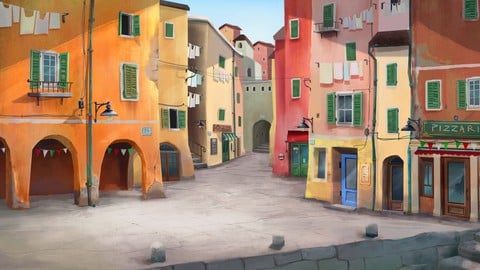
Siobhan Twomey spent 15 years as a background artist and environment designer in animation, and this course follows one project: a warm, Luca-inspired Mediterranean street scene painted in Photoshop. It runs 2.7 hours across 26 lectures in seven sections, split into five phases from rough drawing to final render. The Intermediate label fits. It expects solid drawing skills and a tablet, and one reviewer says the same approach carries over to Procreate on an iPad.
Reviewers like the clear, direct teaching and the way layers are explained and stacked. One says they learned a lot about buildings, windows, doors and small details, and an animation teacher says it keeps him ahead of his own students. The complaints are consistent. Charles DeFiore said parts felt like a speed painting demo, and another reviewer noted the leap from reference photos to a finished sketch assumes strong composition and perspective skills. Eric Sweetman wanted a character in the scene and a look at camera movement.
Of 66 reviews, 45 are five stars, 20 are four stars and one is three, with no one or two star ratings, but the four-star reviews carry the useful caveats. With 472 students it is a small course, last updated in November 2025. It is a focused look at one workflow, not a general painting class. Artists with some drawing skill will get a lot from it. Total beginners should build fundamentals first.
Pros
- Clear, direct narration; reviewers say she gets to the point with no filler
- Layer stacking in Photoshop is explained in a way students found useful
- Covers windows, doorways, drainpipes and washing lines, the small details that sell a scene
- Supplied materials can be reused on future projects, per one reviewer
Cons
- Some steps go fast; one reviewer compared parts to a speed painting demo
- Big jump from reference photos to a finished sketch assumes strong drawing skills
- No characters or camera movement shown, and a tablet plus Photoshop is needed
Really well explained approach of creating backgrounds for animations. The tutor has great knowledge and a nice teaching style.
Labeled Intermediate. Suits artists who already draw and paint digitally; it requires a drawing tablet and Photoshop or a similar app.
 What you will learn
- Create a background for Animation
- Learn how to draw and paint for Animation in Adobe Photoshop
- Learn the skills needed to be a Background Artist and a Digital Artist
- Learn about how to draw street scenes and buildings
- Learn to paint backgrounds for films, animation or games
- Concept art and Animation Art
Course content
7 sections · 26 lectures · 2.7 hours of video
- 1Introduction 4 free previews6 lectures · 26 min
- 2Phase 01: Drawing Your Scene3 lectures · 21 min
- 3Phase 02: Adding Texture2 lectures · 22 min
- 4Phase 03: Drawing Details4 lectures · 35 min
- 5The Mid Way Point1 lecture · 4 min
- 6Phase 04: Dialing into the Smaller Details5 lectures · 27 min
- 7Phase 05: Final Render Stage5 lectures · 28 min
Who it is for
The instructor says it suits
- This class is for digital artists who want to create Art for Animation
- Animators
- Illustrators, artists and designers
- Game Developers
- Film makers
What you need before you start
- You will need Adobe Photoshop, or similar painting app
- You'll also need a drawing tablet and pen
How it compares
Against the other 175 rated Udemy courses in Digital Painting on CourseDuck:
- Rating4.7 out of 5higher than 76% of them
- Reviews66#137 of 176 by number of reviews
- Length2.7 hoursshorter than 62% of them
- Last updatedNovember 2025more recently than 82% of them
 Course Description
Background Art, Concept design, and Art for Animation: there is the one element of an animated movie that really creates the atmosphere or mood. The art of the movie.
Learn to draw and paint Pixar style animation backgrounds!
As a Background Designer, you get to create these magical worlds that viewers can escape into. And if drawing a street scene sounds difficult, this class will teach each step along the path to painting colorful and quirky scenes.
For the class project we are going to create a scene inspired by the charming and magical Disney Pixar movie, Luca, a scene saturated with warm mediterranean colors that exudes a quirky and authentic style. A street scene with buildings can be a really daunting project. So, I’m going to take you step by step through the entire process and explain everything that I do and why I do it.
I’ll teach you first how to research your ideas, and build a solid reference to work from
You’ll learn how to translate your idea or concept into a rough sketch.
How to wrangle that complex drawing or idea into simple and manageable color shapes
From there you’ll roughen the edges, add texture and color variation, giving your world a lived in feel, a real place that has history, life and character.
Finally I’ll show you how I add all the minute details that go into a street scene - things like windows, doorways, drainpipes and even washing lines.
I worked for 15 years as background artist and environment designer for animation. Before getting my career up and running I was enthralled by the scenes and images that the art of animation created, and I never thought I would be able to do something like that.
In fact even when I tried, it felt impossible, because i didn’t even know where to start.
When I finally did get a lucky break and land a job as an assistant BG artist, I learned in my first week on the job, every trick and technique that had been missing and that was all I needed to set me up for the rest of my career.
So, that’s what we’ll do today! Join me in this class :)

 Udemy Discount
The discount is applied through our link. Open the course from here and Udemy's current promotional price is applied at checkout on most courses, no code to type.
Some courses are excluded from Udemy's promotions. If the price does not drop, clear your browser cookies and use the button again.
Instructor Details

- 4.7 Rating
 66 Reviews
Siobhan Twomey
My background spans the disciplines of drawing, painting, filmmaking and animation. I studied Film in Dublin, and spent a semester on a scholarship at the Tisch School of the Arts, NYU in New York. I later studied drawing and animation. Since 2005, I have worked in studios in Vancouver and Dublin as a professional Background Designer and Environment Artist. I've also worked as a storyboard artist, concept artist, and I have directed a number of short animated films.
All in all, I've worked for over 15 years as an Artist, Illustrator and Animation Professional. I've provided artwork for studios whose clients include Disney UK, Sony Pictures Animation, HMH Publishing, to name a few.
I also have an ongoing painting and drawing practice, and I paint portraits on commission, and exhibit my work in galleries. My passion is to teach others the whole spectrum of art skills that I've learned and developed over the course of my career.
 More courses by Siobhan Twomey

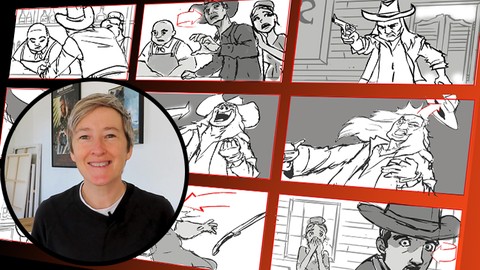
Learn to Storyboard for Film or Animation (2024)
4.8 (2,727 Reviews)
 Provider: Udemy
 Time: 2.2h
$12.99
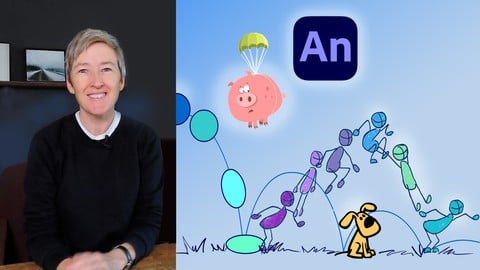
Learn How to Animate: 2D Animation for Beginners (2025)
4.6 (1,873 Reviews)
- Provider: Udemy
- Time: 1.6h
$10.99
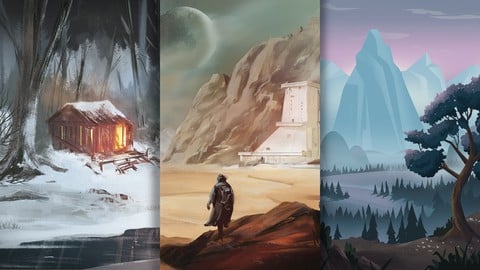
Concept Art Masterclass - Landscapes and Environments (2025)
4.6 (1,249 Reviews)
- Provider: Udemy
- Time: 4.5h
$99.99
More Digital Painting courses

Character Art School: Complete Coloring & Painting (2026)
4.8 (6,042 Reviews)
- Provider: Udemy
- Time: 19.5h
$34.99



Procreate Masterclass: Digital Drawing on the iPad (2023)
4.8 (1,744 Reviews)
- Provider: Udemy
- Time: 18.2h
$94.99


Digital painting with Krita 5.0 intermediate level (2022)
4.8 (271 Reviews)
- Provider: Udemy
- Time: 6.8h
$79.99
 Reviews

By Marc cleymans on 6/6/2025
it is a verry interesting course, verry well defined and clear, and I ll get photoshop, I use clipstudio paint and it is great but photoshop has its own thing
By Eric Sweetman on 6/5/2025
I enjoyed learning a few new things about photoshop, but I would have liked seeing a layer with a character or two that showed how something could live in the environment. Also, since this project is intended to be used in an animated sequence, I’d like to see how the camera movement works in the scene.
By Stefan Bachmeier on 12/23/2024
Really well explained approach of creating backgrounds for animations. The tutor has great knowledge and a nice teaching style. I will use the gained knowledge for Procreate on the iPad, which works as well.
By Charles DeFiore on 5/25/2024
My only wish was that a bit more detail on how to use some of the techniques was included. At times it felt like I was watching a speed painting demo. Other then that, the course was very good and the instructor was wonderful.
By Mary Joy Naval on 6/2/2023
thank you for providing materials that we can use for future projects too. Shes pleasing to listen to and already learned a few things with just a short information.
By Tonia Thibodeaux on 4/12/2023
Instructor speaks clearly, gets directly to the point with fluid speech and no “ima, ands and pauses. Lovely course, so far and lovely instructor.
By Peter Biro on 8/2/2022
Thank you! Thank you very much! The course is excellent and understandable! :) Logically building it all up nicely! Thanky you! :)
By Paula Riordan on 2/23/2022
really enjoying the course so far - I am actually doing it on Procreate - and Affinity photo - and seem to be coping or adapting to suit - but it a nicely pace course - I am definitely going to check out some of Siobhan'a other courses as I like her style of teaching .
By Alejandro A. O. on 2/1/2022
Excelent course, as usual with Siobhan's courses, she always makes it very clear and easy to follow step by step with simple tips and tasks, until all of a sudden you've created one beautiful scene, and this course is not an exception :) if you're like me and you can't afford photoshop and you like using free software, I used krita with my own brushes and still got a pretty good result, so all in all I'm pretty pleased :D
By Pierre Sevigny on 1/24/2022
Excellent course. Siobhan Twomey is not only very talented, she is an excellent teacher. I really appreciate. Many thanks.
 Quality Score
No CourseDuck member has rated this course yet. Taken it? Give each part a thumbs up or down.
Overall Score : 94 / 100
- Video Duration:
 2.7h
2.7h - Price: $64.99
- Provider: Udemy
- Updated:
 November 2025
 - Level:
 Intermediate
 - Language:
 English
 - Certificate:
 Yes
Yes - Lectures:26 in 7 sections
- Students:472
- Subtitles:1 language
30-day money-back guarantee on most paid courses
Udemy Coupon Price Tracker
