
 Web Development
 Data Science
 Python
 SQL
 JavaScript
 Artificial Intelligence
 IT & Software
 IT Certifications
 Hacking
 Microsoft Azure
 AWS
 Arduino
 3D Modeling
 Graphic Design
 Photoshop
 Drawing
 Digital Painting
 UX Design
 Business
 Data Analysis
 Communication Skills
 Project Management
 Leadership & Management
 Human Resources
 Digital Marketing
 Social Media Marketing
 Marketing
 SEO
 Google Analytics
 Branding
 Excel
 Office Productivity
 SAP
 PowerPoint
 Microsoft Copilot
 Microsoft Access
 Finance & Accounting
 Trading & Investing
 Accounting
 Bitcoin
 Personal Finance
 Video Editing & Animation
 Photography
 Adobe Premier Pro
 Adobe Lightroom
 Personal Development
 Productivity
 Career Development
 Life Coaching
 Health & Fitness
 Yoga
 Meditation & Mindfulness
 Music
 Music Production
 Guitar
 Piano
 Singing
 Teaching & Academics
 Engineering
 Language Learning
 English Language
 Math
 Lifestyle
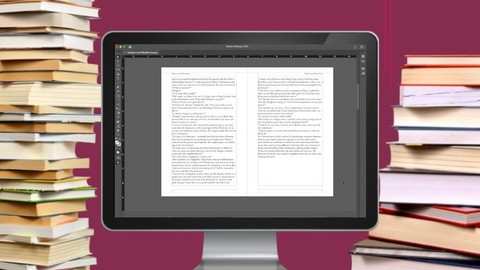
Design Books for Print with Adobe InDesign (Udemy.com)
Create a Beautiful Interior Book Design for Your Manuscript
Created by: Rebecca Wilson
Last updated September 2022
 What you will learn
- Pick and set the trim sizes and margins for your book
- Set up individual chapters for your book
- Compile the book sections in a single document
- Design front and back matter for your book
How it compares
Against the other 53 rated Udemy courses in Adobe Indesign on CourseDuck:
- Rating4.4 out of 5higher than 41% of them
- Reviews20#48 of 54 by number of reviews
- Length1.1 hoursshorter than 94% of them
- Last updatedSeptember 2022more recently than 66% of them
 Course Description
Ready to start creating books like a professional? Adobe InDesign is the industry standard for book designers for a reason: it's powerful! But all those features can get confusing. In this course, I'm going to show you the step-by-step process to format a novel or other manuscript into a tidy professional book interior.
This will create an interior that is ready for printing with Amazon KDP, IngramSpark, or any other book printer. Since Amazon is the largest self-publishing platform, we will be referencing the trim sizes and margin sizes found in their help guides; however, these are going to be largely transferrable. Just check with your printer if you're designing your book for somewhere else.
Our sample is going to be a no-bleed book interior, but we do touch on how to calculate the page bleed if you're designing something with edge-to-edge images. We will also explore how to set up a cover design file, though this course doesn't provide a tutorial on the specifics of cover design.
By the end of this course, you're going to be able to produce a finished professional book interior. You'll have the skills necessary to create as many books as you like; this is great for self-publishing authors, but also designers who are looking to add another type of design skill to their portfolio!

 Udemy Discount
The discount is applied through our link. Open the course from here and Udemy's current promotional price is applied at checkout on most courses, no code to type.
Some courses are excluded from Udemy's promotions. If the price does not drop, clear your browser cookies and use the button again.
Instructor Details

- 4.4 Rating
 20 Reviews
Rebecca Wilson
Hey there! I'm Rebecca, and I'm a writer, artist, and full-time maker of creative things. I'm living my best creative life running my art business and teaching a variety of skills online to help others do the same.
I was a university lecturer in my past career and my love of teaching has found a new outlet in teaching online courses. I aim to share the skills that I use in my own creative business, so everything I teach comes from lived experience. My business includes digital product shops, Youtube channels, self-publishing projects, web design, creating artwork and developing products, as well as many other related skills. You can expect classes from me on any and all of these subjects.
I'm based in Halifax, Nova Scotia, Canada, and am a proud part of the creative community here. I love to travel, try new foods, and experiment with creativity and artwork at any opportunity.
Looking forward to connecting with you via any of the classes I have on offer right now!
 More Adobe Indesign courses
Adobe InDesign CC: Beginners | Workshop | Essentials (2023)
4.8 (225 Reviews)
 Provider: Udemy
 Time: 3.2h
$12.99
Original price
Adobe InDesign CC - Essentials Training Course (2026)
4.7 (19,611 Reviews)
- Provider: Udemy
- Time: 11.9h
$22.99
Original price
Adobe CC Masterclass: Photoshop, Illustrator, XD & InDesign (2020)
4.7 (3,808 Reviews)
- Provider: Udemy
- Time: 12.8h
$19.99
Original price
Learn Adobe InDesign: Design a Magazine and More in InDesign (2026)
4.7 (1,688 Reviews)
- Provider: Udemy
- Time: 8.8h
$14.99
Original price
Adobe InDesign Master Class - Beginner to Pro, ALL LEVELS (2024)
4.7 (453 Reviews)
- Provider: Udemy
- Time: 7.3h
$11.99
Original price
Essential Skills for Designers - Masking (2019)
4.7 (432 Reviews)
- Provider: Udemy
- Time: 1.5h
$16.99
Original price  Reviews

By Nigel Facey on 10/24/2026
Very detailed course. Also, Udemy as a whole has been helpful in my creative endeavors. I am working on my third book which is my first full length novel.
By Ericka Dill on 9/13/2026
Hello- Including how to find lost toolbars along the way would be very helpful. Otherwise, I am enjoying the course. The voiceover is very welcoming.
By Melissa Bolinger on 8/27/2026
This class taught everything I had hoped. The instructor was clear, informative, and pleasant to listen to.
By Lara Ferrão on 2/23/2025
It was simple and quick, good for beginners (with enough knowledge working with InDesign or Illustrator). But I was expecting something more advanced and professional to work with editors, not only for amazon. Although it was good course. Easy to understand and learn.
By Dorothy Colvin on 3/5/2024
Concise and informative. No fluff. Straight to the point. Perfect when you suddenly have to cram in learning new software in the middle of a job. Thank you.
By Kimberley Seals on 2/15/2024
Something is wrong with the volume. The speaker can barely be heard.
By Diane Timmons on 12/11/2023
I have used InDesign in the past for newspaper publishing. We used templates that were premade for us so our newspaper pages would be uniform. The lesson I just listened to for chapter one was easy to understand and all of the commands are familiar.
By Douglas W. Beaudoin on 11/26/2023
Well done. Helpful. Seems simple.
By Tamara Hoff on 9/21/2023
Excellent communication and concise instructions.
By Margaret powell on 8/9/2023
Love this course and instructor however i can’t find how to complete
 Quality Score
No CourseDuck member has rated this course yet. Taken it? Give each part a thumbs up or down.
Overall Score : 88 / 100
- Video Duration:
 1.1h
- Price: $9.99
- Provider: Udemy
- Updated:
 September 2022
- Level:
 Beginner
- Language:
 English
- Certificate:
 Yes
30-day money-back guarantee on most paid courses
Udemy Coupon Price Tracker
