
 Web Development
 Data Science
 Python
 SQL
SQL JavaScript
 Artificial Intelligence
 IT & Software
 IT Certifications
 Hacking
 AWS
AWS Arduino
 DevOps
 3D Modeling
 Graphic Design
 Photoshop
 Drawing
 Digital Painting
 UX Design
 Business
 Data Analysis
 Communication Skills
 Project Management
 Leadership & Management
 Human Resources
 Digital Marketing
 Social Media Marketing
 Marketing
 SEO
SEO Google Analytics
 Branding
 Excel
Excel Office Productivity
 SAP
SAP PowerPoint
 Microsoft Access
 SharePoint
 Finance & Accounting
 Trading & Investing
 Accounting
 Bitcoin
 Personal Finance
 Video Editing & Animation
 Photography
 Adobe Premier Pro
 Adobe Lightroom
 Personal Development
 Productivity
 Career Development
 Life Coaching
 Health & Fitness
 Meditation & Mindfulness
 Yoga
Yoga Music
Music Music Production
 Guitar
 Piano
Piano Singing
 Language Learning
 Teaching & Academics
 Engineering
 Math
Math Lifestyle
Design Infographics and GUI kits for beginners (Udemy.com)
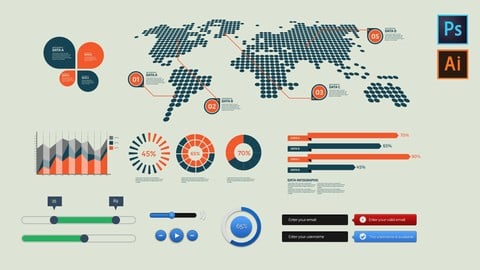
Learn how to design amazing but simple Infographics and GUI kits in Photoshop and Illustrator
Created by: Jestoni Esteban
Last updated December 2017
 What you will learn
- Learn about designing GUI kits
- Learn simple photoshop layer styles
- Learn about freelancing job
- Learn how to design Infographics
How it compares
Against the other 188 rated Udemy courses in Photoshop on CourseDuck:
- Rating4.1 out of 5higher than 9% of them
- Reviews240#95 of 189 by number of reviews
- Length5.3 hourslonger than 59% of them
- Last updatedDecember 2017earlier than 78% of them
 Course Description
Do you want to learn how to design simple user interface for web, app or mobile and make some extra money? Or you just like to improve your designing skills in Photoshop? This course is the best course for you.
This course is designed to teach you about GUI or graphic use interface and how to earn extra money from doing this. I will show you how to design simple infographics and GUI kits in Adobe Photoshop and Adobe Illustrator.
In this course you will learn not only about doing designs but also how to make a career as freelance designer. I will teach you how to maximize your talent and build your confidence.
- You Can Use either Mac or Windows
- No Prior Experience
- No coding or Programming
- Design User Interface From Scratch in Photoshop
- Basic Photoshop and Illustrator knowledge
If you are ready to learn then enroll now and see you inside.

 Udemy Discount
The discount is applied through our link. Open the course from here and Udemy's current promotional price is applied at checkout on most courses, no code to type.
Some courses are excluded from Udemy's promotions. If the price does not drop, clear your browser cookies and use the button again.
Instructor Details

- 4.1 Rating
 240 Reviews
Jestoni Esteban
Jestoni Esteban is a freelance web and logo designer. He has been in the designing industry for seven years. He is also an educator in an online learning platform.
His passion for arts and designs started way back in college while taking up his degree in business management.
During his free time in college, he spent his time educating himself through reading designing books and non-stop researching on the internet for good designs.
After college, he followed his heart to pursue a career in graphics designing instead of putting up his own business. Success didn't come early to him. He experienced failure after failure but he didn't give up. He realized that he needed to gain more knowledge and experience in order to become a good designer.
He studied again but not about how to handle business instead to become a great designer. He purchased a lot of books and watched seminars and make friends with great designers. He put his energy and concentration on how to produce a good designs and how to have a good relationship with clients.
Because of Jestoni's great effort to learn and to strive to become a great designer, he is now a successful designer.
He makes a living by doing logos and web designs on the internet and loves to communicate with different clients around the globe. He also loves to teach and share his knowledge and experience to everybody.
 More courses by Jestoni Esteban
A Complete Guide to Successful Freelance Logo Design Career (2018)
4.3 (163 Reviews)
 Provider: Udemy
 Time: 8.5h
$11.99
Learn UI/UX and Mobile App Design in Photoshop from Scratch (2017)
4.0 (121 Reviews)
- Provider: Udemy
- Time: 3.1h
$19.99
Affinity Designer: A Comprehensive Guide for Beginners (2018)
4.4 (43 Reviews)
- Provider: Udemy
- Time: 2.7h
$19.99
Typography: Learn the Foundation and Designs (2017)
4.0 (36 Reviews)
- Provider: Udemy
- Time: 2.4h
$19.99
More Photoshop courses


Adobe Photoshop CC: For Complete Beginner (Sinhala Medium) (2026)
4.9 (110 Reviews)
- Provider: Udemy
- Time: 8.4h
$59.99

Adobe Photoshop CC – Essentials Training Course (2025)
4.8 (36,753 Reviews)
- Provider: Udemy
- Time: 11.6h
$189.99


47 Graphic Design Projects for Photoshop Beginners (2025)
4.8 (466 Reviews)
- Provider: Udemy
- Time: 7.9h
$99.99

Photoshop Efficiency - Techniques For Consistent Marketing (2025)
4.8 (144 Reviews)
- Provider: Udemy
- Time: 1.4h
$49.99
 Reviews

By Derek . on 1/23/2019
I think that if you have some knowledge & experience with Illustrator and design, this course is well-paced, not too fast and not too slow, so it is right for me and my background. But for beginners, the pacing is probably fast. The instructor gives a good introduction and also gives tips on how students can use their new skills to make some money by selling GUI kits. A solid practical approach.
By David Wilhelm on 2/5/2018
You have a lot of different styles and forms of presentation covered, I like that. Also good updates! The thing I totally missed is working with the diagram tool, if you have to be precise with diagrams in Illustrator. Most of the time you'll get numbers or have to calculate them yourself, and it is not acceptable if the graph shows 47% instead of 45% for example. Without that it is not applicable to real world project or at least not to a professional degree. I don't mind you being a bit sloppy in the presentation, but I'd be great if you showed how to do it properly. Then again, you provide the course for free which is awesome. Nonetheless, I think with said improvements it could be great and I would not mind paying for it either. Cheers, David
By Jeff Janaczek on 9/29/2017
Great Course! Easy to follow. I didn't have any problem understanding this instructor due to his accent, for anyone who may be thinking that this might be an issue. Update----half way through the course----- I have taken other photoshop courses in the past and I have to say that this is one of the best photoshop courses out there. With this course you will learn some great skills and really get to know how photoshop was meant to be used.
By Suzy Nobre on 9/13/2017
The class is great and I appreciate the fact that the instructor updated it offering his students more valuable content, however, there are 2 things that could be improved, in my opinion: 1. Please take off the background music during the explanations. The instructor has a heavy accent, therefore, understanding his speech is already difficult, and the music makes it even harder. 2. The use of CC was a good idea to help with the accent issue, however, it appears that they are generated automatically (based on his speech), so please make sure to check and correct the words that came out, because in a lot of sentences they make no sense at all. Apart from that, I recommend the course, the projects are really nice and the instructor knows his subject. I would definitely give it 5 stars if wasn't for these details I've mentioned.
By Anonymized User on 8/18/2017
I've really been enjoying this course by Jestoni. When I watched it the first time, I followed along the lessons. Unfortunality, my iMac broke because of a severe, unknown hardware error. I really hope I can keep the Adobe Cloud license for a while. And Jestoni, I like the background jingle.
By M C on 5/5/2017
The class delivers what it promises, the instructor is thorough and detailed, nothing is missing in the explanations, the design we are learning is visually stunning, you are taught a 3D and a flat design like in the real world and the teacher points you to where you can monetize your recently-learned knowledge. Who could ask for more from a graphic design class?
By Daniel Lucaci on 2/12/2017
So far so good. I am waiting to see the entire course. He's ok.. his English isn't always clear buuut it's still ok. Sometimes the music in the backgorund is a bit annoying since I would rather play my own music in the background. Overall it's good course, with good tips.
By Betheny Powell on 5/13/2016
This is a very fun video, the instructor takes his time and explains what he is doing. I have never made a GUI set before but after this I am eager to try my hands at making my own sets to display, use and sell.
By Maureen Mullaney on 3/11/2016
The course is well thought out, I know where it is headed and I understand what has taken place. I am looking forward to learning more; he makes it interesting with the exception of foretelling himself what is going to happen. We see it in the example that he show us frequently. I am enjoying the class
By Amanda on 8/25/2015
instructor does a 'paint by numbers' of GUI design, not elaborating on any of the choices he made, and needlessly repeating the same steeps for every video. All you need to watch is the first couple minutes of the first few videos and that's it.
 Quality Score
No CourseDuck member has rated this course yet. Taken it? Give each part a thumbs up or down.
Overall Score : 82 / 100
- Video Duration:
 5.3h
5.3h - Price: $54.99
- Provider: Udemy
- Updated:
 December 2017
 - Level:
 Beginner
 - Language:
 English
 - Certificate:
 Yes
Yes
30-day money-back guarantee on most paid courses
Udemy Coupon Price Tracker
