
 Web Development
 Data Science
 Python
 SQL
SQL JavaScript
 Artificial Intelligence
 IT & Software
 IT Certifications
 Hacking
 AWS
AWS Arduino
 DevOps
 3D Modeling
 Graphic Design
 Photoshop
 Drawing
 Digital Painting
 UX Design
 Business
 Data Analysis
 Communication Skills
 Project Management
 Leadership & Management
 Human Resources
 Digital Marketing
 Social Media Marketing
 Marketing
 SEO
SEO Google Analytics
 Branding
 Excel
Excel Office Productivity
 SAP
SAP PowerPoint
 Microsoft Access
 SharePoint
 Finance & Accounting
 Trading & Investing
 Accounting
 Bitcoin
 Personal Finance
 Video Editing & Animation
 Photography
 Adobe Premier Pro
 Adobe Lightroom
 Personal Development
 Productivity
 Career Development
 Life Coaching
 Health & Fitness
 Meditation & Mindfulness
 Yoga
Yoga Music
Music Music Production
 Guitar
 Piano
Piano Singing
 Language Learning
 Teaching & Academics
 Engineering
 Math
Math Lifestyle
Affinity Designer: A Comprehensive Guide for Beginners (Udemy.com)
A Complete Introduction Class to Affinity Designer. Learn the best features of Affinity Designer
Created by: Jestoni Esteban
Last updated April 2018
 What you will learn
- Understanding of all tools in Affinity Designer
- Create complex shapes using tools like Special Shape Tools, Snapping Tool, Split View
- Learn to export files in different file formats
- You will Affinity's Designers vector and pixel workflow
How it compares
Against the other 28 rated Udemy courses in Affinity Designer on CourseDuck:
- Rating4.4 out of 5higher than 32% of them
- Reviews43#23 of 29 by number of reviews
- Length2.7 hoursshorter than 78% of them
- Last updatedApril 2018earlier than 92% of them
 Course Description
Are you looking for affordable graphics editing program? Well, look no further because Affinity Designer is the answer. This program is the best alternative to Adobe's expensive programs.
In this course, you will learn all the things you need to know about this award-winning program. Whether you're a graphic designer, businessman, social media manager, web and mobile designer or even just a student, Affinity designer is the professional graphics editing program that you only need.
Prepare Yourself for a Complete Affinity Designer Tutorial.
- You will learn how to use Affinity Designer in simple ways.
- You will learn the most useful features of Affinity Designer.
- You will learn how to edit and embed files
- I will show you how to work with special Shapes an Snapping tool
- You will learn how to set up your artboards.
- You will how to import and slice your designs.
Affinity designer is the Apple best design app in 2015. It is the fastest, smoothest, most precise vector graphic design software available. Whether you're working on branding, concept art, print projects, icons, UI, UX, or web mock ups, Affinity Designer will revolutionize how you work, on macOS and Windows.
Class Overview
In this course, I will walk you from ground up. I will show you how to use the tools in simple ways. I designed this class for absolute beginner of the program or for those who don't have any experience in graphic design. You will learn how to use Affinity Designer's various tools and features to create stunning vector and pixel graphics.
So if you are ready to learn how to use this amazing program, enroll now and let's get started.
Who this course is for:
- Social media users for their post
- Graphic Designers for their work
- Art Students
- Businessmen for their products

 Udemy Discount
The discount is applied through our link. Open the course from here and Udemy's current promotional price is applied at checkout on most courses, no code to type.
Some courses are excluded from Udemy's promotions. If the price does not drop, clear your browser cookies and use the button again.
Instructor Details

- 4.4 Rating
 43 Reviews
Jestoni Esteban
Jestoni Esteban is a freelance web andlogo designer. He has been in the designing industry for seven years. He isalso an educator in an online learning platform.
Hispassion for arts and designs started way back in college while taking up hisdegree in business management.
Duringhis free time in college, he spent his time educating himself through readingdesigning books and non-stop researching on the internet for good designs.
Aftercollege, he followed his heart to pursue a career in graphics designing insteadof putting up his own business. Success didn't come early to him. Heexperienced failure after failure but he didn't give up. He realized that heneeded to gain more knowledge and experience in order to become a gooddesigner.
Hestudied again but not about how to handle business instead to become a greatdesigner. He purchased a lot of books and watched seminars and make friendswith great designers. He put his energy and concentration on how to produce agood designs and how to have a good relationship with clients.
Becauseof Jestoni's great effort to learn and to strive to become a great designer, heis now a successful designer.
Hemakes a living by doing logos and web designs on the internet and loves tocommunicate with different clients around the globe. He also loves to teach andshare his knowledge and experience to everybody.
Inhis career, he designed almost 248 logos and web designs including the homepagedesigns for Tiple S. Mobility, Titanium Service
 More courses by Jestoni Esteban
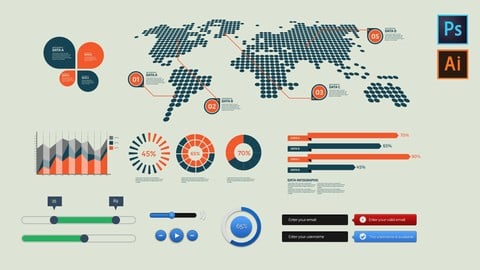
Design Infographics and GUI kits for beginners (2017)
4.1 (240 Reviews)
 Provider: Udemy
 Time: 5.3h
$54.99

A Complete Guide to Successful Freelance Logo Design Career (2018)
4.3 (163 Reviews)
- Provider: Udemy
- Time: 8.5h
$11.99
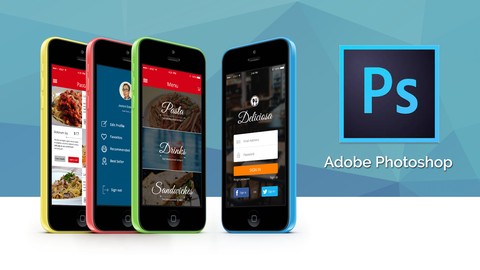
Learn UI/UX and Mobile App Design in Photoshop from Scratch (2017)
4.0 (121 Reviews)
- Provider: Udemy
- Time: 3.1h
$19.99
Typography: Learn the Foundation and Designs (2017)
4.0 (36 Reviews)
- Provider: Udemy
- Time: 2.4h
$19.99
More Affinity Designer courses


Affinity Designer: The Complete Guide to Affinity Designer (2024)
4.8 (5,274 Reviews)
- Provider: Udemy
- Time: 23.5h
$99.99
Affinity Designer for Beginners | Updated for Version 2 (2022)
4.8 (478 Reviews)
- Provider: Udemy
- Time: 4.3h
$74.99
Vector Drawing on the iPad with Affinity Designer (2019)
4.7 (1,702 Reviews)
- Provider: Udemy
- Time: 4.5h
$74.99

Essential Skills for Designers - Mastering the Pen Tool (2013)
4.7 (236 Reviews)
- Provider: Udemy
- Time: 2.1h
$64.99
 Reviews

By Jacques van Wyk
Great course for starting affinity designer and learning the tools.The project was really helpful.Recommended course
By Alex Lee
great
By Donovan Jacobs
average
By Robert Jeffrey Bonto
I learned a lot in this course. By the way are you a Filipino sir? :)
By Melroy Dickson
Nice over view but I would have preferred a more basic understanding of each tool.
By Bradley Engelhart
I like the instrctor
By Inoh Stevie
A well-structured course about Affinity Designer. Affinity is an alternative to Adobe Photoshop or Illustrator. If you are tired of paying a monthly fee to Adobe try this Affinity because it's one-time payment only. A good introduction course to Affinity. Jestoni covers everything and I enjoyed the class. Kudos to you sir.
By Tamatha Campbell
Rating this approximately a quarter of the way through the course, I'm especially impressed by how the instructor includes details that most instructors overlook. He manages to include basics that are so often assumed... and he does it without talking down to his students. He uses screen captures to illustrate his points while he is talking, making everything very easy to understand. He speaks clearly, with a pleasant voice and a good tempo. I'd recommend this course to anyone who's wanting to become more familiar with what their design software suites can do.
By Nathan Lee
Good class for those who have no idea what is Affinity Designer. The explanation is simple and concise. Affinity is a very powerful tool and Jestoni shows how to use it. He is one of the udemy instructors I like when it comes to design. Overall great class. I recommend it.
By Eric Torno
I like this course. The instructor is nice and he answers all my messages. Jestoni knows everything about the Affinity so the explanations become simple and easy to understand. I can't wait to watch the follow-up class and his other courses. Recommended.
By Vivien Schreiber
Great overview, could be a bit faster in going over the topics
By Станислав Пономарёв
Jestoni gives a full image of the software and its functions. The information this course provides gives me the tips that simplify my job (I am a novice). Each lesson is structured and completes the blank spaces I have in usage of the software. I also love the pace of the video lessons - not too fast and not too slow (just right for me).
 Quality Score
No CourseDuck member has rated this course yet. Taken it? Give each part a thumbs up or down.
Overall Score : 88 / 100
- Video Duration:
 2.7h
2.7h - Price: $19.99
- Provider: Udemy
- Updated:
 April 2018
 - Level:
 Beginner
 - Language:
 English
 - Certificate:
 Yes
Yes
30-day money-back guarantee on most paid courses
Udemy Coupon Price Tracker
