
 Web Development
 Data Science
 Python
 SQL
SQL JavaScript
 Artificial Intelligence
 IT & Software
 IT Certifications
 Hacking
 AWS
AWS Arduino
 DevOps
 3D Modeling
 Graphic Design
 Photoshop
 Drawing
 Digital Painting
 UX Design
 Business
 Data Analysis
 Communication Skills
 Project Management
 Leadership & Management
 Human Resources
 Digital Marketing
 Social Media Marketing
 Marketing
 SEO
SEO Google Analytics
 Branding
 Excel
Excel Office Productivity
 SAP
SAP PowerPoint
 Microsoft Access
 SharePoint
 Finance & Accounting
 Trading & Investing
 Accounting
 Bitcoin
 Personal Finance
 Video Editing & Animation
 Photography
 Adobe Premier Pro
 Adobe Lightroom
 Personal Development
 Productivity
 Career Development
 Life Coaching
 Health & Fitness
 Meditation & Mindfulness
 Yoga
Yoga Music
Music Music Production
 Guitar
 Piano
Piano Singing
 Language Learning
 Teaching & Academics
 Engineering
 Math
Math Lifestyle
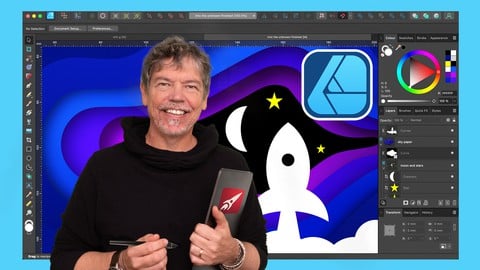
Affinity Designer: Solid Foundations (Udemy.com)
Learn how to use Affinity Designer effectively from a graphic design veteran with 30+ years experience. Updated to V2.2!
Created by: Simon Foster
Last updated December 2023
Our take
Based on the ratings of 1,901 students, a sample of their written reviews and the syllabus, as the course stood in December 2023. No course pays to be reviewed.
Simon Foster's course is a long, methodical introduction to Affinity Designer built around projects rather than tool-by-tool demos. The syllabus shows 106 lectures and about 19 hours split into four big sections: the basics, a step beyond, text and design, and working with bitmaps. It's aimed at people who have never used vector software, and at Illustrator refugees who want to know why a tool is used, not just where the button is.
Reviewers are unusually united. With a 4.9 rating from about 1,900 reviews and only eight one or two star ratings, the praise centers on Foster's teaching: he explains what each function does and why it matters, without repeating himself. Students praise the projects and exercises, and the description says practice videos let you try a task first, then watch him do it. The complaints are mild. It's a lot of material, one reviewer says it took three years to finish, and the course was made in version 1 with add-on videos for 2.2 rather than a full re-record.
The last update was December 2023, so expect some interface differences on a newer release. Against its neighbors it's the slow, thorough option: the Quick Start Guide for Beginners is the short route by name, and the Entire Suite course spreads across Photo and Publisher too. For anyone who wants one program taught properly, with real studio habits, this is the one to pick.
Pros
- Explains why a tool is used and when, not just which button to click, reviewers say repeatedly
- Practice videos let students attempt a task first, then watch Foster's solution
- Nearly every image used in the lessons is downloadable so you can follow along
- 1,494 five-star ratings and only 8 at one or two stars from about 1,900 reviews
Cons
- Long: 106 lectures over 19 hours, and one reviewer says it took three years to finish
- Recorded in Affinity Designer 1 with added videos for 2.2, last updated December 2023
- Only four sections and no quizzes, so the structure is loose for a course this size
Simon is a fantastic teacher. He explains the app so thoroughly without getting overly repetitive. That is hard to do.
Beginner label fits: no vector experience assumed, but you need your own copy of Affinity Designer and patience for 19 hours.
 What you will learn
- How to produce effective vector based images
- How to produce good design
- Real world best design studio practices
- Prepare photos for use in design projects
- The important tools in Affinity Designer
- The right way to use the tools in Affinity Designer
Course content
4 sections · 106 lectures · 19 hours of video
- 1Let's Start at the Very Beginning - it's a Very Good Place to Start 2 free previews21 lectures · 3.6 hours
- 2A Bit Beyond the Basics...28 lectures · 4.4 hours
- 3Text and Design 1 free preview30 lectures · 5.6 hours
- 4Working with Bitmaps27 lectures · 5.2 hours
Who it is for
The instructor says it suits
- Beginners to Affinity Designer
- Beginners to vector based Illustration and design
What you need before you start
- You will need a working copy of Affinity Designer
- Time and dedication to study the lectures
How it compares
Against the other 28 rated Udemy courses in Affinity Designer on CourseDuck:
- Rating4.9 out of 5higher than 100% of them
- Reviews1,901#2 of 29 by number of reviews
- Length18.8 hourslonger than 96% of them
- Last updatedDecember 2023more recently than 85% of them
 Course Description
Updated for Version 2.2! This course was first made using Affinity Designer 1. But I've added new videos to cover the important updates for Version2.2.
'I've done some Affinity Designer tutorials on YouTube, but they just cover one tool or technique. How do I actually create good designs, start to finish?'
'There are so many tools in Affinity Designer! So many things to remember! As a beginner what do I need to know and what do I not need to know?'
'How do I know when I've learned the really important stuff?'
Enrol on this course and find out just how well I can answer these questions. I've been a designer for nearly 30 years. I've spent thousands of hours working in various design studios and now I'm bringing that experience to Affinity Designer. Over the years I've learned what matters when you are creating good design and what doesn't. What clients want to see and what keeps them coming back to you. What tools work and what traps there are to catch you out. Also things like where to start when enhancing an image for your design work. What steps you should take and in what order. Things like selecting the right tool for the job because just learning a tool isn't enough. How to use a tool but also when to use it, what problems you may encounter and, perhaps most importantly, why to use it.
The course gives you a thorough grounding in the tools and techniques you need to know when you are producing good design. These tools and techniques are so fundamental that I make sure that they are covered properly and in detail. Practically every image you see is available as a download so you can follow along and I've also created many practice videos. Not a multi choice quiz where you just have to remember the name of a tool. That's not enough - you need practical exercises for a program like Affinity Designer and I give you exactly that in a unique way.
Your practical exercises are consistent. After you've watched the tutorials I'll give you a task and tell you what I want you to do with it. Then you have a choice. You can listen to the advice I give you about how to do the job, or you can skip the advice and try doing the exercise. Then come back to the video and I'll show you how I did it. I'll also give you some valuable tips about tools, techniques and workflow along the way so you can really nail down the fundamental concepts and be ready to move on to more advanced subjects.
Did you notice I said 'fundamental' twice instead of 'basic'? There's a reason for that. This course is aimed at beginners and existing users who want to round out their knowledge but that doesn't mean it's over simplified. Heck, no! You will learn the same tools and techniques that are used in professional studios. I've been in quite a few design studios in my time and - just between you and me - there's things on this course that I've had to explain to people who use Illustration programs on a daily basis. That's something I can do for you too. As well as being a designer for decades I also spent some time as a teacher and my university degree is all about how people learn. And it is my firm belief that the right way to learn something like Affinity designer is not to just learn the tools. The right way is to learn the right workflow. You learn the right workflow by using the right tools for the job, and the best way to use them.
After learning about vector based tools we'll tackle more topics about enhancing photos for use in your design work. You'll also practice these new techniques. Things like half a dozen different ways to select areas of your picture and the pros and cons of each. Learn best working practices and gotchas while you learn about vector based shapes, text, artboards, gradients, selective colorization or pro level dodge and burn techniques. Layer blend modes? So many people get confused by them. Give me 20 minutes and you'll wonder why anyone would ever find them challenging. Learn the differences between vector shapes and bitmaps. Layer masks? So useful yet sometimes so confusing. Let me explain them to you and make them a vital part of your new skillset.
By the end of the course you will have mastered various effective workflows, start to finish. You will gain the confidence to tackle your own vector illustrations, be able to enhance photos, and one day soon you may well be looking at one of your own designs and thinking 'That looks fantastic! I did that...'
Enrol now. Don't forget you have the 30 day money back guarantee so you have nothing to lose and so much to gain. Learn Affinity Designer from someone who knows what's important and knows how to teach. Get ready to be an effective designer. Get ready to make your work shine!
I'll see you on the course,
Simon

 Udemy Discount
The discount is applied through our link. Open the course from here and Udemy's current promotional price is applied at checkout on most courses, no code to type.
Some courses are excluded from Udemy's promotions. If the price does not drop, clear your browser cookies and use the button again.
Instructor Details

- 4.9 Rating
 1,901 Reviews
Simon Foster
Simon Foster holds a degree in Educational Design from Manchester Metropolitan University, has been a designer for 35+ years, has run a successful design business for over 30, and was a teacher for 2 years. He has produced design work for clients from all over the world, including all the graphics for Rollercoaster Tycoon 1 and 2, various other games and apps, illustrating science books and providing design and illustration for clients ranging from doctors to top level business people, world class geneticists right through to local start up businesses.
 More courses by Simon Foster


The Craft of Photoshop : Developing Landscapes (2020)
4.6 (35 Reviews)
 Provider: Udemy
 Time: 5.6h
$59.99
More Affinity Designer courses

Affinity Designer: The Complete Guide to Affinity Designer (2024)
4.8 (5,274 Reviews)
- Provider: Udemy
- Time: 23.5h
$99.99
Affinity Designer for Beginners | Updated for Version 2 (2022)
4.8 (478 Reviews)
- Provider: Udemy
- Time: 4.3h
$74.99
Vector Drawing on the iPad with Affinity Designer (2019)
4.7 (1,702 Reviews)
- Provider: Udemy
- Time: 4.5h
$74.99

Essential Skills for Designers - Mastering the Pen Tool (2013)
4.7 (236 Reviews)
- Provider: Udemy
- Time: 2.1h
$64.99
Affinity Designer Desktop V2 - From Beginner to Pro Level (2023)
4.6 (434 Reviews)
- Provider: Udemy
- Time: 11.3h
$84.99
 Reviews

By Jess B on 3/19/2024
I'm delighted to have discovered this gem of a course! The last sixteen or so days have been a hand-held expedition into the how and why of Affinity Designer with loads of exercises and practical applications. The teaching style is friendly, generous and perfect in every way. Whenever I had a question, I found it had already been answered through other students. I'm eager to go off and put this knowledge into my own projects... but in the meantime, I've already purchased the Photo course.
By Jordan Golding on 5/28/2023
There is a vast amount of information in this course and all of it is good. Simon is a fantastic teacher. He explains the app so thoroughly without getting overly repetitive. That is hard to do. I've got a fair amount of experience with Adobe software and have used masking and adjustment layers quite a bit. I still learned a ton! Thank you, Simon, for this marvelous course. It's allowed me to relinquish my desperate grip on Illustrator and comfortably move to Affinity Designer
By Greg Jordan on 3/24/2022
I learned an immense amount from this course. The instructor is knowledgeable and delivers the content with a lightness and a touch of humor that keeps it interesting. He has a wealth of design experience, has complete mastery of Affinity Designer theory and tool details, and is a really good teacher. He's clearly put a lot of effort into creating the course so that the student can grasp the concepts. One of the best Udemy courses I've taken.
By Carol Williams on 1/6/2022
This is my second Udemy course. So far it's exactly what I wanted and well presented. Designer is a complex programme and I'm looking forward to learning how to use it. I've been following along, downloading the resources and doing the exercises and I've learnt things that I hadn't found just by messing around on my own. I'm looking forward to the rest of the course. I've just finished the course and it was excellent. I've learned a great deal about Designer. I'm now much more confident using it. Simon is a great teacher. The lessons were entertaining as well as informative and I would recommend this course to anyone wanting to get to grips with Affinity Designer.
By Harald Retter on 9/6/2021
Simon has a unique way of teaching. I would even go so far and say it is a gift. No matter how dry the subject, it never gets boring due to his easy-going manner and his (I guess) british humor. Everything is covered in detail and although I had already booked a few similar courses from other teachers, I was able to take away an incredible amount. Even in the part about the pixel persona I learned more than in some other trainings that were specifically designed for pixel work. I will immediately be devouring more of Simon's classes :)
By Jessica Baughman on 7/27/2021
Covered all the bases for starting out with Affinity Designer…great beginner’s course. It also does a great job in showing how it is different from Adobe Illustrator and how much more you can do with Affinity. The only issue I have is to add a section for the Layer tab. It is a tab/section I utilize extensively in Adobe Illustrator and would be nice to see in Affinity. Otherwise, a great beginner course!
By Rick on 7/17/2021
This course was very informative. I originally watched about 20% and then began working on my own project, and that was great, but I wish I would have stuck around and learned a few things before I did that because Simon introduced a few tools and tips that I’d sort of a Jerry rigged my own versions of and I would have been more productive if I’d have stuck around. I am glad that I came back and finished up the course. There was a lot about photo editing at the end that I didn’t really care about, but it was neat and I learned some interesting things about photos editing that I wouldn’t have ever been exposed to if not for Simon.
By Udemy Learner on 2/2/2021
Simon does a great job of conveying how a professional uses Affinity Designer to get work done. He has an engaging style and I look forward to his Affinity Photo class, which I am starting this morning. Thanks Simon!
By Marilyn Mendoza on 6/26/2020
Thank you for providing me with my solid foundation in AD. This is a looong course for me since I have zero knowledge in AD or any graphic design to start with, but along the way, I managed to finish some personal projects using the knowledge I gained from this tutorial. All my 22 graphic vector projects were immediately accepted by PIXABAY ( no rejections) as of this writing. So thank you very much Mr. Simon I owed it to you. See you in your other courses.
By Jim Ranyard on 5/16/2020
Absolutely superb course - tons of useful information and practical exercises which have helped to fine tune my skills and taught me all I need to know about Affinity Designer and more - not just that but a lot of very useful insight into the professional design world! Simon is a great tutor - what a refreshing change to have an enthusiastic and highly experienced teacher, not just some amateur churning out boring twaddle read from a crib sheet! Thanks a lot Simon, I look forward to doing other courses with you if you have the time to record any!
 Quality Score
No CourseDuck member has rated this course yet. Taken it? Give each part a thumbs up or down.
Overall Score : 98 / 100

- Video Duration:
 18.8h
18.8h - Price: $99.99
- Provider: Udemy
- Updated:
 December 2023
 - Level:
 Beginner
 - Language:
 English
 - Certificate:
 Yes
Yes - Lectures:106 in 4 sections
- Students:9,096
- Subtitles:1 language
30-day money-back guarantee on most paid courses
Udemy Coupon Price Tracker
