
 Web Development
 Data Science
 Python
 SQL
SQL JavaScript
 Artificial Intelligence
 IT & Software
 IT Certifications
 Hacking
 AWS
AWS Arduino
 DevOps
 3D Modeling
 Graphic Design
 Photoshop
 Drawing
 Digital Painting
 UX Design
 Business
 Data Analysis
 Communication Skills
 Project Management
 Leadership & Management
 Human Resources
 Digital Marketing
 Social Media Marketing
 Marketing
 SEO
SEO Google Analytics
 Branding
 Excel
Excel Office Productivity
 SAP
SAP PowerPoint
 Microsoft Access
 SharePoint
 Finance & Accounting
 Trading & Investing
 Accounting
 Bitcoin
 Personal Finance
 Video Editing & Animation
 Photography
 Adobe Premier Pro
 Adobe Lightroom
 Personal Development
 Productivity
 Career Development
 Life Coaching
 Health & Fitness
 Meditation & Mindfulness
 Yoga
Yoga Music
Music Music Production
 Guitar
 Piano
Piano Singing
 Language Learning
 Teaching & Academics
 Engineering
 Math
Math Lifestyle
The Complete Photoshop for Drawing and Painting Course (Udemy.com)
Easily Learn how to use Photoshop and Digital Art Apps for Drawing and Painting to a Professional Level
Created by: Scott Harris
Last updated April 2025
 What you will learn
- Draw and Paint in Digital Art Software
- Understand the Digital Canvas and Workspace
- Utilise Brushes, Selections, Colour Pickers and more
- Understand and Use layers to your advantage
- Gain Insight into Core Features of Digital Art Software
- Learn Quickly and Efficiently
- How to use Photoshop fundamentals
- Apply the fundamentals in Clip Studio Paint
- Apply the fundamentals in Krita
- Apply the fundamentals in Paint Tool Sai
- Apply the fundamentals in Corel Painter
- Apply the fundamentals in Procreate
- Apply the fundamentals in Gimp
How it compares
Against the other 175 rated Udemy courses in Digital Painting on CourseDuck:
- Rating4.3 out of 5higher than 17% of them
- Reviews576#49 of 176 by number of reviews
- Length1.3 hoursshorter than 88% of them
- Last updatedApril 2025more recently than 79% of them
 Course Description
How to Draw and Paint Digitally covers the core knowledge and practical theory you need to know in order to utilise digital art software to create artwork digitally. Most digital art software shares a number of core features, and using Adobe Photoshop as a base, this course will get you up to speed on the tools and the techniques of digital art creation. If you're new to digital art, and want to learn how to draw and paint in digital art software, this course is for you.
Master The Essentials Needed to Draw and Paint In Digital Art Software
- Understand both the hardware and software required to create digital art
- Learn the core features of digital art software, and how to use them
- Get to grips with the digital canvas, navigation, colour panels, tools and more
- Gain insight into brushes, layers, layer modes, selections and more!
Learn How To Use Almost Any Digital Art Software
If you've never used digital art software before and you'd love to learn, I'd love to teach you. Getting to grips with art software and the digital art process is easier than you think, and when you're done, you should be able to approach most modern digital art packages with confidence.
Many of the features of art software are shared, such as brushes, selections, layers, colour panels, swatches, and much more. In this easy to follow course, I go step-by-step into the digital process - from what hardware tools you'll need, to creating a digital canvas, resolutions and paper sizes, using and adjusting brushes, layers and layer features and much more to draw and paint effectively on computer.
What's more, I'll have you up to speed in no time - high quality video and audio that is comprehensive and yet to the point, will have you learn the fundamental tools and techniques in less than 2 hours!Who this course is for:
- This Digital Art Tools course is for those new to digital art software, who have never used it before, or have only used it very little
- This course offers those new to digital art the opportunity to quickly get to grips with Digital Art Tools
- If you're interested in getting into digital art, but have no idea or experience in how the software or hardware tools work, this course is for you

 Udemy Discount
The discount is applied through our link. Open the course from here and Udemy's current promotional price is applied at checkout on most courses, no code to type.
Some courses are excluded from Udemy's promotions. If the price does not drop, clear your browser cookies and use the button again.
Instructor Details

- 4.3 Rating
 576 Reviews
Scott Harris
As a high end artist and instructor, I've helped more than 159,000 students grow their art skills. Whether you're drawing characters, creatures, making manga or comics, painting portraits or creating worlds, I teach the core art knowledge you need to know to reach a high level quickly. I've invested years in learning the fundamental theories behind art and animation, teaching you to think like a master artist. I'm a zealous teacher that strives to bring students to a high level efficiently, with simple, easy to understand concepts, built on rock solid art theory. When you learn with me, you'll learn well, and learn efficiently. That's my promise to you.
 More courses by Scott Harris
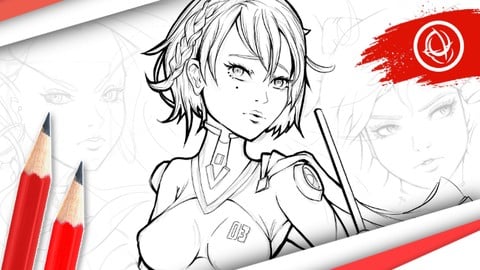
Character Art School: Complete Character Drawing (2026)
4.6 (66,903 Reviews)
 Provider: Udemy
 Time: 28.3h
$199.99

Character Art School: Complete Coloring & Painting (2026)
4.8 (6,042 Reviews)
- Provider: Udemy
- Time: 19.5h
$34.99
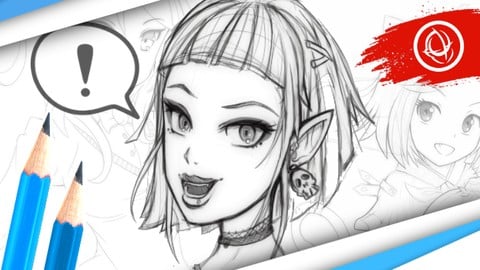
Manga Art School: The Complete Anime & Manga Drawing Course (2026)
4.5 (5,595 Reviews)
- Provider: Udemy
- Time: 11.2h
$149.99
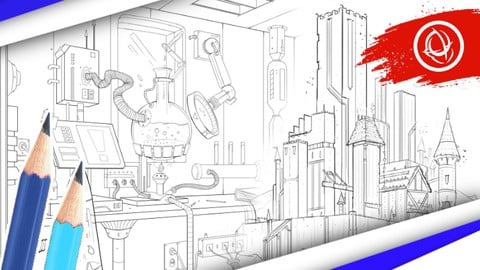
Perspective Art School: The Complete Drawing Course (2026)
4.7 (5,514 Reviews)
- Provider: Udemy
- Time: 9.8h
$24.99
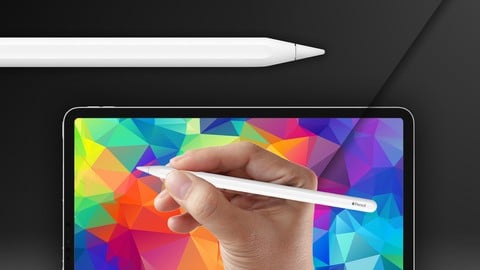
The Complete ProCreate Masterclass Course (2026)
4.6 (2,947 Reviews)
- Provider: Udemy
- Time: 2.7h
$22.99
The Complete Art Fundamentals Course (2026)
4.3 (1,326 Reviews)
- Provider: Udemy
- Time: 48 mins
$19.99
More Digital Painting courses
Character Art School: Complete Coloring & Painting (2026)
4.8 (6,042 Reviews)
- Provider: Udemy
- Time: 19.5h
$34.99



Procreate Masterclass: Digital Drawing on the iPad (2023)
4.8 (1,744 Reviews)
- Provider: Udemy
- Time: 18.2h
$94.99


Digital painting with Krita 5.0 intermediate level (2022)
4.8 (271 Reviews)
- Provider: Udemy
- Time: 6.8h
$79.99
 Reviews

By Allana Santana on 9/19/2020
I knew some of the information the course provides, because I know people who work with photoshop, but the way Scott manages to teach really makes a difference. Now I fell like I can actually utilize properly what I've learned and begin doing art practice digitally.
By Hershil Patel on 9/2/2020
Too basic to be useful, also thought from the description that the lesson would show some things in krita but really just goes over the basics in photoshop.
By Christopher R Steer on 8/26/2020
I bought this course specifically to learn about the layout of Krita. Even though it was listed in the description it wasn't mentioned in the course at all. The instructor only used photoshop for examples.
By J S on 8/23/2020
This was an amazing basics class that was simple & concise but taught me Everything I needed to know to Get Started. The format was well organized and gave me a complete understanding of Basic tools. I am a beginner and watching randomly searched videos often either overwhelmed me or taught me too disjointedly and in a way that was forgettable. IN CONTRAST, this class was able to leave a lasting impression and a good mental map of fundamental tools that can last in my MEMORY. Yes, I have an issue of forgetting this easily and that was what ALWAYS got in my way whenever I tried to do Any digital art. But this class flows well and has just enough information to stay in my head and help make sense of the digital art software it spoke about. Just Enough is key because if I consume too much information, it will just all leak out of my head, which it had been doing for a long time. I look forward to FINALLY being able to use adobe PS properly and also trying the other programs he mentioned.
By Gregory May on 8/20/2020
So far course has been helpfull as I expected
By Carlos Antonio Martnez Gmez on 8/14/2020
Muy buen curso que explica los fundamentos del dibujo en Photoshop, pero se queda corto al no ejemplificar nada en otros programas de dibujo digital.
Lo considero muy buen curso, pero podra ser aun mejor. :)
By Brent Christian Tavenor on 8/10/2020
I knew most of the course material already however i did learn a few new things so to me that made the course overall worth it, that said it could have been a little more in depth, for example when talking about making a new brush preset it was shown how to do it but not how to save it or where. the course did explain how all concepts of different tools work and how to use them. the course is best for a beginner but they would need some general computer/literacy skills going in.
By Alexander Astanaev on 8/1/2020
It gave some additional information about tools which I had not known before. It's very nice for beginners who do not know how to use Photoshop or similar software.
By Spike Black on 7/23/2020
Es fehlen detaillierte Beispiele fr den Leistungsumfang der Tools (Hardware und Software) die fr das digitale zeichnen bentigt werden. Die Prsentation ist sehr oberflchlich und rudimentr. Es bleiben Fragen offen.
By Amelia Jones on 7/4/2020
His voice is making me sleepy and its not pulling
By Ian Carlo S. Rillon on 7/1/2020
I already know most of the digital art features.. But is a good refresher.
By Ayanna Williams on 6/14/2020
A good solid course. Gives good knowledge and tips to better my skills
 Quality Score
No CourseDuck member has rated this course yet. Taken it? Give each part a thumbs up or down.
Overall Score : 86 / 100
- Video Duration:
 1.3h
1.3h - Price: $84.99
- Provider: Udemy
- Updated:
 April 2025
 - Level:
 Beginner
 - Language:
 English
 - Certificate:
 Yes
Yes
30-day money-back guarantee on most paid courses
Udemy Coupon Price Tracker
