
 Web Development
 Data Science
 Python
 SQL
SQL JavaScript
 Artificial Intelligence
 IT & Software
 IT Certifications
 Hacking
 AWS
AWS Arduino
 DevOps
 3D Modeling
 Graphic Design
 Photoshop
 Drawing
 Digital Painting
 UX Design
 Business
 Data Analysis
 Communication Skills
 Project Management
 Leadership & Management
 Human Resources
 Digital Marketing
 Social Media Marketing
 Marketing
 SEO
SEO Google Analytics
 Branding
 Excel
Excel Office Productivity
 SAP
SAP PowerPoint
 Microsoft Access
 SharePoint
 Finance & Accounting
 Trading & Investing
 Accounting
 Bitcoin
 Personal Finance
 Video Editing & Animation
 Photography
 Adobe Premier Pro
 Adobe Lightroom
 Personal Development
 Productivity
 Career Development
 Life Coaching
 Health & Fitness
 Meditation & Mindfulness
 Yoga
Yoga Music
Music Music Production
 Guitar
 Piano
Piano Singing
 Language Learning
 Teaching & Academics
 Engineering
 Math
Math Lifestyle
Display and analyze GIS data on the web with Leaflet (Udemy.com)
Client side mapping applications with the open source javascript libraries Leaflet.js and Turf.js
Created by: Michael Miller
Last updated November 2019
 What you will learn
- Learn to find and zoom to your position on a map
- Learn to use leaflet controls for user interface, geocoding, editing, and loading data
- Learn what background maps are available and how to use them
- Learn to create vector data and style it in your map
- Learn how to export your GIS data to GeoJSON format and load it into the map
- Learn how to filter a subset of your data
- Learn how to search for specific data elements and view their attributes
- Learn how to analyze spatial relationships
- Much, much, more!
How it compares
Against the other 335 rated Udemy courses in Engineering on CourseDuck:
- Rating4.6 out of 5higher than 74% of them
- Reviews848#99 of 336 by number of reviews
- Length13.7 hourslonger than 83% of them
- Last updatedNovember 2019earlier than 83% of them
 Course Description
"This is a great and advanced web mapping application course to solve real world problem. It's very to follow up and the instructor is very knowledgeable. I would recommend it to anyone who is interested in the field webmapping. Thanks Michael."
"Very nice course on using leaflet to build web maps. Many aspects of leaflet and leaflet plugins are covered along with some more advanced analysis using turf. The code examples are helpful in getting started with leaflet maps and adding widgets for interacting with the map."
This course will provide you with the knowledge you need to
- create a Leaflet web map
- add map controls
- choose from a variety of background maps
- add your own GIS to it
- style your data
- find specific data
- analyze spatial relationships
At the end of the course you will be able to create web interfaces to view, search, and analyze your GIS data and make them accessible to anyone with a web interface for free!
This course requires only a text editor and an open source web server to get started designing web GIS applications.

 Udemy Discount
The discount is applied through our link. Open the course from here and Udemy's current promotional price is applied at checkout on most courses, no code to type.
Some courses are excluded from Udemy's promotions. If the price does not drop, clear your browser cookies and use the button again.
Instructor Details

- 4.6 Rating
 848 Reviews
Michael Miller
I have been programming and working with database applications for over 30 years, and specializing in geospatial applications for over 20 years. I am a believer in the 80/20 pareto principle which suggests that you only need to understand 20% of a subject in order to do 80% of your work. My goal in all my courses is to teach at the level of that 20% sweet spot and to provide my students with the background and the tools they need to learn the rest of what they need on their own.
 More courses by Michael Miller
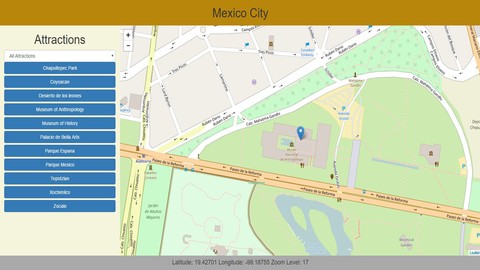
Introduction to web programming for GIS applications (2019)
4.6 (1,594 Reviews)
 Provider: Udemy
 Time: 14.7h
$10.99
Introduction to Spatial Databases with PostGIS and QGIS 3 (2020)
4.4 (1,361 Reviews)
- Provider: Udemy
- Time: 12.7h
$10.99
More Engineering courses


Do it Yourself - Automotive Electrical Diagnosis - Beginner (2026)
4.8 (1,897 Reviews)
- Provider: Udemy
- Time: 2.1h
$12.99

ROS 2 for Beginners Level 2 - TF | URDF | RViz | Gazebo (2025)
4.8 (1,869 Reviews)
- Provider: Udemy
- Time: 13.8h
$10.99

Advanced Kalman Filtering and Sensor Fusion (2021)
4.8 (1,033 Reviews)
- Provider: Udemy
- Time: 8.3h
$84.99

Digital Electronics: Robotics, learn by building module II (2020)
4.8 (942 Reviews)
- Provider: Udemy
- Time: 13.1h
$14.99

 Reviews

By Maryla Jeż on 2/16/2023
Excellent and comprehensive course! You can learn solid basics of Leaflet as well how to expand its functionalities with plugins. Thanks to extensive and various sample data you can learn a lot of Leaflet funcionalities. Single lectures may serve asa a quick cheatsheet for creating your own projects in the future. The course also gives basic understanding of jQuery and bootstrap and interacting with the webpage using JavaScript. I highly recommend this one and Mike's other courses.
By Miguel Imperial on 4/1/2021
Overall, I learned a lot and now have a "template" to start other webmaps. However, as the course goes on, the harder it is to learn from it. The webmap has become too complicated for beginners to understand why we're writing this function or why this function doesn't work. I recommend that instead of "over-engineering" a single webmap, maybe make 2 or 3 webmaps that offer a different service but not too complicated. Also, there are a lot of solution code that doesn't work anymore in May 2021.
By Alex Fernández Poulussen on 3/8/2021
This course is very valuable, with extensive contents and good explanations. I highly recommend it to become familiar and use Leaflet with confidence. Sometimes you find moments in which you need to find out a solution for yourself but that is really normal, and with the Q&A you can almost solve any issue you may find. Thanks Mike for your effort, I look forward to learn more about webmapping and Geospatial databases.
By Jon Lunsford on 11/15/2020
Great course for front-end mapping applications using Leaflet.
By Gail Jorgenson on 10/27/2020
Web GIS courses are hard to find and Michael does a great job of walking student through Leaflet & Turf.js. I highly recommend the course, but recommend you take his first course prior to this one to fully understand the content.
By Halil brahim ONYIL on 9/21/2020
Thanks for Experinces
By Yazid on 9/13/2020
Once you understand the basic and dig deep to jquery. Then everything is totally clear. On this lecture are teach to understand not just know how to copy paste some code. My suggestion learn the basic lecture, then you will understand everything. This lecture not just make me able to create webgis but also make me as programmer.
By Riswan Sianturi on 7/8/2020
slow loading
By Joel Wong on 6/27/2020
Very excellent and detailed lectures about Leaflet! Hope Miller continues to update his content to use with Python Flask.
By Marco Antonio Manuel Crdova on 6/22/2020
Buen Curso
By Imrane on 6/15/2020
I find this course very helpfu. Thanks Mr. Miller
By Ruan Otavio Teixeira on 5/20/2020
Very good!
 Quality Score
No CourseDuck member has rated this course yet. Taken it? Give each part a thumbs up or down.
Overall Score : 92 / 100
- Video Duration:
 13.7h
13.7h - Price: See price on Udemy
- Provider: Udemy
- Updated:
 November 2019
 - Level:
 Intermediate
 - Language:
 English
 - Certificate:
 Yes
Yes
30-day money-back guarantee on most paid courses
Udemy Coupon Price Tracker
