
 Web Development
 Data Science
 Python
 SQL
SQL JavaScript
 Artificial Intelligence
 IT & Software
 IT Certifications
 Hacking
 AWS
AWS Arduino
 DevOps
 3D Modeling
 Graphic Design
 Photoshop
 Drawing
 Digital Painting
 UX Design
 Business
 Data Analysis
 Communication Skills
 Project Management
 Leadership & Management
 Human Resources
 Digital Marketing
 Social Media Marketing
 Marketing
 SEO
SEO Google Analytics
 Branding
 Excel
Excel Office Productivity
 SAP
SAP PowerPoint
 Microsoft Access
 SharePoint
 Finance & Accounting
 Trading & Investing
 Accounting
 Bitcoin
 Personal Finance
 Video Editing & Animation
 Photography
 Adobe Premier Pro
 Adobe Lightroom
 Personal Development
 Productivity
 Career Development
 Life Coaching
 Health & Fitness
 Meditation & Mindfulness
 Yoga
Yoga Music
Music Music Production
 Guitar
 Piano
Piano Singing
 Language Learning
 Teaching & Academics
 Engineering
 Math
Math Lifestyle
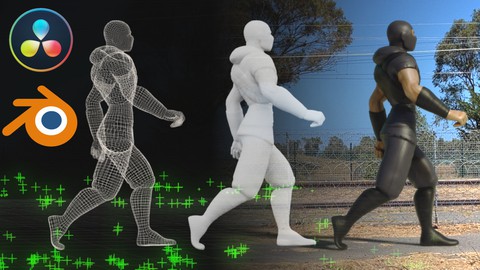
Fusion and Blender VFX Masterclass (Udemy.com)
Create your own stunning VFX shots using Fusion & Blender - From 3D camera tracking to final compositing.
Created by: Ruan Lotter
Last updated March 2024
 What you will learn
- Create your own VFX shots using Fusion and Blender
- 3D Camera tracking using Fusion
- Creating your 3D scene using Blender
- How to setup render layers and render passes in Blender
- Compositing using Fusion's node based workflow
How it compares
Against the other 293 rated Udemy courses in Video Editing & Animation on CourseDuck:
- Rating4.8 out of 5higher than 96% of them
- Reviews61#232 of 294 by number of reviews
- Length1.9 hoursshorter than 75% of them
- Last updatedMarch 2024more recently than 53% of them
 Course Description
Welcome to this Fusion and Blender VFX Masterclass
What you will learn?
3D camera tracking in Fusion
How to setup reference 3D geometry in Fusion
Export tracked scene as FBX from Fusion to Blender
Import an animated character from Mixamo into your Blender scene
Matching lighting and shadows in Blender
Creating shadow catchers in Blender
How to setup render layers and render passes in Blender
Rendering a multi-layer EXR image sequence
Fusion Compositing - Merging render passes
Fusion Compositing - Vector motion blur and color correction
Fusion Compositing - Rotoscoping and using masks
Fusion Compositing - How to create a lightwrap
Fusion Compositing - Final grading and compositing effects
During this course I will take you step-by-step through my own personal VFX pipeline, from 3D Camera Tracking in Fusion, to building your 3D scene in Blender, importing an animated character from Mixamo, rendering different render passes and render layers - all the way to compositing our final shot using Fusion's amazing node based compositing system.
You will learn various compositing techniques in Fusion, including how to merge render passes, adding vector motion blur, color correction and grading, rotoscoping and using masks, how to create a lightwrap, as well as final compositing effects to spice up your renders.
I've specifically designed this course in such a way that anyone interested in learning VFX can follow along and create their own amazing shots.
The software used in this course is Davinci Resolve Studio 18.6 (which is the paid version) and Blender 4.0.2.
Some nodes are not available in the Free version of Davinci Resolve (such as the Camera Tracking Node) but most of the nodes I discuss in this course, are available in the Free version.
By the end of this course, you'll have the skills and knowledge to create your own stunning visual effects shots.
Here is a list of all the lessons in this course:
Create a PNG Image Sequence
3D Camera Tracking in Fusion
Import FBX to Blender and Align World
Import Mixamo Character and Basic Scene Setup
Match Lighting and Shadows
Render Layers and Render Passes
Render Multilayer EXR Sequence
Fusion Compositing Part 1 (Merging Render Passes)
Fusion Compositing Part 2 (Vector Motion Blur)
Fusion Compositing Part 3 (Color Correction)
Fusion Compositing Part 4 (Rotoscoping)
Fusion Compositing Part 5 (Lightwrap)
Fusion Compositing Part 6 (Final Compositing Effects)
Export Final Render from Fusion
I really hope that you will learn a lot during this course, and feel free to reach out if you have any questions.
Are you ready to get started? Let's dive in!

 Udemy Discount
The discount is applied through our link. Open the course from here and Udemy's current promotional price is applied at checkout on most courses, no code to type.
Some courses are excluded from Udemy's promotions. If the price does not drop, clear your browser cookies and use the button again.
Instructor Details

- 4.8 Rating
 61 Reviews
Ruan Lotter
Ruan Lotter is a VFX & 3D Artist, Online Teacher, Music Producer and Author from Cape Town, South Africa. He has worked on many short films and TV commercials for brands such as Hasbro, Lipton, RB, Ryobi and HP doing mostly camera tracking, general 3D work and compositing.
It all started in 1994 when he discovered 3dsmax for DOS! Back then it was called "3D Studio" and that changed everything... A few years later, 3dsmax for Windows was released and the world of online tutorials was born. Ruan instantly started binge watching online tutorials on a website called "3D Buzz" and dove deep into the world of 3D. Over the years he used many different VFX related software such as Adobe After Effects, Maya, Cinema4d, Modo, PFTrack, Boujou and Nuke to name a few and he fell in love with the world of Visual Effects and YouTube became his university of choice.
At the beginning of 2020, after many years of using Maya, he found Blender which quickly became his go-to application for anything 3D or VFX related. In mid 2022 he published his first book "Taking Blender to the Next Level" which is available on Amazon.
He currently works as a VFX Artist & 3D Generalist at Accenture, doing mostly 3D and VFX work on TV and Web content for well known brands.
He also runs a YouTube channel called TunnelvizionTV where he teaches VFX and Motion Graphics using a variety of applications.
 More courses by Ruan Lotter

After Effects Essentials: Complete VFX and Motion GFX Guide (2017)
4.3 (2,025 Reviews)
 Provider: Udemy
 Time: 2.6h
$54.99
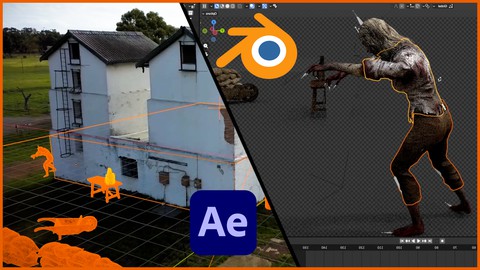
Blender and After Effects VFX Masterclass (2023)
4.5 (224 Reviews)
- Provider: Udemy
- Time: 3.8h
$12.99

Blender Masterclass: Learn Blender in only 6 Hours (2022)
4.6 (159 Reviews)
- Provider: Udemy
- Time: 6.2h
$13.99
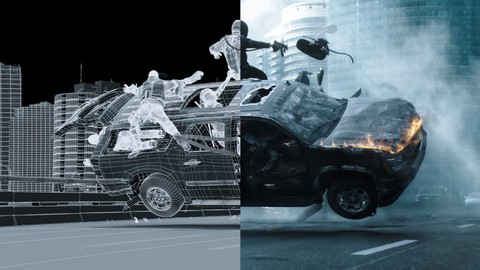
VFX 101: Learn Adobe After Effects / PFTrack / 3ds Max (2017)
4.0 (103 Reviews)
- Provider: Udemy
- Time: 4.4h
$34.99
More Video Editing & Animation courses

Learn to Storyboard for Film or Animation (2024)
4.8 (2,727 Reviews)
- Provider: Udemy
- Time: 2.2h
$12.99


Fire Starter Sessions Video Workshop with Danielle LaPorte (2017)
4.8 (1,205 Reviews)
- Provider: Udemy
- Time: 3.7h
$11.99

The Ultimate Color Grading Bootcamp in DaVinci Resolve (2026)
4.8 (947 Reviews)
- Provider: Udemy
- Time: 8.7h
$19.99

The Complete Talking Head Video Production Masterclass (2026)
4.8 (319 Reviews)
- Provider: Udemy
- Time: 17.6h
$59.99

The Complete iMovie Course - from Beginner to Advanced 2026!
4.7 (2,021 Reviews)
- Provider: Udemy
- Time: 11.1h
$10.99
 Reviews

By Björn Sondermann on 5/27/2025
Another great course! I work a lot with fusion and blender. This is straight forward and highly recommended
By Adigun Olakunle Jonathan on 4/27/2025
He is so good at what he does. Excellent Material
By Bradley Shroyer on 1/1/2025
The instructions were very clear. There were a couple little tricks that a new user to Davinci Resolve might not have figured out. I might have missed them as well. But things like press CTRL (on Windows) to fine adjust the sliders for settings. But the instructor did a great job of explaining things for both Windows and Mac. Very enjoyable course.
By Andrew Rawson on 10/14/2024
It's a great course but what kept me from giving it 5 stars is that the instructor does not answer anyone's questions in the Q & A section. I had a question but when I saw that he never replied to anyone's queries I didn't even bother. For a paid course that isn't good.
By Nicolas Alexandre on 10/10/2024
Awesome course. Very good for beginners.
By Zakaria El Khamsi on 8/27/2024
YO ! this course is so comprehensive no joke, first of the details are amazing, nothing is overcomplicated and the videos are short to watch and he gets to the point directly, would recommend 1000%
By Kallian on 8/10/2024
Really good and well explained class. Even tho I use Davinci for 5+ years as an editor and nuke for my 3D compositing, got some really nice insights from Ruan. If you love VFX with fusion + blender, enroll with ur eyes closed
By John P. Dunnigan on 6/23/2024
Just fantastic. Very detailed with step-by-step explanations! Would love to see a course from this same instructor using Blender and DaVinci Resolve with live action people/actors and a 3D scene created in Blender.
By Yves Molina on 5/18/2024
C'est vraiment passionnant et cela donne envie de faire du tracking avec fusion !
By Quentin Rood on 3/12/2024
Very concise and well presented. Would suggest slightly more explanation on certain Da Vinci user interface settings etc, as a person new to Resolve may find some subjects confusing. I do have previous experience so made sense, but newcomers may struggle to keep up, and/or understand what each setting actually does. Otherwise, good stuff so far, thank you
 Quality Score
No CourseDuck member has rated this course yet. Taken it? Give each part a thumbs up or down.
Overall Score : 96 / 100
- Video Duration:
 1.9h
1.9h - Price: See price on Udemy
- Provider: Udemy
- Updated:
 March 2024
 - Level:
 All Levels
 - Language:
 English
 - Certificate:
 Yes
Yes
30-day money-back guarantee on most paid courses
Udemy Coupon Price Tracker
