
 Web Development
 Data Science
 Python
 SQL
SQL JavaScript
 Artificial Intelligence
 IT & Software
 IT Certifications
 Hacking
 AWS
AWS Arduino
 DevOps
 3D Modeling
 Graphic Design
 Photoshop
 Drawing
 Digital Painting
 UX Design
 Business
 Data Analysis
 Communication Skills
 Project Management
 Leadership & Management
 Human Resources
 Digital Marketing
 Social Media Marketing
 Marketing
 SEO
SEO Google Analytics
 Branding
 Excel
Excel Office Productivity
 SAP
SAP PowerPoint
 Microsoft Access
 SharePoint
 Finance & Accounting
 Trading & Investing
 Accounting
 Bitcoin
 Personal Finance
 Video Editing & Animation
 Photography
 Adobe Premier Pro
 Adobe Lightroom
 Personal Development
 Productivity
 Career Development
 Life Coaching
 Health & Fitness
 Meditation & Mindfulness
 Yoga
Yoga Music
Music Music Production
 Guitar
 Piano
Piano Singing
 Language Learning
 Teaching & Academics
 Engineering
 Math
Math Lifestyle
After Effects Essentials: Complete VFX and Motion GFX Guide (Udemy.com)
Your complete guide to create amazing Visual Effects and Motion Graphics using Adobe After Effects CC 2017.
Created by: Ruan Lotter
Last updated August 2017
 What you will learn
- Create awesome visual effects and motion graphics using Adobe After Effects
- More advanced After Effects techniques
How it compares
Against the other 118 rated Udemy courses in Adobe After Effects on CourseDuck:
- Rating4.3 out of 5higher than 18% of them
- Reviews2,025#7 of 119 by number of reviews
- Length2.6 hoursshorter than 50% of them
- Last updatedAugust 2017earlier than 87% of them
 Course Description
Adobe After Effects Essentials: Complete VFX and Motion Graphics Guide
Are you interested in creating your own amazing Visual Effects and Motion Graphics? Look no further! In this 100% FREE course you will learn all the basics (and some more) of Adobe After Effects CC 2017. You will learn how to do VFX and Motion Graphics using many of the tools in Adobe After Effects. Over 2.5 hours of video content in this course - and yes - it's 100% FREE and will always be free! I have also included 3 bonus tutorials on Mocha Pro! Yup all this for free! :)
Please remember to rate this course as it really helps me a lot.
Over 2 hours and 30 minutes of 100% FREE Adobe After Effects Tutorial Videos!
This course consists of 30 After Effects Tutorials!
==What you will learn==
Adobe After Effects CC 2017
- How To Create A Cardboard Cutout Animation
- How To Adjust Exposure On A Face
- Creating Realistic Camera Shake
- How To Create A 3D Grid Effect
- Creating Cool Title Reveals
- Doing A Crash Zoom Effect
- Creating The Captain America Intro Animation
- How To Do Professional End Credits
- How To Use Mattes In After Effects
- How To Create Your Own 2D South Park Style Animation
- How To Create An Easy Lip Syncing Rig
- LUTS and CG
- Tracking Outside The Frame
- Create Audio Waveforms On Text
- How To Change The Color Of Something In Your Scene
- Compositing Tips And Tricks
- Create A Cool Text Stroke Animation
- How To Create A Pixelated Background Effect
- How To Remove Anything From Your Shot
- How To Use The Rotobrush
- How To Do A Selective Color Effect
- Creating A Phone Text Message Popup Effect
- Tracking Masks In After Effects
- How To Create A Video From A 360 Degree Photo
- Doing A Video To Newspaper Effect
- How To Do A Whip Pan Effect
- How To Create Awesome Light Sabers Using The Free Saber Plugin
- Bonus Content - Rotoscoping With Mocha
- Bonus Content - Remove Tattoo Using Mocha Pro
- Bonus Content - Remove Tracking Markers Using Mocha Pro
***Please remember to rate this course once you have completed it.***
Thanks for watching!
Kind regards,
Ruan Lotter

 Udemy Discount
The discount is applied through our link. Open the course from here and Udemy's current promotional price is applied at checkout on most courses, no code to type.
Some courses are excluded from Udemy's promotions. If the price does not drop, clear your browser cookies and use the button again.
Instructor Details

- 4.3 Rating
 2,025 Reviews
Ruan Lotter
Ruan Lotter is a VFX & 3D Artist, Online Teacher, Music Producer and Author from Cape Town, South Africa. He has worked on many short films and TV commercials for brands such as Hasbro, Lipton, RB, Ryobi and HP doing mostly camera tracking, general 3D work and compositing.
It all started in 1994 when he discovered 3dsmax for DOS! Back then it was called "3D Studio" and that changed everything... A few years later, 3dsmax for Windows was released and the world of online tutorials was born. Ruan instantly started binge watching online tutorials on a website called "3D Buzz" and dove deep into the world of 3D. Over the years he used many different VFX related software such as Adobe After Effects, Maya, Cinema4d, Modo, PFTrack, Boujou and Nuke to name a few and he fell in love with the world of Visual Effects and YouTube became his university of choice.
At the beginning of 2020, after many years of using Maya, he found Blender which quickly became his go-to application for anything 3D or VFX related. In mid 2022 he published his first book "Taking Blender to the Next Level" which is available on Amazon.
He currently works as a VFX Artist & 3D Generalist at Accenture, doing mostly 3D and VFX work on TV and Web content for well known brands.
He also runs a YouTube channel called TunnelvizionTV where he teaches VFX and Motion Graphics using a variety of applications.
 More courses by Ruan Lotter
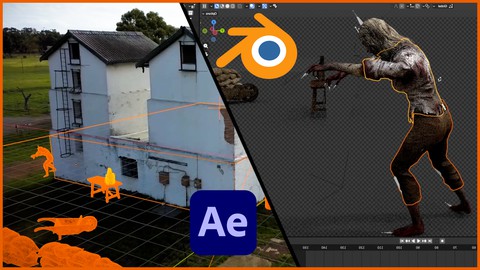
Blender and After Effects VFX Masterclass (2023)
4.5 (224 Reviews)
 Provider: Udemy
 Time: 3.8h
$12.99

Blender Masterclass: Learn Blender in only 6 Hours (2022)
4.6 (159 Reviews)
- Provider: Udemy
- Time: 6.2h
$13.99
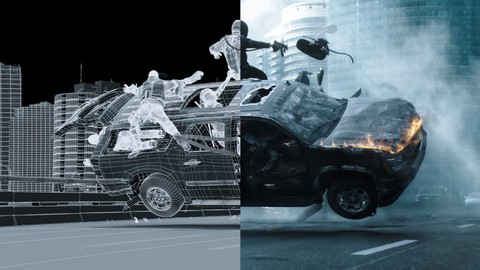
VFX 101: Learn Adobe After Effects / PFTrack / 3ds Max (2017)
4.0 (103 Reviews)
- Provider: Udemy
- Time: 4.4h
$34.99
More Adobe After Effects courses

Motion Design & Animation Principles in Adobe After Effects (2025)
4.8 (1,594 Reviews)
- Provider: Udemy
- Time: 5.8h
$99.99


Futuristic HUD Motion Graphics in After Effects (2018)
4.7 (664 Reviews)
- Provider: Udemy
- Time: 1.5h
$69.99

Course Design - How to Create Impressive Text Animations (2017)
4.7 (207 Reviews)
- Provider: Udemy
- Time: 2.7h
$74.99

After Effects Masterclass: The Ultimate Guide for Beginners (2020)
4.7 (198 Reviews)
- Provider: Udemy
- Time: 9h
$74.99

 Reviews

By Pierre de Witt on 5/21/2021
I believe that this course wasn't made for Udemy, rather, I get the impression it's a collection of YouTube videos (the instructor mentions the description area below YT videos). There are no sections at all, everything is pooled together and the lessons don't follow any kind of outline. The instructor is very knowledgeable and has a lot of experience using the application but it's a shame that most of the videos are done in After Effects CS6 and the course itself wasn't updated in almost 4 years. Also, the footage is in 720p.
By Haider on 4/19/2020
It was really a great tutorial, thank you for creating this. I would like to add two things - one is at some point I felt a little bit faster though I slowed down the speed of the video and the other is the lack of resources. Again this was an absolutely amazing tutorial I ever came across. Thanks once again !
By Mariham Magdy Ahmed on 3/16/2020
This is the second Aftereffects course I have take on Udemy its very creative course i really learn a lot and it include a lot of information and details I really enjoyed the course it was exactly what I needed i Just finished this course and I am really happy with the course's content. I learned a lot from this online course Great job Ruan
By Dewayne McAllister on 2/26/2020
honestly, i feel like in the beginning, things were moving a bit fast, and there wasn't much explanation of the lessons and steps. but as things progressed, the tutorials became more informative. i just with there had been deeper explanation of what a certain effect does, or a property within a layer. but overall, i did learn quite a bit. i enjoyed this set
By John Howe on 4/15/2019
I was not sure about the quick fire short lecture format that this course uses but having gone through all the lectures, it seems to work. It is sometimes nice to learn what an application can do more than how it can be done. This course seems to do both whilst keeping things light and easy to understand. If, like me, you are a complete beginner to After Effects, have a look at this course before any other.
By Daria Afanaseva on 10/24/2018
1r día. Me han encantado las clases tan especificas sobre efectos y trucos. Después de pasar todo el curso: Este curso es una pasada. Lo recomiendo a la gente que ya tienen un poco de experiencia con el AE. La mayoría de las clases contenían info completamente nueva para mí. ¡¡¡Además las clases de BONUS es la leche!!! ¡Gracias Ruan por comprartir tu experiencia! Cuando voy a adquirir un curso de AE, sus cursos serán la primera opción
By Rahul Mallapureddi on 5/29/2018
Great course! It's wonderful to learn After Effects with a better explanation. Also, various effects on nice examples clear your knowledge and increase your interests to learn very fast.The Instructor of the course fulfilled the concept of working with the basics of the After Effect program. Thank you for your efforts in educating the beginner and the politicians in detail.Thanks..
By Florina - Daiana Lates on 3/20/2018
At one point, in the Captain America video the sound was not in sync anymore so it became very hard to follow. Also, there are some steps that he skips over to get to the final point and it would've been nice to see how he got, for example, to the split screen with before and after. He does not explain why he selects certain features so I know how to make the steps but I don't know why I am doing it, this making harder for me to be able to know what to use when I want to do something on my own.
By Charlize Matthee on 1/30/2018
I enjoy how well Ruan has made the first tutorial... extremely easy to follow. It just needs downloadable resources to complete the tutorials with the trainer. I have now completed 13 lessons, and all are very well put together. There are a few things about the coding part of functions that isn't explained, but perhaps that is in a beginners course. For example, when using the slider on the lip syncing rig Ruan uses the coding type language. Perhaps that can also be covered in a lesson. Where can I get the basic background to that.
By Geoff Duke on 11/28/2017
It's a brilliant course. I'll be using it over and over again as a reference tool. I'm very grateful. I would have given it a full five stars but at times the narration goes out of sink with the video (eg lesson 7) and at times the explanations can be a little quick. Great content though and very helpful and actually a lot better than some of the paid courses that are available. Great Work.
 Quality Score
No CourseDuck member has rated this course yet. Taken it? Give each part a thumbs up or down.
Overall Score : 86 / 100

- Video Duration:
 2.6h
2.6h - Price: $54.99
- Provider: Udemy
- Updated:
 August 2017
 - Level:
 All Levels
 - Language:
 English
 - Certificate:
 Yes
Yes
30-day money-back guarantee on most paid courses
Udemy Coupon Price Tracker
