
 Web Development
 Data Science
 Python
 SQL
SQL JavaScript
 Artificial Intelligence
 IT & Software
 IT Certifications
 Hacking
 AWS
AWS Arduino
 DevOps
 3D Modeling
 Graphic Design
 Photoshop
 Drawing
 Digital Painting
 UX Design
 Business
 Data Analysis
 Communication Skills
 Project Management
 Leadership & Management
 Human Resources
 Digital Marketing
 Social Media Marketing
 Marketing
 SEO
SEO Google Analytics
 Branding
 Excel
Excel Office Productivity
 SAP
SAP PowerPoint
 Microsoft Access
 SharePoint
 Finance & Accounting
 Trading & Investing
 Accounting
 Bitcoin
 Personal Finance
 Video Editing & Animation
 Photography
 Adobe Premier Pro
 Adobe Lightroom
 Personal Development
 Productivity
 Career Development
 Life Coaching
 Health & Fitness
 Meditation & Mindfulness
 Yoga
Yoga Music
Music Music Production
 Guitar
 Piano
Piano Singing
 Language Learning
 Teaching & Academics
 Engineering
 Math
Math Lifestyle
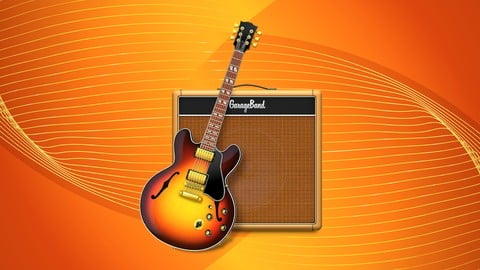
GarageBand Masterclass: GarageBand for Music Production (Udemy.com)
Learn GarageBand for music production, music composition, music mixing, audio production, songwriting, and so much more!
Created by: Jeremy Deighan
Last updated November 2018
 What you will learn
- Learn the basics of using GarageBand for your music production or audio production.
- Install, setup, and navigate GarageBand's interface.
- Record, add, and import audio files into your GarageBand project.
- Edit and arrange audio files in your GarageBand project.
- Mix and export your files in GarageBand.
- Use GarageBand to create your audio project; whether it be a song, voice-over, podcast, ringtone, or sound for a movie.
How it compares
Against the other 241 rated Udemy courses in Music Production on CourseDuck:
- Rating4.5 out of 5higher than 42% of them
- Reviews1,496#21 of 242 by number of reviews
- Length5.1 hourslonger than 62% of them
- Last updatedNovember 2018earlier than 85% of them
 Course Description
GarageBand Masterclass: GarageBand for Music Production
Do you want to create awesome music for your band, killer audio for your videos or courses, and professional quality voice overs? Have you ever tried recording and producing your own audio projects to find it difficult and time consuming?
Then you have come to the right place!
What this course is about:
This GarageBand Masterclass is aimed to help you understand the fundamentals of using GarageBand for the Mac. This amazing piece of software can help you create a multitude of audio projects, and this is just the course to help you get started!
GarageBand is very easy-to-use software for creating beats, music, voice overs, sound effects, and even ringtones. GarageBand has an extensive resource of libraries and presets to get you up and running in no time. It lets you have complete control over audio adjustments so you can get the right sound you're looking for.
As one of the top applications for MacOS, you can learn GarageBand today for your next music production, music composition, audio production, songwriting session, music mixing, and anything else that you can think of!
Don't wait to enroll in this premium course today!
When you enroll in this course, you will have the benefit of getting quality instruction on how to use GarageBand, direct contact with the instructor, discussion forums with other students, and evergreen content upgrades.
Plus, Udemy offers a 30-Day Money Back Guarantee; if you do not like this course, you can get your money back!
Don't hesitate, enroll today!
Jeremy Deighan
ps - I am here for my students and I always welcome any feedback, questions, discussions, or reviews on my courses. Please visit my profile to see how you can contact me in the most convenient way for you!

 Udemy Discount
The discount is applied through our link. Open the course from here and Udemy's current promotional price is applied at checkout on most courses, no code to type.
Some courses are excluded from Udemy's promotions. If the price does not drop, clear your browser cookies and use the button again.
Instructor Details

- 4.5 Rating
 1,496 Reviews
Jeremy Deighan
My name is Jeremy Deighan and I am thrilled to be a part of the Udemy team of instructors, helping others achieve their own personal goals. I have had quite a range of skills and hobbies throughout my lifetime. I really enjoy teaching and hope to provide information to others on anything and everything I know how to do. Please take a moment to check out my courses, and if you take any please leave a review and any feedback you have.
Business
Starting my own business in 2015 has led me down some interesting and wonderful paths in my lifetime. I've learned the ins and outs of management, marketing, accounting, sales, and other aspects of a business environment. The skills I've learned through podcasting, blogging, creating videos, and marketing is something I will carry the rest of my life into many other endeavors.
Art and Design
I have an extensive background in different forms of art and design. I have an Associate's Degree in Computer Animation and I've worked with various production houses to create awesome content. Adobe Photoshop has been a staple of my arsenal since I was 16 and I still use it faithfully to this day.
I also have a history in live visual arts, specifically lighting design for music events, festivals, theaters, and corporate gigs. My passion for the visual arts has helped me become a master in understanding lighting, color theory, and composition.
 More courses by Jeremy Deighan
Canva Graphic Design for Entrepreneurs - Design 11 Projects (2024)
4.1 (1,536 Reviews)
 Provider: Udemy
 Time: 3.4h
$17.99
Photoshop Effects - How to Create Photo Effects (2018)
4.3 (800 Reviews)
- Provider: Udemy
- Time: 54 mins
$13.99

Photoshop CC for Beginners : Adobe Photoshop Course (2019)
4.5 (610 Reviews)
- Provider: Udemy
- Time: 15h
$84.99

Canva for Beginners - Graphic Design Theory Volume 1 (2018)
4.1 (396 Reviews)
- Provider: Udemy
- Time: 2.6h
$44.99

Canva for Beginners - Your Guide to Canva for Graphic Design (2018)
4.1 (227 Reviews)
- Provider: Udemy
- Time: 36 mins
$44.99
Smartsheet 2023 For Beginners: Modern Project Management
4.3 (165 Reviews)
- Provider: Udemy
- Time: 3.7h
$74.99
More Music Production courses

Electronic Music Production with Ableton Live (2025)
4.9 (2,479 Reviews)
- Provider: Udemy
- Time: 11.9h
$84.99

Garageband IOS (iPhone/iPad): The Complete Beginners Guide (2021)
4.9 (535 Reviews)
- Provider: Udemy
- Time: 3.5h
$10.99

How to Become a DJ - Learn How to Start DJing Online Today (2021)
4.8 (5,221 Reviews)
- Provider: Udemy
- Time: 10.8h
$17.99

Ultimate Sound Design: Mastering Sound Design (2026)
4.8 (1,998 Reviews)
- Provider: Udemy
- Time: 7.3h
$109.99


Ultimate Ableton Live 9 Complete: Parts 4, 5, & 6 (2026)
4.8 (512 Reviews)
- Provider: Udemy
- Time: 11.8h
$89.99
 Reviews

By Robert Jones on 12/16/2024
I needed a quick refresher on the basics of Garageband and, not only did this course deliver, but it also showed me some tricks that any other course I'd taken did not. LOVED the Audio File Options vid,in particular. I would like to suggest that Jeremy update this basic course to cover the most recent version of Garageband. He's a fun instructor (beep, beEP, bEEP, BEEP!) so he can add things like the Groove Track option to the course.
By Daniel Agustín Pérez Bueno on 4/11/2024
I really like this course, it fouces in the use of Garage Band and it's very clear, the only thing it's that it would be a good idea to update this curse with new version of the software, probably the new versions have new features that are not explained in the course, but I recomend this course to start with this software
By Arun Kumar Sarkar on 11/15/2022
I am new in the digital recording and production field. The garageband is a software everybody talks about, it is very user friendly. So, i was interested to know about it and this course has enlightened me about how to use the different facilities inbuilt into it. Thanks to UDEMY and my Instructor of this course.
By Peter Perks on 12/28/2020
The course was good and helped me around a few different sections of Garageband, but I did find it fairly basic. There was a lot of repetition of certain features throughout the course, so it could have been a lot shorter. It would also have been great to have recorded real instruments and vocals (not just speech) to show how it all works.
By laurence Desgaines on 12/16/2020
What can I say other then... "I GOT THIS" GREAT COURSE WELL DONE!!! ... although slightly redundant at times but that was not a problem... I just put the playback speed of the video at those spots a little faster :) ... and redundancy is not necessarily a bad thing... Can't wait to start adding some experimental recordings to my guitar instrumentals ... Hey... and you saved the best for last ... that TRACK MOVIE function was a BIG surprise I didn't know Garageband allowed you to do that... Woot! Woot! can't wait to explore that feature to create sound tracks & Voice Overs for my animation films... Peace Larry
By Scato van Opstall on 1/25/2020
Clear basic introduction to garageband. Okay, the rather monotonous narration could even make dead people fall asleep -personally I would add some wit and more inspiring musical examples to entertain and keep the viewers attention- but that having said, the instructions are very clear, everything is well articulated and easily understandable, also for non native speakers like myself. Well structured too, the length of the modules also perfect. Guess you could find most subjects on Youtube, but this is far more convenient, both in terms of structure and not having to search yourself silly for every topic. The 'official' non-discount price is far too high (yeah, I now it's a marketing trick), but the 10/12 euro/dollar offer for this solid 5 hour beginners course with 'lifetime' access is a fair deal. * PS Final note on the voice: after this course I signed in for a different Udemy course on Garageband composing - which had a tutor with a shrill nasal voice, which really came close to torture, so asked for a refund. And -well deserved- I just added half a star for Jeremy's quiet monotonous one ;) It' information not Comedy. End verdict: very recommended. *
By Marc Damon Oliver on 1/3/2020
Thorough break-down of the software, and stays focused on the subject at hand. With the help of learning on the go - (not always having PC on hand), Jeremy makes it easy to open Garage Band and navigate the software like you've known it for years. Keep doing what you're doing, Great teacher.
By Teddy Ryan on 9/20/2019
I really enjoyed this course. I learned how to connect my EWI to Garageband and use it to control different GB interments. I also learned many tricks to GB I never new and what the real purpose of the AMPs are in GB. Overall I think I would have liked more information on creating a song and arranging it to export. Going over that process with a song we create through class would probably be a whole class but that would be my only advice. GREAT JOB.
By Amanda Yates on 10/25/2017
This course is a good walk through the various features of GarageBand. Although I have some knowledge on how to use this program I found the sections on the Score Editor, Automation, Pedal Board, Amp Designer, Equalizer and Changing the Project to be particularly helpful as I knew next to nothing about those. I think that this course would be also good for people who know nothing about GarageBand as it starts with the very basics. Thank you Jeremy for a brilliant course, I enjoyed it and I got a lot out of it!
By Les Simons on 8/22/2017
It is really well organized. The features he mentions are usually not fully described; he assumes I have some familiarity with computers and this kind of software--when I don't know something, Wikipedia helps a lot--and then he moves on, saying we'll discuss more about this later. The segments are short, so if it was a "waste of time" because I "knew it all" I didn't expend much time. His voice is pleasantly modulated, the enunciation crisp enough for clarity with vocabulary generally pronounced to a universal USA English (except "piano," which I'm getting used to). It is a very worthwhile program and a worthy presentation. BTW, I'm about half way finished.
 Quality Score
No CourseDuck member has rated this course yet. Taken it? Give each part a thumbs up or down.
Overall Score : 90 / 100
- Video Duration:
 5.1h
5.1h - Price: $99.99
- Provider: Udemy
- Updated:
 November 2018
 - Level:
 All Levels
 - Language:
 English
 - Certificate:
 Yes
Yes
30-day money-back guarantee on most paid courses
Udemy Coupon Price Tracker
