
 Web Development
 Data Science
 Python
 SQL
SQL JavaScript
 Artificial Intelligence
 IT & Software
 IT Certifications
 Hacking
 AWS
AWS Arduino
 DevOps
 3D Modeling
 Graphic Design
 Photoshop
 Drawing
 Digital Painting
 UX Design
 Business
 Data Analysis
 Communication Skills
 Project Management
 Leadership & Management
 Human Resources
 Digital Marketing
 Social Media Marketing
 Marketing
 SEO
SEO Google Analytics
 Branding
 Excel
Excel Office Productivity
 SAP
SAP PowerPoint
 Microsoft Access
 SharePoint
 Finance & Accounting
 Trading & Investing
 Accounting
 Bitcoin
 Personal Finance
 Video Editing & Animation
 Photography
 Adobe Premier Pro
 Adobe Lightroom
 Personal Development
 Productivity
 Career Development
 Life Coaching
 Health & Fitness
 Meditation & Mindfulness
 Yoga
Yoga Music
Music Music Production
 Guitar
 Piano
Piano Singing
 Language Learning
 Teaching & Academics
 Engineering
 Math
Math Lifestyle
Get Organized and Go Paperless with OneNote (Udemy.com)
A documentary-styled course showcasing how OneNote can effectively be used in everyday life to get better organized
Created by: Ulrika Hedlund
Last updated December 2017
 What you will learn
- Set up OneNote to synchronize correctly across devices
- Go paperless by digitizing receipts and other important documents
- Find digital records of important documents such as medical records
- Eternalize special memories such as children's drawings
- Use OneNote to capture drawings and sketches
- Understand how OneNote can be used to manage project-related information
How it compares
Against the other 459 rated Udemy courses in Office Productivity on CourseDuck:
- Rating4.2 out of 5higher than 10% of them
- Reviews141#380 of 460 by number of reviews
- Length0.5 hoursshorter than 99% of them
- Last updatedDecember 2017earlier than 92% of them
 Course Description
Do you wish you were better organized? That you could easily access that warranty receipt you desperately need when something breaks? Do you wish you could de-clutter your house and get rid of those paper piles - but still keep the information and be able to access it from anywhere? If so, this is the course for you!
In this course, ex-Microsoft employee and Productivity Expert Ulrika Hedlund, walks you through how to effectively use OneNote across devices in your personal life. In a "documentary" fashion, she takes you behind the scenes of her life and shares how she effectively uses OneNote in day-to-day scenarios - as a mother, wife and project manager of their home renovation.
Even though this course focuses on personal life scenarios, a lot of the learning can be applied in a typical work day as well.

 Udemy Discount
The discount is applied through our link. Open the course from here and Udemy's current promotional price is applied at checkout on most courses, no code to type.
Some courses are excluded from Udemy's promotions. If the price does not drop, clear your browser cookies and use the button again.
Instructor Details

- 4.2 Rating
 141 Reviews
Ulrika Hedlund
Are you bored of lengthy, feature-based product training? Do you believe that learning something new should be exciting and fun? I do! That's why I left my career at Microsoft to create a new type of learning experience where the focus is on the value - not the features. I'm passionate about technology and storytelling, and I thrive to share my experiences of how technology can effectively be used to work smarter - in a more engaging way. I'm the founder of two companies - Business Productivity and Storyals, the mother of three, Swedish and live in Dubai.
 More courses by Ulrika Hedlund

Eye-catching presentations using PowerPoint 2013
4.5 (6,116 Reviews)
 Provider: Udemy
 Time: 1.9h
$19.99

The ultimate real-life Office 365 productivity course (2020)
4.3 (5,413 Reviews)
- Provider: Udemy
- Time: 3h
$39.99
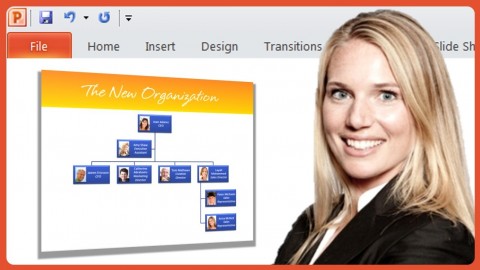
Eye-catching presentations using PowerPoint 2010
4.3 (3,138 Reviews)
- Provider: Udemy
- Time: 1.2h
$19.99


More Office Productivity courses

AI-Powered Social Media Management: From Beginner to Pro (2025)
5.0 (211 Reviews)
- Provider: Udemy
- Time: 1.1h
$19.99

Microsoft Excel + AI: Go From Data Analysis to Visualization (2026)
4.9 (276 Reviews)
- Provider: Udemy
- Time: 3.8h
$10.99


Complete Introduction to Google Sheets Pivot Tables (2026)
4.8 (3,570 Reviews)
- Provider: Udemy
- Time: 2.9h
$64.99


Microsoft Excel - Managing Personal Finances with Excel (2024)
4.8 (810 Reviews)
- Provider: Udemy
- Time: 3h
$19.99
 Reviews

By Tomer Yedid Levi on 4/15/2021
Ive discovered a whole new amazing world by doing this course!! Its exactly what I was looking for in order to make my life and my career more organized.
By Edward Jewell on 4/25/2020
The course was a solid start for a noob. I want to know more about office integration, so this course was a bit too basic for my needs, though served as a great starting point.
By Bruno Luciano on 4/21/2020
This course gave me pretty good insights in order to change habits, go paperless and in additional presented a very reliable online tool to organize and manage dailly documents.
By Reinhard Engel on 11/7/2019
I've seen a lot of quite useful and inspiring personal use cases, but the course doesn't live up to the 'paperless' part in its title. Going paperless means more than just storing everything in OneNote. Also, I'm missing a discussion of safety and backup issues
By Suzy Cappello on 6/25/2018
I enjoyed the fact it was used for everyday personal stuff. That is exactly what I want to use OneNote for. Ulrika was very pleasant to listen to and she explained things simply and clearly. Just what I needed. Thank you.
By Michelle Lotter on 11/22/2017
I love how she uses day to day scenarios and personal videos throughout the course to show how OneNote can be used in daily life. Very informative.
By Elizabeth Boston on 9/8/2017
This class has lots of great ideas on what to use OneNote for, but no detailed directions on how to do it. It is worth taking just for the ideas and inspiration.
By Why Comply on 8/19/2017
The title was a bit of a misnomer - I was hoping to learn how to organize better this was more of using features to get organized. For example, when is it better to create a tab across the top instead of going down the side. When to use groupings. How to organize the various features of one note for business applications. Wouldn't have done this course if I'd known it was for personal applications.
By Phanesh Atmuri on 1/28/2017
The course gives an excellent overview on the utility of 'OneNote', for the people who wants to improve Productivity & Efficiency using Digital Notes. This course perfectly demonstrates on how to use 'OneNote' in the daily routine, in a practical manner.
By Mike Frey on 1/28/2017
This is a great course and is presented very well. The only thing I would add is a lecture on the strategies of actual organizing of a notebook with tabs, sections, etc. This might be my own issue as I tend to make OneNote to cluttered. Overall this has been a very valuable course to me.
 Quality Score
No CourseDuck member has rated this course yet. Taken it? Give each part a thumbs up or down.
Overall Score : 84 / 100

- Video Duration:
 30 mins
 - Price: $19.99
- Provider: Udemy
- Updated:
 December 2017
 - Level:
 All Levels
 - Language:
 English
 - Certificate:
 Yes
Yes
30-day money-back guarantee on most paid courses
Udemy Coupon Price Tracker
