
 Web Development
 Data Science
 Python
 SQL
SQL JavaScript
 Artificial Intelligence
 IT & Software
 IT Certifications
 Hacking
 AWS
AWS Arduino
 DevOps
 3D Modeling
 Graphic Design
 Photoshop
 Drawing
 Digital Painting
 UX Design
 Business
 Data Analysis
 Communication Skills
 Project Management
 Leadership & Management
 Human Resources
 Digital Marketing
 Social Media Marketing
 Marketing
 SEO
SEO Google Analytics
 Branding
 Excel
Excel Office Productivity
 SAP
SAP PowerPoint
 Microsoft Access
 SharePoint
 Finance & Accounting
 Trading & Investing
 Accounting
 Bitcoin
 Personal Finance
 Video Editing & Animation
 Photography
 Adobe Premier Pro
 Adobe Lightroom
 Personal Development
 Productivity
 Career Development
 Life Coaching
 Health & Fitness
 Meditation & Mindfulness
 Yoga
Yoga Music
Music Music Production
 Guitar
 Piano
Piano Singing
 Language Learning
 Teaching & Academics
 Engineering
 Math
Math Lifestyle
High End Beauty Retouching in Photoshop 2.0 (Udemy.com)
Learn Professional High End Beauty Retouching Techniques in Adobe Photoshop CC - Get The Magazine Cover Look!
Created by: Marcin Mikus
Last updated October 2018
 What you will learn
- To use best possible retouching techiniques
- Do a High End Beauty Retouch
- Work fluently with photoshop and retouching tools
- Use Advanced techniques on every kind of image
How it compares
Against the other 188 rated Udemy courses in Photoshop on CourseDuck:
- Rating4.5 out of 5higher than 52% of them
- Reviews304#84 of 189 by number of reviews
- Length6.2 hourslonger than 62% of them
- Last updatedOctober 2018earlier than 70% of them
 Course Description
What is Professional Beauty Retouch?
Professional retouching or so called High End retouching is most advanced form of retouching that require a lot of practice and patience. For many people, retouching beauty images might take hours - in this course I teach you how to not waste too much time and retouch fast and effective. In such a retouch it's very important to work non-destructively, which means to not destroy the skin texture, face features or color harmonies. In prefessional retouch we don't blur or soften skin, we use advanced techniques to make image clean and dynamic, at the same time preserving the skin texture.
To make great beauty retouch, you need to use the right techniques, which allows you to save the time and get perfect results.
Who am I?
I am Marcin Mikus and I am professional retoucher with 6 years of experience in the field. I specialise in fashion, beauty and commercial retouching. Choosing me as your teacher guarantee that you will get prefessional knowledge and practice from the real industry expert, working every day with images that can be found in magazines, lookbooks and fashion campaigns. -------------------------------------------------------------------------------------------------------------What This Course is about?
For many photographers one of the biggest challenge they face is retouching process and making images look professional - with the right skin retouch, contrasts and color. Getting the final look requires knowledge of retouching tools, light and color grading techniques. Yet, It doesn't have to be overhelming process once you know how to manage your work and use the right tools. I cover up all of the important subjects of retouching such as:
RAW Processing - A cameraraw imagefile contains minimallyprocesseddata from theimagesensor of a digital camera.
Rawfiles are named so because they are not yetprocessedand therefore are not ready to be printed or edited with a bitmap graphicseditor. In this course I show you how to work with the RAW files straight out of your camera. I will teach you how to process images in such a softwares like Camera Raw, Lightroom or Capture One. No matter which software you are using - you will find lessons for you!
Clean Up - In this course I teach you how to clean up your images. And not only the skin! First of all you will learn such a retouching tools as healing brush tool, spot healing brush tool, patch tool and clone stamp tool. You will know how to clean up background, how to retouch skin, hair, eyes, lips and every other part of the beauty image you could think of!
As a part of this section I will teach you some additional things as usage of filters that allow you to remove fine body hair within seconds. I will teach you how to use Frequency Separation in the right way to correct light imperfections. And I will teach you how to restore skin texture that we could loose during demanding tasks with skin retouching!
Nails Retouching - Small part of clean up but how important. With beauty images we need to make sure every element of the image looks great. Thats why I will teach you how to create natural nail reflections on the image!
Dodge & Burn Retouching - Dodging and Burning is only one Non destructive technique used in Retouching. Learning this technique brings your skills to the new level of retouching, and allows you to achieve non destructive results You can see in Beauty Posters or Magazines. In this course I teach you dodge & burn technique using curves - most common and most popular way to retouch using D&B technique! Curves are the only one tool that allows You to retouch whole image. I will introduce You to the terms like dodging and burning and You will know how to work with Your image on a micro level to retouch small imperfections of the skin by controlling lights and darks. Contrasts, Lights and Shadows - Wrong is thinking that to get better perspective of the image we need to do global Dodge & Burn. It could lead us to destroing natural face features. Thats why in this course I teach you how to create precise masks that allows you to work selectively on increasing highlights and shadows to get the perfect contrats. I will show you few tricks that teach you how to get special look of the image, weather you look for something more dramatic or more of a film camera look.
Color Grading - One of the most important part of retouching - often underrated. Now knowing how to work with colors we can easily destroy our final outcome of the image. Thats why in this course I teach you not only about color grading tools and adjustement layers but also about theory behind color harmonies. After that we will do very subtle color grading on our images working with tones and saturation values of the image.
Final Touch Ups - At the end of each retouch we want to make sure that our images looks perfect, this is where we polish our colors, lights and saturation values. In this section you will know how to do each of this things as well as liquify image and add noise in non destructive way.
And the best part of this course is that it comes with resources valued at over $500! I provide to you high quality images to practice taken by amazing fashion and beauty photographer Dominika Jarczyska. Shot in professional studio, with professional model and make up artist! And all of this specially for this course! Except the images you will get my retouching actions that will be big help in your retouching process and let you get the things done much quicker!
Enjoy the Course!
MarcinWho this course is for:
People with interests in PhotoshopEveryone who wants to take their retouching skills to the new levelEveryone who wants to know to secret look of magazine coversStudio PhotographersEveryone who wants to become a Beauty Retoucher

 Udemy Discount
The discount is applied through our link. Open the course from here and Udemy's current promotional price is applied at checkout on most courses, no code to type.
Some courses are excluded from Udemy's promotions. If the price does not drop, clear your browser cookies and use the button again.
Instructor Details

- 4.5 Rating
 304 Reviews
Marcin Mikus
I'm open minded and creative photoshop retoucher and photoshop educator with over 7 years of experience in the field. I specialize mainly in fashion, beauty, commercial and portrait retouching. Choosing me as your teacher guarantee that you will get prefessional knowledge and practice from the real photoshop expert, who works every day with images that can be found in magazines, lookbooks and fashion campaigns and peoples social media.
I've been teaching Photoshop for the last seven years. I spend almost every day with photoshop and in time I was able to gain more and more knowledge about right ways of teaching Photoshop. After few Years I felt it's the right time to come out with Premium Courses on udemy. Where I can share some amazing ideas and make Photoshop fun!
During my retouching career I have been internationaly published in various Fashion and Beauty magazines like Nasty, Numero, Ellegant, L'oficiel and many more!
 More courses by Marcin Mikus
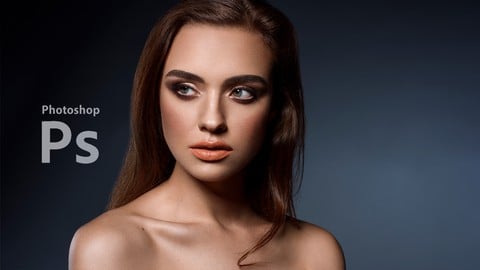
Professional Retouching Course in Photoshop (2021)
4.5 (1,884 Reviews)
 Provider: Udemy
 Time: 9.2h
$13.99

Master Advanced High End Beauty Retouching in Photoshop (2020)
4.4 (798 Reviews)
- Provider: Udemy
- Time: 7.5h
$13.99
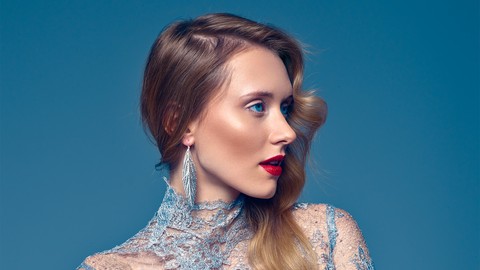
Mastering Advanced Color Grading in Photoshop (2017)
4.2 (641 Reviews)
- Provider: Udemy
- Time: 3.9h
$94.99
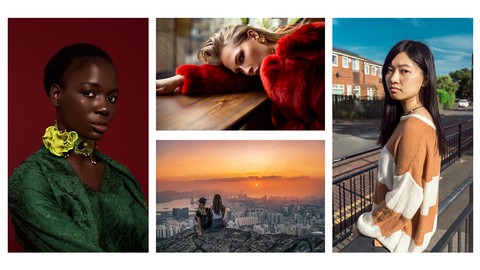
Photoshop for Photographers - Beginner to Professional (2019)
4.0 (574 Reviews)
- Provider: Udemy
- Time: 7.8h
$59.99
Adobe Lightroom Classic CC - Od Zera do Profesjonalisty (2020)
4.4 (388 Reviews)
- Provider: Udemy
- Time: 5h
$19.99
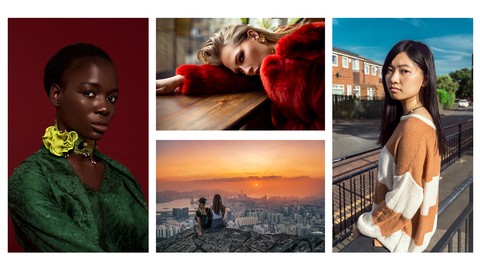
Photoshop Dla Fotografów - Od Zera do Profesjonalisty! (2019)
4.4 (387 Reviews)
- Provider: Udemy
- Time: 7.4h
$19.99
More Photoshop courses


Adobe Photoshop CC: For Complete Beginner (Sinhala Medium) (2026)
4.9 (110 Reviews)
- Provider: Udemy
- Time: 8.4h
$59.99

Adobe Photoshop CC – Essentials Training Course (2025)
4.8 (36,753 Reviews)
- Provider: Udemy
- Time: 11.6h
$189.99


47 Graphic Design Projects for Photoshop Beginners (2025)
4.8 (466 Reviews)
- Provider: Udemy
- Time: 7.9h
$99.99

Photoshop Efficiency - Techniques For Consistent Marketing (2025)
4.8 (144 Reviews)
- Provider: Udemy
- Time: 1.4h
$49.99
 Reviews

By Binh Nguyen on 11/7/2020
Great teacher.
By Marina Yazykova on 10/23/2020
Its fantastik!! I learned so many new tools! I am sooo thankful for this course
By Anna on 9/1/2020
Super poprawnie i zawodowo. Duo si nauczyam.
By Alina on 6/23/2020
I expected to get a good knowledge of how to manipulate with shadows, highlights, temperatures, and colors in Camera Raw and PS since I believe it's a key for a professional beauty retouching. However, the author changes the controls but doesn't explain why he thinks it's the right move. So you just watching him doing actions but by the end of the class, you won't be able to edit your photos nicely because you still don't understand the concept.
By Leandro Garozi de Almeida on 6/15/2020
NICE!!!
By Anshul Agarwal on 5/25/2020
Am on Camera raw chapter - and I've had way better courses at understanding how to colour correct the raw image. This covererd the very basics.. I am hoping the finer aspects of skin retouching would be more detailed.
By Melanie Hassall on 5/14/2020
Excellent match! Great teacher
By Ivan on 3/18/2020
BRAVO, it's amazing formation ! Many thanks
By Andrei Slovolitov on 3/8/2020
great techniques and full explanations. thx!
By joseph Mulilo on 2/12/2020
this is a great course really helped me understand the retouching in a different way. when you a get a chance don't hesitate to do it.
By Yksel Balc on 2/7/2020
udemy de grdm en iyi photoshop eitim ieriidir. her detay ok ack net bir eklide anlatlm.Fotoraflarm editlerken bu bilgileri kullanmaya baladm. dier serileride almay dnyorum
By Waqif Rehman on 1/20/2020
Good Information i like it
 Quality Score
No CourseDuck member has rated this course yet. Taken it? Give each part a thumbs up or down.
Overall Score : 90 / 100

- Video Duration:
 6.2h
6.2h - Price: $59.99
- Provider: Udemy
- Updated:
 October 2018
 - Level:
 Intermediate
 - Language:
 English
 - Certificate:
 Yes
Yes
30-day money-back guarantee on most paid courses
Udemy Coupon Price Tracker
