
 Web Development
 Data Science
 Python
 SQL
SQL JavaScript
 Artificial Intelligence
 IT & Software
 IT Certifications
 Hacking
 AWS
AWS Arduino
 DevOps
 3D Modeling
 Graphic Design
 Photoshop
 Drawing
 Digital Painting
 UX Design
 Business
 Data Analysis
 Communication Skills
 Project Management
 Leadership & Management
 Human Resources
 Digital Marketing
 Social Media Marketing
 Marketing
 SEO
SEO Google Analytics
 Branding
 Excel
Excel Office Productivity
 SAP
SAP PowerPoint
 Microsoft Access
 SharePoint
 Finance & Accounting
 Trading & Investing
 Accounting
 Bitcoin
 Personal Finance
 Video Editing & Animation
 Photography
 Adobe Premier Pro
 Adobe Lightroom
 Personal Development
 Productivity
 Career Development
 Life Coaching
 Health & Fitness
 Meditation & Mindfulness
 Yoga
Yoga Music
Music Music Production
 Guitar
 Piano
Piano Singing
 Language Learning
 Teaching & Academics
 Engineering
 Math
Math Lifestyle
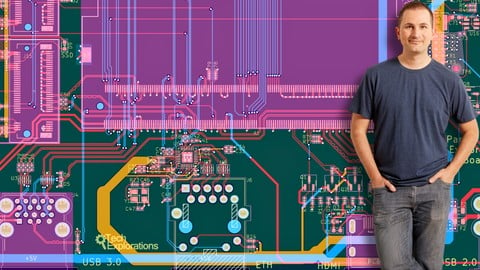
High-Speed design with KiCad (Udemy.com)
Design a professional high-speed computer carrier board using KiCad.
Created by: Dr. Peter Dalmaris
Last updated July 2026
 What you will learn
- Understand the architecture and capabilities of the LattePanda Mu compute module, including its power, data, and high-speed interface requirements
- Design a complete carrier board that transforms the LattePanda Mu into a functional, stand-alone computer.
- Use KiCad professionally to create multi-sheet hierarchical schematics and manage complex PCB projects.
- Apply proper component selection and footprint management for connectors, power circuits, and high-speed interfaces.
- Configure and optimize PCB stack-ups for signal integrity and controlled impedance.
- Design and route high-speed differential pairs for USB 3.0, HDMI, and gigabit Ethernet interfaces.
- Implement best practices for grounding, shielding, and power distribution to minimize noise and interference.
- Perform impedance and length-matching calculations for high-speed traces using KiCad and online tools.
How it compares
Against the other 518 rated Udemy courses in Software Development on CourseDuck:
- Rating4.6 out of 5higher than 62% of them
- Reviews126#414 of 519 by number of reviews
- Length23.4 hourslonger than 87% of them
- Last updatedJuly 2026more recently than 81% of them
 Course Description
Update: January 2026
New lectures have been added covering the complete repair and bring-up of both the custom and reference LattePanda Mu carrier boards. I document real-world PCB rework, including buck converter replacement, hot air and drag soldering, solder bridge removal, and fine jumper wire repairs. The series concludes with successful power-up and boot of both boards, validating the power subsystem and confirming that the custom carrier board is fully operational and ready for further testing.
---
In this course, you will learn how to design a professional, high-speed computer carrier board from the ground up using KiCad. The project is based on the LattePanda Mu, a powerful Intel N100 compute module, and you’ll build a fully functional custom carrier board that brings out its interfaces — USB, HDMI, Ethernet, GPIOs, and power — into standard connectors.
Through a structured, hands-on approach, you’ll gain a deep understanding of both the theory and practice of modern PCB design for high-speed digital systems. You’ll use the LattePanda Mu Lite Carrier board as a focal resource. You will create a multi-sheet custom schematic design, move through board layout and differential pair routing, and learn how to design for signal integrity, impedance control, and manufacturability.
Along the way, you’ll explore key engineering concepts such as stack-up configuration, controlled-impedance routing, ESD protection, and grounding strategies. You’ll also see how to use KiCad’s advanced design tools to manage hierarchical schematics, net classes, and differential pairs, and how to prepare your project for manufacturing with design rule checks and DFM verification.
By the end of the course, you’ll not only have a working high-speed carrier board ready for fabrication, but also the confidence to design complex, real-world PCBs that meet professional standards. Whether your goal is to create your own single-board computer, prototype a new embedded system, or simply advance your skills as an electronics designer, this course provides the complete roadmap.
Who is this course for?
If you’ve ever wanted to move beyond Arduino or Raspberry Pi projects and learn how real computers are designed, this course is for you. It’s made for makers, engineers, and students who want to understand the full process of turning a compute module into a fully functional computer.
You don’t need to be an expert in high-speed design to join — we’ll start from familiar ground, building on your existing knowledge of electronics and PCB design. Together, we’ll explore how professional engineers approach modern board design, from schematic capture to manufacturing and testing.
If you’ve worked with KiCad before, this course will help you take your skills to the next level. And if you’re new to high-speed concepts like differential pairs, impedance matching, and controlled stack-ups, you’ll see how these ideas fit into a real, practical project: a custom carrier board for the LattePanda Mu.
By the end, you’ll not only understand how to design a complex board, but also why certain design decisions matter — skills that you can apply to any advanced hardware project.
Knowledge prerequisites
This course is designed for learners who already have some experience with electronics and PCB design, but want to take the next big step — into high-speed, professional-grade board design. Because the LattePanda Mu carrier board involves complex interfaces such as USB 3.0, HDMI, and PCIe, a solid foundation in KiCad and general PCB design principles will help you get the most from this experience.
If you are new to KiCad or PCB design, I recommend starting with my foundational course, KiCad Like a Pro. In that course, you’ll learn everything you need to know to become comfortable with KiCad — from schematic creation and footprint management to layout and fabrication. It’s the perfect starting point if you’ve never completed a full PCB project before.
If you already know your way around KiCad and have designed simpler projects such as Arduino shields, sensor breakout boards, or Raspberry Pi hats, then you’ll benefit from reviewing my intermediate course, Advanced PCB Design with KiCad. This course introduces more advanced concepts like multilayer design, differential pairs, and power supply integration — skills that will directly support your success in this high-speed computer carrier board project.
Hardware & Software
All you need to complete this course is a computer capable of running KiCad — no additional hardware is required. We’ll use the publicly available LattePanda Mu documentation and the Lite Carrier Board reference design as our foundation. You will learn how to replicate and extend these designs using real engineering data, without needing to own the actual hardware.
For the software, you’ll use KiCad, the industry-leading open-source PCB design suite, to create schematics, manage hierarchical projects, and design your high-speed PCB layout. You’ll also use the NextPCB DFM tool (Windows downloadable version) to perform design-for-manufacturing checks and impedance calculations — both of which are essential steps in producing professional, manufacturable boards.
Both KiCad and the NextPCB DFM tool are completely free to download and use. Together, they provide a powerful environment for designing advanced, production-ready circuit boards from your own computer.
Follow along with the exercises, and gain real-world design experience using professional tools — without any special hardware investment.

 Udemy Discount
The discount is applied through our link. Open the course from here and Udemy's current promotional price is applied at checkout on most courses, no code to type.
Some courses are excluded from Udemy's promotions. If the price does not drop, clear your browser cookies and use the button again.
Instructor Details

- 4.6 Rating
 126 Reviews
Dr. Peter Dalmaris
Peter Dalmaris is an educator, electrical engineer, electronics hobbyist, and Maker. Creator of online video courses on DIY electronics and author of three technical books, and has recently released his book Maker Education Revolution.
As a Chief Tech Explorer since 2013 at Tech Explorations, the company he founded in Sydney, Australia, Peter’s mission is to explore technology and help educate the world.
Tech Explorations offers educational courses and Bootcamps for electronics hobbyists, STEM students and STEM teachers.
A life-long learner, Peter’s core skill is in explaining difficult concepts through video and text. With over 15 years of tertiary teaching experience, Peter has developed a simple yet comprehensive style in teaching that students from all around the world appreciate.
His passion for technology and in particular for the world of DIY open source hardware has been a dominant driver that has guided his personal development and his work through Tech Explorations.
Peter’s current online courses have helped over 150,000 people from around the world to be better Makers.
For more information on Peter's work, please go to his web site, techexplorations dot com.
 More courses by Dr. Peter Dalmaris

Arduino Step by Step: Getting Started (2024)
4.7 (8,714 Reviews)
 Provider: Udemy
 Time: 21.4h
$159.99
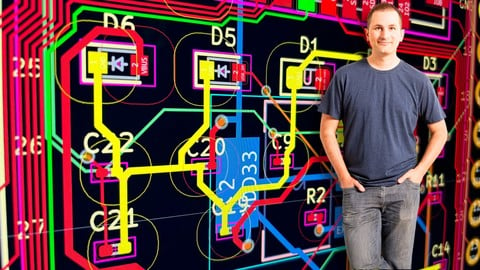
PCB design with KiCad - updated for KiCad 9 (2026)
4.6 (3,737 Reviews)
- Provider: Udemy
- Time: 31.9h
$79.99



More Software Development courses

MATLAB Programming Simulink: Beginner to Pro with ChatGPT (2026)
5.0 (930 Reviews)
- Provider: Udemy
- Time: 9.6h
$10.99


![Build Web Apps with Nuxt.js 3: Master TypeScript & API [New]](/programming/software-development/images/6457785_5adc_4.jpg?v=1789443959)
Build Web Apps with Nuxt.js 3: Master TypeScript & API [New] (2026)
4.9 (635 Reviews)
- Provider: Udemy
- Time: 6.7h
$19.99

![Terraform 101: The Ultimate Hands-On Guide [Azure Edition]](/programming/software-development/images/6208847_f60a_7.jpg?v=1791193600)
Terraform 101: The Ultimate Hands-On Guide [Azure Edition] (2025)
4.8 (1,975 Reviews)
- Provider: Udemy
- Time: 11.9h
$94.99
 Reviews

By Prasanna Bagnikar on 6/16/2026
every thing is new to me it was good information
By Hood Yasin on 5/27/2026
perfecr, best easy logical, real explanation
By Mustafa DÜNDAR on 5/9/2026
It was a great course. Thank you Mr. DALMARIS. If you want to use KiCAD from scratch, I recommend taking the PCB design with KiCad - updated for KiCad 9 course as the first step. Step 2: Advanced PCB Design with KiCad 9 course The final step High-Speed design with KiCad course. I recommend that you take these trainings in order.
By Malusi Tsoko on 3/17/2026
So far so good , It is my first time building a high speed pcb design. I have learnt a lot already and planning to use the same techniques for different carrier boards.
By Lee Karson on 2/28/2026
Because it explains in detail
By Maciej Gabryelski on 2/15/2026
The course seems to be very interesting and useful in my work.
By Soner on 1/17/2026
Çok hızlı ilerlediği için bir puan eksik verdim
By Venkata Krishnan R on 12/8/2025
Some of the Schematics designs should be rendered and some PCB concepts too. But still the final design are not shown in the videos and stuffs. Hope this clarifes the author soon. Thanks in Advance.
By Gobal Krishnan V on 11/7/2025
Need future course on how to design a Satellite, 5G, 6G gsm, GPRs and analysis and test, board design, in KiCad , Ansys, or Synopsis. KiCad is free. but Ansys and Synopsis are not free. Ansys Electronic Desktop, student version. how to add this board into ansys. to check board stability of physical properties. ?
By Ricardo Jiménez Guido on 7/30/2026
 Quality Score
No CourseDuck member has rated this course yet. Taken it? Give each part a thumbs up or down.
Overall Score : 92 / 100
- Video Duration:
 23.4h
23.4h - Price: $19.99
- Provider: Udemy
- Updated:
 July 2026
 - Level:
 Intermediate
 - Language:
 English
 - Certificate:
 Yes
Yes
30-day money-back guarantee on most paid courses
Udemy Coupon Price Tracker
