
 Web Development
 Data Science
 Python
 SQL
SQL JavaScript
 Artificial Intelligence
 IT & Software
 IT Certifications
 Hacking
 AWS
AWS Arduino
 DevOps
 3D Modeling
 Graphic Design
 Photoshop
 Drawing
 Digital Painting
 UX Design
 Business
 Data Analysis
 Communication Skills
 Project Management
 Leadership & Management
 Human Resources
 Digital Marketing
 Social Media Marketing
 Marketing
 SEO
SEO Google Analytics
 Branding
 Excel
Excel Office Productivity
 SAP
SAP PowerPoint
 Microsoft Access
 SharePoint
 Finance & Accounting
 Trading & Investing
 Accounting
 Bitcoin
 Personal Finance
 Video Editing & Animation
 Photography
 Adobe Premier Pro
 Adobe Lightroom
 Personal Development
 Productivity
 Career Development
 Life Coaching
 Health & Fitness
 Meditation & Mindfulness
 Yoga
Yoga Music
Music Music Production
 Guitar
 Piano
Piano Singing
 Language Learning
 Teaching & Academics
 Engineering
 Math
Math Lifestyle
Intro to V-Ray for 3ds Max: Learn from an Official Mentor (Udemy.com)
Master the Essentials of V-Ray in 3ds Max and Create Stunning Photorealistic Renders
Created by: Jake Denham BA
Last updated November 2024
 What you will learn
- Learn from an Official V-Ray Mentor
- Understand the basic foundations needed to use V-Ray in 3ds Max
- Build upon the skills learned to create photorealistic images
- Know what Global Illumination is
- Navigate the V-Ray Interface and Setup
- Lighting with HDRI, IES and V-Ray Sun and Sky
- V-Ray Light Lister
- V-Ray Cameras, Exposure Control, White Balance and Focal Lengths
- V-Ray Material Setups
- Render Set Ups and V-Ray Render Elements
How it compares
Against the other 545 rated Udemy courses in 3D Modeling on CourseDuck:
- Rating4.7 out of 5higher than 75% of them
- Reviews112#431 of 546 by number of reviews
- Length5.8 hoursshorter than 51% of them
- Last updatedNovember 2024more recently than 72% of them
 Course Description
Learn V-Ray in 3ds Max from an official V-Ray Mentor and take your first step toward mastering photorealistic rendering. Whether you’re new to V-Ray or looking to refresh your skills, this course provides an efficient, hands-on approach to learning the essentials of V-Ray, from installation to advanced lighting techniques.
What You’ll Learn:
Getting Started with V-Ray: Install V-Ray and set up your workspace in 3ds Max with ease.
Fundamental Lighting Techniques: Master V-Ray’s Global Illumination, HDRI, and IES lights to create realistic lighting setups.
Camera Basics: Explore camera settings, including focal length, exposure, white balance, and depth of field, to achieve professional-quality renders.
Material Creation: Learn how to create and apply V-Ray materials to bring photorealism to your projects.
Render Elements: Discover how to enhance your images with V-Ray Render Elements for post-production in Photoshop.
Course Highlights:
Step-by-Step Instruction: Follow along with detailed lessons that make it easy to understand and apply V-Ray techniques in 3ds Max.
Beginner-Friendly: Ideal for new users, this course includes an introductory section on 3ds Max basics to get you up to speed.
Expert Guidance: Learn from a V-Ray Mentor with 15+ years of experience who has worked with world-renowned design teams.
Why This Course?
This course simplifies V-Ray and helps you achieve photorealistic results quickly. Designed for beginners, it covers everything you need to know to start creating impressive 3D renders. You’ll learn practical techniques used by industry professionals, giving you a strong foundation in V-Ray that will make your work stand out.
Course Bonuses:
Introduction to 3ds Max: Access a bonus section covering 3ds Max basics for a seamless learning experience.
30-Day Money-Back Guarantee: Try the course risk-free and see results, or get a full refund if you’re not satisfied.
About Your Instructor:
As an official V-Ray Mentor, I’m committed to helping you master this powerful tool. I bring over 15 years of experience in creating world-class renders for top clients. I’ll be with you every step of the way, offering support and guidance to ensure you succeed.
Get Started Now:
Enroll today and start your journey in V-Ray rendering with confidence. With a 30-day money-back guarantee, there’s no risk—only the opportunity to elevate your 3D rendering skills. Click the enroll button and join the course to transform your visualizations with V-Ray in 3ds Max!
Render on,
Jake

 Udemy Discount
The discount is applied through our link. Open the course from here and Udemy's current promotional price is applied at checkout on most courses, no code to type.
Some courses are excluded from Udemy's promotions. If the price does not drop, clear your browser cookies and use the button again.
Instructor Details

- 4.7 Rating
 112 Reviews
Jake Denham BA
Jake Denham, a highly experienced and passionate 3D artist, is dedicated to teaching students the art of creating breathtaking architectural visualizations. With years of experience in designing super yachts and jets for prestigious brands, Jake brings a wealth of knowledge to share with his students.
Working for Chaos, Jake possesses firsthand expertise in utilizing the software to its full potential. As one of the top 10% most engaging instructors on Udemy, Jake has taught over 25,000 students from around the world, helping them transform their passion into successful careers.
Jake holds a BA in Video Game Design and an MA in Digital Design, which led him to work with renowned yacht designer Palmer Johnson in Monaco. He has spoken at Autodesk University, 3D Artist Magazine, and V-Ray seminars, and has conducted workshops for companies and universities worldwide.
Jake understands the challenges students face while learning new concepts and strives to create relatable course content. He is driven by a genuine passion for 3D design and is dedicated to inspiring his students to excel in their chosen fields.
When not teaching or working on his own projects, Jake enjoys spending time with his family, traveling, and exploring the world.
 More courses by Jake Denham BA

Master Photorealistic 3D Rendering with 3ds Max + V-Ray (2025)
4.6 (1,835 Reviews)
 Provider: Udemy
 Time: 5.5h
$12.99
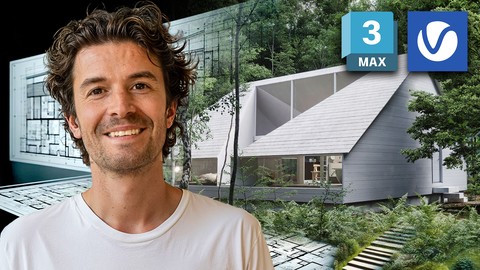
Master Exterior Architectural Rendering with 3ds Max + V-Ray (2025)
4.2 (425 Reviews)
- Provider: Udemy
- Time: 6h
$59.99

3D Modeling with 3ds Max : The Quickest Way (2025)
4.5 (264 Reviews)
- Provider: Udemy
- Time: 3.3h
$64.99
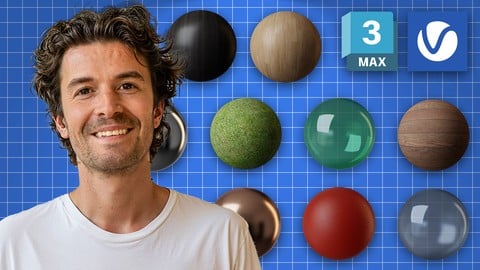
V-Ray Materials in 3ds Max: Master Realistic Textures Fast (2024)
4.7 (159 Reviews)
- Provider: Udemy
- Time: 3.8h
$54.99

Master Chaos Corona in 3ds Max: Realistic 3D Rendering (2025)
4.5 (147 Reviews)
- Provider: Udemy
- Time: 1.9h
$44.99
More 3D Modeling courses

3D Printing with " Ultimaker CURA Slicer- Start to finish" (2025)
4.9 (192 Reviews)
- Provider: Udemy
- Time: 1h
$34.99

Girl and the Dog Creation in Zbrush for Intermediate Level (2020)
4.9 (173 Reviews)
- Provider: Udemy
- Time: 48.8h
$59.99



Blender Character Creator for Video Games (2026)
4.8 (9,160 Reviews)
- Provider: Udemy
- Time: 34.3h
$159.99

Master SOLIDWORKS 3D CAD using real-world examples (2022)
4.8 (2,451 Reviews)
- Provider: Udemy
- Time: 18.9h
$69.99
 Reviews

By Paul Storm on 6/22/2023
In the first lesson alone I have wrote down many fantastic tips and techniques to help in future, plus created an infinity studio to merge any future models I create, to showcase them instantly. Looking forward to seeing what else I learn throughout this course. Jake is an amazing instructor, I have several of his other courses, which I totally recommend too.
By Christian West on 3/15/2022
Great tutorial!! I've gone from never using 3Ds max and a complete beginner to becoming very confident in using the programme. Gaining a great understanding in how the programme operates and how to use it to create my own visuals and renders. Jake has put together this course in a way that is straight to the point. This I find is the best way for me to learn. No beating around the bush, making the videos for each section short and sweet. Whilst providing the right amount of information needed to understand and learn the topic in hand. I would definitely recommend this course if your looking to learn 3Ds max!
By Majda Ajanovic on 1/23/2021
You should have at least basic knowledge of 3dsmax for this course
By Travis Butts on 1/3/2021
Yes, this was a perfect match for me. I am learning all new stuff and I have been interested in going into the Arch Viz field for a while now, so learning this and understanding V-Ray as a new industry standard has been fun!
By Noel on 9/10/2020
Just like his other tutorials this introduction to Vray is worth to invest your time when learning vray and the instructor is always there to answer if you have questions in mind.
By Hector Allier on 7/19/2020
Excellent, straight to the point and very well explained. I highly recommend Jake's quick approach to whoever is intermediate user and wants to get back on track using this tools. Keep it up Jake!
By Vijayasaradhi on 5/11/2020
I am not satisfied about this course.there is no indepth discussion about topic. All Lecturers are too short and explaind briefly even thouth instructor is having more subject
By John McClelland on 3/18/2019
A good course that sits quite well with Jakes other classes. I learned a lot about how Vray works and how to create a load of useful templates.
By Joe Hearne on 3/17/2019
This course is exactly what I have been looking for. I have done a few similar courses but they have all been very complicated and confusing. this course is easy to follow and the information is easy to understand. A great teacher and a great course.
By Baillie Thornhill on 3/14/2019
A solid introduction to Vray, definitely makes me feel more confident using Vray on my projects. Thanks Jake! Looking forward to taking your other courses.
 Quality Score
No CourseDuck member has rated this course yet. Taken it? Give each part a thumbs up or down.
Overall Score : 94 / 100
- Video Duration:
 5.8h
5.8h - Price: $69.99
- Provider: Udemy
- Updated:
 November 2024
 - Level:
 Beginner
 - Language:
 English
 - Certificate:
 Yes
Yes
30-day money-back guarantee on most paid courses
Udemy Coupon Price Tracker
