
 Web Development
 Data Science
 Python
 SQL
SQL JavaScript
 Artificial Intelligence
 IT & Software
 IT Certifications
 Hacking
 AWS
AWS Arduino
 DevOps
 3D Modeling
 Graphic Design
 Photoshop
 Drawing
 Digital Painting
 UX Design
 Business
 Data Analysis
 Communication Skills
 Project Management
 Leadership & Management
 Human Resources
 Digital Marketing
 Social Media Marketing
 Marketing
 SEO
SEO Google Analytics
 Branding
 Excel
Excel Office Productivity
 SAP
SAP PowerPoint
 Microsoft Access
 SharePoint
 Finance & Accounting
 Trading & Investing
 Accounting
 Bitcoin
 Personal Finance
 Video Editing & Animation
 Photography
 Adobe Premier Pro
 Adobe Lightroom
 Personal Development
 Productivity
 Career Development
 Life Coaching
 Health & Fitness
 Meditation & Mindfulness
 Yoga
Yoga Music
Music Music Production
 Guitar
 Piano
Piano Singing
 Language Learning
 Teaching & Academics
 Engineering
 Math
Math Lifestyle
Master Exterior Architectural Rendering with 3ds Max + V-Ray (Udemy.com)
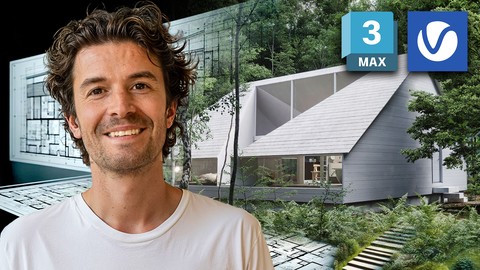
From Beginner to Pro: Create Photorealistic Architectural Exteriors with 3ds Max + V-Ray
Created by: Jake Denham BA
Last updated June 2025
 What you will learn
- Completely Updated with all new 3ds Max and V-Ray lessons
- You'll learn the essential tools for modelling, mapping, materials, lighting and rendering.
- Improve the 3D rendering skills you need to create and sell 3D renders
- Learn the value of systems and how to use them
- You will have your own images to add to your portfolio.
- How to model from plans in 3ds Max
- How to quickly find 3D assets
- How the pros create wooden planks with 3ds max and Floor Generator
- How to correctly add camaras in 3ds max
- How to create light rigs
- How to create materials with V-Ray
- How to use the UV map modifier
- How to add trees to your scene
- How to add realistic V-Ray materials to your 3ds Max scene
- How to create a final renders with V-Ray
- Post production with Photoshop like the professionals
How it compares
Against the other 545 rated Udemy courses in 3D Modeling on CourseDuck:
- Rating4.2 out of 5higher than 10% of them
- Reviews425#184 of 546 by number of reviews
- Length6 hoursshorter than 49% of them
- Last updatedJune 2025more recently than 78% of them
 Course Description
Master the art of photorealistic architectural rendering with 3ds Max + V-Ray. Whether you’re an architect, interior designer, or 3D artist, this course will guide you from beginner to pro. Led by one of only 28 official V-Ray Mentors globally, you'll learn how to create stunning exterior renders with industry-standard tools and workflows.
What You’ll Learn:
Complete Rendering Workflow: From modeling to final render, learn every step of creating high-quality architectural exteriors.
Advanced Lighting & Texturing: Unlock professional techniques for realistic lighting and material creation in V-Ray.
Industry Techniques: Get hands-on with workflows used by top studios to produce award-winning 3D visuals.
Portfolio Projects: Build a world-class portfolio that showcases your skills and attracts clients.
Course Highlights:
Expert Instruction: Learn directly from a V-Ray Mentor with over 15 years of experience working with top design teams.
Interactive Community: Join a private group of like-minded artists where you can share your work, get feedback, and connect.
Lifetime Access & Updates: Stay ahead with lifetime access to course updates, ensuring you always have the latest tools and techniques.
Why Choose This Course?
This masterclass is designed to take the guesswork out of 3D rendering. You’ll learn everything from foundational skills to advanced techniques in a structured, easy-to-follow format. By the end, you’ll have the confidence and skills to produce stunning photorealistic renders every time.
What’s Included:
8+ Hours of Video Tutorials: Step-by-step lessons that break down complex techniques into manageable steps.
Exclusive Resources: Downloadable 3ds Max scenes, scripts, and guides to enhance your learning.
30-Day Money-Back Guarantee: Try the course risk-free and get a full refund if it doesn’t meet your expectations.
What Our Students Say:
"Excellent course. I’ve learned so much and he shares a lot of handy information that contributes to creating extraordinary renders" – Beatriz Tercero
Your Path to Success:
This course will not only help you master 3ds Max and V-Ray, but it will also give you the practical skills needed to stand out in the field of architectural visualization. By learning the workflows used by professionals, you’ll be able to create portfolio-worthy renders that impress clients and set you apart from the competition.
With over 10,000 happy students, this course has been proven to deliver results. Enroll today and start your journey to becoming a photorealistic rendering expert!

 Udemy Discount
The discount is applied through our link. Open the course from here and Udemy's current promotional price is applied at checkout on most courses, no code to type.
Some courses are excluded from Udemy's promotions. If the price does not drop, clear your browser cookies and use the button again.
Instructor Details

- 4.2 Rating
 425 Reviews
Jake Denham BA
Jake Denham, a highly experienced and passionate 3D artist, is dedicated to teaching students the art of creating breathtaking architectural visualizations. With years of experience in designing super yachts and jets for prestigious brands, Jake brings a wealth of knowledge to share with his students.
Working for Chaos, Jake possesses firsthand expertise in utilizing the software to its full potential. As one of the top 10% most engaging instructors on Udemy, Jake has taught over 25,000 students from around the world, helping them transform their passion into successful careers.
Jake holds a BA in Video Game Design and an MA in Digital Design, which led him to work with renowned yacht designer Palmer Johnson in Monaco. He has spoken at Autodesk University, 3D Artist Magazine, and V-Ray seminars, and has conducted workshops for companies and universities worldwide.
Jake understands the challenges students face while learning new concepts and strives to create relatable course content. He is driven by a genuine passion for 3D design and is dedicated to inspiring his students to excel in their chosen fields.
When not teaching or working on his own projects, Jake enjoys spending time with his family, traveling, and exploring the world.
 More courses by Jake Denham BA

Master Photorealistic 3D Rendering with 3ds Max + V-Ray (2025)
4.6 (1,835 Reviews)
 Provider: Udemy
 Time: 5.5h
$12.99

3D Modeling with 3ds Max : The Quickest Way (2025)
4.5 (264 Reviews)
- Provider: Udemy
- Time: 3.3h
$64.99
V-Ray Materials in 3ds Max: Master Realistic Textures Fast (2024)
4.7 (159 Reviews)
- Provider: Udemy
- Time: 3.8h
$54.99

Master Chaos Corona in 3ds Max: Realistic 3D Rendering (2025)
4.5 (147 Reviews)
- Provider: Udemy
- Time: 1.9h
$44.99
Intro to V-Ray for 3ds Max: Learn from an Official Mentor (2024)
4.7 (112 Reviews)
- Provider: Udemy
- Time: 5.8h
$69.99
More 3D Modeling courses

3D Printing with " Ultimaker CURA Slicer- Start to finish" (2025)
4.9 (192 Reviews)
- Provider: Udemy
- Time: 1h
$34.99

Girl and the Dog Creation in Zbrush for Intermediate Level (2020)
4.9 (173 Reviews)
- Provider: Udemy
- Time: 48.8h
$59.99



Blender Character Creator for Video Games (2026)
4.8 (9,160 Reviews)
- Provider: Udemy
- Time: 34.3h
$159.99

Master SOLIDWORKS 3D CAD using real-world examples (2022)
4.8 (2,451 Reviews)
- Provider: Udemy
- Time: 18.9h
$69.99
 Reviews

By Armands Blūms on 6/5/2024
Good course, better than the other similar top selling 3dsmax vray course I've tried. I like the attention to different tools and details to speed up the workflow or to add realism. The course was perfect for me with previous sketchup + enscape + photoshop knowledge as it used the basics I know and developed a more advanced and photorealistic workflow. Only cons might be a few outdated plugins or models that needed some extra googling from me to find how to fix the issues.
By Jay Silvester on 7/12/2022
Wow!! what a great course I purchased this course last year. I didn't get a chance to do it due to changing Jobs in the industry which I would like to thank Jake for with his other course the bedroom scene. after finally getting some downtime to myself I thought it best to carry on learning and what can I say this course is incredible I have learnt so much regarding doing exteriors I used to fear doing scenes like this but I feel 110% comfortable thanks to this course, Jake shows the best way to tackle an exterior scene. if your in doubt about any of his course don't shy away as you won't be disappointed a full 10/10 from me. I look forward to any more course you might make. I do have one request which is a street of houses with cars etc like new builds. I would really like to do something like that I hope you might make it. Best Regards Jay Silvester
By Chia-chi Krause on 6/1/2022
This is a course for someone who wants to learn ArchiViz from scratch to the end. You will go through from Floor plan import/ Modelling/ Material Editor/ Exterior terrain and properties setting/ Render setup for time saving/ Fog environment/ Refinement with Phtotoshop. You will be surprised how much you can achieve just by using 3ds Max and Vray. This is a complicated procedure and takes years for a CGI Artist to master everything. And I could learn it within several hours. Thanks, Jake!
By Las N on 3/23/2022
I don't get it why so many people have given such praises for this course. I give it that it's a bit older. The content it self is fine, but the presentation is just awful. Instructor keeps missing parts. The course doesnt have the flow which good courses have. And at least to me it feels that the instructor is all over the place. Looks like theres missing information added afterwards here and there, which just gives more a impression that the course was really rushed when putting it together. At the beginning the instructor tells us what software is needed, but as the course progresses you need more and more. For someone who likes things organized and in logical order and values efficiency, this course is just a nightmare, jumping from one place to another installing stuff as we go (having to restart 3dsmax mid modeling etc.).
By Rob Holmes on 10/4/2021
Jake did a really great job of making sure he showed all of the little tweaks he does instead of just showing the "overall" technique. I've been using Max for 25-years and I learned things I didn't know about it and V-Ray as well as being reminded about features I had forgotten and were under-using. This was a very helpful course and was well done!!! The BONUS sections were excellent as well.
By Abdelmalek Bensetti on 12/1/2020
First of all thank you for the efforts you put into making this course. There's only one thing I'd like to highlight and that is the fact that you used paid elements to model the scene.. As a beginner I try to follow the instructions to get as close as possible to the final result but when using free models it was totally different, not to mention how hard it is to get free and high quality models.. In other words, in the exterior part of this course I focused on the techniques not on remaking the scene because that wasn't possible in my case but still getting a similar result is always better. Overall 5 stars for me, at least your explanations were clear but again I wish everything used was available because honestly I don't feel like purchasing a $50 scene at the moment as I am still trying to figure out how things work.
By Mohammad Haroon Hamayoon on 8/10/2020
yes could be better personally i came here to learn making new things like making windows for this doors and little helps for making bathroom and kitchen. yes this course focused on exterior rendering i really hopped that making materials at least to be shown for roof ,concrete and 5 else which brought back to scene directly. overall course was good learnt different things.
By Greta Yanakieva on 10/1/2019
Yes it was and I hoped for something more also. I did this course to refresh some skills I forgotten during maternity leave. I am pretty glad cause it happens i remember much. I hoped to get some more info on shortcuts, render settings, optimizing geometry, etc. Maybe this is some advanced info. Nevertheless I am pleased with the course and will come back for hints when needed. Thank you!
By Aurora Villaflor on 6/24/2019
As to what I expected and the best content I followed so far since I am trying to learn exterior modeling and rendering since I am more into interior design. Jake has a very friendly approach and I learned new helpful and practical tricks on using 3DsMax and Photoshop. Although, there are some bits and pieces that I do not get regarding editing images but I was able to manage it through. Jake responses in time when you have questions about the course content. It is best if you know and been practicing 3dsMax, Vray + Photoshop beforehand so you can follow through easily. Thanks a lot and looking forward to your new courses! :)
By Ivan Bulian on 2/9/2019
Great instructor and even better course!! Does not talk about things that are not related to the main goal of the course and gets to the point really fast. Explains reasons and steps of used methods just at the right time (like he´s some sort of wizard reading my mind). I didn´t even had to contact him for an issue with a render setup because it was already taken care of in the Q&A section (in which I saw that is really responsive) Thanks for the course and see you in the Interior 3D rendering with 3ds Max + Vray
 Quality Score
No CourseDuck member has rated this course yet. Taken it? Give each part a thumbs up or down.
Overall Score : 84 / 100
- Video Duration:
 6h
6h - Price: $59.99
- Provider: Udemy
- Updated:
 June 2025
 - Level:
 All Levels
 - Language:
 English
 - Certificate:
 Yes
Yes
30-day money-back guarantee on most paid courses
Udemy Coupon Price Tracker
