
 Web Development
 Data Science
 Python
 SQL
SQL JavaScript
 Artificial Intelligence
 IT & Software
 IT Certifications
 Hacking
 AWS
AWS Arduino
 DevOps
 3D Modeling
 Graphic Design
 Photoshop
 Drawing
 Digital Painting
 UX Design
 Business
 Data Analysis
 Communication Skills
 Project Management
 Leadership & Management
 Human Resources
 Digital Marketing
 Social Media Marketing
 Marketing
 SEO
SEO Google Analytics
 Branding
 Excel
Excel Office Productivity
 SAP
SAP PowerPoint
 Microsoft Access
 SharePoint
 Finance & Accounting
 Trading & Investing
 Accounting
 Bitcoin
 Personal Finance
 Video Editing & Animation
 Photography
 Adobe Premier Pro
 Adobe Lightroom
 Personal Development
 Productivity
 Career Development
 Life Coaching
 Health & Fitness
 Meditation & Mindfulness
 Yoga
Yoga Music
Music Music Production
 Guitar
 Piano
Piano Singing
 Language Learning
 Teaching & Academics
 Engineering
 Math
Math Lifestyle
Introduction To Color Correction & Grade In Premiere Pro (Udemy.com)
Learning Color Grading And Color Correction For Beginners
Created by: Joseph adam
Last updated January 2023
 What you will learn
- Color correct your videos
- How to use the Lumetri scopes
- How to color grade video clips
- Create LUTs
- Matching colors for different clips
How it compares
Against the other 78 rated Udemy courses in Adobe Premier Pro on CourseDuck:
- Rating4.5 out of 5higher than 46% of them
- Reviews24#75 of 79 by number of reviews
- Length1.6 hoursshorter than 85% of them
- Last updatedJanuary 2023more recently than 56% of them
 Course Description
In this course you will learn the basics of color grading and color correcting and how to improve the colors in your videos to make them look better and more professional.
First we will see how to work with the premiere pro interface that is used to edit colors, and we will see the Lumetri scopes that we use to measure the rate of colors and light in videos.
The Lumetri scopes is one of the most important tools that you need to know.
Then we will move to the basic correction menu which contains multiple tools like the exposure the contrast the highlights and the shadows. These tools are crucial to edit colors in any video.
We will also take a look at other tools that helps you improve the quality of your videos like the sharpen tool which we use to increase the sharpening of our videos and the vibrance tool which we use to balance the colors and a lot more tools.
In the next section we will take a look at the curves menu which we use to change and edit any color in our videos. Next we will move to the color wheels and match menu which we use in color grading and adding a unique color style to our videos.
We will also see the HSL secondary menu which we use to edit the skin tone with all the features that it offers. We will see more tools and ways that helps you to work with the software pretty well.
By the end of the course you will have learned all the basics of color correction and color grading and how to work with different clips and edit them. You will also know the proper tools to use for each type of video and you will be able to transform your videos from normal videos to professional ones.

 Udemy Discount
The discount is applied through our link. Open the course from here and Udemy's current promotional price is applied at checkout on most courses, no code to type.
Some courses are excluded from Udemy's promotions. If the price does not drop, clear your browser cookies and use the button again.
Instructor Details

- 4.5 Rating
 24 Reviews
Joseph adam
Hello, my name is Joseph I am a professional graphic designer with more than 5 years of experience. I have worked with lots of companies and produced more than 2543 design, worked with more than 625 client and made a lot of money from this line of work. I work on many software’s such as Adobe Photoshop. Illustrator. After effects etc…
You can become a pro designer by watching and following the courses I produce which gives you the ability to work with big companies and as a freelancer.
I will transfer my years of expertes to you so you won’t have to look here and there in the free content that won’t give 100 % of the trade secrets, because I will explain everything to you in detail and in a step by step manner until you become a professional designer.
 More courses by Joseph adam
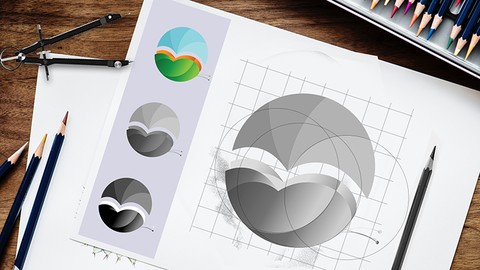
Logo Design: From Beginner To Professional (2019)
4.0 (243 Reviews)
 Provider: Udemy
 Time: 1.6h
$39.99
Premiere Plus: 30 days challenge to learn Adobe Premiere Pro (2023)
4.4 (47 Reviews)
- Provider: Udemy
- Time: 6.5h
$54.99
More Adobe Premier Pro courses

The Complete Adobe Premiere Pro Video Editing Bootcamp (2025)
4.9 (7,316 Reviews)
- Provider: Udemy
- Time: 9.7h
$139.99

Video Editing complete course | Adobe Premiere Pro CC 2021
4.8 (529 Reviews)
- Provider: Udemy
- Time: 14.4h
$22.99

Adobe Premiere Pro CC – Essentials Training Course (2025)
4.7 (11,647 Reviews)
- Provider: Udemy
- Time: 15.8h
$129.99

Adobe Premiere Pro CC – Advanced Training Course (2025)
4.7 (1,922 Reviews)
- Provider: Udemy
- Time: 16.3h
$94.99

Adobe Premiere Pro Video Editing Course Beginner to Pro (2024)
4.7 (686 Reviews)
- Provider: Udemy
- Time: 9.1h
$54.99

Learn Video Editing with Premiere Pro CC for beginners (2015)
4.7 (476 Reviews)
- Provider: Udemy
- Time: 3.9h
$64.99
 Reviews

By Fernando Calderon on 5/1/2026
I didn't notice last update was January 2023. To bad to softwares courses. I try to ask a refund and it's not possible.
By Ismail Muuse Diisow on 2/11/2025
Thanks for your insightful tutorial, it help me these but they were short according to the time of the videos.
By John Daniel Anandaraj on 6/27/2024
Nothing was in detail. Everything was outline based.
By Daniel Alejandro Chemello Sarraf on 1/16/2024
Everything is very well explained in details and he provides resources to practice. Awesome!!
By Claire on 1/15/2024
To the point in short video telling me what I need to learn for beginner
By Alberto Oliva on 11/19/2023
It is a simple and short course that in my opinion is quite good to get started in color editing. Short and well explained videos that make it perfectly understood. Recommendable.
By James Kelechi Stanislaus on 6/8/2023
I so much love the course
By Naveen Baabu on 6/7/2024
 Quality Score
No CourseDuck member has rated this course yet. Taken it? Give each part a thumbs up or down.
Overall Score : 90 / 100

- Video Duration:
 1.6h
1.6h - Price: $34.99
- Provider: Udemy
- Updated:
 January 2023
 - Level:
 All Levels
 - Language:
 English
 - Certificate:
 Yes
Yes
30-day money-back guarantee on most paid courses
Udemy Coupon Price Tracker
