
 Web Development
 Data Science
 Python
 SQL
SQL JavaScript
 Artificial Intelligence
 IT & Software
 IT Certifications
 Hacking
 AWS
AWS Arduino
 DevOps
 3D Modeling
 Graphic Design
 Photoshop
 Drawing
 Digital Painting
 UX Design
 Business
 Data Analysis
 Communication Skills
 Project Management
 Leadership & Management
 Human Resources
 Digital Marketing
 Social Media Marketing
 Marketing
 SEO
SEO Google Analytics
 Branding
 Excel
Excel Office Productivity
 SAP
SAP PowerPoint
 Microsoft Access
 SharePoint
 Finance & Accounting
 Trading & Investing
 Accounting
 Bitcoin
 Personal Finance
 Video Editing & Animation
 Photography
 Adobe Premier Pro
 Adobe Lightroom
 Personal Development
 Productivity
 Career Development
 Life Coaching
 Health & Fitness
 Meditation & Mindfulness
 Yoga
Yoga Music
Music Music Production
 Guitar
 Piano
Piano Singing
 Language Learning
 Teaching & Academics
 Engineering
 Math
Math Lifestyle
Learn Adobe InDesign: Design an Interactive Resume/Portfolio (Udemy.com)
Create Interactive Publications That'll Get You Noticed!
Created by: Randy De Witt
Last updated September 2018
 What you will learn
- Students will be able to create feature rich, interactive resumes and portfolios that include hyperlinks, navigation, galleries, video, and animation using Adobe InDesign.
- Students will be able to design interactive projects, export, test, and review finished products. Additionally, students will be able to email an interactive PDF and generate URL link for potential clients and employers to review interactive resumes and portfolios online through the InDesign publishing website.
How it compares
Against the other 52 rated Udemy courses in Adobe Indesign on CourseDuck:
- Rating4.2 out of 5higher than 17% of them
- Reviews47#35 of 53 by number of reviews
- Length3.4 hoursshorter than 53% of them
- Last updatedSeptember 2018earlier than 67% of them
 Course Description
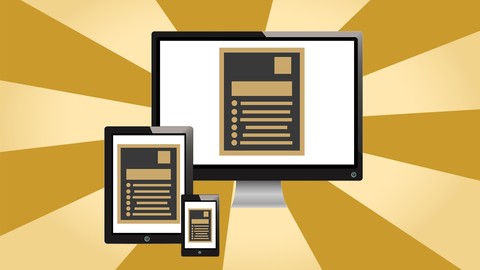
Students new to the software will learn Adobe InDesign through the creation of two course projects - an interactive resume and interactive portfolio. At the end of this course, students will be able to create and export interactive publications that look incredible on tablets, computers, and smartphones. Who this course is for:
- Students who desire those skills needed to create interactive resumes and portfolios that can be distributed as a PDF, ePub, or online interactive.
- Students who desire to learn Adobe InDesign to create interactive digital publications.

 Udemy Discount
The discount is applied through our link. Open the course from here and Udemy's current promotional price is applied at checkout on most courses, no code to type.
Some courses are excluded from Udemy's promotions. If the price does not drop, clear your browser cookies and use the button again.
Instructor Details

- 4.2 Rating
 47 Reviews
Randy De Witt
Randy is an experienced professor, media producer, and higher education leader. As an author, photographer, and multimedia producer, Randy's interactive ebook series Postcard Worthy Locations were created using Adobe InDesign. "Miami and the Florida Keys: The Traveler's Ultimate Guide to Postcard Worthy Locations" was recently released on the Kindle eBook store where in it's opening promotional weekend ranked #2 in Photography and #8 in Travel on Amazon's Top 100 list and reached #1 on Amazon's Hot New Releases.
As the leader for the Miami Photowalk Meetup Group, Randy mentors learners in photography, videography, and creative software. He regularly provides workshop through the Miami Photowalk Meetup and mentors learners in software and gear through the adobecoach website.
Randy has created and led innovative programs of study in entertainment, multimedia design and development, education, liberal arts, and fine arts at the regional and national level for DeVry University, American Intercontinental University, Parque Cibernetico de Santo Domingo, Miami Dade College, Mars Music, and Miami Dade County Public Schools.
Throughout his career, Randy has collaborated on numerous strategic partnerships to further student success including the Urban Entertainment Conference, the Made in Miami Film Festival, Miami International Film Festival's REEL Education Seminar Series, CableTAP -Miami's Public Access Cable Station
 More Adobe Indesign courses

Adobe InDesign CC: Beginners | Workshop | Essentials (2023)
4.8 (225 Reviews)
 Provider: Udemy
 Time: 3.2h
$59.99

Adobe InDesign CC - Essentials Training Course (2026)
4.7 (19,611 Reviews)
- Provider: Udemy
- Time: 11.9h
$149.99

Adobe CC Masterclass: Photoshop, Illustrator, XD & InDesign (2020)
4.7 (3,808 Reviews)
- Provider: Udemy
- Time: 12.8h
$139.99

Learn Adobe InDesign: Design a Magazine and More in InDesign (2026)
4.7 (1,688 Reviews)
- Provider: Udemy
- Time: 8.8h
$79.99

Adobe InDesign Master Class - Beginner to Pro, ALL LEVELS (2024)
4.7 (453 Reviews)
- Provider: Udemy
- Time: 7.3h
$84.99

 Reviews

By Stefanie Price
yes
By Gavin McMichael
Very Informative and easy to follow!
By Rita M. Ashton
I think Randy is extremely clear and concise. So far, very good.:)
By Brandon Aaron Mashack
Great course. Allowed me to transfer this knowledge into eBook creating.
By Kaelena Hughes-Bennett
This course is wonderfully taught and very easy to follow for beginners! I can't wait to see my finished product!
By Mike Martin
Very well done. Once initiated, the format and repetition highlight milestones in the course. The instructions are clear and easy to follow. The instructor takes the time to demonstrate several techniques to accomplish tasks. Pausing the video allows time for inexperienced students to execute the step described.
By William Mendoza
So far he talks too much and nothing has been done.
By Jerry Reffell
I am very please with the purchase of this course. This is the best investment I have made in a while.
By Geno Paiz
I like the fact that the instructor takes time to go over some basic tools and techniques before starting the layout work. Even though I am familiar with what was cover I learn better ways to apply skills I have.
By Achmad Pamoedjo
I am old deaf student. I enjoy reading closed captions (English subtitles )....
By Tamara Freeman
Very good pace to learn. Great information.
 Quality Score
No CourseDuck member has rated this course yet. Taken it? Give each part a thumbs up or down.
Overall Score : 84 / 100
- Video Duration:
 3.4h
3.4h - Price: $39.99
- Provider: Udemy
- Updated:
 September 2018
 - Level:
 Beginner
 - Language:
 English
 - Certificate:
 Yes
Yes
30-day money-back guarantee on most paid courses
Udemy Coupon Price Tracker
