
 Web Development
 Data Science
 Python
 SQL
SQL JavaScript
 Artificial Intelligence
 IT & Software
 IT Certifications
 Hacking
 AWS
AWS Arduino
 DevOps
 3D Modeling
 Graphic Design
 Photoshop
 Drawing
 Digital Painting
 UX Design
 Business
 Data Analysis
 Communication Skills
 Project Management
 Leadership & Management
 Human Resources
 Digital Marketing
 Social Media Marketing
 Marketing
 SEO
SEO Google Analytics
 Branding
 Excel
Excel Office Productivity
 SAP
SAP PowerPoint
 Microsoft Access
 SharePoint
 Finance & Accounting
 Trading & Investing
 Accounting
 Bitcoin
 Personal Finance
 Video Editing & Animation
 Photography
 Adobe Premier Pro
 Adobe Lightroom
 Personal Development
 Productivity
 Career Development
 Life Coaching
 Health & Fitness
 Meditation & Mindfulness
 Yoga
Yoga Music
Music Music Production
 Guitar
 Piano
Piano Singing
 Language Learning
 Teaching & Academics
 Engineering
 Math
Math Lifestyle
The Art and Science of PCB Design with Autodesk Eagle (Udemy.com)
Design professional PCBs using Autodesk Eagle – from schematic to manufacturing files
Created by: Amit Rana
Last updated February 2026
 What you will learn
- Improved confidence level with better technical skills, for hobby or academics or your profession
- Learn Circuit design and PCB Design with the most powerful and most widely used tool Eagle!
- Be able to create single and double sided PCB Designs
- Understand use of Eagle for PCB Design
- Understand Gerber file and export gerber file for production
- Be an awesome electronics designer in very low time!!!
- Start designing your boards!!!
How it compares
Against the other 335 rated Udemy courses in Engineering on CourseDuck:
- Rating4.1 out of 5higher than 13% of them
- Reviews1,082#78 of 336 by number of reviews
- Length3.6 hoursshorter than 64% of them
- Last updatedFebruary 2026more recently than 77% of them
 Course Description
The Art and Science of PCB Design with Autodesk Eagle
If you want to design professional printed circuit boards from scratch and understand how real hardware products are created, this course is designed for you.
By the end of this course, you will be able to:
Create complete schematics using Autodesk Eagle
Design single-sided and double-sided PCBs
Generate manufacturing-ready board files
Understand component placement and routing
Prepare your design for fabrication
PCB design is one of the most fundamental skills in electronics engineering. Whether you are building hobby projects, academic prototypes, or commercial products, the ability to design your own boards gives you full control over your ideas.
In this course, everything is explained from a complete beginner’s perspective. No prior PCB design experience is required.
You will design your first PCB within the first few lessons of the course.
What You Will Learn
Understanding PCB design workflow
Creating schematics in Eagle
Using libraries and components
Board layout design
Routing techniques
Design rule checks
Generating Gerber files for manufacturing
Preparing boards for fabrication
About Autodesk Eagle
Autodesk Eagle is one of the most widely used PCB design tools in the open-source hardware ecosystem and industry. Many popular boards and modules have been designed using Eagle.
It provides a powerful yet beginner-friendly environment for schematic capture and board layout.
This course focuses on building strong fundamentals rather than advanced industrial constraints, making it ideal for beginners.
What This Course Will Do For You
Build confidence in PCB design
Help you convert ideas into real hardware boards
Enable you to manufacture your own PCBs
Strengthen your electronics design foundation
Who This Course Is For
Electronics beginners
Engineering students
Hardware hobbyists
Anyone who wants to design their own PCB boards
Who This Course Is Not For
Experienced PCB designers looking for advanced multilayer techniques
Designers seeking EMI/EMC deep-dive topics
Professionals focused on 4-layer or complex industrial board design
Instructor
Hi, I’m Amit Rana — engineer, programmer and electronics trainer.
With over 10 years of experience teaching circuit design to thousands of students across multiple countries, I focus on simplifying hardware design and making it accessible for beginners.
A significant portion of this course is available as free preview lectures so you can evaluate the teaching style before enrolling.
30-Day Money Back Guarantee
Your enrollment is completely risk-free. If the course does not meet your expectations, Udemy offers a 30-day full money-back guarantee.
Enroll today and start designing your own printed circuit boards with confidence.

 Udemy Discount
The discount is applied through our link. Open the course from here and Udemy's current promotional price is applied at checkout on most courses, no code to type.
Some courses are excluded from Udemy's promotions. If the price does not drop, clear your browser cookies and use the button again.
Instructor Details

- 4.1 Rating
 1,082 Reviews
Amit Rana
Learn from a Technology Director Shaping the Future of Smart Buildings and IoT
Embark on a transformative learning journey with Amit Rana, a dynamic Technology Consulting Director at JLL , where he spearheads strategic technology initiatives and drives innovation within the realm of smart buildings, enterprise architecture, and the Internet of Things. With over 17 years immersed in the tech industry, Amit brings a wealth of practical knowledge and a visionary approach to his engaging Udemy courses. His daily work involves navigating the complexities of cutting-edge technologies and translating them into impactful business solutions for a global leader in real estate services.
 More courses by Amit Rana

IoT with Raspberry Pi & Microsoft Azure (2026)
4.4 (1,283 Reviews)
 Provider: Udemy
 Time: 10.5h
$15.99
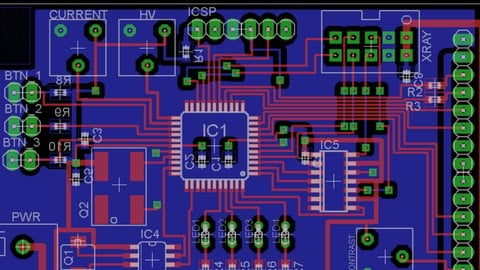
PCB Design with EasyEDA – Free Online Tool (2026)
4.4 (362 Reviews)
- Provider: Udemy
- Time: 3.3h
$64.99
Embedded Systems with Arduino – 20+ Projects (2026)
4.4 (178 Reviews)
- Provider: Udemy
- Time: 7.7h
$54.99
ESP32 for IoT – Build Real World Projects (2026)
4.5 (175 Reviews)
- Provider: Udemy
- Time: 5.8h
$59.99

AVR Atmega32 Embedded Systems – Learn Embedded C (2026)
4.4 (135 Reviews)
- Provider: Udemy
- Time: 7.7h
$59.99
More Engineering courses


Do it Yourself - Automotive Electrical Diagnosis - Beginner (2026)
4.8 (1,897 Reviews)
- Provider: Udemy
- Time: 2.1h
$12.99

ROS 2 for Beginners Level 2 - TF | URDF | RViz | Gazebo (2025)
4.8 (1,869 Reviews)
- Provider: Udemy
- Time: 13.8h
$10.99

Advanced Kalman Filtering and Sensor Fusion (2021)
4.8 (1,033 Reviews)
- Provider: Udemy
- Time: 8.3h
$84.99

Digital Electronics: Robotics, learn by building module II (2020)
4.8 (942 Reviews)
- Provider: Udemy
- Time: 13.1h
$14.99

 Reviews

By Blayze Ashurst on 3/25/2023
I think this course was a good introduction to using eagle and pcb software in general. After completing this course I felt confident enough that I could make a pcb of a basic circuit. The inclusion of resources on how to estiamate required trace thickness and width was also very helpful. One thing I think would be very helpful though to improving this course further was a bit more instruction on the subtlties of the different tools. For example, knowing how to stop the pinging noise the computer traces when trying connect a net or click on a component would be nice.
By Gerardo Palacios on 12/29/2020
I purchased this course expecting to learn about Eagle. If you like me had done any PCB design before in any other software, you'll learn from this course the equivalent of reading the first page of the documentation and spending 15 minutes with the software. It's way too basic. I started with an open mind, waiting for it to go to more advance as the course progressed, but It never happened... now I can't get a refund because "I've watched too much" (yes, all of it!.. and what a disappointment). It didn't touch in any specifics of: different layers, design blocks, library creation, the different ways to route not even the specifics on how to select parts, how the "Origins" layers work... etc. Open the software, click "Documentation" and read the tutorial, after the first few pages you'll learn a LOT more than this whole course.
By Reid Anderson on 11/7/2020
Seems good so far
By Abdoulaye Boubakari on 11/7/2020
I enjoyed learning PCB design from scratch. The course is nicely designed for beginners as well as professionals. I recommend this course to anyone interested in learning fast in no time.
By Vishal Jain on 10/21/2020
Excellent course! if you are new to PCB designing than you should definitely go for this course. Previously, I have taken a different PCB design course on udemy but when I saw the free videos of this course I was unable to stop me to request a refund for the previous course. Finally today I completed this course with 100% satisfaction.
By Juan David Martinez Varela on 10/7/2020
Fue un curso que cumpli con lo prometido ensea lo bsico pero lo suficiente para crear PCB.
By Suraj Kumar on 9/23/2020
A Full look into Eagle CAD.
The teacher is very proactive in the chat and was very helpful! :)
By Jitesh Rajendra Sharma on 9/22/2020
In cricket match ckt last project , I don't know from where you have taken CD4017....course is good explanation well but topic are not sequence wise
By Shap Neupane on 9/21/2020
Amazing,above expectations!
By Tejaswini.J on 9/11/2020
Absolutely loved it. I look forward to more classes from Amit Rana Sir. Thanks alot.
By Peter Volkov on 9/9/2020
Alot of good information. I feel confident to create a board. The way I learned was to pause the video as I followed what he was doing. One thing is it would be nice to have discussed resource guides for more complex designs.
By Gulabi Mandal on 9/7/2020
This entire course has been wonderful.
I will definitely take up your advice seriously and practice regularly.
Feeling great to have completed.
 Quality Score
No CourseDuck member has rated this course yet. Taken it? Give each part a thumbs up or down.
Overall Score : 82 / 100

- Video Duration:
 3.6h
3.6h - Price: See price on Udemy
- Provider: Udemy
- Updated:
 February 2026
 - Level:
 Beginner
 - Language:
 English
 - Certificate:
 Yes
Yes
30-day money-back guarantee on most paid courses
Udemy Coupon Price Tracker
