
 Web Development
 Data Science
 Python
 SQL
SQL JavaScript
 Artificial Intelligence
 IT & Software
 IT Certifications
 Hacking
 AWS
AWS Arduino
 DevOps
 3D Modeling
 Graphic Design
 Photoshop
 Drawing
 Digital Painting
 UX Design
 Business
 Data Analysis
 Communication Skills
 Project Management
 Leadership & Management
 Human Resources
 Digital Marketing
 Social Media Marketing
 Marketing
 SEO
SEO Google Analytics
 Branding
 Excel
Excel Office Productivity
 SAP
SAP PowerPoint
 Microsoft Access
 SharePoint
 Finance & Accounting
 Trading & Investing
 Accounting
 Bitcoin
 Personal Finance
 Video Editing & Animation
 Photography
 Adobe Premier Pro
 Adobe Lightroom
 Personal Development
 Productivity
 Career Development
 Life Coaching
 Health & Fitness
 Meditation & Mindfulness
 Yoga
Yoga Music
Music Music Production
 Guitar
 Piano
Piano Singing
 Language Learning
 Teaching & Academics
 Engineering
 Math
Math Lifestyle
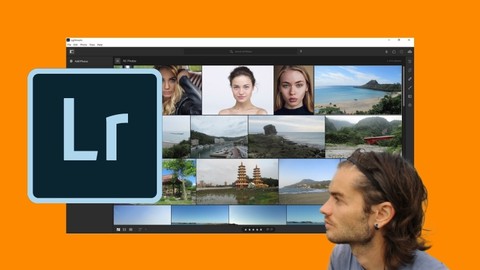
Lightroom the complete course (Udemy.com)
Master Lightroom software to improve all your photos
Created by: Nicolas Forgue
Last updated July 2025
 What you will learn
- Import photos
- Classify photos
- Navigation on photo
- Share your photos
- Add informations
- Search photos by informations
- Understand the parameters to edit photos
- Edit a photo
- Improve a photo
- Enhance colors
- Use linear gradient
- Use radial gradient
- Make adjustment with brush
- Improve landscape photo
- Improve portrait photo
How it compares
Against the other 73 rated Udemy courses in Adobe Lightroom on CourseDuck:
- Rating4.4 out of 5higher than 53% of them
- Reviews6#73 of 74 by number of reviews
- Length4.9 hourslonger than 65% of them
- Last updatedJuly 2025more recently than 80% of them
 Quality Score
Overall Score : 88 / 100
 Course Description
Lightroom
Lightroom is professional image editing software. It's never been more convenient to edit photos quickly and efficiently than in Lightroom. Lightroom should not be confused with Lightroom CC Classic. Although the two software have a lot of similarities, there are some differences. Lightroom is therefore accessible from any devices like computer, laptop and tablet and allows you to quickly edit and optimize your photos. Saved in the Adobe Cloud, you can start working on an image from a computer and change media at any time since your photos will be stored online in the cloud.
What can you do with Lightroom
- Import and export photos
- Add information to photos
- Use all photo adjustments
- Correct and remove defaults
- Improve exposure
- Improve colors
- Add effects
- Edit your photos on multiple media
Training course
In this training you will see how to use Lightroom. We will see how to use the dashboard, how to import your photos and organize them into albums and folders. We will also see how to classify photos. Then we will work with the main part of photo editing with the different adjustments. So we will see in details how to improve any photos. Finally we will work on different examples.

 Udemy Discount
The discount is applied through our link. Open the course from here and Udemy's current promotional price is applied at checkout on most courses, no code to type.
Some courses are excluded from Udemy's promotions. If the price does not drop, clear your browser cookies and use the button again.
Instructor Details

- 4.4 Rating
 6 Reviews
Nicolas Forgue
Bonjour à tous et bienvenue sur mon profil, je m'appelle Nicolas. Fort de mon expérience et de mes compétences, je propose des formations dans plusieurs domaines. Mes niches principales sont le graphisme design, la retouche photo, la modélisation 3D et l'animation 2D. Je partage donc ces compétences avec toutes les personnes désirant apprendre. Je m'efforce de proposer des cours structurés et adaptés aux besoins des participants. C'est un réel plaisir que de créer et de proposer ces formations, en espérant vous apporter une réelle valeur ajoutée. N'hésitez pas à participer à mes cours !
Hello everyone and welcome to my profile, my name is Nicolas. With my experience and skills, I offer training in several areas. My main niches are graphic design, photo editing, 3D modeling and 2D animation. So I share these skills with everyone who wants to learn. I strive to offer courses that are structured and adapted to the needs of participants. It is a real pleasure to create and offer these courses, hoping to bring you real added value. Feel free to participate in my classes !
 More courses by Nicolas Forgue




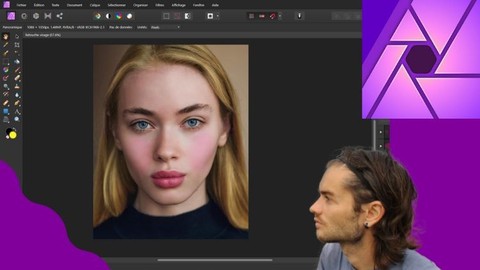
Affinity Photo version 2 le cours complet (2024)
4.2 (139 Reviews)
 Provider: Udemy
 Time: 14.4h
$39.99
More Adobe Lightroom courses

Master Adobe Lightroom Classic & Lightroom CC (2026)
4.7 (2,820 Reviews)
- Provider: Udemy
- Time: 22.5h
$129.99



Principles of Photo Composition and Digital Image Post-Production
4.7 (131 Reviews)
- Provider: Coursera
- Time: 16h
Free

Adobe Lightroom CC Photo Editing: Your Lightroom Masterclass (2026)
4.6 (7,321 Reviews)
- Provider: Udemy
- Time: 23.4h
$99.99

 Reviews
No reviews yet. Be the first to review this course!
- Video Duration:
 4.9h
4.9h - Price: See price on Udemy
- Provider: Udemy
- Updated:
 July 2025
 - Level:
 All Levels
 - Language:
 English
 - Certificate:
 Yes
Yes
30-day money-back guarantee on most paid courses
Udemy Coupon Price Tracker
