
 Web Development
 Data Science
 Python
 SQL
SQL JavaScript
 Artificial Intelligence
 IT & Software
 IT Certifications
 Hacking
 AWS
AWS Arduino
 DevOps
 3D Modeling
 Graphic Design
 Photoshop
 Drawing
 Digital Painting
 UX Design
 Business
 Data Analysis
 Communication Skills
 Project Management
 Leadership & Management
 Human Resources
 Digital Marketing
 Social Media Marketing
 Marketing
 SEO
SEO Google Analytics
 Branding
 Excel
Excel Office Productivity
 SAP
SAP PowerPoint
 Microsoft Access
 SharePoint
 Finance & Accounting
 Trading & Investing
 Accounting
 Bitcoin
 Personal Finance
 Video Editing & Animation
 Photography
 Adobe Premier Pro
 Adobe Lightroom
 Personal Development
 Productivity
 Career Development
 Life Coaching
 Health & Fitness
 Meditation & Mindfulness
 Yoga
Yoga Music
Music Music Production
 Guitar
 Piano
Piano Singing
 Language Learning
 Teaching & Academics
 Engineering
 Math
Math Lifestyle
Logo Design: Mastering the Wordmark (Udemy.com)
Discover how to design creative, unique and relevant wordmark logo designs.
Created by: Gary Simon
Last updated November 2015
 What you will learn
- Design effective and beautiful wordmark logos.
- Use Adobe Illustrator with a tablet.
- Produce multiple concepts for a given project.
- Use Adobe Illustrator to create vector logos.
How it compares
Against the other 413 rated Udemy courses in Graphic Design on CourseDuck:
- Rating4.5 out of 5higher than 49% of them
- Reviews262#176 of 414 by number of reviews
- Length2 hoursshorter than 81% of them
- Last updatedNovember 2015earlier than 97% of them
 Course Description
Are you ready to become a great identity designer? Excellent!
This course will show you how to start thinking creatively to design excellent wordmarks; you know, the type portion of a logo design. You will discover the essential fundamentals that make any given wordmark great: Simplicity, relevance, readability, uniqueness and more.
Get inside Gary's head
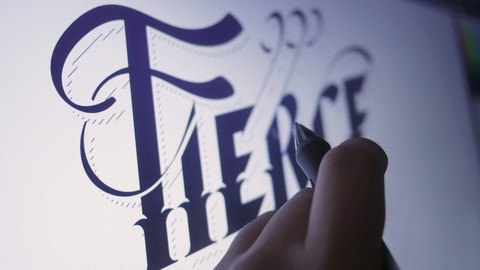
Follow along as Gary designs 5 different wordmark projects over the course of 2 hours, two of which include hand-lettering with the use of a drawing tablet. Discover Gary's process when coming up with great logo design concepts.
Who is Gary?
A renowned designer and instructor of 15 years. Gary works as a course author for some of the biggest online education portals on the internet such as DigitalTutors and Envato Network's TutsPlus. Gary's work has also been featured in various publications including PhotoshopCreative magazine. Gary also runs a youtube channel with over 3 million views and 70,000 subscribers.

 Udemy Discount
The discount is applied through our link. Open the course from here and Udemy's current promotional price is applied at checkout on most courses, no code to type.
Some courses are excluded from Udemy's promotions. If the price does not drop, clear your browser cookies and use the button again.
Instructor Details

- 4.5 Rating
 262 Reviews
Gary Simon
Gary Simon is a professional freelance graphics and web designer with well over a decade of experience. Having served over a thousand clients, Gary understands many facets of the design industry.
He has also been a course instructor for several of the top online education websites, teaching a wide range of topics including:
- Web Design
- Graphic Design
- Mobile / GUI Design
- 3D
- Motion Graphics
Gary began designing websites in 2000, and just a few years later started focusing on identity design. From that point on, Gary grew a large clientele that allowed him to fully develop skills that extend beyond design alone.
The following is a list of web technologies in which Gary is proficient:
- HTML & CSS (Responsive)
- JavaScript & jQuery
- XML
- PHP
- MySQL
He is also an expert with the following software:
- Adobe Photoshop
- Adobe Illustrator
- Adobe After Effects
 More courses by Gary Simon



Create a Full Ionic App with Material Design - Full Stack (2017)
4.2 (86 Reviews)
 Provider: Udemy
 Time: 3.7h
$22.99
More Graphic Design courses

Adobe InDesign - From Basics to Professional Level Designs (2024)
4.9 (320 Reviews)
- Provider: Udemy
- Time: 11.4h
$84.99

Shop Drawing & Details-Autodesk Revit 2025- for BIM Modelers
4.9 (300 Reviews)
- Provider: Udemy
- Time: 30.9h
$10.99

The Adobe Illustrator CC Mastery Course: Basics to Pro + AI (2026)
4.9 (268 Reviews)
- Provider: Udemy
- Time: 30.8h
$19.99


Software Architecture & System Design Practical Case Studies (2026)
4.8 (2,584 Reviews)
- Provider: Udemy
- Time: 4h
$15.99

Graphic Design Masterclass: Design 40+ Projects in Photoshop (2025)
4.8 (668 Reviews)
- Provider: Udemy
- Time: 16.5h
$109.99
 Reviews

By Karl Nippoldt on 6/24/2024
Has a good step by step for how to make wordmark logos, but doesn't really go into the creative side of making the design choices for the logos.
By Casey Wintons on 3/4/2024
I learned many things as a Graphic Designer. While you think you know how the word mark process is done, our instructor Gary shows us effortlessly how to get through every aspect, of the design process without making the process hard. I recommend this course to all who either want to learn how to make nice word marks or tighten up the skills they have already in this area of Graphic Design.
By Anonymized User on 3/14/2023
Very helpful to watch the development, too often we don't get to understand the "playing around" phase of the process where new ideas present themselves and old ones get discarded.
By Samuel Smith on 4/19/2021
Instructor was knowledgeable and gave great advice on how to use the software and come up with creative decisions.
By Margriet P on 6/30/2020
This course was for me a real eye-opener! I don’t have Adobe Illustrator, but Affinity Designer but that was no problem. I learned how I can to special things with normal fonts to make your logo special and to create your own text. Great!
By Williams on 9/24/2018
I am a seasoned logo designer and Illustrator user and I still enjoyed the course a lot. Great job!
By David Wilhelm on 2/5/2018
I love the idea of a course like this. As a graphic designer I'm already creating a lot of type for my logos myself, and I got a few new and neat techniques out of your course. But since I'm creating a lot myself, I also know a lot about the little details of type making and vector-based designs. 1. I'd like you to incorporate more type related knowledge, like basic letterforms and optical refinements (e.g. horizontals are perceived slightly thicker than verticals, so they should be thinned accordingly; round characters should go slightly below and above the straight ones) 2. Some of the refinements you make are not enough in my opinion (the rocket A in launch doesn't look good, especially the smaller version) 3. The ornaments you add without further explanation to Fierce are the very thing you are criticizing in the introduction 4. The vector files should be cleaner for further usage - stuff that can be checked by using "ctrl+y", because more vector points translate to bigger file size and maybe even problems when printing for special usages (as logos commonly are used for) One more thing: people are paying for this course, so stuff you want to show should show up on screen. So did I like your course? Yes! Do I think there's quite some room for improvement? Definitely! Am I nitpicky? Maybe, but I love type and logos and can see that you do too. So I wanted to give a more constructive feedback than a few stars. I'd love to see more type knowledge if you ever consider updating or adding new projects. Cheers, David
By Tommaso Manca on 1/21/2017
A good course, does everything he promises and that's the reason I've given it 5 stars. Not because it's a revolutionary course but because I don't feel I needed him to add anything else to make this better
By By Jove on 8/12/2016
Very concise course and covers immediately useful ideas, both in the mechanics of Adobe Illustrator (more or less adaptable to some other vector program though only Illustrator is used here), as well as some clever approaches to customize the logo letter forms. I'm very pleased as working with fonts as an image was never an area I understood well enough to do, though I always wanted to. Now I can. Good course!
By Kyle Hovance on 11/10/2015
Great course! I was able to skim through and learn some neat tips and tricks. Definitely looking forward to applying what I have learned!
 Quality Score
No CourseDuck member has rated this course yet. Taken it? Give each part a thumbs up or down.
Overall Score : 90 / 100
- Video Duration:
 2h
2h - Price: $10.99
- Provider: Udemy
- Updated:
 November 2015
 - Level:
 All Levels
 - Language:
 English
 - Certificate:
 Yes
Yes
30-day money-back guarantee on most paid courses
Udemy Coupon Price Tracker
