
 Web Development
 Data Science
 Python
 SQL
SQL JavaScript
 Artificial Intelligence
 IT & Software
 IT Certifications
 Hacking
 AWS
AWS Arduino
 DevOps
 3D Modeling
 Graphic Design
 Photoshop
 Drawing
 Digital Painting
 UX Design
 Business
 Data Analysis
 Communication Skills
 Project Management
 Leadership & Management
 Human Resources
 Digital Marketing
 Social Media Marketing
 Marketing
 SEO
SEO Google Analytics
 Branding
 Excel
Excel Office Productivity
 SAP
SAP PowerPoint
 Microsoft Access
 SharePoint
 Finance & Accounting
 Trading & Investing
 Accounting
 Bitcoin
 Personal Finance
 Video Editing & Animation
 Photography
 Adobe Premier Pro
 Adobe Lightroom
 Personal Development
 Productivity
 Career Development
 Life Coaching
 Health & Fitness
 Meditation & Mindfulness
 Yoga
Yoga Music
Music Music Production
 Guitar
 Piano
Piano Singing
 Language Learning
 Teaching & Academics
 Engineering
 Math
Math Lifestyle
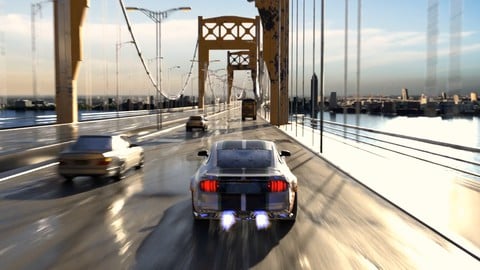
Make a Cinematic Car Chase Short Film Animation in Blender (Udemy.com)
Learn Animation, 3D Modeling, Rig Texture, Render Car Animations in Blender and Build Your Game in Unreal Engine & Unity
Created by: Abdelilah Hamdani
Last updated July 2025
 What you will learn
- Build Realistic & Cinematic 3D Environments
- Make Awesome & Exciting Vehicle Drifting Animations
- Export City Maps into your Scene in Blender (With Textures!!)
- Learn Scale Matching of Real References (10th Street Bridge)
- Create Realistic PBR Materials using Procedural Texturing
- Learn the Secrets of Achieving Photorealistic Lighting in your Scenes
- Add Camera Cinematic Shots: Helicopter - Pursuit - Standby
- Master Car Rigging in Blender (Free Addons)
- Use Greenscreen Backgrounds to Make your Renders look Awesome
- Learn Rendering & Production of Short Animation Projects
- Texture Painting: Customize Your Car Paint & Add Flames Decals
- Smoke & Fire Fluid Simulation: Add Nitro Boosting Speed
- Learn Environment Optimization for Game Design
- Bake Textures the Right Way for Game Design
- Add Car Controller: Drive Your Own Car in Unity
How it compares
Against the other 545 rated Udemy courses in 3D Modeling on CourseDuck:
- Rating4.5 out of 5higher than 37% of them
- Reviews370#207 of 546 by number of reviews
- Length8.3 hourslonger than 59% of them
- Last updatedJuly 2025more recently than 80% of them
 Course Description
Build Awesome Bridge Environment in Blender
We will Build the 10th Street Bridge based on real references. You will learn all the modeling techniques: Proportional Editing, Modifiers like Array, Bevel, Subdivision to create realistic environments in Blender 4
Learn Realistic Scale Matching of Real References
Advanced Modeling Tips & Tricks
[NEW UPDATES] - Game Design & Development: Build Your Own Game on PC and Play using Unreal Engine 5.6 & Unity 3D
In part II of this course, we will jump into Game Design, learn Unity & Unreal Engine and Build our own game. You will:
Learn Environment Optimization for Game Design
Bake Textures the Right Way for Game Design
Set Car Controller: Drive Your Own Car in Unity & Unreal Engine
Learn to Import Assets from Blender to Unity & Unreal Engine
Build & Play Your Game on your Own Android Mobile Phone
Learn Unity 3D: Release your Game and Play it on your PC
LIVE SUPPORT IS INCLUDED!! Even if you are absolute beginner in Blender.. I'm willing to help you directly to overcome any challenge you face
Improve Your Texturing Skills: Well Explained, Flexible and Easy to Apply Tips
You will learn the basics for Creating Realistic textures in Blender using Procedural Texturing.. We will create Wet Asphalt with water puddles on it, Rust Metal… Also we will learn UV Mapping and how to assign those textures to the Bridge
Asphalt
Grunge & Rust
Ocean (Scale)
Make Realistic Ocean Water Material
Build Realistic Asphalt Material
Make Realistic Grunge & Rust Material
[NEW]: Add Greenscreen in Your Blender Scene
You will learn how implement green screen to overlay it on any background image you choose. This gives us much more flexibility in controlling our scene
[NEW]: Create Realistic City Maps & Add it to your Blender Scene
This will helps populating the scene by adding much more details to it. It's a great method to make your animation looks legit and engaging
Master Vehicle Rigging in Blender
Learn Advanced Vehicle Rigging Techniques:
Drifting
Realistic Brake & Suspension
Burnout Start
Normal Vehicles Traffic
Passing other Vehicles
Achieve Photorealistic Lighting in Blender
We will cover the principles for Achieving Photorealistic Lighting in Blender. Environment Lighting is one of the most important aspects of CGI.. We will learn it & apply it in our Bridge scene
Hollywood Cinematic Shots: Animate Realistic Vehicle Movements
You will Learn how to Rig Vehicles (using Free CarRig Plugin) & We will Make a Short Film Animation ‘BURNOUT’
The 4 Conditions to an Excellent Car Rig
Generate Rig for the Mercedes Car
Apply Car Suspension on Rough Roads for Maximum Realism
Regular Traffic Circulation
Avoid Obstacle Animation
Burnout Start Animation
Realistic Camera Movements – Within / Back / Front / Helicopter
I will Help You Achieve This Final Result.. Even If You Are a Complete Beginner
Live Mentoring: I’m offering Free live assistance to help you with any challenge you face along the way.. We will be using Zoom to contact
You also have 30 days money back guarantee.. get them anytime you want

 Udemy Discount
The discount is applied through our link. Open the course from here and Udemy's current promotional price is applied at checkout on most courses, no code to type.
Some courses are excluded from Udemy's promotions. If the price does not drop, clear your browser cookies and use the button again.
Instructor Details

- 4.5 Rating
 370 Reviews
Abdelilah Hamdani
I’m Abdelilah Hamdani, a 3D Designer and Instructor passionate about turning imagination into photorealistic worlds.
For over 12 years, I’ve been creating and teaching professional 3D projects — from environments and vehicles to characters and cinematic scenes — using Blender and modern game engines.
My mission is to make complex 3D workflows simple, structured, and practical for real production use.
I focus on teaching how to model, texture, light, and animate with precision — while building a strong understanding of how to bring assets into Unreal Engine and Unity for stunning results.
I believe the future belongs to creators who master both art and technology. Through my courses, I share everything I’ve learned to help artists achieve true photorealism, storytelling, and creative freedom in their 3D work.
 More courses by Abdelilah Hamdani
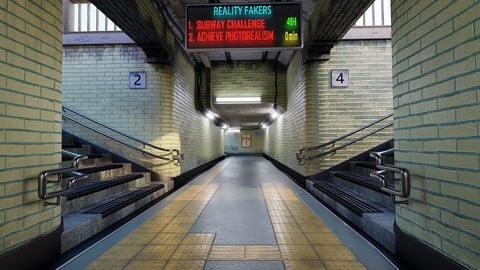
Achieve 3D Photorealism in Blender: Subway Challenge (2024)
4.6 (372 Reviews)
 Provider: Udemy
 Time: 7.1h
$69.99
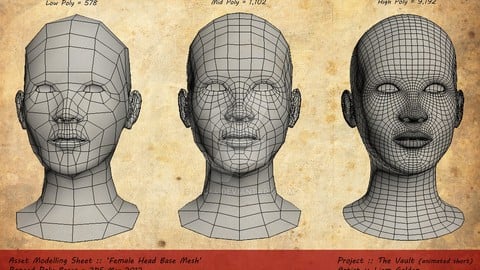
Character Modeling: Master the Anatomy of 3D Characters (2022)
4.3 (286 Reviews)
- Provider: Udemy
- Time: 1.3h
$39.99
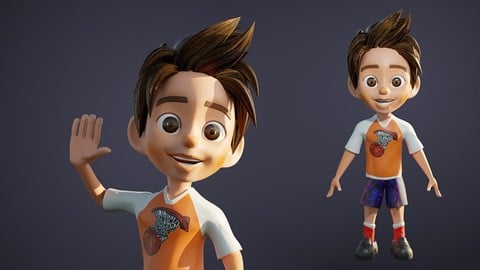
Master Character Design in Blender for Unity & Unreal Engine (2024)
4.5 (129 Reviews)
- Provider: Udemy
- Time: 7.4h
$79.99
More 3D Modeling courses

3D Printing with " Ultimaker CURA Slicer- Start to finish" (2025)
4.9 (192 Reviews)
- Provider: Udemy
- Time: 1h
$34.99

Girl and the Dog Creation in Zbrush for Intermediate Level (2020)
4.9 (173 Reviews)
- Provider: Udemy
- Time: 48.8h
$59.99



Blender Character Creator for Video Games (2026)
4.8 (9,160 Reviews)
- Provider: Udemy
- Time: 34.3h
$159.99

Master SOLIDWORKS 3D CAD using real-world examples (2022)
4.8 (2,451 Reviews)
- Provider: Udemy
- Time: 18.9h
$69.99
 Reviews

By Alaz Talay on 11/27/2024
Altough he is not doing anything complicated, he is doing it quite quickly and it is hard to keep track sometimes. Know that this is not a course suitable for a beginner. If you are just starting, take another course and than this one..
By Justin Carter on 8/26/2024
Lots of insightful tips on using Blenders 3D molding and free assets to make scenes look photo-realistic. Great introduction to both Unity and Unreal engines. The unscripted approach to problem solving gives a realistic feel to how dealing with issues is in the real world
By Shinu Gopalan on 8/13/2023
Really awesome training. The bad thing is, I am not even getting up from my chair bcz I am addicted now with this course. My rating is 10/10. Ciao.
By Enitan Adedotun on 7/27/2023
Learning 3d design is demanding but with this course it is much easier. Right from the model building, to animating, texturing, lighting, this course teaches how to apply the basics while learning how to be creative. really nice.
By Christian Darquea on 3/20/2023
The instructor knows the topics and explains them in a coherent and systematic way, however, I think that this course requires a little experience in blender, therefore, if you are a beginner in this software, be patient, learn the basics and then I recommend that you buy this course, it's pretty good.
By Butler Fuqua on 7/28/2022
Really great explainations and speed so far. I like the instructor. He doesn't skip anything, he makes it seem easy, and he doesn't overexplain anything. Good tempo.
By YArt ZN on 6/1/2022
This course is for intermediate blender users. I perfectly understood most of the topics, but if you are a beginner you'll get lost since there are a few seconds not explaining something and you'll get lost. From the beginning pay close attention on orientation of the modeling, x or y, or you'll end up modeling in different axis like most of the tuts we follow. Overall good useful tricks and tips worth the money spent.
By Matthew Ellison on 4/12/2022
This course was fascinating for me. I had done a number of Blender courses, but had never really felt that my output was anything other than stand alone pieces. I had learnt lots of techniques, but never really how to put them together. Also, I knew that in the real world, stuff isn't created from scratch every time. This course is very different, it provides a huge amount of information in a very short time, but shows how things are done in the real world and layers each aspect of the course very well. It's not perfect, sometimes I realised that things had changed between chapters, such as the bridge structure, but I felt empowered to be able to fix them myself. I haven't yet completed the course, but the information provided and the time I have been able to spend in the course has been well worth it. If you are looking to put a more 'real-world' application to your Blender training, this is a great course to do that. I promise you will be amazed by your output and you will understand that using predefined models and textures isn't cheating, it's how things work in the real world and it's actually really useful to be able to understand that. A fantastic course and definitely left me with a lot more to show for it and a great opportunity to put my basic Blender skills in to use and really bring them up to a much more commercial level.
By Pururava Joshi on 9/2/2021
This is one of the best courses I've enrolled in. The instructor is charismatic, brilliant and really knowledgeable about the subject matter. I always wanted to make something dynamic with Blender and finally I did it, all thanks to this course. If you wanna see if this course works or not, I will link a video to my channel where I uploaded the project I made by following this course. Again, Thank you so much. This has been the best 30 hours I have spent on a project... https://youtu.be/1AVxfy4Kb9Q
By Joakim Martensson on 5/22/2021
So far so good. The pace was perhaps a little fast, so I had to pause and rewind the video quite a lot just to keep up. But on the other hand, it's more annoying when the pace is too slow.
 Quality Score
No CourseDuck member has rated this course yet. Taken it? Give each part a thumbs up or down.
Overall Score : 90 / 100
- Video Duration:
 8.3h
8.3h - Price: $69.99
- Provider: Udemy
- Updated:
 July 2025
 - Level:
 Beginner
 - Language:
 English
 - Certificate:
 Yes
Yes
30-day money-back guarantee on most paid courses
Udemy Coupon Price Tracker
