
 Web Development
 Data Science
 Python
 SQL
SQL JavaScript
 Artificial Intelligence
 IT & Software
 IT Certifications
 Hacking
 AWS
AWS Arduino
 DevOps
 3D Modeling
 Graphic Design
 Photoshop
 Drawing
 Digital Painting
 UX Design
 Business
 Data Analysis
 Communication Skills
 Project Management
 Leadership & Management
 Human Resources
 Digital Marketing
 Social Media Marketing
 Marketing
 SEO
SEO Google Analytics
 Branding
 Excel
Excel Office Productivity
 SAP
SAP PowerPoint
 Microsoft Access
 SharePoint
 Finance & Accounting
 Trading & Investing
 Accounting
 Bitcoin
 Personal Finance
 Video Editing & Animation
 Photography
 Adobe Premier Pro
 Adobe Lightroom
 Personal Development
 Productivity
 Career Development
 Life Coaching
 Health & Fitness
 Meditation & Mindfulness
 Yoga
Yoga Music
Music Music Production
 Guitar
 Piano
Piano Singing
 Language Learning
 Teaching & Academics
 Engineering
 Math
Math Lifestyle
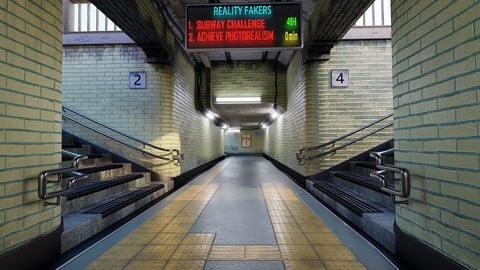
Achieve 3D Photorealism in Blender: Subway Challenge (Udemy.com)
Master the Skill of Turning Any Image Reference Into a Realistic 3D Scene
Created by: Abdelilah Hamdani
Last updated June 2024
 What you will learn
- Learn the Secret to Turn any Image Reference into a 3D realistic Scene
- Achieve 3D Photorealism based on Real References NOT Imaginary Scenes
- Creating Realistic Materials from Scratch using Substance Designer
- Create a Realistic Walk Animation with Real Shaky Movements
- 5 Rules for Achieving Photorealistic Lighting
- Create Clean, Realistic and Optimized Modeling
- Learn how to use fSpy Addon to Build 3D Environments
- Master Scale Matching by Creating 2 Different Scenes
- Learn the Efficient Way to Set Correct UV Mapping in Blender 2.8
- Improve the Lighting of your 3D Environments
- [NEW] Learn Procedural Generated Texturing in Blender 2.81
- Get Rid of Expensive Softwares like: Substance Designer
- Create Extremely High Quality Procedural Textures 'Infinite Zoom'
How it compares
Against the other 100 rated Udemy courses in Blender on CourseDuck:
- Rating4.6 out of 5higher than 38% of them
- Reviews372#57 of 101 by number of reviews
- Length7.1 hoursshorter than 61% of them
- Last updatedJune 2024earlier than 54% of them
 Course Description
8: Create All Textures Procedurally: Bricks - Ground - Stairs - Ceiling (Concrete)- Using Substance Designer is OptionalThe Main Objective is to Show You the Process of Turning a Real Image into a Realistic 3D Scene.
You will Learn the Basics and Principles of Achieving Photorealism by Working on a real reference example of a Subway: Something that exists in Real Life. You Will Learn everything You need to turn any image reference into a high quality realistic 3D scene in BlenderWho this course is for:
You have an Idea in your Head that you want to Visualize in 3DYour Projects aren't Looking RealisticYou are Looking for a Formula to Guide You toward Achieving Photorealism

 Udemy Discount
The discount is applied through our link. Open the course from here and Udemy's current promotional price is applied at checkout on most courses, no code to type.
Some courses are excluded from Udemy's promotions. If the price does not drop, clear your browser cookies and use the button again.
Instructor Details

- 4.6 Rating
 372 Reviews
Abdelilah Hamdani
Abdelilah Hamdani is a 3D Designer and a Developer. I firmly believe that Photorealism is gonna be one of the most valuable skills in the near future. There is alot of opportunities for CGI artists: VFX, Gaming, Movies & Series. More than 6 years in the 3D Industry and i humbly admit i've got alot more to learn.
 More courses by Abdelilah Hamdani

Make a Cinematic Car Chase Short Film Animation in Blender (2025)
4.5 (370 Reviews)
 Provider: Udemy
 Time: 8.3h
$69.99
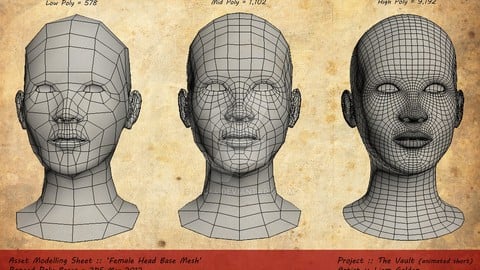
Character Modeling: Master the Anatomy of 3D Characters (2022)
4.3 (286 Reviews)
- Provider: Udemy
- Time: 1.3h
$39.99
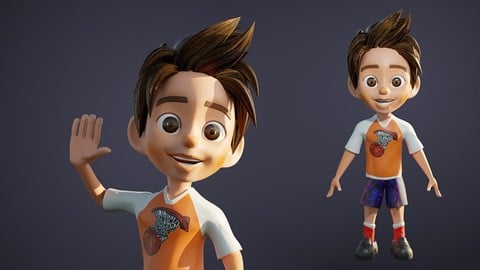
Master Character Design in Blender for Unity & Unreal Engine (2024)
4.5 (129 Reviews)
- Provider: Udemy
- Time: 7.4h
$79.99
More Blender courses

Low Poly Landscapes: Blender Bite Sized Course (2025)
4.9 (1,704 Reviews)
- Provider: Udemy
- Time: 6.2h
$99.99

Absolute Beginners 3D character in Blender course (2022)
4.9 (1,133 Reviews)
- Provider: Udemy
- Time: 14.5h
$94.99


Complete Blender Creator: 3D Modelling (Compatible with 4.3) (2026)
4.8 (69,132 Reviews)
- Provider: Udemy
- Time: 13.8h
$199.99

The Ultimate Blender 3D Sculpting Course (2026)
4.8 (3,904 Reviews)
- Provider: Udemy
- Time: 37.2h
$119.99

Blender Total! From Basic to Advanced 3D! (2025)
4.8 (2,407 Reviews)
- Provider: Udemy
- Time: 21.3h
$109.99
 Reviews

By Henrique Yoshiaki Okuhara on 9/10/2020
Learned a lot about photorealism, but since I am not fluent in english I struggled sometimes with "E" and "I", or "G" and "J", and even though I did the textures, I think it could teach more about the properties of the nodes instead of just repeating the process.
But overall, it fullfiled my will of learning more about blender, textures and photorealism.
By Lucas G on 6/21/2020
Awesome project. There are some little details that can get a bit confusing on the texturing part [such as small changes that wasn't showed in video] but just at the very end where you already should know to do it yourself.
Extremely recommended course :)
Thanks!
By Pablo Ferrat on 6/5/2020
very well explained, step by step what to do next
By Roberto Oropeza on 5/27/2020
Lo clasificaria como intermedio debido a que utiliza atajos en el software que no menciona.
By Miloch Kaplano on 5/27/2020
Abdelilah is a fantastic instructor, and this is a fantastic course. He is very responsive and receptive, and he always answers quickly to any concerns you may have. The details in this course are excellent - Abdelilah doesn't even forget the shape of the ends of fluorescent light bulbs! I highly recommend this course to anyone who wants to get better at photorealism in Blender.
By Ben Glancy on 5/25/2020
Was a good start. In my opinion it would have been useful to mention the keys for Join, Separate, Cut from the offset - but it was only mentioned once already it was used.
By Jovan on 5/24/2020
too hard to follow commands, he's using shortcut keys ( without explanation ) and the shortcut keys are not the same on Mac OS.
Extremely frustrating to follow along, as its taken 40min just trying to match the first third of this video.
High likelyhood I stop wasting my time any further on this course
By Mohd Latiff on 5/24/2020
the best
By Gabriel Almeida on 5/20/2020
Nice course with lots of explanation and useful tips. Could improve the organization, because it starts using procedural materials and the goes to use the ones created with Substance, that are more realistic than the procedural ones. Overall, nice course and recommended.
By Carsten Neumann on 5/16/2020
Very good course! However, I expected a bit more from the Unity part.
By Devin Byrnes on 5/13/2020
I'm enjoying this course very much. My only constructive criticism so far: it would be nice to have an overlay at the bottom any time the instructor calls out hot keys. That visual aid would help to reinforce the steps.
By Michelle Jensen on 5/3/2020
Abelilah is a very knowledgeable instructor. He knows Blender inside and out. Most of all he is very helpful and quick in answering any questions you might have. This is a grea course.
 Quality Score
No CourseDuck member has rated this course yet. Taken it? Give each part a thumbs up or down.
Overall Score : 92 / 100
- Video Duration:
 7.1h
7.1h - Price: $69.99
- Provider: Udemy
- Updated:
 June 2024
 - Level:
 Beginner
 - Language:
 English
 - Certificate:
 Yes
Yes
30-day money-back guarantee on most paid courses
Udemy Coupon Price Tracker
