
 Web Development
 Data Science
 Python
 SQL
SQL JavaScript
 Artificial Intelligence
 IT & Software
 IT Certifications
 Hacking
 AWS
AWS Arduino
 DevOps
 3D Modeling
 Graphic Design
 Photoshop
 Drawing
 Digital Painting
 UX Design
 Business
 Data Analysis
 Communication Skills
 Project Management
 Leadership & Management
 Human Resources
 Digital Marketing
 Social Media Marketing
 Marketing
 SEO
SEO Google Analytics
 Branding
 Excel
Excel Office Productivity
 SAP
SAP PowerPoint
 Microsoft Access
 SharePoint
 Finance & Accounting
 Trading & Investing
 Accounting
 Bitcoin
 Personal Finance
 Video Editing & Animation
 Photography
 Adobe Premier Pro
 Adobe Lightroom
 Personal Development
 Productivity
 Career Development
 Life Coaching
 Health & Fitness
 Meditation & Mindfulness
 Yoga
Yoga Music
Music Music Production
 Guitar
 Piano
Piano Singing
 Language Learning
 Teaching & Academics
 Engineering
 Math
Math Lifestyle
Master Lumion 2024: Photorealistic Interiors & Exteriors (Udemy.com)
Quickly learn all the essentials of the latest Lumion while creating photorealistic renderings with hands-on projects
Created by: Adam Zollinger
Last updated September 2024
 What you will learn
- Create stunning photo-realistic architectural renderings in just a few hours! No experience required!
- Use project files to develop professional portfolio-ready renderings
- Gain hands-on experience with lighting, materials, and animation to produce professional quality visuals
- Students will discover how to use Lumion's lighting and environment settings to create photorealistic scenes
- Become comfortable with the important tools and functions of Lumion 2024
How it compares
Against the other 545 rated Udemy courses in 3D Modeling on CourseDuck:
- Rating4.7 out of 5higher than 75% of them
- Reviews70#493 of 546 by number of reviews
- Length5 hoursshorter than 58% of them
- Last updatedSeptember 2024more recently than 70% of them
 Course Description
Unlock the full potential of Lumion 2024 in this complete, hands-on course designed for aspiring professionals and enthusiasts alike. Whether you're an architect, landscape designer, or 3D artist, this course will teach you how to create breathtaking, photorealistic renderings with ease.
Through engaging, real-world projects, you'll gain practical experience in architectural visualization while mastering Lumion’s powerful tools and intuitive workflow. Creating photorealistic renderings has never been easier!
What You'll Learn:
Navigate Lumion’s interface and tools like a pro
Import and manage 3D models (provided with project files) for optimal rendering
Master the exterior and interior rendering workflow for stunning results
Create realistic materials, lighting, and environments
Produce high-quality, photorealistic renderings for architecture, landscape design, and more.
Learn the tools well enough to feel confident in your own projects moving forward
Course Outline:
Section 1: Course Introduction
An overview of what you’ll achieve in this course.Section 2: Project Introduction
Introduction to the professional projects we’ll work on to build your skills step-by-step.Section 3: Navigation, Interface, and Importing
Learn to navigate Lumion’s interface, import 3D models, and get your scenes set up for success.Section 4: Exterior Rendering Workflow
Focus on creating stunning exteriors by mastering outdoor lighting, vegetation, and landscape features.Section 5: Interior Rendering Workflow
Explore the secrets to crafting photorealistic interiors, with a focus on lighting, materials, and camera settings.Section 6: Animation
Put the final touches on the course projects by adding motion and exporting animations
Section 7: Conclusion
Final tips and project wrap-up, plus how to apply your new skills to real-world projects.

 Udemy Discount
The discount is applied through our link. Open the course from here and Udemy's current promotional price is applied at checkout on most courses, no code to type.
Some courses are excluded from Udemy's promotions. If the price does not drop, clear your browser cookies and use the button again.
Instructor Details

- 4.7 Rating
 70 Reviews
Adam Zollinger
Trusted by over 150,000 Udemy students | 4.5+ Instructor Rating | 3D Artist & Educator
Specializing in 3ds Max, V-Ray, Unreal Engine, and Photoreal Rendering
Adam Zollinger is an award-winning 3D artist with over two decades of professional experience. He works primarily in the architectural visualization industry and has created high-end graphics for architecture, games, mobile apps, and more.
He has courses and expertise expert in:
3ds Max
V-Ray
Unreal Engine 5
Photoshop
Twinmotion
Lumion
D5 Render
After Effects
...and various other industry-standard tools and plugins
Adam is self-taught and passionate about sharing what he's learned. His courses are designed to help you master powerful tools and workflows—without spending years figuring it all out on your own.
“I mostly work in the architectural visualization industry—this is a career I taught myself from the ground up. My goal is to help you get there faster.”
Join hundreds of thousands of students around the world learning from Adam’s experience—and start building your own professional-quality 3D projects today.
 More courses by Adam Zollinger

3ds Max + V-Ray: Master the PRO Archviz Workflow In 6 Hrs (2025)
4.4 (4,757 Reviews)
 Provider: Udemy
 Time: 24.8h
$22.99
Photoshop CC: The Essentials of Photoshop In Just 2 hrs (2025)
4.2 (2,357 Reviews)
- Provider: Udemy
- Time: 2.5h
Free
Master 3ds Max: Learn PRO 3D Modeling and Rendering Fast! (2025)
4.3 (2,080 Reviews)
- Provider: Udemy
- Time: 12.6h
$16.99

3ds Max & Vray: Master Interior Archviz Projects Quickly (2025)
4.4 (1,026 Reviews)
- Provider: Udemy
- Time: 9.8h
$12.99

Unreal Engine 4: Project Based VR Course for Arch Viz in UE4 (2025)
4.4 (898 Reviews)
- Provider: Udemy
- Time: 8.2h
$14.99
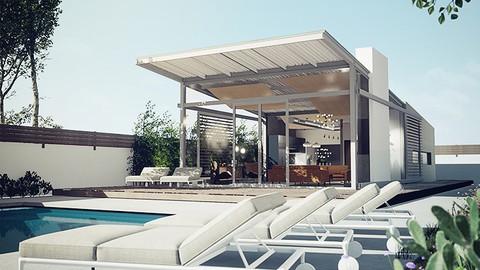
Unreal Engine for ArchViz | Unreal Engine PRO in 6 Hrs (2025)
4.2 (779 Reviews)
- Provider: Udemy
- Time: 13.2h
$84.99
More 3D Modeling courses

3D Printing with " Ultimaker CURA Slicer- Start to finish" (2025)
4.9 (192 Reviews)
- Provider: Udemy
- Time: 1h
$34.99

Girl and the Dog Creation in Zbrush for Intermediate Level (2020)
4.9 (173 Reviews)
- Provider: Udemy
- Time: 48.8h
$59.99



Blender Character Creator for Video Games (2026)
4.8 (9,160 Reviews)
- Provider: Udemy
- Time: 34.3h
$159.99

Master SOLIDWORKS 3D CAD using real-world examples (2022)
4.8 (2,451 Reviews)
- Provider: Udemy
- Time: 18.9h
$69.99
 Reviews

By Karla Fortuna on 8/17/2026
I already knew how to use Lumion since I was taught how to do it in school, but this showed me so many tips and tricks on how to add depth to renders and videos. I wish I had known about this before graduating! It would have improved so many of my projects.
By DWI ARHAM ARMYHARTO on 6/30/2025
good explain and easy to understood
By Katharina Prudnikov on 4/2/2025
I really enjoyed this course! Now i feel prepared to tackle my own projects in Lumion as well. I actually quite liked the pace of the tutorials, because i could always hit pause and rewind as needed, so it did not drag out for too long. Great course for beginners and the provided model is very detailed, a nice surprise for sure!
By Marilee Hanks on 1/16/2025
Very clear instructions at a comfortable pace
By Sam Allen on 1/5/2025
On certain things I feel he moves too quickly...
By Colin Maxwell on 12/19/2024
Only just started, but I absolutely love the presentation of the introduction. The tone and speed are brilliant, it makes we want to keep watching.
By Helal Ahmad on 10/21/2024
This is very helpfull and friendly to learn. Very happy .
By Warren Hobbs on 9/23/2024
Excellent love it
 Quality Score
No CourseDuck member has rated this course yet. Taken it? Give each part a thumbs up or down.
Overall Score : 94 / 100

- Video Duration:
 5h
5h - Price: $79.99
- Provider: Udemy
- Updated:
 September 2024
 - Level:
 All Levels
 - Language:
 English
 - Certificate:
 Yes
Yes
30-day money-back guarantee on most paid courses
Udemy Coupon Price Tracker
