
 Web Development
 Data Science
 Python
 SQL
SQL JavaScript
 Artificial Intelligence
 IT & Software
 IT Certifications
 Hacking
 AWS
AWS Arduino
 DevOps
 3D Modeling
 Graphic Design
 Photoshop
 Drawing
 Digital Painting
 UX Design
 Business
 Data Analysis
 Communication Skills
 Project Management
 Leadership & Management
 Human Resources
 Digital Marketing
 Social Media Marketing
 Marketing
 SEO
SEO Google Analytics
 Branding
 Excel
Excel Office Productivity
 SAP
SAP PowerPoint
 Microsoft Access
 SharePoint
 Finance & Accounting
 Trading & Investing
 Accounting
 Bitcoin
 Personal Finance
 Video Editing & Animation
 Photography
 Adobe Premier Pro
 Adobe Lightroom
 Personal Development
 Productivity
 Career Development
 Life Coaching
 Health & Fitness
 Meditation & Mindfulness
 Yoga
Yoga Music
Music Music Production
 Guitar
 Piano
Piano Singing
 Language Learning
 Teaching & Academics
 Engineering
 Math
Math Lifestyle
Master Solidworks 2019 - 3D CAD using real-world examples (Udemy.com)
The 2019 version of the bestselling Solidworks 3D CAD course - learn modelling for any use, from 3D printing to pro use!
Created by: Johno Ellison
Last updated May 2020
 What you will learn
- By the end of the course students will be able to confidently use Solidworks 2019 to produce a whole range of 3D CAD models. All of the basic features will be covered using real-world examples
- Understand Solidworks 2019 within a wider context of use, including areas such as 3D printing, molding and general manufacture.
How it compares
Against the other 545 rated Udemy courses in 3D Modeling on CourseDuck:
- Rating4.8 out of 5higher than 90% of them
- Reviews747#103 of 546 by number of reviews
- Length11.8 hourslonger than 74% of them
- Last updatedMay 2020earlier than 74% of them
 Course Description
Progress from complete beginner to Solidworks 2019 master in one single course!
Solidworks is one of the most popular and powerful 3D CAD programs in the world. Millions of people use it to design everything from 3D-printed toys all the way up to fully-working mechanical vehicles. Now you can join the ranks of Solidworks users, and learn to create your own models completely from scratch!
Why this course is different
There are many Solidworks courses online, but none quite like this one:
We use real world examples during learning! This allows you to relate to your lessons more easily and so remember and understand them better!
Taught by a Solidworks professional! The instructor been using Solidworks since 2006 and even taken a range of official Solidworks-certified training courses. The instructor currently works as a Product Design Engineer and uses Solidworks every day to design all sorts of things for real clients - no academic-only experience here!
Built on previous feedback! This course is built upon the two best-selling previous versions, for Solidworks 2015 and 2018, adding extra details and using feedback from thousands of previous students.
No prior knowledge needed. This course is designed to take you from having never used any CAD program before to being able to model almost anything you can imagine!
Understand the wider context of CAD use. As well as explaining the basic CAD techniques this course also details how they relate to real world uses, such as 3D Printing and injection molding.
About this course
This courses includes:
Over 12 hours of high-quality original video.
All sections contain additional resources such as downloadable models and drawings, made specially for the course.
Prompt, support from expert instructor. Have a question? We are always here to support any questions and take a look at your progress.
No prior knowledge needed. We take you from complete beginner all the way to mastering Solidworks!
You will learn
Over the course of twelve detailed modules you'll learn the entire range of Solidworks skills, including:
Circuitboard - Solidworks Basics, Sketching, Extrudes and Cuts
Pencil - Multi-Body Parts, Revolved Boss/Base and Cuts
Pencil Sharpener - Assemblies
Headphones - Swept Boss/Base, Splines and 3D Sketches
Coke Bottle - Swept Cuts, Helixes and Threads
Computer Mouse - Lofted Boss/Base and Splitting Parts
Key Fob - Modelling from Photographs
Lego Figure - More Complex Assemblies and Advanced Mates
Drawer Box - Configurations and Drawings
Raspberry Pi Enclosure - Importing Parts and Draft Angles
Bicycle Fork - 3D Curves and Sweeps
Gamepad Controller - Ribs and an Entire Recap of the Earlier Techniques
Course Conclusion and Future Learning!
The course is taught using Solidworks 2019 but the models and resources used will work with any version newer than that. If you have a previous version (2015-2018, or earlier) then my earlier courses - "Master Solidworks 2015 3D CAD using real-world examples" or "Master Solidworks 2018 3D CAD using real-world examples" will be more helpful!
The techniques used are also common to many different CAD programs - so you can learn on Solidworks then easily transfer these skills if needed.
So sign up today, and begin your first steps in the exciting world of 3D modelling!

 Udemy Discount
The discount is applied through our link. Open the course from here and Udemy's current promotional price is applied at checkout on most courses, no code to type.
Some courses are excluded from Udemy's promotions. If the price does not drop, clear your browser cookies and use the button again.
Instructor Details

- 4.8 Rating
 747 Reviews
Johno Ellison
I am a UK design engineer who specialises particularly in Solidworks 3D CAD modelling.
I have a wide range of Design Engineering experience covering areas including mechanisms, 3D printing, materials selection, rapid prototyping and other design and manufacturing techniques.
I have more than twelve years of Solidworks experience and hold a First Class Honours degree in Sustainable Product Design from a Top 25 UK university. I have also completed a range of Solidworks-certified training courses in the UK.
I particularly enjoy working on projects which solve mechanical problems using innovative ideas and mechanisms. I previously trained as a helicopter pilot in the Royal Air Force and am a keen mountain biker, and these experiences and skills feed into my love of mechanical design.
I have travelled extensively. Prior to becoming a full-time freelancer I drove a vintage London Black Cab from London to Sydney, passing through fifty countries, setting two Guinness World Records and raising over £20,000 for the British Red Cross, before writing a book about the adventure. This innate curiosity to explore and investigate how things are done differently around the world provides me with a wide range of design inspiration.
 More courses by Johno Ellison

Master SOLIDWORKS 3D CAD using real-world examples (2022)
4.8 (2,451 Reviews)
 Provider: Udemy
 Time: 18.9h
$69.99
Master Solidworks 2018 - 3D CAD using real-world examples
4.7 (1,658 Reviews)
- Provider: Udemy
- Time: 11.6h
$14.99
Master Solidworks 2015 - 3D CAD using real-world examples
4.5 (397 Reviews)
- Provider: Udemy
- Time: 11.6h
$59.99
SOLIDWORKS SURFACING Fundamentals for CAD Professionals (2026)
4.6 (188 Reviews)
- Provider: Udemy
- Time: 2.7h
$19.99
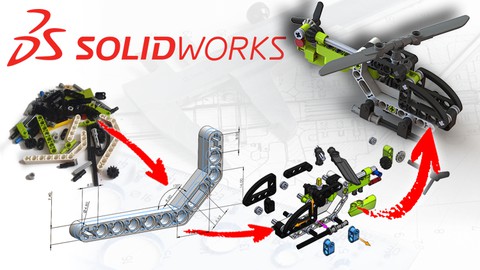
Build a Lego Helicopter in SolidWorks 3D CAD (2022)
4.8 (130 Reviews)
- Provider: Udemy
- Time: 4.9h
$54.99
More 3D Modeling courses

3D Printing with " Ultimaker CURA Slicer- Start to finish" (2025)
4.9 (192 Reviews)
- Provider: Udemy
- Time: 1h
$34.99

Girl and the Dog Creation in Zbrush for Intermediate Level (2020)
4.9 (173 Reviews)
- Provider: Udemy
- Time: 48.8h
$59.99



Blender Character Creator for Video Games (2026)
4.8 (9,160 Reviews)
- Provider: Udemy
- Time: 34.3h
$159.99
Master SOLIDWORKS 3D CAD using real-world examples (2022)
4.8 (2,451 Reviews)
- Provider: Udemy
- Time: 18.9h
$69.99
 Reviews

By Kemize Habib- Mohammed on 2/25/2023
I really enjoyed this course and I feel like I've come through it many times more confident in my Solidworks capabilities than I was when I started. I especially appreciate that Johno (the instructor) still makes himself available to answer specific questions so many years after he published this course. It was definitely worth it. Thank you.
By Utkal Keshari Jena on 3/1/2021
1.Understanding fundamentals are easy. 2.If you've got any doubts, just leave a question & you will get reply fast. 3.Like the Name says You do learn with real world objects, which are easy to find too, for self learning during the course for practicing. 4.Don't expect too high as some advanced features you do not find in this course i.e. SUFACE MODELLING, SHEET METAL WORK, SIMULATION etc. But that is ok for a beginner. As you keep practicing more & more you will learn things on your own. Recommendation for Beginners; YES !
By Kris Ma on 2/2/2021
I am really glad to take this course, I believe I couldn't find better for this subject. Johno is a great teacher, really familiar with the subject and he has structured the topic in meaningful way. He answers on all questions in a short time, and I think I learned a lot! Thank you Johno, youre the best!
By Sooraj Sanjai on 11/15/2020
Wonderful course. Even if you're a complete beginner to this area, no problem, Johno's got you covered. Real life examples has been used, all done in easy steps for you to follow. The course gives you a very good base to move forward, if you're interested in this area of design. Each section is designed to teach you a new technique along with using whatever you've learnt till then, so you keep using all techniques throughout the course, which in my opinion is good as it helps keep in touch with what you've learnt and allows you to explore more on your own. There are assignments which aren't compulsory but nonetheless fun to do as they are a great way to refresh what you've learnt and try out other techniques of designing the same feature. And of course, got any doubts? Any errors you can't wrap your head around? Just post your query in the Q&A section, and Johno's answered it within 1 working day, max.!!!!! That was a pleasant surprise that the course instructor is so active in the Q&A tab, and take's the time and effort to actually get down to the grass root level and help you out rather then just give a suggestion and leave. I've sent numerous questions, and remember even sending my file to Johno so that he could check it out. And he did!! Within hours!!!! Big thanks to Johno for the support and being this active in the Q&A section. If you're a rookie, wanna get your hand's dirty in SolidWorks and this area of design, you're in the right place. And for anyone who's reading this and doesn't have the software, you can get tutorials to get the software in Youtube. Cheers...
By Yousef Yousefi on 7/17/2020
It was good introduction course for getting familiar with basics. I believe that dear Johno had made too much efforts to provide a great course content though hitting the main points and giving the required tips, but not being real time voice (adding voice to fast rolling videos) several times made me confused as it was hard to catch short time frame of clicking in check boxes ,options and so forth. All in all, it is good course to lift-off.
By Xiaomeng He on 6/29/2020
Thank you for the great course! It really helped me get started with SOLIDWORKS. One of the best things about this course is that later sections give me the opportunity to practice things I've learnt from the previous sections. Repeatedly practicing helped me remember and gradually build-up better understanding of how things work. Also, appreciate the future learning suggestions given at the end of the course. I enjoyed the whole progress a lot.
By Joshua Ezekiel D. Rito on 5/24/2020
I definitely recommend this course. Mr. Johno Elisson was an incredible instructor. Each section of this course was clearly and thoroughly explained. Moreover, I also commend his passionate response to my queries every time I was having a hard time doing some tasks. From someone who has just started exploring material design, I would say that I learned beyond the most fundamental ideas of Solidworks.
By Valeriya Khlynova on 5/22/2020
That's the best SolidWorks course I've seen here on Udemy. The course is well structured and really helps to master the program from scratch. And most importantly, it is not boring! And I'm a little sad that I've finished it already, cause Jonah is a great teacher. I hope someday he will prepare a surface modeling course and a SolidWorks Simulation course, cause I need it so much for my job, but it's hard to study all by yourself. So I'll be waiting for the next course, Jonah. And thank you.
By Jerilene Medrano on 3/4/2020
I've learned a lot of good, fundamental work practices that are not mentioned in other resources I've used! The instructor not just teaches how to use Solidworks as a tool, but also tells you the significance of a feature in terms of product design. ======= Update since I've finished the course: If you're looking for a good Solidworks course, definitely take this one! I really wish I completed this sooner because I learned some features from here that I needed in my previous project. The activities were practical and not repetitive -- you learn something new each time! I learned a lot of features that I needed but didn't know about when I was just using Solidworks by myself. Johno also shares good practices, tips for more efficient modeling, and considerations for fabrication. Thank you, Johno!
By Kamyar Kheradpir on 2/4/2020
I'm a veteran of CAD with 27 years of experience. Simple things are hard to find in manuals. Not knowing how to handle simple things can be frustrating and slows down one's production. This video covered a bunch of nagging questions I had. I ended up making all of the assignments models, a great leaning experience. Please finish every assignment, you won't regret it.
 Quality Score
No CourseDuck member has rated this course yet. Taken it? Give each part a thumbs up or down.
Overall Score : 96 / 100
- Video Duration:
 11.8h
11.8h - Price: $69.99
- Provider: Udemy
- Updated:
 May 2020
 - Level:
 Beginner
 - Language:
 English
 - Certificate:
 Yes
Yes
30-day money-back guarantee on most paid courses
Udemy Coupon Price Tracker
