
 Web Development
 Data Science
 Python
 SQL
SQL JavaScript
 Artificial Intelligence
 IT & Software
 IT Certifications
 Hacking
 AWS
AWS Arduino
 DevOps
 3D Modeling
 Graphic Design
 Photoshop
 Drawing
 Digital Painting
 UX Design
 Business
 Data Analysis
 Communication Skills
 Project Management
 Leadership & Management
 Human Resources
 Digital Marketing
 Social Media Marketing
 Marketing
 SEO
SEO Google Analytics
 Branding
 Excel
Excel Office Productivity
 SAP
SAP PowerPoint
 Microsoft Access
 SharePoint
 Finance & Accounting
 Trading & Investing
 Accounting
 Bitcoin
 Personal Finance
 Video Editing & Animation
 Photography
 Adobe Premier Pro
 Adobe Lightroom
 Personal Development
 Productivity
 Career Development
 Life Coaching
 Health & Fitness
 Meditation & Mindfulness
 Yoga
Yoga Music
Music Music Production
 Guitar
 Piano
Piano Singing
 Language Learning
 Teaching & Academics
 Engineering
 Math
Math Lifestyle
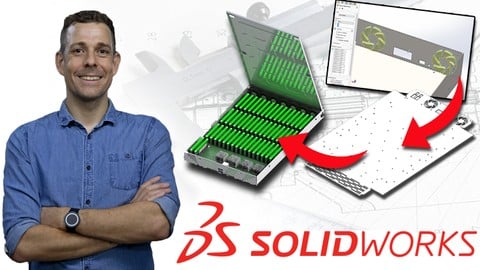
Master SOLIDWORKS SHEET METAL (Udemy.com)
Master SolidWorks Sheet Metal – the most comprehensive guide to every tool in the module
Created by: Johno Ellison
Last updated March 2026
 What you will learn
- By the end of the course students will be able to confidently use the Solidworks Sheet Metal module to create a range of Sheet Metal models. All of the Sheet Metal features will be covered, as well as essential background information, like material types
How it compares
Against the other 545 rated Udemy courses in 3D Modeling on CourseDuck:
- Rating4.8 out of 5higher than 90% of them
- Reviews1,563#51 of 546 by number of reviews
- Length4.4 hoursshorter than 62% of them
- Last updatedMarch 2026more recently than 89% of them
 Course Description
Level up your SolidWorks skills by mastering the Sheet Metal module!
SolidWorks is one of the most popular and powerful 3D CAD programs in the world, used by millions to design everything from 3D-printed toys to fully-working mechanical vehicles. But SolidWorks is more than just solid models — its powerful Sheet Metal module lets you virtually fabricate 3D parts from flat sheets, opening up a whole new world of design possibilities.
Now you can join the ranks of SolidWorks Sheet Metal users and learn to create your own Sheet Metal models from scratch!
Why this course is different
There are plenty of Sheet Metal courses online — but none quite like this one:
Every tool, covered in depth. This course goes through the entire SolidWorks Sheet Metal module, including the theory behind key concepts like Bend Allowance — so you truly understand what you're doing, not just how to click the buttons.
Taught by a working professional. Your instructor has used SolidWorks since 2006, holds SolidWorks Certified Associate and Professional qualifications, and works daily as a Product Design Engineer — designing real products for real clients. No academic-only experience here.
Understand real-world Sheet Metal use. Beyond the tools, this course covers practical manufacturing considerations — including material selection and real-world fabrication tips — so you're learning skills that translate directly to industry.
Built on thousands of students' feedback. This course builds on the instructor's other bestselling SolidWorks courses, refined using feedback from over 40,000 Udemy students.
What's included
4+ hours of high-quality video
Downloadable models and drawings for every section
Prompt support from your instructor — post a question and we'll get back to you
What you'll learn
You'll work through eleven detailed sections covering the entire SolidWorks Sheet Metal module:
Introduction — What the course covers, how to use it, and how to get support
Getting Started — Base flanges, sheet metal properties and material selection
Adding Bends — Edge flanges, one of the most fundamental Sheet Metal features
Basic Sheet Metal Features — Adding and removing material, miter flanges, hems, jogs and sketched bends
Advanced & Specialist Tools — Crossbreak, swept flange, gusset, lofted bend, tab and slot, vent, unfold and fold
Corner Details — The full range of corner tools available in SolidWorks Sheet Metal
Alternative Part Creation — Insert bends and convert to Sheet Metal
Forming Tools — Basic use, modifying existing forming tools, and creating fully custom forming tools
Practical Example – Sheet Metal Enclosure — Combining previous skills to build a complete multi-sheet enclosure model
2D Drawings & File Export — Creating 2D Sheet Metal drawings and exporting to formats compatible with third-party machinery
Conclusion — A brief recap of the entire course
A note on versions
The course is taught in SolidWorks 2019 and is fully compatible with any newer version. If you're using an older version (2015–2018 or earlier), you can still follow along — though you won't be able to open the example model files, and there may be minor differences in interface and terminology.
Sign up today and start your journey into the world of Sheet Metal modelling!

 Udemy Discount
The discount is applied through our link. Open the course from here and Udemy's current promotional price is applied at checkout on most courses, no code to type.
Some courses are excluded from Udemy's promotions. If the price does not drop, clear your browser cookies and use the button again.
Instructor Details

- 4.8 Rating
 1,563 Reviews
Johno Ellison
I am a UK design engineer who specialises particularly in Solidworks 3D CAD modelling.
I have a wide range of Design Engineering experience covering areas including mechanisms, 3D printing, materials selection, rapid prototyping and other design and manufacturing techniques.
I have more than twelve years of Solidworks experience and hold a First Class Honours degree in Sustainable Product Design from a Top 25 UK university. I have also completed a range of Solidworks-certified training courses in the UK.
I particularly enjoy working on projects which solve mechanical problems using innovative ideas and mechanisms. I previously trained as a helicopter pilot in the Royal Air Force and am a keen mountain biker, and these experiences and skills feed into my love of mechanical design.
I have travelled extensively. Prior to becoming a full-time freelancer I drove a vintage London Black Cab from London to Sydney, passing through fifty countries, setting two Guinness World Records and raising over £20,000 for the British Red Cross, before writing a book about the adventure. This innate curiosity to explore and investigate how things are done differently around the world provides me with a wide range of design inspiration.
 More courses by Johno Ellison

Master SOLIDWORKS 3D CAD using real-world examples (2022)
4.8 (2,451 Reviews)
 Provider: Udemy
 Time: 18.9h
$69.99
Master Solidworks 2018 - 3D CAD using real-world examples
4.7 (1,658 Reviews)
- Provider: Udemy
- Time: 11.6h
$14.99
Master Solidworks 2019 - 3D CAD using real-world examples
4.8 (747 Reviews)
- Provider: Udemy
- Time: 11.8h
$69.99
Master Solidworks 2015 - 3D CAD using real-world examples
4.5 (397 Reviews)
- Provider: Udemy
- Time: 11.6h
$59.99
SOLIDWORKS SURFACING Fundamentals for CAD Professionals (2026)
4.6 (188 Reviews)
- Provider: Udemy
- Time: 2.7h
$19.99
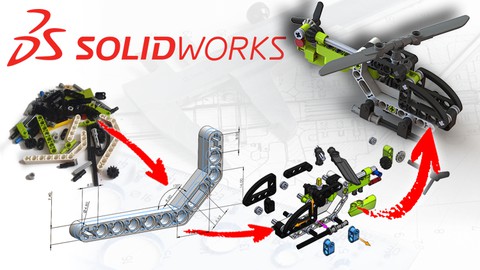
Build a Lego Helicopter in SolidWorks 3D CAD (2022)
4.8 (130 Reviews)
- Provider: Udemy
- Time: 4.9h
$54.99
More 3D Modeling courses

3D Printing with " Ultimaker CURA Slicer- Start to finish" (2025)
4.9 (192 Reviews)
- Provider: Udemy
- Time: 1h
$34.99

Girl and the Dog Creation in Zbrush for Intermediate Level (2020)
4.9 (173 Reviews)
- Provider: Udemy
- Time: 48.8h
$59.99



Blender Character Creator for Video Games (2026)
4.8 (9,160 Reviews)
- Provider: Udemy
- Time: 34.3h
$159.99
Master SOLIDWORKS 3D CAD using real-world examples (2022)
4.8 (2,451 Reviews)
- Provider: Udemy
- Time: 18.9h
$69.99
 Reviews

By Rizkianto Pramudiantoro on 9/14/2026
I am incredibly grateful to have taken this course; it has allowed me to build, enhance, and sharpen my skills in sheet metal—a field widely used in the industry. What makes this course truly special is that the insights and experiences shared are highly relevant and have significantly broadened my knowledge. Thank you Sir
By Murray Bernard on 5/25/2026
Johno is probably one of the best instructors I've come across on Udemy. Explanations are clear and to the point, no "um" or "ah"ing, which is nice. II can't really think of anything negative. It would be nice to have had a second practical example that was a bit more complicated, but that's more "nice to have" than necessary. A really good course if you want a crash course in sheet metal.
By Udemy User on 6/9/2025
This was just what I needed. I was a bit rusty with the software since the last time I used it regularly was over a year ago. I had used it for 3 years straight just prior to that but I wasn't designing with it. I was making detail drawings from customer models and only slightly modifying the models for our manufacturing purposes. I just got a new job as a mechanical design engineer so I figured I better brush up before more first day. Great job! Vince Pompili
By Daniel Herold on 2/4/2025
Very good course to learn every sheet metal feature, no long explanations, straight to the point, as well as some helpful tipps. The only thing I am missing are some provided exercises at the end of a section, but this would just be the cherry on top. Also I think forming tools changed in newer versions, as I got an error when following the course. I had to select Forming Tools from the tab and specify which surface gets imprinted. Then it worked.
By John Roger Cournoyer on 10/13/2024
Excellent course. This is really an amazing course. Great job!! I do wish that at the end of each section that there were 3-4 drawings of different 'real life', manufacturable parts to model. We would walk away from this course with something we can reference on the job. This optional, do it yourself bit is really not useful. Bonus would be to include typical notes one would see in the field.
By Andrey Belomyttsev on 1/6/2024
Thank you for the course. The course was really short but useful. I found lots of answers to my questions. About me: I have started working in a new company that uses only SolidWorks, but I have had 10 years of experience with Siemens NX. My goal was to transfer my knowledge from NX to SolidWorks. The course was really helpful for me. Thank you again.
By Bartłomiej Sikorski on 8/13/2023
In just a few hours, I learned how to use the Sheet Metal mode in Solidworks without even knowing the basics in that program. I had previously only used Autodesk tools. Another plus is the very fast help. I had one problem with the initial settings of the program and the instructor found a solution in no time. I highly recommend.
By Pradeep Kumar on 1/25/2023
The course is well designed and easy to understand...…. The only thing that I feel should be introduce in the course (not only in this course but all the designing related courses) is to have lot of exercise material at the end of the course which can cover all the aspects taught in the course. However apart from this I think this course is amazing and the way creator delivered the content is something flawless. Every question that I asked was answered in a very short time...… Thanks a lot
By Drake Scalabrelli on 12/30/2022
course was very easy to follow, especially if you have already done Johnos intro to Solidworks course, or have a decent understanding of how to use Solidworks. would be considered an "advanced" course.
By Marco Arana on 4/16/2022
I had already completed Johno's course on SolidWorks 3D CAD when I decided to take this course as a way to expand my knowledge of the software. This course builds on top of the principles shown in the 3D CAD module, so it's worth looking at those before starting with this course. However thanks to Johno's clear instruction you can quickly pick up many of the basics as you work through the multiple assignments and sections, so don't be afraid to take a shot at it. Overall really satisfied with the course!
 Quality Score
No CourseDuck member has rated this course yet. Taken it? Give each part a thumbs up or down.
Overall Score : 96 / 100
- Video Duration:
 4.4h
4.4h - Price: $74.99
- Provider: Udemy
- Updated:
 March 2026
 - Level:
 Intermediate
 - Language:
 English
 - Certificate:
 Yes
Yes
30-day money-back guarantee on most paid courses
Udemy Coupon Price Tracker
