
 Web Development
 Data Science
 Python
 SQL
SQL JavaScript
 Artificial Intelligence
 IT & Software
 IT Certifications
 Hacking
 AWS
AWS Arduino
 DevOps
 3D Modeling
 Graphic Design
 Photoshop
 Drawing
 Digital Painting
 UX Design
 Business
 Data Analysis
 Communication Skills
 Project Management
 Leadership & Management
 Human Resources
 Digital Marketing
 Social Media Marketing
 Marketing
 SEO
SEO Google Analytics
 Branding
 Excel
Excel Office Productivity
 SAP
SAP PowerPoint
 Microsoft Access
 SharePoint
 Finance & Accounting
 Trading & Investing
 Accounting
 Bitcoin
 Personal Finance
 Video Editing & Animation
 Photography
 Adobe Premier Pro
 Adobe Lightroom
 Personal Development
 Productivity
 Career Development
 Life Coaching
 Health & Fitness
 Meditation & Mindfulness
 Yoga
Yoga Music
Music Music Production
 Guitar
 Piano
Piano Singing
 Language Learning
 Teaching & Academics
 Engineering
 Math
Math Lifestyle
Mastering Geometric Grid-Based Designs in Adobe Illustrator (Udemy.com)
Learn a Range of Illustrator Tools & Techniques to Efficiently Create Precise Geometric Designs & Boost Your Creativity
Created by: Evgeniya & Dominic Righini-Brand
Last updated November 2019
 What you will learn
- How to get the most out of Illustrator tools and speed up your workflow when devising precise custom grids.
- A range of techniques for developing shape-based and linear designs based on geometric grids.
- Design principles and considerations to help you push the boundaries of your creativity.
- How to methodically develop and tackle creating geometric designs one step at a time.
- Creating a range of standard but versatile geometric grids.
- Using geometric grids as a creative instrument.
- How to set up your Adobe Illustrator document and preferences to have an efficient workflow.
- How to add more personality to your geometric designs by styling them in a number of different ways.
- Tips & tricks for creating surface patterns based on your geometric designs.
- How to troubleshoot and finalise your designs to prepare them for output.
How it compares
Against the other 100 rated Udemy courses in Illustrator on CourseDuck:
- Rating4.7 out of 5higher than 74% of them
- Reviews469#34 of 101 by number of reviews
- Length3.9 hoursshorter than 52% of them
- Last updatedNovember 2019earlier than 53% of them
 Course Description
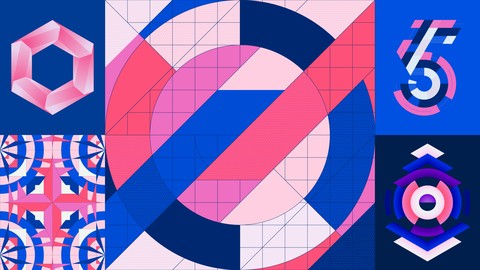
Level up your Illustrator skills & unleash your creativity by taming & mastering a range of tools & techniques for creating precise, eye-catching & unique geometric designs in Adobe Illustrator with our special tips & workflows ranging from beginner to advanced levels.
It is fascinating how many completely different things you can create by only using geometric elements as a basis for your design! Working with geometric shapes and creating precise, coherent and original work can seem like a complex and laborious process, but it does not have to be! Versatile tools available in Adobe Illustrator make the creation of even more elaborate geometric designs relatively quick and painless, and with this course I invite you to tame and master a range of Illustrator tools & techniques so you can easily work with precision, speed up your workflow and unleash your creativity by focusing on the most fun and important part of the creative process which is experimenting with different compositions and developing your visual ideas!
I am Evgeniya Righini-Brand, a graphic designer with 5 years experience teaching graphic design at university and an online teacher with over 140k students. In this course I will share with you my special tips, tricks & workflows for creating bold, eye-catching & unique geometric designs in Adobe Illustrator and my favourite game-changing approach to developing and using custom geometric grids as a creative instrument and structural basis for your designs. Apart from showing you how to take full advantage of Adobe Illustrator's tools and techniques, I will also share with you how to methodically develop and tackle creating geometric designs one step at a time, and highlight design principles and considerations to help you make conscious design decisions and push the boundaries of your creativity.
Whether you are into creating elaborate geometric designs, or something minimalistic, or something in-between, this course will provide you with a framework which you can use to create:
surface patterns;
print designs,
illustrations & graphic art;
digital lettering & custom typefaces;
packaging designs;
logos* & icons;
infographics.
This course is suitable for graphic designers, illustrators, surface pattern designers & digital artists who are interested in creating geometric designs, and I will walk you through everything you need to know to create precise and exciting geometric grid-based designs in Adobe Illustrator. Whether you want to create your very first geometric design in Illustrator or take your geometric designs and Illustrator skills to a next level and unlock your creative potential by exploring new creative techniques, this is a course for you!
In this course you will learn:
How to take advantage of document settings and Illustrator preferences to have a smooth workflow and work with precision;
How to easily create a range of standard but versatile geometric grids and how to get the most out of a range of Illustrator tools when devising custom grids;
How to use your grids to develop both shape-based and linear designs;
How to add more personality to your geometric designs by styling them in a number of different ways;
And how to finalise your designs and prepare them for output.
I cannot wait to see what you create!
What students say:
Sara: "I have explored the tools mentioned before but not to that extent. The courses I have attended at school don't even come close to the level of excellence given in this class. Evgeniya is a really fantastic teacher and you can bet she knows her craft. I recommend this class to anyone really wanting to explore grids, geometric shapes and start really mastering Adobe Illustrator."
Elspeth: "I wish I had been able to take this class years ago. It would have saved me a lot of time and energy if I'd known how to design based on custom grids, which are so simple to make in Illustrator once you know how. Very comprehensive but easy to understand class with lots of basic know-how but also more advanced tips and tricks and advice on creating attractive grid-based designs in Illustrator."
Maria: "You're given a lot of tools, resources, and inspiration that will have you making geometric designs long after you've finished the class exercises. It becomes this meditative and satisfying process that helps you produce content that can be used for any type of design project: surface patterns, brand identities, statement swag, etc. So versatile and yet such a powerful method of creating!"
* In this course we will be developing grids as systems of various adjacent modules, which you can build upon in any desired way. And whilst you can use the tools & techniques covered in this course to create any kind of geometric designs you want, in this course I won't be concentrating on working with geometric shapes in a more freehand way when shapes are loosely arranged in relation to each other (which is often used in logo design).

 Udemy Discount
The discount is applied through our link. Open the course from here and Udemy's current promotional price is applied at checkout on most courses, no code to type.
Some courses are excluded from Udemy's promotions. If the price does not drop, clear your browser cookies and use the button again.
Instructor Details

- 4.7 Rating
 469 Reviews
Evgeniya & Dominic Righini-Brand
We are Evgeniya & Dominic Righini-Brand, a creative couple specialising in graphic design, digital art & photography. Our studio Attitude Creative was started back in 2008 with a strong focus on branding & print design, but since 2016 our focus has shifted towards personal projects, visual experimentation and online teaching.
For years we combined working professionally with teaching at university, and now we've brought our teaching experience online to share our skills and knowledge and to help the international community of budding designers & illustrators unleash their creativity and make better work more efficiently!
Our courses have been taken by over 160k students worldwide and we are excited to see how the knowledge we share helps other creatives develop their skills and make effective and exciting work!
Each course we produce is designed to foster creativity and experimentation and to help our students expand their skill set and discover new creative possibilities. We are passionate about providing constructive feedback to enable our students develop creatively and push the boundaries of graphic design & illustration.
 More Illustrator courses

Adobe Illustrator CC - Essentials Training Course (2025)
4.8 (33,107 Reviews)
 Provider: Udemy
 Time: 12.1h
$124.99

Adobe Illustrator CC – Advanced Training Course (2025)
4.8 (10,960 Reviews)
- Provider: Udemy
- Time: 10.2h
$174.99

Adobe Illustrator Advanced Vector Artwork (2020)
4.8 (1,988 Reviews)
- Provider: Udemy
- Time: 8.3h
$14.99

Adobe Illustrator - Beginner to Pro Level With New AI (2026)
4.8 (1,368 Reviews)
- Provider: Udemy
- Time: 13.7h
$89.99

How to create flat design icons in 15 minutes in Illustrator (2023)
4.8 (335 Reviews)
- Provider: Udemy
- Time: 5.4h
$124.99

Logo Design Mastery In Adobe Illustrator (2022)
4.7 (5,700 Reviews)
- Provider: Udemy
- Time: 5.8h
$139.99
 Reviews

By Michael Boyd on 4/14/2023
This was a great course for learning how to create and use grids in design. I was hoping for a more instructor led work along with the instructor approach, but the information and assignments are good for making you think and develop your own ideas.
By Yung-Shun Chang on 1/28/2023
Very informative. Definitely learn a lot from this course. Prepare for adding this system into my workflow. Thank you so much. Look forward to your new course!
By Geraldine Perez on 6/21/2021
Since it's my first time to use Illustrator, I've experienced a learning curve but once I've overcome some hurdles, I'm experiencing how great this course really is. By constantly referring to the course transcripts helps me focus on the creative process than worrying about not getting the same end results as seen on course videos.
By M C on 1/17/2021
This course is well organized and covers a lot of details. It starts with the basic and gradually goes into intermediate and advanced techniques. I learned so much from this course. The techniques can be used in other applications besides geometric designs. Thank you a million times.
By Da Do on 1/3/2021
Evgeniya is a great graphic designer and her course is in some way a great deal without any other similar offers on the web! The making grid part is really fantastic but, at the same time, something feels like to be not covered enougth and it's the "design" itself. The course title says "mastering Geometric Grid-Based Designs" and, if the grid part is superb, the most argument of all the entire course, what I was expecting from the title was more details on how "making designs" based on grids. She shows us beautiful and intricated geometric designs but just for demonstration purposes without any detailed explanations on how to achieve that results (I refer to the complex ones). I understood that are just inteded as input in order to making by owrself but if the intent of the course is teach geometrical designs based on grids, I expect that the tutor explains how to make them. So, I made screenshots of the videos and put them on the artboards to figure out what are the rules behind and discovered for eg. that the semicircle left side of the fish design is at a third of the rhombus shape width (but other designs are still unclear). Many tutors on Udemy use to add new chapters to improve their courses. I think would be really appreciated if you would like to implement more materials on how to make the illustrations shown during the course as would be expected from the intent of the title. Anyway I'll would buy new courses from the same tutor for sure!
By Frank Fister on 12/7/2020
This was a great little course for learning how to use illustrator to set up pages for geometric work. The instructor seemed knowledgeable and engaging. Her accent made it a little difficult to understand certain parts of some videos but closed captions helped with that. All in all a great way to spend 4 hrs.
By Pallab Das on 8/2/2020
I am super happy from this course. I was using illustrator for quite some time and was lagging on concept of grid based designs. This course is amazing and I learned a lot. This will help me for icon designs and geometric designs. I suggestion to add 1 lecture on app icon design. But it set my fundamentals for icon design. Than you very much
By Alexander Huber on 5/20/2020
Grids are indeed one of the most fundamental building blocks in graphic design. So it is a good idea to learn more about creating and using them. This course is both instructive and inspirational. Every step is very well explained. And by the way you learn a lot about important Illustrator tools, you can use in various context.
By Sophy Vini on 5/7/2020
As a working professional Graphic Designer, I find this course very educative that urges you to do a step further and experiment. The setup of the videos is beautifully designed, which in my opinion helps you to get engaged and stay religious and focused throughout the course. I lose half a star simply because there is a lot more room there to explore and add a few sections in the course (e.g colour combinations, a few more patterns techniques). Thank you for sharing your knowledge! :)
By Filip Miletic on 4/20/2020
I thought this course was extremely informative and a pleasure to watch! Very clear instruction and not too difficult to follow. This is a good foundation for people who are interested in geometric-based designs. This will also be very useful to come back to from time to time.
 Quality Score
No CourseDuck member has rated this course yet. Taken it? Give each part a thumbs up or down.
Overall Score : 94 / 100
- Video Duration:
 3.9h
3.9h - Price: $54.99
- Provider: Udemy
- Updated:
 November 2019
 - Level:
 Intermediate
 - Language:
 English
 - Certificate:
 Yes
Yes
30-day money-back guarantee on most paid courses
Udemy Coupon Price Tracker
