
 Web Development
 Data Science
 Python
 SQL
SQL JavaScript
 Artificial Intelligence
 IT & Software
 IT Certifications
 Hacking
 AWS
AWS Arduino
 DevOps
 3D Modeling
 Graphic Design
 Photoshop
 Drawing
 Digital Painting
 UX Design
 Business
 Data Analysis
 Communication Skills
 Project Management
 Leadership & Management
 Human Resources
 Digital Marketing
 Social Media Marketing
 Marketing
 SEO
SEO Google Analytics
 Branding
 Excel
Excel Office Productivity
 SAP
SAP PowerPoint
 Microsoft Access
 SharePoint
 Finance & Accounting
 Trading & Investing
 Accounting
 Bitcoin
 Personal Finance
 Video Editing & Animation
 Photography
 Adobe Premier Pro
 Adobe Lightroom
 Personal Development
 Productivity
 Career Development
 Life Coaching
 Health & Fitness
 Meditation & Mindfulness
 Yoga
Yoga Music
Music Music Production
 Guitar
 Piano
Piano Singing
 Language Learning
 Teaching & Academics
 Engineering
 Math
Math Lifestyle
Mastering Revit Schedules (+ Dynamo) (Udemy.com)
Leverage the "I" in BIM! Learn how to create and manage schedules in Autodesk Revit.
Created by: Mark Thompson
Last updated September 2024
 What you will learn
- How to create Revit schedules from scratch, editing them to suit their needs, presenting them ready for issue
- Additional functionality and tips and tricks with using schedules
- Additional Dynamo functionality to work alongside Revit schedules
- Covering the latest version - Revit 2024
How it compares
Against the other 545 rated Udemy courses in 3D Modeling on CourseDuck:
- Rating4.6 out of 5higher than 56% of them
- Reviews256#266 of 546 by number of reviews
- Length4.2 hoursshorter than 63% of them
- Last updatedSeptember 2024more recently than 71% of them
 Course Description
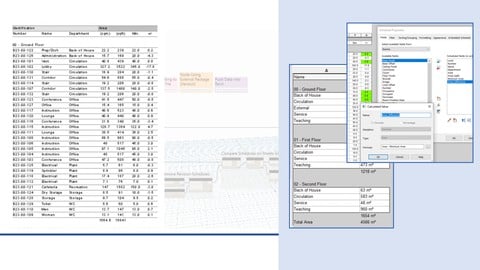
Autodesk Revit models and the elements within contain a large amount of data, both built-in and user-editable, that can be extracted, tabulated and presented in the form of schedules.
This course will demonstrate the basics of creating schedules, choosing and formatting the data to be displayed, then presenting the resulting information in the form of drawings or alternative exports.
As the course develops you will learn more complex functionality to help you manage not only the schedules themselves but also the information within your Revit model.
The final bonus section of the course will cover using Dynamo (the visual programming platform) for schedule management.
Focusing on schedules for architectural elements, the topics covered can be applied to the AEC other disciplines.
This course is independent of Autodesk, Inc., and is not authorized by, endorsed by, sponsored by, affiliated with, or otherwise approved by Autodesk, Inc.
Autodesk, the Autodesk logo, Autodesk Revit are registered trademarks or trademarks of Autodesk, Inc., and/or its subsidiaries and/or affiliates in the USA and/or other countries. All other brand names, product names, or trademarks belong to their respective holders. Autodesk reserves the right to alter product and services offerings, and specifications and pricing at any time without notice, and is not responsible for typographical or graphical errors that may appear in this document. 2024 Autodesk, Inc. All rights reserved.

 Udemy Discount
The discount is applied through our link. Open the course from here and Udemy's current promotional price is applied at checkout on most courses, no code to type.
Some courses are excluded from Udemy's promotions. If the price does not drop, clear your browser cookies and use the button again.
Instructor Details

- 4.6 Rating
 256 Reviews
Mark Thompson
Experienced Senior BIM (Building Information Modelling) Coordinator, currently working for an architectural practice in the United Kingdom.
Roles include the technical support, workflow development and software training to design team members.
Primary objective is to ensure that my courses are easily understood by students of all levels, drawing on nine years in industry to create engaging and informative content.
Experience - Over 10 years BIM experience working for architects, multi-disciplinary design consultants and contractors.
Education - Bachelor of Arts (Hons) - Architectural Studies, Newcastle University, UK.
 More courses by Mark Thompson
More 3D Modeling courses

3D Printing with " Ultimaker CURA Slicer- Start to finish" (2025)
4.9 (192 Reviews)
 Provider: Udemy
 Time: 1h
$34.99

Girl and the Dog Creation in Zbrush for Intermediate Level (2020)
4.9 (173 Reviews)
- Provider: Udemy
- Time: 48.8h
$59.99



Blender Character Creator for Video Games (2026)
4.8 (9,160 Reviews)
- Provider: Udemy
- Time: 34.3h
$159.99

Master SOLIDWORKS 3D CAD using real-world examples (2022)
4.8 (2,451 Reviews)
- Provider: Udemy
- Time: 18.9h
$69.99
 Reviews

By Lorae Veronica Salgado on 5/26/2025
This course is a good middle ground—not too basic, but not overly complex either. The examples are based on the tutor’s own project, so it’s not a one-size-fits-all deal. You’ll learn a lot, but you’ll need to figure out how to adapt it to your own projects. Great for building a solid foundation, just expect to do some extra work to make it fit your needs.
By Sekhar Sam Jose on 4/14/2024
The presentation was exceptional, with clear explanations and a captivating delivery. The speaker's voice was clear and engaging throughout. Additionally, the introduction to Dynamo in scheduling provided valuable insights, making the experience even more beneficial.
By Mohammed Asif on 3/24/2024
The explanation is great and understandable. Pointing out every detail in scheduling and explaining it in a simple manner.
By Meriem Belkacem on 7/25/2023
Great job, thanks . Am ready to attend any new course with Mark. j'ai assisté l'ensemble des cours de Marck, je trouve qu'il a vraiment le quid complet .
By Roy Bou Samra on 6/27/2023
Hats off for the instructor one of the best especially with the explanation method and the clear voice which is essential for online experience. Thank you Mark
By Chiarotti Mattia on 3/25/2023
Hello! First of all sorry for my english. I am an Italian guy. The course is very detailed and i consider it very precious because here, in Italy, we don't have it (you have to pay a lot for a general course). So, thank you very much to have shared your competences and professionalism. Thanks also for speaking slow and clear, I could understand everything. 100% advised
By Karyn Clark on 12/29/2022
I appreciate the instructor's slow and methodical approach to clearly guide the student through each section and myriad of options. This audio/visual experience allows the student to easily learn how to shape the information in a real-world scenario.
By Aaron Jr. Pocais on 10/25/2022
Very clear so far. Easy to understand and follow :) Only thing though is that I think It'd be better if the downloadable files aren't the finished products, but base files that could be used to follow along with the viedeo.
By Patrick Cartas on 12/11/2021
Great course! I've learned a lot. I would however want to suggest that it could use a follow along video for the dynamo script and possible a questionnaire on each end of the chapter to challenge the stundents.
By Adrian G on 10/28/2020
Another excellent course by Mark, which I now have a much better understanding of creating schedules in Revit. Mark shows the pitfalls of bad modelling practice and how it affects the schedule resulting with inaccurate information.
 Quality Score
No CourseDuck member has rated this course yet. Taken it? Give each part a thumbs up or down.
Overall Score : 92 / 100
- Video Duration:
 4.2h
4.2h - Price: $10.99
- Provider: Udemy
- Updated:
 September 2024
 - Level:
 All Levels
 - Language:
 English
 - Certificate:
 Yes
Yes
30-day money-back guarantee on most paid courses
Udemy Coupon Price Tracker
