
 Web Development
 Data Science
 Python
 SQL
SQL JavaScript
 Artificial Intelligence
 IT & Software
 IT Certifications
 Hacking
 AWS
AWS Arduino
 DevOps
 3D Modeling
 Graphic Design
 Photoshop
 Drawing
 Digital Painting
 UX Design
 Business
 Data Analysis
 Communication Skills
 Project Management
 Leadership & Management
 Human Resources
 Digital Marketing
 Social Media Marketing
 Marketing
 SEO
SEO Google Analytics
 Branding
 Excel
Excel Office Productivity
 SAP
SAP PowerPoint
 Microsoft Access
 SharePoint
 Finance & Accounting
 Trading & Investing
 Accounting
 Bitcoin
 Personal Finance
 Video Editing & Animation
 Photography
 Adobe Premier Pro
 Adobe Lightroom
 Personal Development
 Productivity
 Career Development
 Life Coaching
 Health & Fitness
 Meditation & Mindfulness
 Yoga
Yoga Music
Music Music Production
 Guitar
 Piano
Piano Singing
 Language Learning
 Teaching & Academics
 Engineering
 Math
Math Lifestyle
Revit Families - From Beginner to Pro (Udemy.com)
Create families using Autodesk Revit, become proficient in using complex tools in one of the most popular BIM platforms
Created by: Mark Thompson
Last updated November 2024
 What you will learn
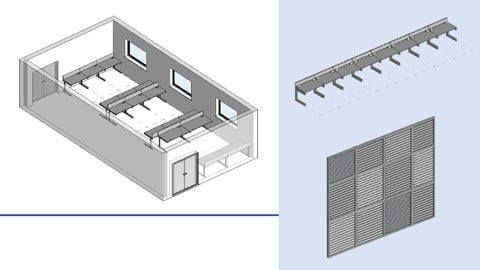
- How to create Revit families from scratch including furniture, doors, windows and more!
- Understand the structure of Revit families within the Revit project ecosystem
- Create basic families up to more complex parametric content
- Ensure you build robust and error free families using a variety of advanced methods
- Build adaptive families to apply to Revit mass objects
- Test your knowledge with an end-of-course quiz
How it compares
Against the other 545 rated Udemy courses in 3D Modeling on CourseDuck:
- Rating4.7 out of 5higher than 75% of them
- Reviews1,591#50 of 546 by number of reviews
- Length11.2 hourslonger than 71% of them
- Last updatedNovember 2024more recently than 72% of them
 Course Description
Learn how to create families using Autodesk Revit. If you are a complete beginner to an experienced user, this course will help you develop your skills and knowledge in order to create powerful Revit families.
Starting out with the basic concepts, we will go from creating basic 3D geometry to developing complex systems of formula to create dynamic and highly functional families.
You will no longer feel anxious when asked to create a Revit family from scratch or to edit an already existing family in your projects. This course will give you the confidence to make the necessary changes or additions to your Revit content.
This course is independent of Autodesk, Inc., and is not authorized by, endorsed by, sponsored by, affiliated with, or otherwise approved by Autodesk, Inc.
Autodesk, the Autodesk logo, Autodesk Revit are registered trademarks or trademarks of Autodesk, Inc., and/or its subsidiaries and/or affiliates in the USA and/or other countries. All other brand names, product names, or trademarks belong to their respective holders. Autodesk reserves the right to alter product and services offerings, and specifications and pricing at any time without notice, and is not responsible for typographical or graphical errors that may appear in this document. 2024 Autodesk, Inc. All rights reserved.

 Udemy Discount
The discount is applied through our link. Open the course from here and Udemy's current promotional price is applied at checkout on most courses, no code to type.
Some courses are excluded from Udemy's promotions. If the price does not drop, clear your browser cookies and use the button again.
Instructor Details

- 4.7 Rating
 1,591 Reviews
Mark Thompson
Experienced Senior BIM (Building Information Modelling) Coordinator, currently working for an architectural practice in the United Kingdom.
Roles include the technical support, workflow development and software training to design team members.
Primary objective is to ensure that my courses are easily understood by students of all levels, drawing on nine years in industry to create engaging and informative content.
Experience - Over 10 years BIM experience working for architects, multi-disciplinary design consultants and contractors.
Education - Bachelor of Arts (Hons) - Architectural Studies, Newcastle University, UK.
 More courses by Mark Thompson
More 3D Modeling courses

3D Printing with " Ultimaker CURA Slicer- Start to finish" (2025)
4.9 (192 Reviews)
 Provider: Udemy
 Time: 1h
$34.99

Girl and the Dog Creation in Zbrush for Intermediate Level (2020)
4.9 (173 Reviews)
- Provider: Udemy
- Time: 48.8h
$59.99



Blender Character Creator for Video Games (2026)
4.8 (9,160 Reviews)
- Provider: Udemy
- Time: 34.3h
$159.99

Master SOLIDWORKS 3D CAD using real-world examples (2022)
4.8 (2,451 Reviews)
- Provider: Udemy
- Time: 18.9h
$69.99
 Reviews

By riccardo casula on 5/27/2026
This course offers a deep understanding of 2D and 3D building data management within the Revit software environment, with a particular focus on the hierarchy of categories and families. It provides a detailed breakdown of the parameter and type system used to manage multiple dimensional configurations, along with the corresponding synchronization workflows within the project model. Featuring a flawless overview that outlines the operational differences between system families, loadable families, and in-place models for unique geometries, the guided use of templates, reference planes, and complex solids allows users to master geometric modeling with absolute confidence. Thank you. Questo corso offre una comprensione approfondita sulla gestione dei dati edilizi 2D e 3D nell'ambiente software Revit, in particolare sulla gerarchia di categorie e famiglie. Un quadro dettagliato del sistema di parametri e tipi per gestire molteplici configurazioni dimensionali ed i corrispondenti flussi di sincronizzazione con il modello di progetto. Una panoramica impeccabile nel delineare le differenze operative tra le famiglie di sistema, le famiglie caricabili e i modelli per geometrie uniche, l'uso guidato di modelli, piani di riferimento e solidi complessi permette di padroneggiare la modellazione geometrica con estrema sicurezza. Grazie
By Tal Kohn on 10/7/2025
Great and comprehensive course. The course was interesting, detailed, and well-structured, with many examples and visual explanations that made this complex topic much clearer. It will definitely help me in my future Revit projects.
By Paola Bianca Lapuz on 9/26/2025
I went straight to this course after the Revit Architecture one as the lecture there on parameters was a bit confusing to me. This was actually fun to learn as it highlights the 3D creation capabilities for small to large families. I primarily use SketchUp for 3D model creation, so I found a lot of similarities, but Revit has associating/locking features that enable the user to easily edit (esp in fluid forms), instead of repeating the creation in skp with plugins. Thanks to Mark for imparting his knowledge once again. I hope he releases courses for MEP in the future as well.
By Malik on 1/9/2025
This course was absolutely amazing! It exceeded all of my expectations. The content was well-organized, engaging, and packed with valuable insights. The instructor's teaching style made even the most complex topics easy to understand. I’ve learned so much and can’t wait to apply these skills. Highly recommend this course to anyone looking to deepen their knowledge!
By Katarzyna Nowak on 2/19/2024
I really enjoyed this course and I think it helped me learn almost everything I'll ever need to know about families creation. In general, it was comprehensive and versatile, covered the necessary basics but also some in depth topics and concepts. It gave a deeper understanding of Revit in general, not only the families.
By Raghavendra K on 11/5/2023
Course was Excellent. But, Example are only related to Furniture and Doors only. If example for MEP related(like Lights, How to add the camera view to the family, adding Light Coverage is required.. It will be helpful for people working in MEP
By Meriem Belkacem on 2/27/2023
J'ai beaucoup appris, vous avez une magnifique maitrise du logiciel . Je vous conseil de travailler sur la tonalité de votre voix c'est très long . Even If English is not my mother language . i speed up the video to 1.25 or 1.75 sometimes .
By Aaron Jr. Pocais on 10/7/2022
Great course overall, but one thing I would have preferred is that the downloadable resources shouldn't be the finished product but the starting family to use along with the video, or perhaps a separate resource for that would be fine too. It's kind of frustrating that I have to make a starting model just so I could follow along with the tutorial. But overall, this course is really helpful and a great buy for the price.
By Jairo Guzman on 6/14/2022
Excelente curso para creación de familias en general, te da todas las herramientas que necesitas para entender el entorno de diseño y como funcionan cada una de las opciones, a poco de comenzar el curso ya puedes estar creando tus familias sin mucho esfuerzo.
By Dan Robert Richardson on 6/7/2021
Typically in school, an instructor has 16 weeks to go through everything in Revit. Mark focusses on a specific issue and discusses it in depth. I found this quite helpful. I recommend this course highly and he didn't even buy me a pint.
 Quality Score
No CourseDuck member has rated this course yet. Taken it? Give each part a thumbs up or down.
Overall Score : 94 / 100
- Video Duration:
 11.2h
11.2h - Price: See price on Udemy
- Provider: Udemy
- Updated:
 November 2024
 - Level:
 All Levels
 - Language:
 English
 - Certificate:
 Yes
Yes
30-day money-back guarantee on most paid courses
Udemy Coupon Price Tracker
