
 Web Development
 Data Science
 Python
 SQL
SQL JavaScript
 Artificial Intelligence
 IT & Software
 IT Certifications
 Hacking
 AWS
AWS Arduino
 DevOps
 3D Modeling
 Graphic Design
 Photoshop
 Drawing
 Digital Painting
 UX Design
 Business
 Data Analysis
 Communication Skills
 Project Management
 Leadership & Management
 Human Resources
 Digital Marketing
 Social Media Marketing
 Marketing
 SEO
SEO Google Analytics
 Branding
 Excel
Excel Office Productivity
 SAP
SAP PowerPoint
 Microsoft Access
 SharePoint
 Finance & Accounting
 Trading & Investing
 Accounting
 Bitcoin
 Personal Finance
 Video Editing & Animation
 Photography
 Adobe Premier Pro
 Adobe Lightroom
 Personal Development
 Productivity
 Career Development
 Life Coaching
 Health & Fitness
 Meditation & Mindfulness
 Yoga
Yoga Music
Music Music Production
 Guitar
 Piano
Piano Singing
 Language Learning
 Teaching & Academics
 Engineering
 Math
Math Lifestyle
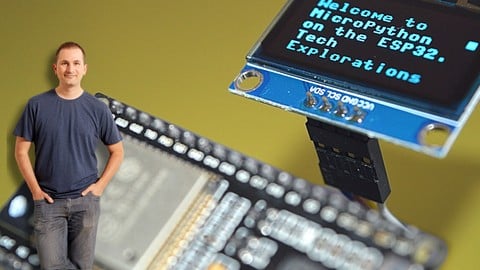
MicroPython with the ESP32 (Udemy.com)
The easiest way to write programs for the ESP32 microcontroller.
Created by: Dr. Peter Dalmaris
Last updated October 2025
 What you will learn
- The MicroPython programming language.
- How to use MicroPython with the ESP32 microcontroller.
- How to use the Thonny editor with MicroPython and the ESP32.
- How to use MicroPython with common peripherals such as motors, displays and sensors.
- How to use MicroPython to write programs that work with IoT services like IFTTT.
- How to search, find and install MicroPython libraries on the ESP32.
How it compares
Against the other 295 rated Udemy courses in Arduino on CourseDuck:
- Rating4.6 out of 5higher than 77% of them
- Reviews720#48 of 296 by number of reviews
- Length10.9 hourslonger than 81% of them
- Last updatedOctober 2025more recently than 68% of them
 Course Description
Last Updated in June and July 2022 to cover the latest versions of the Thonny editor (version 4) and MicroPython firmware (version 1.18+).
More details about this update: I have introduced new lectures to show you how to install and use Thonny 4, and how to upgrade your ESP32 devkit and Raspberry Pi Pico boards to use the MicroPython 1.18 firmware.
I have also tested all experiments to ensure that they work with these versions of Thonny and MicroPython.
If you are using an ESP32 board that is unable to automatically enter upload mode, you will find a solution in a new lecture in Section 3.
With this course, you will learn how to use MicroPython with the ESP32 microcontroller.
MicroPython is a high-level programming language specifically designed for microcontrollers and resource-limited embedded devices.
Who is this course for?
I have created this course for three types of students:
If you are familiar with Python, you will find that MicroPython looks, feels, and works like regular Python. This course will help you get started quickly, and help you out with the peculiarities of using Python as MicroPython operating on the ESP32 hardware.
If you have little programming experience, MicroPython is a perfect option for learning how to program hardware. This course will help you learn enough MicroPython to be able to write programs that run on the ESP32 microcontroller.
If you have experience in programming the ESP32 with the Arduino IDE and language, but what to check out MicroPython, this course will help you do that.
What is MicroPython?
MicroPython is a programming language that borrows the syntax and language attributes of Python 3.
Python 3 is a powerful high-level general-purpose language that is designed to be easy to learn and use. It is extremely popular, and among the top-5 most widely used programming languages. As a result, has an extensive set of learning resources, excellent documentation, and code libraries that cover an amazing breadth of applications.
From gaming to the Internet of Things, from data science to industrial automation, anything that can be programmed in Python.
MicroPython was modelled after Python to reduce the barrier to entry for people that want to write programs for microcontrollers or embedded devices that have limited resources.
What is the ESP32?
The ESP32 is a powerful yet low-cost microcontroller device from Espresif.
The appeal of the ESP32 device is that it packs a powerful dual-core CPU, with relatively large amounts of RAM and flash storage, a full complement of wireless and wired communications options, with lots of input/output pins in a small low-cost package.
The ESP32 is also versatile, as you can program it with a variety of programming tools and languages, including the Arduino IDE, and, of course, MicroPython.
I selected the ESP32 as the hardware for this course because it is easy to find in the market, very affordable considering its capabilities, and, most likely, most people interested in microcontrollers already have at least one.
What are the objectives of this course?
This course has 3 main objectives:
To introduce you to the MicroPython programming language, even if you have little or no prior experience.
To help you learn how to use MicroPython with common external devices, like motors and screens, with MicroPython programs running on an ESP32 microcontroller.
To consolidate this knowledge with the help of two capstone projects. In these projects, you will create a working gadget by combining the knowledge you acquired earlier in the course.
What are the knowledge prerequisites?
Before embarking on this course, please confirm that you tick the following boxes:
You have a basic understanding of electronics. You are comfortable with assembling simple circuits on a breadboard, and you understand simple concepts like pull-up resistors and voltage dividers.
You have a basic understanding of microcontrollers. For example, you know what is a GPIO, the I2C or SPI interfaces and PWM. You understand that if you connect a 3.3V device to a 5V power source, you will damage the device.
You are familiar with related concepts, such as the Internet Of Things (which features in one of the course sections).
You are comfortable with at least one programming language and programming tool. It doesn’t matter which ones, as all modern languages and programming share the same basics.
You have a growth mindset, and you are willing to work hard in order to learn.
If you feel that you don’t tick one of these boxes, consider doing one of my introductory Arduino and Electronics courses first. Then you’ll be ready to come back to this course.
Course organization
This course is organised in four parts.
In the first part, you will learn the basics. This is where you’ll learn how to set up and use Thonny, our programming editor, and prepare your ESP32 to work with MicroPython.
You will also have the opportunity to learn the basics of MicroPython and where and how to find compatible libraries.
The second part is where you roll up your sleeves and write MicroPython programs. You’ll start with simple pin operations that make LEDs blink and read buttons, then move on to sensors, displays, and motors. There’s a large section dedicated to Wifi and Internet of Things applications, and another section dedicated to more advanced topics such as hardware timers, working with internal sensors, and sleep.
In the third and final part, you will consolidate your new knowledge with the help of two capstone projects. Both projects combine the same hardware components with one big difference in the software. While in the first project, all of the MicroPython code exists in the same file, in the second project I show you how to modularise the design and break up the code into two files.
Required software and hardware
For details on the required software and hardware, I have prepared two separate lectures in this section, which I invite you to watch next.
But, in summary:
For the software, you will the Thonny programming tool, and the MicroPython firmware for the ESP32. Both are open-source and free
For the hardware, you will need an ESP32 board, and an assortment of common components like LEDs, resistors, sensors and motors. It doesn’t matter which ESP32 board you have. As long as it is an ESP32, it will work with MicroPython.
If you have taken one of my Arduino courses, you probably already have everything you need.

 Udemy Discount
The discount is applied through our link. Open the course from here and Udemy's current promotional price is applied at checkout on most courses, no code to type.
Some courses are excluded from Udemy's promotions. If the price does not drop, clear your browser cookies and use the button again.
Instructor Details

- 4.6 Rating
 720 Reviews
Dr. Peter Dalmaris
Peter Dalmaris is an educator, electrical engineer, electronics hobbyist, and Maker. Creator of online video courses on DIY electronics and author of three technical books, and has recently released his book Maker Education Revolution.
As a Chief Tech Explorer since 2013 at Tech Explorations, the company he founded in Sydney, Australia, Peter’s mission is to explore technology and help educate the world.
Tech Explorations offers educational courses and Bootcamps for electronics hobbyists, STEM students and STEM teachers.
A life-long learner, Peter’s core skill is in explaining difficult concepts through video and text. With over 15 years of tertiary teaching experience, Peter has developed a simple yet comprehensive style in teaching that students from all around the world appreciate.
His passion for technology and in particular for the world of DIY open source hardware has been a dominant driver that has guided his personal development and his work through Tech Explorations.
Peter’s current online courses have helped over 150,000 people from around the world to be better Makers.
For more information on Peter's work, please go to his web site, techexplorations dot com.
 More courses by Dr. Peter Dalmaris

Arduino Step by Step: Getting Started (2024)
4.7 (8,714 Reviews)
 Provider: Udemy
 Time: 21.4h
$159.99
PCB design with KiCad - updated for KiCad 9 (2026)
4.6 (3,737 Reviews)
- Provider: Udemy
- Time: 31.9h
$79.99

More Arduino courses


Learn to Build a Computer (PC) in 2026 - all types!
4.9 (245 Reviews)
- Provider: Udemy
- Time: 6.1h
$74.99

Raspberry Pi For Beginners - 2026 Complete Course
4.8 (3,105 Reviews)
- Provider: Udemy
- Time: 10.6h
$89.99

Ultimate Guide to Raspberry Pi : Tips, Tricks and Hacks (2023)
4.8 (2,363 Reviews)
- Provider: Udemy
- Time: 5.2h
$69.99

Mastering Microcontroller: STM32-LTDC, LCD-TFT, LVGL (MCU3) (2026)
4.8 (487 Reviews)
- Provider: Udemy
- Time: 8.1h
$79.99
Arduino Step by Step: Getting Started (2024)
4.7 (8,714 Reviews)
- Provider: Udemy
- Time: 21.4h
$159.99
 Reviews

By Chengye Yang on 9/4/2026
Pros: The explanation is clear, example code is good, and basically covers the common sensors, actuators, and display, so you should be able to hook up a simple system after this class. Cons: The video's quality is not good. It just paused without any reason constantly, and I needed to refresh a couple of times before proceeding.
By Branstetter Péter on 10/14/2025
There is nothing wrong with the lecture, great lecturer! But the video stops for minutes during each lesson, sometimes it doesn't start again for hours. Other courses started immediately, so it's not a network problem. I can't try out what I've learned this way, and I can't rewind it because it stops for minutes afterwards. A six-minute video can be watched in three parts and it takes me half an hour to finish.
By Joel Wiesner on 8/9/2024
This training has been excellent! I have made some progress already working with ESP32, but it took me a lot of time, frustration, confusion, before I could get to a place where I could get a display to work properly. I wish I had taken this training sooner to avoid so many mistakes! Glad to see this resource out there. The training is very hands on and practical, it answers many of the questions I had as an early user of the ESP32 and Micropython. Thanks for the great instruction!
By Anonymized User on 8/1/2024
The course was really useful and the examples are well explained and documented. If you have more experience on the electronics side you may find some parts a bit boring and on the other side the python knowledge needed to properly understand certain part of the examples was not covered properly in the introduction section but anyway references and links to the documentation were provided so it was possible to go deeper in certain topics
By Samuel Bahu Rovea on 5/31/2023
It's a very good couser. I didn't get lost in any class, they are all very well explained and there are no jumps of knowledge that could get me lost. Very practical and didactic course for those who are starting. I really recommend it.
By Michel Drescher on 3/14/2023
There is one important part that was omitted, and that is the autocomplete function provided by the jedi package in the Thonny editor. Since there is a decent chance that jedi uses a different MicroPython API version than is installed on the student's or teacher's ESP32, this might lead to confusion. Since the course is using Thonny as the course's endorsed editor, it would be good to address this issue and and explain how to get this in sync.
By W Harrison on 12/3/2022
This was a top-notch find. Having a chance to use a Python dialect on a micro platform was simply a heap of fun. I do get tired of always using C. Peter is very thorough and detailed in his approach to teaching and he doesn't assume too much about the initial knowledge level of his audience. His videos covering how to exploit the core features of the ESP were excellent. The long list of sensors and devices he demonstrated was likewise impressive. He provides all the code needed and walks through each of the modules he provides.
By Hendricus Wolzak on 11/10/2022
This course is a good course for people starting with micropython and or esp32. The explanations are clear and spoken in an agreable tempo. The themes are broad, but as said not on an advanced level. Very good are the links to the documentation, drivers and so on. The scripts are working, allthough mostly not very pythonic :) One small critic, the intro music clobbers the first sentences in many videos. Yes i would recommend this course Eric
By Peter Whittam on 7/14/2022
Lots of in-depth detail on the Thonny IDE, bit confusing because initially told Micropython is a separate language from Python but the course constantly reference to Python language and its libraries. Very brief section on OOP in Classes section, completely missing function override and inheritance. Great practicle applications demonstrating code and effect.
By Mauro Arcon Batistic on 8/10/2021
A very practical approach to uPython, with lots of comprehensively explained examples that not only motivate learning but will also serve as building blocks for future coding. Congratulations for another excellent course, Peter!
 Quality Score
No CourseDuck member has rated this course yet. Taken it? Give each part a thumbs up or down.
Overall Score : 92 / 100
- Video Duration:
 10.9h
10.9h - Price: $79.99
- Provider: Udemy
- Updated:
 October 2025
 - Level:
 Intermediate
 - Language:
 English
 - Certificate:
 Yes
Yes
30-day money-back guarantee on most paid courses
Udemy Coupon Price Tracker
