
 Web Development
 Python
 SQL
SQL Data Science
 JavaScript
 Artificial Intelligence
 IT & Software
 IT Certifications
 Hacking
 Arduino
 AWS
AWS DevOps
 3D Modeling
 Graphic Design
 Photoshop
 Drawing
 Digital Painting
 UX Design
 Business
 Data Analysis
 Communication Skills
 Leadership & Management
 Project Management
 Human Resources
 Digital Marketing
 Social Media Marketing
 Marketing
 SEO
SEO Google Analytics
 Branding
 Excel
Excel Office Productivity
 SAP
SAP PowerPoint
 Microsoft Access
 SharePoint
 Finance & Accounting
 Trading & Investing
 Accounting
 Bitcoin
 Personal Finance
 Video Editing & Animation
 Photography
 Adobe Premier Pro
 Adobe Lightroom
 Personal Development
 Productivity
 Career Development
 Life Coaching
 Health & Fitness
 Meditation & Mindfulness
 Yoga
Yoga Music
Music Music Production
 Guitar
 Piano
Piano Singing
 Language Learning
 Teaching & Academics
 Engineering
 Math
Math Lifestyle
Microsoft Power BI Portfolio in a Day (Udemy.com)
Boost Your Power BI Career with 4 Full-Length Guided Projects
Created by: Sean Chandler
Last updated January 2024
 What you will learn
- In this course, you will learn a variety of approaches to building Power BI reports through four full-length, guided projects.
- You will also learn how to evaluate a dataset and how to ask the right questions that lead to designing smart, narrative-driven visualizations
- You will also learn tons of BI design techniques, including how to build stunning tools, how to apply bookmarks, how to build tooltips, slicer panels & more
- Finally, you will walk away with the foundation to build an impressive four-project portfolio (5 if you complete the additional dataset with guided questions)
 Course Description
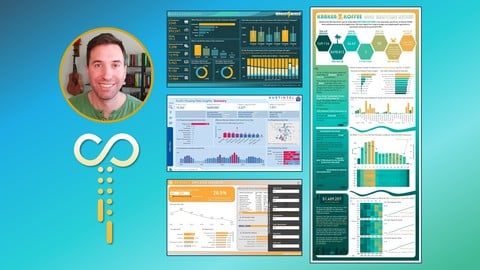
In this Sweatpants BI course, we'll cover a range of Power BI and data visualization topics through four full-length guided projects and an extra fifth project with suggested topics and business questions. Using datasets focused on market insights, real estate, a fake Florida-based coffee chain, and more, you will gain experience performing a variety of Power Query transformations, writing various levels of DAX code, designing gorgeous Power BI reports, building impactful data visuals, and applying next-level user experience techniques. At the end of this course, you will have a variety of new tools on hand to design a great BI portfolio to flex your data visualization and reporting skills!
This course is designed for people with a decent foundation in Power BI. If you're a beginner, you are more than welcome to tag along but you may find yourself lost from time to time. Check out the Sweatpants BI course, Power Pivoting: Microsoft Power BI for Career Changers if you're new to Power BI and need more background or, based on your budget, check out the Sweatpants BI YouTube channel for some free guidance on topics like DAX and Power Query Editor. Otherwise, if you know the ropes but are looking for some help building out your first Power BI portfolio and gaining a variety of great reporting and design techniques, look no further. This might be the course for you!

 Udemy Discount
The discount is applied through our link. Open the course from here and Udemy's current promotional price is applied at checkout on most courses, no code to type.
Some courses are excluded from Udemy's promotions. If the price does not drop, clear your browser cookies and use the button again.
Instructor Details

- 4.3 Rating
 663 Reviews
Sean Chandler
Sean Chandler has been working professionally in business intelligence since 2014, specializing in creating solutions of all shapes and sizes on the Microsoft Power Platform. Sean started his Microsoft Power BI journey working for an industrial manufacturer of ceiling fans called Big Ass Fans in Lexington, Kentucky before transitioning to Humana, one of the US's largest healthcare and insurance companies in 2019, where he has worked as a Senior BI Engineer, a Business Intelligence Lead, and now serves as Director of Business Intelligence for the company's Home Health division.
As a BI professional, Sean has delivered hundreds of Power BI projects ranging from small ad hoc solutions to enormous tools integrating hundreds of millions of rows of complex business data. He has won multiple awards for his BI work and has even been featured as a presenter on the Microsoft Mechanics web series and the Maven Analytics podcast Mavens of Data. Over the past several years, his Power BI expertise has allowed him to teach a variety of courses on designing effective BI solutions and has provided instruction on data visualization and design to thousands of students through companies like Udacity and Udemy, as well as on his Sweatpants BI YouTube channel.
 More courses by Sean Chandler
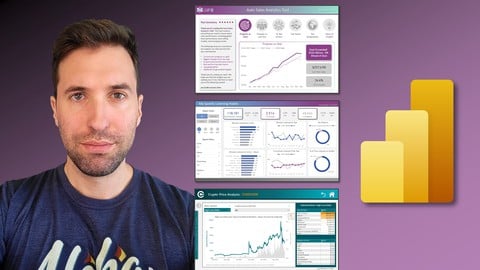
Microsoft Power BI: The Art of Designing Incredible Tools (2022)
4.7 (959 Reviews)
 Provider: Udemy
 Time: 14.8h
$10.99
More Power BI courses

15 days of Power BI - Complete Microsoft Power BI Bootcamp (2026)
4.7 (23,152 Reviews)
- Provider: Udemy
- Time: 15.8h
$124.99

Microsoft Power BI Desktop: Advanced DAX for Data Analysis (2026)
4.7 (15,632 Reviews)
- Provider: Udemy
- Time: 11.5h
$139.99

Microsoft Power BI - Up & Running With Power BI Service (2026)
4.7 (9,669 Reviews)
- Provider: Udemy
- Time: 5.9h
$24.99

Microsoft Power BI - The Complete Masterclass (2026)
4.7 (4,748 Reviews)
- Provider: Udemy
- Time: 17.2h
$139.99
![[NEW] PL-300: Microsoft Power BI Data Analyst Associate 2026](/programming/power-bi/images/6603795_bc57_2.jpg?v=1791193099)
[NEW] PL-300: Microsoft Power BI Data Analyst Associate 2026
4.7 (1,265 Reviews)
- Provider: Udemy
- Time: 26.9h
$10.99

Microsoft Power BI Desktop: DAX, AI and Data Modelling (2026)
4.7 (1,018 Reviews)
- Provider: Udemy
- Time: 12.8h
$10.99
 Reviews

By Rosangela Herrera Suarez on 9/18/2026
This course was extremely helpful in showcasing a lot of power BI components, I really appreciate the instructor making time to create these projects and explaining with such detail.
By Shah Tahsin on 9/9/2026
can u stop moving ur cursor in all directions just for no reason , its nauseating
By Eric Becker on 3/24/2026
Don't expect to follow-along with the instructor's pace. You can either watch his screen or do the edits on yours. While there is some really great content in here and I learned a lot, but it's frustrating to follow-along with. His attention to these details create an unnecessary density to the course. I consider myself pretty speedy with PBI the navigation, but his pace is not a reasonable one to follow-along with. So the '20 hours' is more like 30-40 with all the rewinding....and it's not like you can just play the course at .5 speed as speed varies throughout a section. Sometimes you have to just pause the video for 10 minutes to troubleshoot why things aren't working as presented. There are countless menus and sub-menus to control every little detail in PBI. Then there are all these preferences like "I prefer DIN font to Segoe UI." I get it, DIN might look better sometimes. Leave these 'preference' things out. Perfection is the enemy of the good. All that said about the speed, that wouldn't be particularly bothersome if it were on YouTube. On a place like Udemy, it is a problem as an employer expects completion in 3-4 days or when its for continued ed requirements, it counts as 20 instead of 30+. My recommendation to the instructor would be slow down and vocalize every sub-menu (he does sometimes and its helpful when he does). He also should look to reduce the formatting perfectionism. It gets in the way of the real content.
By Vladimir Prodanovic on 12/11/2025
Probably the best PowerBI orientated course on the whole Udemy right now (I did more than 10). Real time requirements and projects and really pleasant tone and way to transfer that knowledge. Well done man, well done!!
By Amanda on 7/31/2025
This is a great course. He walks the users through many different features and teaches good design habits as well. I was exposed to many different features and formatting options I wasn't previously aware of, and it gave me lots of inspiration for my projects at work.
By Mahsa Ghavipanjeh torkamani on 7/16/2025
Thank You Sean For this incredible course.... This course is really amazing and really different from other courses....if you have basic experience with Power BI ,then I think this course great for you, I did not have experience in Power BI, so I took one course to learn and then I did project with this course and two weeks ago, I got my PL-300 certificate at first try. Again thank you so much for this amazing course
By Wendy Weber on 9/7/2024
Sean is very knowledgeable and thorough and an excellent teacher. Question on groups though... Since people typically use dynamic data what if a new value came in that was not defined in the original group? Most of his visuals appear to handle static data only which doesn't work for my company since we refresh our data daily.
By Pascal Gibert on 9/6/2024
There are some real nuggets of goodness in this course. The modeling aspect as well as some of the design aspects are really insightful and very well done even if you have some experience / expertise with Power BI already. Sean has a very engaging teaching style. I really enjoyed this training. Very well done!
By Your Udemy on 8/26/2024
I just finished this course, and it was incredibly helpful. Every part of it was well-explained, and the projects were practical and engaging. It’s worth every penny, and I’ve gained so much confidence in building Power BI reports. I highly recommend this course to anyone looking to enhance their Power BI skills.
By Colin Tomb on 4/29/2024
Another excellent offering from Sean. One of the most underrated Power BI experts in the BI sphere. I tend to rate any course by how much of the content, I can implement immediately in my day job. In this regard, I have been able to apply numerous techniques from this course and the prior course immediately in my day job to great success. Many of the tips and tricks taught are not demonstrated in other online Power BI courses. My only feedback, would be to keep as much of the course content as possible behind a pay wall, instead of releasing for free on the Sweat Pants BI YouTube channel.
 Quality Score
No CourseDuck member has rated this course yet. Taken it? Give each part a thumbs up or down.
Overall Score : 86 / 100
- Video Duration:
 20.2h
20.2h - Price: See price on Udemy
- Provider: Udemy
- Updated:
 January 2024
 - Level:
 Intermediate
 - Language:
 English
 - Certificate:
 Yes
Yes
30-day money-back guarantee on most paid courses
Udemy Coupon Price Tracker
