
 Web Development
 Data Science
 Python
 SQL
SQL JavaScript
 Artificial Intelligence
 IT & Software
 IT Certifications
 Hacking
 AWS
AWS Arduino
 DevOps
 3D Modeling
 Graphic Design
 Photoshop
 Drawing
 Digital Painting
 UX Design
 Business
 Data Analysis
 Communication Skills
 Project Management
 Leadership & Management
 Human Resources
 Digital Marketing
 Social Media Marketing
 Marketing
 SEO
SEO Google Analytics
 Branding
 Excel
Excel Office Productivity
 SAP
SAP PowerPoint
 Microsoft Access
 SharePoint
 Finance & Accounting
 Trading & Investing
 Accounting
 Bitcoin
 Personal Finance
 Video Editing & Animation
 Photography
 Adobe Premier Pro
 Adobe Lightroom
 Personal Development
 Productivity
 Career Development
 Life Coaching
 Health & Fitness
 Meditation & Mindfulness
 Yoga
Yoga Music
Music Music Production
 Guitar
 Piano
Piano Singing
 Language Learning
 Teaching & Academics
 Engineering
 Math
Math Lifestyle
Music Production with Presonus Studio One (Udemy.com)
This course takes an in depth look at how you can produce and write a song with Presonus Studio One
Created by: Gary Hiebner
Last updated January 2022
 What you will learn
- At the end of the course the student will be able to produce their own song within Studio One.
- You'll record audio and MIDI
- You'll learn to edit these tracks,
- And you will learn to mix and master the song
How it compares
Against the other 241 rated Udemy courses in Music Production on CourseDuck:
- Rating4.5 out of 5higher than 42% of them
- Reviews1,307#25 of 242 by number of reviews
- Length2.2 hoursshorter than 72% of them
- Last updatedJanuary 2022earlier than 62% of them
 Course Description
Get those big song ideas out of your head and into Studio One! In this course from composer/sound designer Gary Hiebner will guide you through Presonus Studio One and how to record and produce your first songs. You'll also learn how to build your confidence when navigating this feature-rich audio software so that you too can start producing your own music. You'll be guided through the software's capabilities, learn how to set up your gear, record in your ideas and edit, mix and export your song.
Course Content includes:
- Learning the User Interface and its Tools
- Setting Up Your Audio Interface and MIDI Devices
- Recording to Audio and MIDI Instrument Tracks
- Using Melodyne to Pitch and Time Correct Audio
- Exploring the Mai Tai Synth
- Using Arrange Tracks to map out your song arrangement
- Using the Scratchpad feature to sketch out different song arrangement ideas
- Exploring the Mix Console and its functions
- Learning how to use the Inserts and Sends in your mix
- Applying Automation to your tracks to give them more interest
- Improving your mix with Bus Processing and Mix Engine effects
- Finalizing your song with some mastering and exporting out your mix.
Compatible with both Macs and PCs, Studio One is a competitive DAW that allows beginners and pros alike to create and produce awesome audio content.
What You'll Get From This Course:
- Step-by step instructions on how to get started with Studio One for song production
- Easy to follow on screen examples of how to navigate Studio One
- Tips & Tricks from an experience composer and sound designer
- Suitable for beginners and pros alike
Course Goals:
At the end of this course you’ll be able to find your way around the Studio One interface, record to audio and MIDI tracks, use the features like the Scratchpad and Audio Comping to expand on ideas, and understand how to use the Mix Console and its included Inserts and Sends sections – all on your way to producing your first song.

 Udemy Discount
The discount is applied through our link. Open the course from here and Udemy's current promotional price is applied at checkout on most courses, no code to type.
Some courses are excluded from Udemy's promotions. If the price does not drop, clear your browser cookies and use the button again.
Instructor Details

- 4.5 Rating
 1,307 Reviews
Gary Hiebner
Who Am I
I'm a sound designer and music composer from South Africa, and my passions are music making, and teach others how to make music.
My Experience
I've been working in new media such as music and sound for TV and online games for the last 15 years. In these years I've worked through a multitude of different audio software, and through this found a passion for teaching how to use the different type of audio software that is available on the market.
What I Teach
I'm a firm believer that audio software has its place in the creative field and using them as tools you can get different results which you might not have ever imagined. I wish to show you how to get the most out of these audio applications so that you can produce and expand on your musical ideas.
 More courses by Gary Hiebner
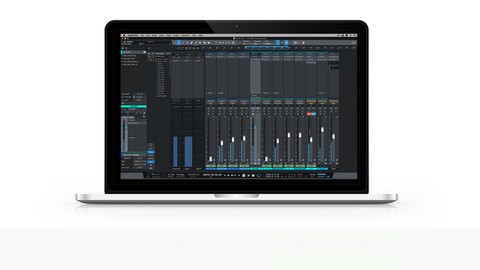
Mixing & Mastering with Presonus Studio One (2022)
4.4 (874 Reviews)
 Provider: Udemy
 Time: 3.6h
$12.99
The Ultimate Studio One Music Production Masterclass (2025)
4.5 (450 Reviews)
- Provider: Udemy
- Time: 13.7h
$10.99
More Music Production courses

Electronic Music Production with Ableton Live (2025)
4.9 (2,479 Reviews)
- Provider: Udemy
- Time: 11.9h
$84.99

Garageband IOS (iPhone/iPad): The Complete Beginners Guide (2021)
4.9 (535 Reviews)
- Provider: Udemy
- Time: 3.5h
$10.99

How to Become a DJ - Learn How to Start DJing Online Today (2021)
4.8 (5,221 Reviews)
- Provider: Udemy
- Time: 10.8h
$17.99

Ultimate Sound Design: Mastering Sound Design (2026)
4.8 (1,998 Reviews)
- Provider: Udemy
- Time: 7.3h
$109.99


Ultimate Ableton Live 9 Complete: Parts 4, 5, & 6 (2026)
4.8 (512 Reviews)
- Provider: Udemy
- Time: 11.8h
$89.99
 Reviews

By Stephanie Iverson on 5/30/2023
I really enjoyed this class and learned a lot! The instructor was helpful, interesting, and easy to understand. My only warning is if you are really new to music production (like I am) and not moving from another DAW, you might have to google some of the terminology and vocabulary that comes with this kind of new skill. Would definitely recommend this to others though!
By Kevin Wheeler on 7/30/2022
Yes so far, some techniques fly by a little fast insofar as I can't synch some shortcuts on my Mac for whatever reason which causes me to rewind, but I'd be doing that anyway until processes become more intuitive. I'm using an older iMac with High Sierra and recently upgraded my free version of Studio One 3- to S1.5/Pro so it might help as a reference point to know what hardware and software versions you're using and what if any tips would be different for an older set up like this one. But seriously, this is fantastic content!
By Meredith Maurice Branch on 12/20/2020
It very Good real give you a easy way to learn the program
By David Lormor on 12/6/2020
Early part of the course is pretty much just a rehash of everything in the free course. Definitely got into some interesting techniques with using MIDI, Melodyne, etc. but I feel like it would've helped to have more time diving in depth into core parts of the software such as the metronome, song info such as key and time signature, etc.
By Bill Weisler on 12/6/2020
So far so good.
By Keith Hodgson on 11/23/2020
Because im learning and its easy to follow.
By Mark Crowe on 11/22/2020
Easier to grasp then i thought it would be
By Daniel Van Buren on 11/19/2020
So far so good!
By Elliott Klonsky on 11/19/2020
Going way too fast.
By Kerry A Hartjen on 11/13/2020
My second go at this class. Learning more this time around.
By John L Douglas on 11/8/2020
I am familiar with some of Presonus Studio One, but wasn't aware of some of the setting procedures and the benefit of adjust on the fly going back if needed, using the software amp simulators. Great things to know!
By Josef Wagner on 11/8/2020
Perfekt!
 Quality Score
No CourseDuck member has rated this course yet. Taken it? Give each part a thumbs up or down.
Overall Score : 90 / 100
- Video Duration:
 2.2h
2.2h - Price: $12.99
- Provider: Udemy
- Updated:
 January 2022
 - Level:
 Beginner
 - Language:
 English
 - Certificate:
 Yes
Yes
30-day money-back guarantee on most paid courses
Udemy Coupon Price Tracker
