
 Web Development
 Data Science
 Python
 SQL
SQL JavaScript
 Artificial Intelligence
 IT & Software
 IT Certifications
 Hacking
 AWS
AWS Arduino
 DevOps
 3D Modeling
 Graphic Design
 Photoshop
 Drawing
 Digital Painting
 UX Design
 Business
 Data Analysis
 Communication Skills
 Project Management
 Leadership & Management
 Human Resources
 Digital Marketing
 Social Media Marketing
 Marketing
 SEO
SEO Google Analytics
 Branding
 Excel
Excel Office Productivity
 SAP
SAP PowerPoint
 Microsoft Access
 SharePoint
 Finance & Accounting
 Trading & Investing
 Accounting
 Bitcoin
 Personal Finance
 Video Editing & Animation
 Photography
 Adobe Premier Pro
 Adobe Lightroom
 Personal Development
 Productivity
 Career Development
 Life Coaching
 Health & Fitness
 Meditation & Mindfulness
 Yoga
Yoga Music
Music Music Production
 Guitar
 Piano
Piano Singing
 Language Learning
 Teaching & Academics
 Engineering
 Math
Math Lifestyle
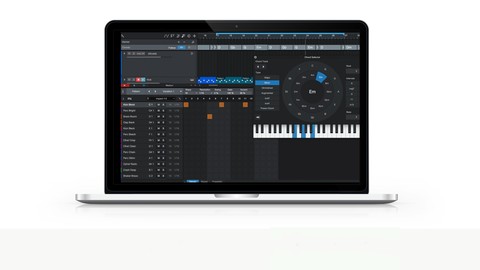
Composing Tools with Presonus Studio One (Udemy.com)
Learning to use the composing tools within Studio One to improve your music compositions
Created by: Gary Hiebner
Last updated January 2022
 What you will learn
- How to use the Composing Tools within Studio One
- How to compose better and faster with Studio One composing tools
How it compares
Against the other 270 rated Udemy courses in Music on CourseDuck:
- Rating4.3 out of 5higher than 9% of them
- Reviews230#122 of 271 by number of reviews
- Length1.7 hoursshorter than 77% of them
- Last updatedJanuary 2022earlier than 67% of them
 Course Description
If you want to improve your song composing in Studio One, this is the perfect course for you!
Learn how to use the Composing Tools within Studio One to improve your songs
This is a complete course teaching you how to use all the composing tools and feature sets in Studio One to allow you to explore new and different directions with your songs
With easy-to-follow tutorials and a real-world examples of a song composing tips and tricks, you'll enjoy learning while taking action.
WHAT WILL YOU LEARN?
The new composing tools available in Studio One from version 4 and up
Exploring the Drum Editor
How to use the Patterns step-sequencer-style mode
How to Global Chord Track works
Building up Chord Progression using the Chord Track
Detecting Chords in MIDI and Audio Events
Getting Audio and MIDI parts to follow the Chord Track
Using Melodyne to help you move audio melody ideas to instrument tracks
Using the Arranger and ScratchPad to build up your song arrangement ideas
WHY COMPOSE IN STUDIO ONE?
Studio One is a fully featured package.
It has great composing tools that allow you to explore different chord progressions and melodies
It is super easy to navigate and use.
The composing tools allow you to improve your song writing efficiency and workflow.
Tools like the Arranger, and ScratchPad allow you to test out different arrangement and chord progressions very easily
WHY LEARN FROM US?
This course expands on my other bestseller Udemy course on Studio One. That course covered the basics, and I hope this course helps you step up your music compositions in Studio One.
My goal with the course is to give you tools within Studio One that help you write better songs
I CAN'T WAIT TO SEE YOU IN THE COURSE!
Cheers,
Gary Hiebner

 Udemy Discount
The discount is applied through our link. Open the course from here and Udemy's current promotional price is applied at checkout on most courses, no code to type.
Some courses are excluded from Udemy's promotions. If the price does not drop, clear your browser cookies and use the button again.
Instructor Details

- 4.3 Rating
 230 Reviews
Gary Hiebner
Who Am I
I'm a sound designer and music composer from South Africa, and my passions are music making, and teach others how to make music.
My Experience
I've been working in new media such as music and sound for TV and online games for the last 15 years. In these years I've worked through a multitude of different audio software, and through this found a passion for teaching how to use the different type of audio software that is available on the market.
What I Teach
I'm a firm believer that audio software has its place in the creative field and using them as tools you can get different results which you might not have ever imagined. I wish to show you how to get the most out of these audio applications so that you can produce and expand on your musical ideas.
 More courses by Gary Hiebner
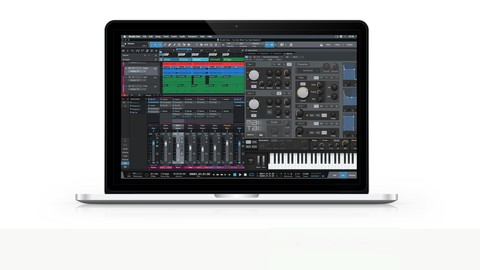
Music Production with Presonus Studio One (2022)
4.5 (1,307 Reviews)
 Provider: Udemy
 Time: 2.2h
$12.99
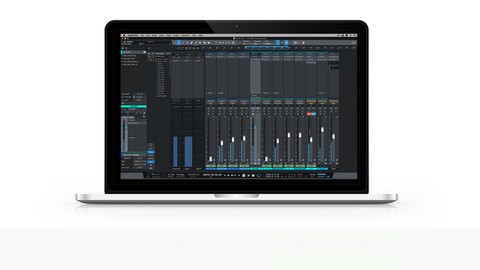
Mixing & Mastering with Presonus Studio One (2022)
4.4 (874 Reviews)
- Provider: Udemy
- Time: 3.6h
$12.99
The Ultimate Studio One Music Production Masterclass (2025)
4.5 (450 Reviews)
- Provider: Udemy
- Time: 13.7h
$10.99
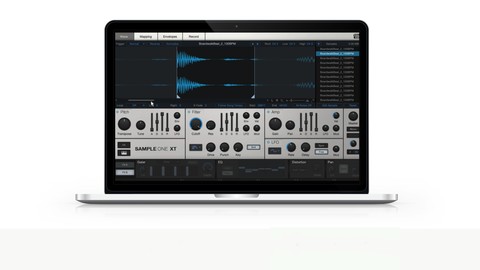
More Music courses
Music Theory Comprehensive Complete: Parts 13, 14, & 15 (2026)
5.0 (315 Reviews)
- Provider: Udemy
- Time: 8.4h
$16.99

Jazz Piano - Ultimate Beginners Course for Piano & Keyboard (2025)
4.9 (2,224 Reviews)
- Provider: Udemy
- Time: 8.1h
$15.99

Music Composition with the Piano: Ultimate Keyboard Theory (2020)
4.9 (1,679 Reviews)
- Provider: Udemy
- Time: 7.8h
$16.99
![Electronic Music Production with Ableton Live [2025]](/programming/music/images/6523651_6960_3.jpg?v=1789443824)
Electronic Music Production with Ableton Live [2025]
4.9 (1,088 Reviews)
- Provider: Udemy
- Time: 14.8h
$19.99
How to Play Djembe,Drum & Rhythm and teach Children. Level 1 (2020)
4.9 (533 Reviews)
- Provider: Udemy
- Time: 2.1h
$69.99
 Reviews

By Raven Vollmer on 4/11/2021
The information given was helpful but nothing on Tempo or related information. Learned some very cool things that were not taught elsewhere. 4 star is because of no Tempo info. Don't expect to learn about Instruments, loops or other basic items. I would buy the course again because of new info offered and no filler (listening to the track over and over for no apparent reason). Good job.
By Brent Johnson on 4/4/2020
I liked this course, in that it provided a different focus than I've typically seen with DAW-related courses. I was left with some unanswered questions, such as whether you can select multiple chords in the chord track and transpose them all at once versus one at a time (you can, at least in the version I've got), or how to discard your main arrangement in favor of scratchpad content. But overall I thought coverage was pretty good.
By Jay Davis on 1/7/2020
it was a great overview of the new features of Studio One. As a Studio One first-timer, however, I would have like it a bit more if there was a video that showed the layout of the program as a whole. And then drilled down in the the details of only the new features. I still needed to watch other tutorials to find my way around the DAW. In any case, what was covered was clear and informative. The extra video covering overall layout would have made this course a 5-star tutorial in my opinion!
By Rick Edwards on 12/1/2019
A great course! Like all of Gary's Studio One courses this one has helped me quickly become familiar with the DAW and lean things that would have taken an extended period of time on my own. Excellent education for Studio One at an extremely reasonable cost.
By Dennis Kiefer on 10/11/2019
Again Gary gives us a thorough and deeper understanding of Studio One's potential. Though I also got Pro Tools and Ableton Live with a bonus pack that came with my interface, Studio One has become the go-to because of Gary's patient attention to details and nuance. He's the reason that I upgraded to the Studio One 4 Professional and now I'm happily progressing through its many tools.
By Jerome Weaver on 8/23/2019
I have enjoyed this course. I learned somethings I did not know, I will be watching for more videos to be added. You speak with a passion for getting the most out of Studio One tools. I recommend this course for anyone willing to learn Studio One Tools. Great job!
By Brian Hoener on 2/5/2019
So far so good, moves a little quick but at least I'm not falling asleep
By Marcel Dingemanse on 12/29/2018
Nice and clear explanation of the functions. Would like to hear some more detailed info if possible, Like is it possible to lock a track and keep the part as you have it now? And still work with other parts with minor changes. And what happens if you change the parts to audio files. Still, I am happy and learned some things. And will try this out. You are not boring as a teacher, even if you know some of the items you discuss. Pleasant experience. Thanks.
By Siobhan Twomey on 11/22/2018
This is a great course for getting a clear and concise understanding of all the features and tools in Presonus Studio One. So glad I took this course, Gary gives a great overview with excellent descriptions. The exercises and assignments are a great way to follow along. Highly recommended!
By Ron Hatfield on 9/19/2018
He knows his Studio One and the pace is good. Note: You need to have Studio One 4 PRO (at the very least the demo version). He's not kidding. Some of his instrument parts are added off-camera so be ready if you're working along to edit/compose your own tracks. He stays with the same song the whole way through, which is both really good and a little bad. I would have liked to have seen some different music genres covered as well. The course is short. I finished it in a couple of days. There is no interaction with the instructor so you won't be turning anything in for review or feedback (which is a bummer).
 Quality Score
No CourseDuck member has rated this course yet. Taken it? Give each part a thumbs up or down.
Overall Score : 86 / 100
- Video Duration:
 1.7h
1.7h - Price: $44.99
- Provider: Udemy
- Updated:
 January 2022
 - Level:
 Intermediate
 - Language:
 English
 - Certificate:
 Yes
Yes
30-day money-back guarantee on most paid courses
Udemy Coupon Price Tracker
