
 Web Development
 Data Science
 Python
 SQL
SQL JavaScript
 Artificial Intelligence
 IT & Software
 IT Certifications
 Hacking
 AWS
AWS Arduino
 DevOps
 3D Modeling
 Graphic Design
 Photoshop
 Drawing
 Digital Painting
 UX Design
 Business
 Data Analysis
 Communication Skills
 Project Management
 Leadership & Management
 Human Resources
 Digital Marketing
 Social Media Marketing
 Marketing
 SEO
SEO Google Analytics
 Branding
 Excel
Excel Office Productivity
 SAP
SAP PowerPoint
 Microsoft Access
 SharePoint
 Finance & Accounting
 Trading & Investing
 Accounting
 Bitcoin
 Personal Finance
 Video Editing & Animation
 Photography
 Adobe Premier Pro
 Adobe Lightroom
 Personal Development
 Productivity
 Career Development
 Life Coaching
 Health & Fitness
 Meditation & Mindfulness
 Yoga
Yoga Music
Music Music Production
 Guitar
 Piano
Piano Singing
 Language Learning
 Teaching & Academics
 Engineering
 Math
Math Lifestyle
Portrait Retouching Techniques in Photoshop (Udemy.com)
Discover Creative Retouching Techniques and Move Your Portrait Images to the next Level
Created by: Marcin Mikus
Last updated March 2019
 What you will learn
- To use best possible retouching techiniques
- Work fluently with photoshop and retouching tools
- To make your images look amazing
- To retouch your images like a PRO!
How it compares
Against the other 188 rated Udemy courses in Photoshop on CourseDuck:
- Rating4.4 out of 5higher than 37% of them
- Reviews97#140 of 189 by number of reviews
- Length3.7 hoursshorter than 56% of them
- Last updatedMarch 2019earlier than 65% of them
 Course Description
ADVANCED RETOUCHNG TECHNIQUES COURSE:
In this course I am giving to you all the best I've got over 3 years career as a Photoshop Instructor. I prepared this course for everyone who wants to know more about retouch, and wants to know the best techniques to retouch their images.
If You were looking through Youtube you probably noticed that videos there cannot answer all of your questions about retouch. That's why I made this course for People like You.
Or maybe You think You are pretty good with retouch but would like to polish your retouching skills and got some of the new tricks and techniques that will be helpful for You?
By the fact I included every possible step and techniques that help you to achieve the desire look. This course will be perfect for You!
What is this Course about?
This course take portrait retouching to the absolutely next level. It's not only about basic skin retouch. It's about the whole process with tons of retouching details.
I cover all advanced retouching techniques like complete guide on frequency separation (which going to give you new point of view on this technique), shaping the face. And what's the most important I do not skip retouching the details!
This course is for people who knows some basic about photoshop, and wants to get more advanced knowledge about program and portrait retouching.
What This Course Include?
- Whole process of basic skin retouch so You will be able to retouch the skin and hair.
- Shaping the face to make it sharpen and with a perfect shape.
- Full lip retouch which shows how to retouch, fix the color and contours of the lips.
- Complete Eyes retouch which shows You how to make the eyes bigger, how to retouch them, as well as how to sharpen and brighten them up!
- Nails Retouch.
- Complete Dodge & Burn guide which shows You how to do global and local Dodge & Burn in the right way.
- Sharpening Lesson.
- And at the end of the course You will learn how to create simple final Adjustments!
Enjoy the Course!
Marcin

 Udemy Discount
The discount is applied through our link. Open the course from here and Udemy's current promotional price is applied at checkout on most courses, no code to type.
Some courses are excluded from Udemy's promotions. If the price does not drop, clear your browser cookies and use the button again.
Instructor Details

- 4.4 Rating
 97 Reviews
Marcin Mikus
I'm open minded and creative photoshop retoucher and photoshop educator with over 7 years of experience in the field. I specialize mainly in fashion, beauty, commercial and portrait retouching. Choosing me as your teacher guarantee that you will get prefessional knowledge and practice from the real photoshop expert, who works every day with images that can be found in magazines, lookbooks and fashion campaigns and peoples social media.
I've been teaching Photoshop for the last seven years. I spend almost every day with photoshop and in time I was able to gain more and more knowledge about right ways of teaching Photoshop. After few Years I felt it's the right time to come out with Premium Courses on udemy. Where I can share some amazing ideas and make Photoshop fun!
During my retouching career I have been internationaly published in various Fashion and Beauty magazines like Nasty, Numero, Ellegant, L'oficiel and many more!
 More courses by Marcin Mikus
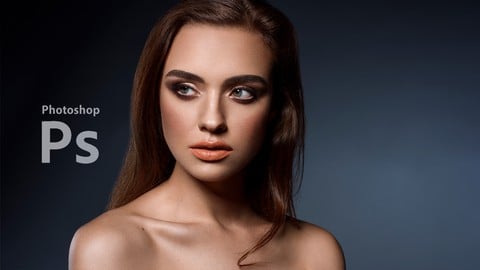
Professional Retouching Course in Photoshop (2021)
4.5 (1,884 Reviews)
 Provider: Udemy
 Time: 9.2h
$13.99

Master Advanced High End Beauty Retouching in Photoshop (2020)
4.4 (798 Reviews)
- Provider: Udemy
- Time: 7.5h
$13.99
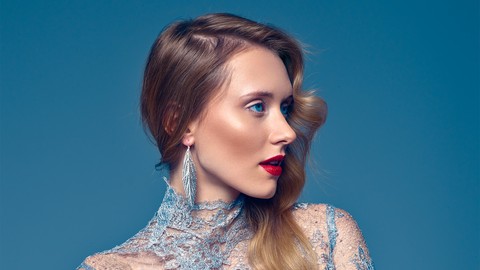
Mastering Advanced Color Grading in Photoshop (2017)
4.2 (641 Reviews)
- Provider: Udemy
- Time: 3.9h
$94.99

Photoshop for Photographers - Beginner to Professional (2019)
4.0 (574 Reviews)
- Provider: Udemy
- Time: 7.8h
$59.99
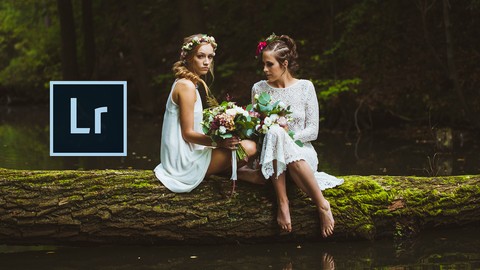
Adobe Lightroom Classic CC - Od Zera do Profesjonalisty (2020)
4.4 (388 Reviews)
- Provider: Udemy
- Time: 5h
$19.99

Photoshop Dla Fotografów - Od Zera do Profesjonalisty! (2019)
4.4 (387 Reviews)
- Provider: Udemy
- Time: 7.4h
$19.99
More Photoshop courses


Adobe Photoshop CC: For Complete Beginner (Sinhala Medium) (2026)
4.9 (110 Reviews)
- Provider: Udemy
- Time: 8.4h
$59.99

Adobe Photoshop CC – Essentials Training Course (2025)
4.8 (36,753 Reviews)
- Provider: Udemy
- Time: 11.6h
$189.99


47 Graphic Design Projects for Photoshop Beginners (2025)
4.8 (466 Reviews)
- Provider: Udemy
- Time: 7.9h
$99.99

Photoshop Efficiency - Techniques For Consistent Marketing (2025)
4.8 (144 Reviews)
- Provider: Udemy
- Time: 1.4h
$49.99
 Reviews

By Dorna Hosseinzadehbonabi on 7/1/2024
generally, it's a good tutorial but he could mention which shortcuts does he use ,that would be much better
By Len Green on 5/21/2020
I gained quite a bit of knowledge. The instructor makes the information easy to comprehend and follow. I like that he keeps it simple. I will be reviewing this course as I practice the techniques. Very good.
By Tiffany Matt on 1/5/2018
very informative
By Derek Bell-Jack on 12/14/2017
once again,marcin does not disappoint in his tuition.i have purchased,and completed quite, a few of marcin's courses now.i have learned so much from his courses. his teaching method makes some of these more advance photoshop techniques,easier to understand,as he breaks them down into individual elements. a real pleasure to learn from and can be applied not only to portraiture,but to other photographic styles too.
By Ken Schultz on 8/1/2017
Fantastic Retouching course! The final result was a huge improvement on the original image. I did find I needed to watch at 1.25X to 1.5X to keep the pace up. Overall well worth while.
By Brett Beaubien on 6/15/2016
At first I struggled with this course but after going through several other courses and youtube videos and then coming back to this one, I found this course is the best at showing how the pros actually do things. It's pretty hard to find a course that goes as in depth into frequency separation and dodging and burning as this one. It is a lot more time consuming to do retouching the way this course teaches it, but the end results are much better.
By Mark Campbell on 8/11/2015
Interesting to see different techniques to get to a beautiful outcome. Easy to follow if you have a foundation in PS.
By Manthan Tharwani on 8/9/2015
I Really Loveee This Tutorial.... Dude You're Amazing! But I Just Want You To Give More Details On How To Smooth Skin Using The Brush Tool..... Like If You Go To "Professional Skin Retouching" PRO Tutorial At Phlearn.com by Aaron Nace, He Gives A Really Great Info. About It... So Thats My Humble Request... Thumbs Up
By Bernard 't Hooft on 8/7/2015
I have been using photoshop for a long time, and I have seen a lot of photoshop courses, but this instructor is a true artist. Best photoshop course I have ever seen.
By Rita de Cássia Monteiro da Conceição on 8/5/2015
Many useful lessons about retouching, easy to understand. I highly recommend it .
 Quality Score
No CourseDuck member has rated this course yet. Taken it? Give each part a thumbs up or down.
Overall Score : 88 / 100

- Video Duration:
 3.7h
3.7h - Price: $10.99
- Provider: Udemy
- Updated:
 March 2019
 - Level:
 All Levels
 - Language:
 English
 - Certificate:
 Yes
Yes
30-day money-back guarantee on most paid courses
Udemy Coupon Price Tracker
