
 Web Development
 Data Science
 Python
 SQL
SQL JavaScript
 Artificial Intelligence
 IT & Software
 IT Certifications
 Hacking
 AWS
AWS Arduino
 DevOps
 3D Modeling
 Graphic Design
 Photoshop
 Drawing
 Digital Painting
 UX Design
 Business
 Data Analysis
 Communication Skills
 Project Management
 Leadership & Management
 Human Resources
 Digital Marketing
 Social Media Marketing
 Marketing
 SEO
SEO Google Analytics
 Branding
 Excel
Excel Office Productivity
 SAP
SAP PowerPoint
 Microsoft Access
 SharePoint
 Finance & Accounting
 Trading & Investing
 Accounting
 Bitcoin
 Personal Finance
 Video Editing & Animation
 Photography
 Adobe Premier Pro
 Adobe Lightroom
 Personal Development
 Productivity
 Career Development
 Life Coaching
 Health & Fitness
 Meditation & Mindfulness
 Yoga
Yoga Music
Music Music Production
 Guitar
 Piano
Piano Singing
 Language Learning
 Teaching & Academics
 Engineering
 Math
Math Lifestyle
Practical Web Design process - Client's brief to Web Design (Udemy.com)
Practical Design process & tips for Web Designers & Developers how to convert client's brief into an optimized Website
Created by: Muhammad Ahsan Pervaiz
Last updated February 2022
 What you will learn
- Read and interpret client's Web Design brief + Specs
- How to steal from Inspiration and use it in your Designs
- How to decide Design Direction for your Web Design project
- Overcoming collaboration problems with Web Developers
- Performance issues, image optimizations and lazy loading tips
- How to provide client with after-sales services
- Process, tips and professional techniques for Web Designers
How it compares
Against the other 53 rated Udemy courses in UI Design on CourseDuck:
- Rating4.4 out of 5higher than 49% of them
- Reviews46#51 of 54 by number of reviews
- Length1.9 hoursshorter than 90% of them
- Last updatedFebruary 2022earlier than 50% of them
 Course Description
If you don't know how to create an Awesome UI Design by using Client's feedback and Inspirations from Behance or Dribbble then this course is for you. I will show you step by step how I approach the theming of a Web/UI Design project and how I use Inspirations in my design and steal ideas from other designs.
This class is all about PRACTICAL WEB DESIGN stuff. A lot of designers and even developers don't know how to handle and deliver a Web Design project starting from the client's brief to inspirations and how to convert client's specs and design inspirations into an actual Web Design
This class got your covered. It will teach you
How to read and interpret client's Web Design brief
Learn from competitor's analysis and inspirations
How to steal from your inspirations
Setting up design direction for your Web Design project
How your website design improves with time
Overcoming collaboration problems with Web Developers
Delivery of Web Design project
Performance issues, image optimizations and lazy loading tips
How to provide client with after-sales services
This class don't teach you about the design tools but the whole process where I have shared the story of my last two Web Design projects from start to finish. I am going to share with you all the tools, tips and techniques i use to deliver a web design project successfully.
I am hoping to see you inside. Let's begin

 Udemy Discount
The discount is applied through our link. Open the course from here and Udemy's current promotional price is applied at checkout on most courses, no code to type.
Some courses are excluded from Udemy's promotions. If the price does not drop, clear your browser cookies and use the button again.
Instructor Details

- 4.4 Rating
 46 Reviews
Muhammad Ahsan Pervaiz
Hi, I’m Muhammad Ahsan, a Senior UX/UI & Product Designer with 20 years of experience in UX design, product strategy, and design consultancy.
I started my journey from scratch and went on to work with FORTUNE 500 companies including Intel, Panasonic, and Coca-Cola, along with SaaS startups and ProductHunt launches. I’ve helped teams design user-centered products and UX onboarding systems, including a startup that ranked Top 3 Product of the Day on ProductHunt.
Currently, I work as a Lead UX Designer Consultant, where I design and scale dashboards, portals, and SaaS applications. For the past few years, I’ve been leading UX efforts for a U.S.-based weight loss healthcare company, LumiMeds, designing patient, provider, and admin portals used by real users daily.
Alongside client work, I’ve taught UX design to over 100,000+ students globally across multiple learning platforms. I also run a YouTube channel, LearnUXID, with 36,000+ subscribers, where I share practical UX, UI, and product design insights from real-world projects.
 More courses by Muhammad Ahsan Pervaiz
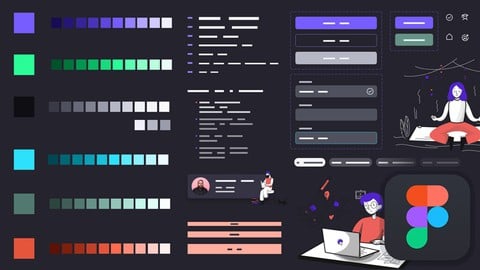
Building Design System in Figma from Scratch - UI UX Mastery (2022)
4.4 (1,054 Reviews)
 Provider: Udemy
 Time: 5.6h
$69.99

UI Design with Photoshop from Beginner to Expert in 15 days (2021)
4.5 (1,051 Reviews)
- Provider: Udemy
- Time: 11.6h
$13.99
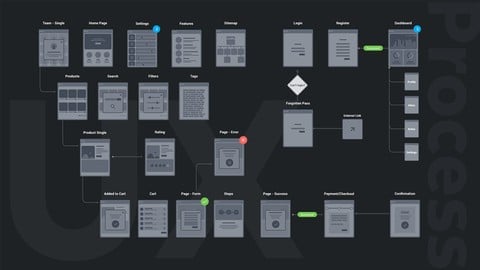
UX Design Process from User Research to Usability Testing (2021)
4.3 (947 Reviews)
- Provider: Udemy
- Time: 4.8h
$13.99
Learn Figma in 14 Days - Master UI Design and Prototyping (2023)
4.3 (816 Reviews)
- Provider: Udemy
- Time: 8.7h
$89.99
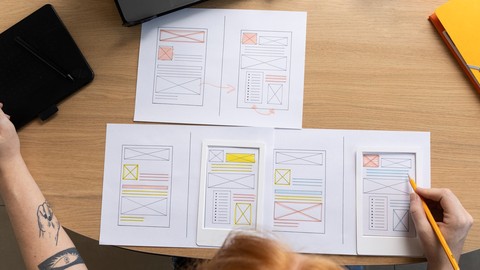
UX Design for Beginners - The Essentials of UX + Usability (2022)
4.4 (782 Reviews)
- Provider: Udemy
- Time: 5.6h
$84.99
Typography for Designers & Developers - Don't suck at design (2022)
4.4 (721 Reviews)
- Provider: Udemy
- Time: 8.8h
$69.99
More UI Design courses


Build eCommerce websites with WordPress & WooCommerce (2025)
4.7 (889 Reviews)
- Provider: Udemy
- Time: 28.8h
$84.99

UX / UI Web Design in Figma | Advanced Level | Eng (2026)
4.7 (155 Reviews)
- Provider: Udemy
- Time: 12.3h
$19.99


DESIGN RULES: Principles + Practices for Great UI Design (2025)
4.6 (16,991 Reviews)
- Provider: Udemy
- Time: 4.9h
$129.99

Master Figma for Web Design & Freelancing: Learn UI/UX (2026)
4.6 (1,047 Reviews)
- Provider: Udemy
- Time: 12.8h
$79.99
 Reviews

By Anthony Primus on 10/18/2021
It's always helpful to see another designer's process. It really helps in installing some semblance of confidence in your own :) I really enjoyed his quick, yet prudent advice, as it comes from multiple angles and obviously backed up with years of experience. Thanks again for another amazing course!
By Anitra Reno on 8/29/2020
It's not about Design but the process of Web Design and how your design improves with time and client’s feedback. Thanks a lot
By Melissa. Cruz on 8/29/2020
Very valuable stuff, sometimes a bit difficult to get the accent but still an overall good understanding of what a Web Design process looks like
By David Hudson on 8/29/2020
Optimizing your website for speed is often forgotten by most web designers these days
By Mary Rude on 8/12/2020
I always struggled with using inspirational designs in my projects but this course showed me how. Thanks Muhammed
By David Lane on 8/10/2020
Recommended for freelance web designers and those who want to see how web design process behind the scenes
By Carry Blakey on 8/10/2020
I used to get angry by most of my client's feedback but this guys showed my how to utilize feedback to improve your website design
By Hammad Shah on 6/4/2020
This course is a waste of money. It may be useful for people with very very basic skills in UX. I will think twice before buying any new course from this instructor.
By AkshayKumar Agnihotri on 4/8/2020
Good course to get an idea bout the workflow! Thanks for the course!
By Syed Adil Ahmed on 12/9/2019
This was a good course which helped put in to perspective how the whole web design process takes place. I remember when I first tried designing a website and I was completely at sea with regards to how to get started.
 Quality Score
No CourseDuck member has rated this course yet. Taken it? Give each part a thumbs up or down.
Overall Score : 88 / 100
- Video Duration:
 1.9h
1.9h - Price: $44.99
- Provider: Udemy
- Updated:
 February 2022
 - Level:
 Intermediate
 - Language:
 English
 - Certificate:
 Yes
Yes
30-day money-back guarantee on most paid courses
Udemy Coupon Price Tracker
