
 Web Development
 Data Science
 Python
 SQL
SQL JavaScript
 Artificial Intelligence
 IT & Software
 IT Certifications
 Hacking
 AWS
AWS Arduino
 DevOps
 3D Modeling
 Graphic Design
 Photoshop
 Drawing
 Digital Painting
 UX Design
 Business
 Data Analysis
 Communication Skills
 Project Management
 Leadership & Management
 Human Resources
 Digital Marketing
 Social Media Marketing
 Marketing
 SEO
SEO Google Analytics
 Branding
 Excel
Excel Office Productivity
 SAP
SAP PowerPoint
 Microsoft Access
 SharePoint
 Finance & Accounting
 Trading & Investing
 Accounting
 Bitcoin
 Personal Finance
 Video Editing & Animation
 Photography
 Adobe Premier Pro
 Adobe Lightroom
 Personal Development
 Productivity
 Career Development
 Life Coaching
 Health & Fitness
 Meditation & Mindfulness
 Yoga
Yoga Music
Music Music Production
 Guitar
 Piano
Piano Singing
 Language Learning
 Teaching & Academics
 Engineering
 Math
Math Lifestyle
Learn Figma in 14 Days - Master UI Design and Prototyping (Udemy.com)
Quickly learn Figma to Design and Prototype an awesome looking Mobile App with screen transitions and hone UI UX Skills
Created by: Muhammad Ahsan Pervaiz
Last updated August 2023
 What you will learn
- Introduction to Figma interface, tools and tips to improve your design workflow
- Create Clickable interactive Prototypes with transition effects in Figma
- Wireframe and Design your own App idea using Figma
- Understand usage of Layout Grid and Guides in User Interface Design
- Use auto-animate in Illustrations or across two screens(artboards)
- Common Shortcut keys to quickly learn Figma Tool
- Design Collaboration with other Team members using Team Libraries
How it compares
Against the other 32 rated Udemy courses in Figma on CourseDuck:
- Rating4.3 out of 5higher than 28% of them
- Reviews816#15 of 33 by number of reviews
- Length8.7 hourslonger than 56% of them
- Last updatedAugust 2023earlier than 62% of them
 Course Description
Figma is one of the most powerful UI and UX Design tool that can even run in your browser. Figma’s power is hidden in its being cross-platform and its Collaboration feature where you can easily collaborate with other Designers and Developers. It works seamlessly on Windows and Mac Operating Systems with a Desktop Application. In recent times, it is one of the most powerful and popular User Interface Design App due to being a Cloud based App (saves your file version history) and its FREE to use too
This course will teach you all about User Interface Designing and also adding interactivity to your Designs with powerful prototyping features of Figma. First, we will learn about the basic tools, common keyboard shortcuts and familiarizing ourselves with the Figma’s interface.
Once you have solid basics, we will move on to Auto Layout, Responsive design and few advance things like viewing your Prototype live on an actual Mobile Device. I will show you everything step by step.
We will design together the User Interface and then the prototype of a “Recipe App called YUMMS” from the scratch and make it into a pro level design by multiplying Artboards, using reusable Styles and Components.
If you are Beginner in UI UX Design or a seasoned UI/UX Designer trying to switch from Sketch or Adobe XD, please join me in this learning experience.

 Udemy Discount
The discount is applied through our link. Open the course from here and Udemy's current promotional price is applied at checkout on most courses, no code to type.
Some courses are excluded from Udemy's promotions. If the price does not drop, clear your browser cookies and use the button again.
Instructor Details

- 4.3 Rating
 816 Reviews
Muhammad Ahsan Pervaiz
Hi, I’m Muhammad Ahsan, a Senior UX/UI & Product Designer with 20 years of experience in UX design, product strategy, and design consultancy.
I started my journey from scratch and went on to work with FORTUNE 500 companies including Intel, Panasonic, and Coca-Cola, along with SaaS startups and ProductHunt launches. I’ve helped teams design user-centered products and UX onboarding systems, including a startup that ranked Top 3 Product of the Day on ProductHunt.
Currently, I work as a Lead UX Designer Consultant, where I design and scale dashboards, portals, and SaaS applications. For the past few years, I’ve been leading UX efforts for a U.S.-based weight loss healthcare company, LumiMeds, designing patient, provider, and admin portals used by real users daily.
Alongside client work, I’ve taught UX design to over 100,000+ students globally across multiple learning platforms. I also run a YouTube channel, LearnUXID, with 36,000+ subscribers, where I share practical UX, UI, and product design insights from real-world projects.
 More courses by Muhammad Ahsan Pervaiz
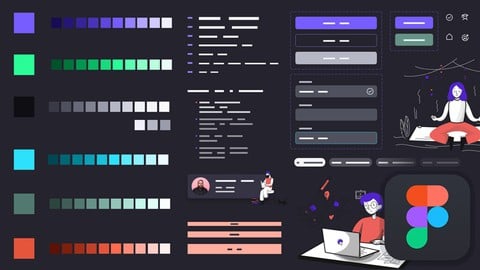
Building Design System in Figma from Scratch - UI UX Mastery (2022)
4.4 (1,054 Reviews)
 Provider: Udemy
 Time: 5.6h
$69.99

UI Design with Photoshop from Beginner to Expert in 15 days (2021)
4.5 (1,051 Reviews)
- Provider: Udemy
- Time: 11.6h
$13.99
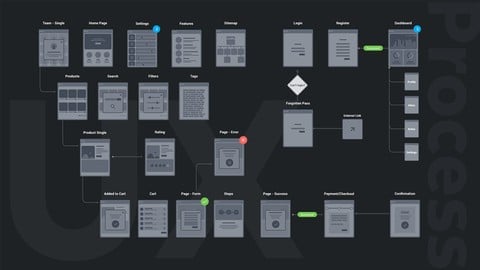
UX Design Process from User Research to Usability Testing (2021)
4.3 (947 Reviews)
- Provider: Udemy
- Time: 4.8h
$13.99
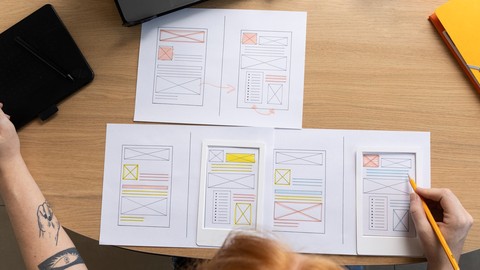
UX Design for Beginners - The Essentials of UX + Usability (2022)
4.4 (782 Reviews)
- Provider: Udemy
- Time: 5.6h
$84.99
Typography for Designers & Developers - Don't suck at design (2022)
4.4 (721 Reviews)
- Provider: Udemy
- Time: 8.8h
$69.99

Workflow of Modern Web Design from Wireframes to Style Guide (2021)
4.4 (550 Reviews)
- Provider: Udemy
- Time: 7.3h
$64.99
More Figma courses


Complete Web Design: from Figma to Webflow to Freelancing (2026)
4.7 (22,616 Reviews)
- Provider: Udemy
- Time: 23.3h
$149.99

Master Figma: Getting started the Beginner to Pro Class (2025)
4.7 (2,402 Reviews)
- Provider: Udemy
- Time: 5h
$74.99
Responsive UX/UI Design in Figma 1.5h deep dive 2024 UPDATE!
4.6 (844 Reviews)
- Provider: Udemy
- Time: 2h
$69.99
 Reviews

By Jonathan Griffiths on 4/4/2024
I found the course to be a consistent 3 star throughout. I found the tutor to be friendly, but kept changing his mind on things based on his own design preference.
By Nicole Mayara Martins on 1/15/2024
Super didático e completo, mas senti falta de rever alguns conceitos durante a prototipação, que ajudariam muito a firmar a relevância da utilizacão de algumas funções.
By William Koehnsen Berry on 7/26/2023
This is an introductory course that hits the major areas of interest for most people seeking to use Figma. The title says “Master UI Design and Prototyping.” This course, however, covers only the basics, and it is not up to date with the most recent changes. Although I like the instructor’s friendly tone and presentation technique, I find details lacking in some key areas, such as auto layout. I had a hard time figuring out how to make it work, and at one point I am sent to a YouTube video for instruction that didn’t help much. You can’t go wrong with the price, but I wonder how far I might get using just the official Figma videos instead.
By Michael Miller on 5/3/2023
Watching video of the actual steps was very good. In general there were pop up tips with the necessary keyboard commands, although occasionally those were missing.
By Arikah Sy on 2/1/2023
I learned alot of things about figma here, Mr. Muhammad explained us detailed features of figma with structured and easy to understood lessons. I was afraid to choose the course of figma that would give me too much teory but I'm happy that i found this course, i think for the beginner i got more than what i expected.
By David Adewale on 8/9/2022
I had no idea how to use Figma before I started this course and I was able to design my idea and create a workable protoype. This course is amazing. Kudos to the instructor. Although, my criticism is that I do not get feedback on my assignments from the instructor and I think that is an important part of taking a course.
By Nadja Riegg on 4/22/2022
Nice course for beginners especially to get familiar with the Figma tools. While prototyping it was sometimes too fast for me and not easily reproducible how it works (sometimes because of a newer Figma version I think). Also it was a little bit difficult to understand WHY am I doing a specific step while prototyping. There was no understanding what is the basis of Figma prototyping behind it and why I need to do it this way or maybe another way also may work.
By Jimin Cha on 8/28/2021
The lecturer gives useful tips for actual design so it will be helpful for collaborate with developers later. Even though there are some complicated features, he explains very easily so it gave me much less pressure of my skills. As a current product manager and aim to expand my career as product designer, I recommend this lecture :)
By Nicolas Vallée on 6/4/2021
This is a great course with actionable tips. I feel I can now use Figma much more efficiently in my own projects. Be aware that this course is focused on Figma. You'll get more out of this course if you already know at least a little about things like design process and theory, as it is not covered here.
By Ayem Changkija on 11/17/2020
This course is exactly what I needed as a complete beginner with no prior design experience. One of the hidden gems in Udemy for Figma. I have completed the course today and I can honestly say I have learned so much from this. Just to clarify, this course is for complete beginners and the explanations are in depth. Thanks a lot Sir! You've been a blessing!
 Quality Score
No CourseDuck member has rated this course yet. Taken it? Give each part a thumbs up or down.
Overall Score : 86 / 100
- Video Duration:
 8.7h
8.7h - Price: $89.99
- Provider: Udemy
- Updated:
 August 2023
 - Level:
 Beginner
 - Language:
 English
 - Certificate:
 Yes
Yes
30-day money-back guarantee on most paid courses
Udemy Coupon Price Tracker
