
 Web Development
 Data Science
 Python
 SQL
SQL JavaScript
 Artificial Intelligence
 IT & Software
 IT Certifications
 Hacking
 AWS
AWS Arduino
 DevOps
 3D Modeling
 Graphic Design
 Photoshop
 Drawing
 Digital Painting
 UX Design
 Business
 Data Analysis
 Communication Skills
 Project Management
 Leadership & Management
 Human Resources
 Digital Marketing
 Social Media Marketing
 Marketing
 SEO
SEO Google Analytics
 Branding
 Excel
Excel Office Productivity
 SAP
SAP PowerPoint
 Microsoft Access
 SharePoint
 Finance & Accounting
 Trading & Investing
 Accounting
 Bitcoin
 Personal Finance
 Video Editing & Animation
 Photography
 Adobe Premier Pro
 Adobe Lightroom
 Personal Development
 Productivity
 Career Development
 Life Coaching
 Health & Fitness
 Meditation & Mindfulness
 Yoga
Yoga Music
Music Music Production
 Guitar
 Piano
Piano Singing
 Language Learning
 Teaching & Academics
 Engineering
 Math
Math Lifestyle
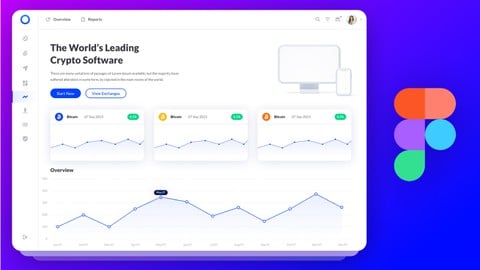
Building Design System in Figma from Scratch - UI UX Mastery (Udemy.com)
Step by Step guide about how to create all parts of Design System using Figma - Design Principles, Tokens and theming
Created by: Muhammad Ahsan Pervaiz
Last updated December 2022
 What you will learn
- Build your first Design system in Figma from scratch
- Design Principles + Purpose statement of your Design System
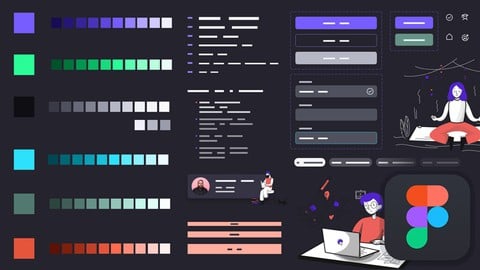
- Build Color System, Typography System, Layout/Grids and a lot more
- Create Buttons +Forms with their states along with Bigger Components
- Advance usage of Swap-able Components, Icons inside buttons and form
How it compares
Against the other 32 rated Udemy courses in Figma on CourseDuck:
- Rating4.4 out of 5higher than 34% of them
- Reviews1,054#12 of 33 by number of reviews
- Length5.6 hourslonger than 50% of them
- Last updatedDecember 2022earlier than 71% of them
 Course Description
If you are UI UX Designer and not using a Design System while designing, then you get outdated in a few years. Boost your design game to PRO LEVEL with this Design System with Figma Class. This class will help you step by step and will teach you practical examples of how to start creating a Design System. What are the 7 steps you need to take to create a Design System? How you are going to bring your design, development, marketing teams, and managers together to create design principles.
In this class, you will learn all the theories with practical examples about the Design Systems, their components, benefits, and outputs.
You will learn about
Design Principles and how to make them
Purpose Statement in Design System
Design first or create a Design System first
Tokens, Values and how to use theming dark and light in Design System
Generate Color System with color scales and color styles
Create Typography system with Type Scales and Styles
Icon System, Grids, and Layout System
Buttons, Chips, and Info bars with Swappable Icons
Advance usage of Auto layout, Components, and Variants in Figma
See how we use the Spacing System in Figma
Usage of Emojis and creating Hyperlinks inside Figma pages/files
5 Assignments for you to practice and show me your Design System using Figma file links
So let's learn Pro-Level Figma skills to create a design system and get your dream job as a UX UI Designer

 Udemy Discount
The discount is applied through our link. Open the course from here and Udemy's current promotional price is applied at checkout on most courses, no code to type.
Some courses are excluded from Udemy's promotions. If the price does not drop, clear your browser cookies and use the button again.
Instructor Details

- 4.4 Rating
 1,054 Reviews
Muhammad Ahsan Pervaiz
Hi, I’m Muhammad Ahsan, a Senior UX/UI & Product Designer with 20 years of experience in UX design, product strategy, and design consultancy.
I started my journey from scratch and went on to work with FORTUNE 500 companies including Intel, Panasonic, and Coca-Cola, along with SaaS startups and ProductHunt launches. I’ve helped teams design user-centered products and UX onboarding systems, including a startup that ranked Top 3 Product of the Day on ProductHunt.
Currently, I work as a Lead UX Designer Consultant, where I design and scale dashboards, portals, and SaaS applications. For the past few years, I’ve been leading UX efforts for a U.S.-based weight loss healthcare company, LumiMeds, designing patient, provider, and admin portals used by real users daily.
Alongside client work, I’ve taught UX design to over 100,000+ students globally across multiple learning platforms. I also run a YouTube channel, LearnUXID, with 36,000+ subscribers, where I share practical UX, UI, and product design insights from real-world projects.
 More courses by Muhammad Ahsan Pervaiz

UI Design with Photoshop from Beginner to Expert in 15 days (2021)
4.5 (1,051 Reviews)
 Provider: Udemy
 Time: 11.6h
$13.99
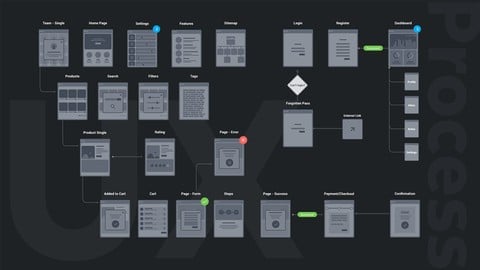
UX Design Process from User Research to Usability Testing (2021)
4.3 (947 Reviews)
- Provider: Udemy
- Time: 4.8h
$13.99
Learn Figma in 14 Days - Master UI Design and Prototyping (2023)
4.3 (816 Reviews)
- Provider: Udemy
- Time: 8.7h
$89.99

UX Design for Beginners - The Essentials of UX + Usability (2022)
4.4 (782 Reviews)
- Provider: Udemy
- Time: 5.6h
$84.99

Typography for Designers & Developers - Don't suck at design (2022)
4.4 (721 Reviews)
- Provider: Udemy
- Time: 8.8h
$69.99

Workflow of Modern Web Design from Wireframes to Style Guide (2021)
4.4 (550 Reviews)
- Provider: Udemy
- Time: 7.3h
$64.99
More Figma courses


Complete Web Design: from Figma to Webflow to Freelancing (2026)
4.7 (22,616 Reviews)
- Provider: Udemy
- Time: 23.3h
$149.99

Master Figma: Getting started the Beginner to Pro Class (2025)
4.7 (2,402 Reviews)
- Provider: Udemy
- Time: 5h
$74.99
Responsive UX/UI Design in Figma 1.5h deep dive 2024 UPDATE!
4.6 (844 Reviews)
- Provider: Udemy
- Time: 2h
$69.99
 Reviews

By Rosmari Varela on 7/20/2026
Really nice to follow course, tutor has a lot of knowledge in the subject. Good pacing, understandable assignments, in general a very great way for creating your first design system and learn a thing or two about figma :)
By Janina Trapp on 11/29/2024
It was a very nice class with nice learnings and good explanations. The only thing is that figma has updated several times since this class was creates -> sometimes you have to look ups for newer tutorials in YouTube for specific things. But it's a really good and nice ordered guide through building a design system
By Ricardo Andrés Malavé Rodríguez on 9/5/2024
buena experiencia! a pesar de que se encuentra desactualizado, tiene muy buenos tips, buena gentión para iniciar un proyecto, es bastante organizado y se le puede sacar mucho provecho para iniciar en el mundo del UI o mejorar algunos procesos ya avanzados. Si estás buscando un curso para iniciar o para aprender ciertos tips sin afanes, te lo recomiendo.
By Raoul Flaminzeanu on 11/17/2023
First part of the course is a good introduction in Design Systems, and the second part is an applied tutorial of how to work in Figma. The course lacked clearer structure in the second half, becoming a "watching someone work in Figma" type of tutorial. I felt the course it lacked a wrap up also.
By Swathi Krishna on 1/4/2023
Great course for beginners, but not for intermediate/experts in creating design systems in Figma. The course is not up-to-date with the latest Figma features as of Jan 2023, which is annoying. Expected to learn more tips and tricks on how to efficiently build and structure components in Figma for design systems.
By Donald Yotay on 1/1/2023
Yes, the course is a very good match for me because I just got into product design and I've always known at the back of my mind that it is very essential to have a design system as building blocks before going into full throttle. The video about "purpose statement in design system" was a lovely eye opener.
By Steve Brown on 11/15/2022
This was a good course to understand the fundamentals of what a design system is, how to create one, and how to use it. Learning design systems is a very BIG topic, but this was a good jumping off point for your design system learning journey,
By Rahil Lathigara on 7/2/2022
I must say, the course was excellent. The tutor has brilliantly explained each and every aspect of the design system. I am a practicing ui/ux designer for 3+ years and this course was just to brush up my skills if I lack anything, and tbh really thankful to Muhammad Ahsan Pervaiz for such an easy explanation of every topic. Easy to understand and easy to implement! Will highly recommend this course to uiux freshers.
By Stas Smirnov on 5/2/2022
Thanks Muhammad for this nice course - it's easy to watch and everything is clear. I like the content i learned - especially, the cool Figma plugins references. It was very useful for me. Maybe i was expecting to learn more about components and page/component interaction - but, maybe i'm asking too much :D Btw, thank you Muhammad - you gave me a nice kickstart for start learning figma world
By Rebecca LeVine on 4/21/2022
I appreciate how thorough this course was - for me, a lot of the individual pieces were review, but I found it really useful as a whole. It made me realize that while I always plan out colors and typography in advance, there are other elements of design I end up doing on the fly, which results in more work/endless spot checking for inconsistencies. I feel like I have a very solid toolkit now for taking on a new project the right way.
 Quality Score
No CourseDuck member has rated this course yet. Taken it? Give each part a thumbs up or down.
Overall Score : 88 / 100
- Video Duration:
 5.6h
5.6h - Price: $69.99
- Provider: Udemy
- Updated:
 December 2022
 - Level:
 Intermediate
 - Language:
 English
 - Certificate:
 Yes
Yes
30-day money-back guarantee on most paid courses
Udemy Coupon Price Tracker
