
 Web Development
 Data Science
 Python
 SQL
SQL JavaScript
 Artificial Intelligence
 IT & Software
 IT Certifications
 Hacking
 AWS
AWS Arduino
 DevOps
 3D Modeling
 Graphic Design
 Photoshop
 Drawing
 Digital Painting
 UX Design
 Business
 Data Analysis
 Communication Skills
 Project Management
 Leadership & Management
 Human Resources
 Digital Marketing
 Social Media Marketing
 Marketing
 SEO
SEO Google Analytics
 Branding
 Excel
Excel Office Productivity
 SAP
SAP PowerPoint
 Microsoft Access
 SharePoint
 Finance & Accounting
 Trading & Investing
 Accounting
 Bitcoin
 Personal Finance
 Video Editing & Animation
 Photography
 Adobe Premier Pro
 Adobe Lightroom
 Personal Development
 Productivity
 Career Development
 Life Coaching
 Health & Fitness
 Meditation & Mindfulness
 Yoga
Yoga Music
Music Music Production
 Guitar
 Piano
Piano Singing
 Language Learning
 Teaching & Academics
 Engineering
 Math
Math Lifestyle
Prototyping with Sketch (Udemy.com)
Sketch Prototypes for Web and Mobile: Create Winning Prototypes with Sketch
Created by: Matthew Cameron
Last updated July 2018
 What you will learn
- You learn to design user interfaces with Sketch
- You will learn to design user experience with Sketch
- You will understand the Sktech Inspector Panel
- You will be able to manipulate typography with Sketch
- You will be able to create color schemes for your Sketch designs
- You will be able to position all the elements within a design
- You will be able to use Pages
- You will be able to use artboards
- You will be able to select, move, delete and lock layers
- You'll understand how to use style elements
- You'll understand text styles and layer styles and know how to apply them correctly.
- You'll learn how to export assets from Sketch
- You'll learn how to optimize an asset for quick web viewing
- You will learn how to create mobile interfaces
- You will understand Sketch's plug-in architecture
- You will be introduced to InVision's Craft plugin
 Course Description
Maybe you're the web designer looking for a tool with less overhead to create custom web sites? Or, perhaps, you're a programmers who wants to prototype interfaces quickly? Are you a UX/UI Designer whose trying to iterate through multiple produce interfaces? Maybe you're an experienced mobile app designer looking for a lightweight alternative to Photoshop. Maybe you just want to learn how to design prototypes the right way?
Whatever your reason, this is the time to learn the Sketch digital design tool kit.
Unlike other design software Sketch is designed to get out of your way and allow you to create great prototypes of web sites, mobile applications, software applications, tablet applications and much more. While other applications can weigh you down with unnecessary features you'll never use, Sketch is designed to be quick and light. Designed to get you doing design work quickly and with ease.
It's about your creativity-- not your ability to learn dozens of software features.
And, if you're ready to start working with Sketch there is no better way to learn than this course Prototyping with Sketch is a complete, comprehensive course on the Sketch tool. You'll become familiar with each of the tools you'll use to design user interfaces for web and mobile based applications.
We wanted this course to be about doing-- so you won't waste time in endless lectures. We've included a number of high quality laboratory exercises in the course to quickly get you doing the type of work professional designers do in Sketch every day. Each of the lab exercises is relevant to the work you'll be doing as a professional developer.
Your instructor, Matt Cameron, made sure every detail of this course is efficient, interesting, and most importantly, relevant! Each minute, you'll learn more about the Sketch digital design tool and, add skills to your professional toolbox that will make you a consummate pro.
It's time to stop thinking about working with a tool like Sketch-- It's time to learn the tool. With the informative lectures, engaging activities and numerous tips, you'll be working as a professional designer in web or mobile as soon as you finish this course.
Enroll in Prototyping with Sketch now!

 Udemy Discount
The discount is applied through our link. Open the course from here and Udemy's current promotional price is applied at checkout on most courses, no code to type.
Some courses are excluded from Udemy's promotions. If the price does not drop, clear your browser cookies and use the button again.
Instructor Details

- 4.2 Rating
 69 Reviews
Matthew Cameron
Matt Cameron is the Chief Experience Officer and Co-Founder at Checkmate Digital. Checkmate has worked with startups and entrepreneurs over the past 3 years to define their innovative ideas into businesses by defining their brand, their mission, and their product. Matt and his team work passionately to develop digital products to transform the contagious optimism of entrepreneurs into real impact.
Checkmate Digital has become a leader in the Connecticut region by bridging networks and developing digital products for several startups. In 2017 they were named Innovator of the Month of Connecticut by Senator Murphy. Matt graduated from Quinnipiac University with a Bachelor’s Degree in Interactive Digital Design.
In his spare time Matt enjoys spending time with his beautiful wife Shannon and his dog Max.
 More Interaction Design courses
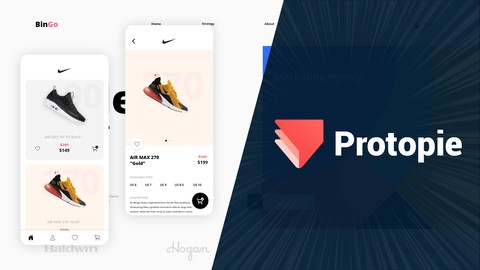
ProtoPie: Design Interactive Prototypes | from Zero to Hero (2020)
4.5 (191 Reviews)
 Provider: Udemy
 Time: 5h
$59.99

Master in New Product Development, Design & Engineering (2026)
4.4 (142 Reviews)
- Provider: Udemy
- Time: 4.6h
$19.99
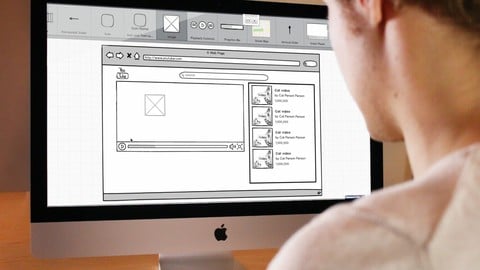
Rapid Prototyping for Entrepreneurs| Build a Demo in 2 hours (2025)
4.3 (1,670 Reviews)
- Provider: Udemy
- Time: 7.3h
$84.99
Framerjs: Innovative prototyping and design with interaction (2018)
4.1 (357 Reviews)
- Provider: Udemy
- Time: 9.1h
$19.99
 Reviews

By Craig Cocker on 12/1/2020
Good overall course that covers the fundamentals. The software being used is a version from 3 years ago, but the fundamentals remain the same. There did seem to be a lot of repetition particularly with some videos feeling like they were the same as the previous episode. Overall satisfied with the overall course.
By Gopinath Duddi on 8/16/2018
Very bad buffering
By Joshua Mshanga on 12/22/2017
Its awesome training, after going thru, the first content i realize this is the best sketching course, was trying over and over to learn how to make this thing , unfortunately all the course i went thru didn't help, this is awesome , voice and the flow, so encourage you with no any doubt to take a course if wanna delve into sketching and web design carreer
By Anonymized User on 12/22/2017
The course itself was concise and to the point. Matt was very knowledgeable and made prototyping actually fun. I was dreading it at first to do this but he easily diminished those feelings. I learned about Sketch and how powerful it really is. Eventhough i'm still a novice at it, I do plan on doing more with Sketch in the future. I will definitely recommend this course to others!
By James D on 12/22/2017
It's easy to follow along, not redundant. Professional videos with good strong audio. Videos have good introductions with a splash screen followed by a few seconds of intro from the instructor, leading smoothly into the instructional material. Instructor doesn't fling the mouse pointer all over the screen while he's doing voice-over work (which makes me crazy). Very clear and well explained. He's very comfortable with the program and it shows.
By Tony Brongo on 12/19/2017
Good info for absolute beginners, but anyone who's used a graphics program before will be able to figure out 90% of this apps features on their own. Misstated license info for Sketch as you only have to pay again in a year if you want/need updates.
By Lori Ferguson on 12/6/2017
Covers every single detail needed to master this software. Much more complete than any Photoshop or web building software classes I have taken which means this is a great course curriculum but also attests to the ease of use of the program. If you are interested in Sketch, this is definitely the best program to learn it how to use it!
By Troyldavid@outlook.com David on 12/6/2017
The instructor was very easy to understand and he did explain the information in a detailed, informative manner. I tend to get more out of courses that provide this information while engaging me to think deeply about it ie. through a project or through some exercises. I found the designing of the mobile application extremely informative because of all the situational information that was imparted. In the first half of this course that information would have been more meaningfull to me if it was placed in the context of a simple project that introduced me to the interface of Sketch. Overall a very good course!
By Jason Hawks on 12/5/2017
I feel this is an excellent course for anyone looking to learn to work with Sketch. You will learn everything you need with this course and the instructor is wonderful and fun to watch and learn from! I would suggest this course to anyone who is in the market for a Sketch course, this one is the best on the market!
By Etkt@msn.com on 12/5/2017
The topic is interesting. The program is intriguing. I like the pace of the presenter. Halfway through the course, I am about 85% likely to purchase the software because I feel I have an understanding of the capabilities and how to utilize them. Tried to apply the lessons learned so far and found myself very comfortable with the software. Nice! I am definitely going to get the software. Outstanding features and with the Invision integration a very polished prototype is the result. Matt does a great job with the "how to" and adds a lot of practical knowledge on design conventions.
 Quality Score
No CourseDuck member has rated this course yet. Taken it? Give each part a thumbs up or down.
Overall Score : 84 / 100

- Video Duration:
 5.9h
5.9h - Price: $39.99
- Provider: Udemy
- Updated:
 July 2018
 - Level:
 Beginner
 - Language:
 English
 - Certificate:
 Yes
Yes
30-day money-back guarantee on most paid courses
Udemy Coupon Price Tracker
