
 Web Development
 Data Science
 Python
 SQL
SQL JavaScript
 Artificial Intelligence
 IT & Software
 IT Certifications
 Hacking
 AWS
AWS Arduino
 DevOps
 3D Modeling
 Graphic Design
 Photoshop
 Drawing
 Digital Painting
 UX Design
 Business
 Data Analysis
 Communication Skills
 Project Management
 Leadership & Management
 Human Resources
 Digital Marketing
 Social Media Marketing
 Marketing
 SEO
SEO Google Analytics
 Branding
 Excel
Excel Office Productivity
 SAP
SAP PowerPoint
 Microsoft Access
 SharePoint
 Finance & Accounting
 Trading & Investing
 Accounting
 Bitcoin
 Personal Finance
 Video Editing & Animation
 Photography
 Adobe Premier Pro
 Adobe Lightroom
 Personal Development
 Productivity
 Career Development
 Life Coaching
 Health & Fitness
 Meditation & Mindfulness
 Yoga
Yoga Music
Music Music Production
 Guitar
 Piano
Piano Singing
 Language Learning
 Teaching & Academics
 Engineering
 Math
Math Lifestyle
SketchUp Pro 2018 for Beginners (Udemy.com)
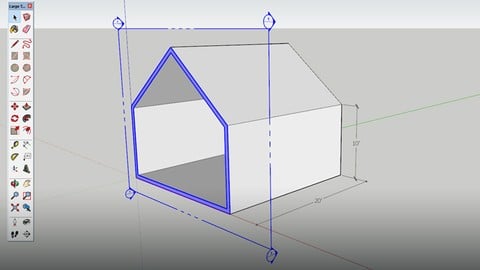
Learn the fundamental tools necessary to model with SketchUp
Created by: Thomas Soltren
Last updated March 2019
 What you will learn
- The basics of SketchUp 2018
How it compares
Against the other 545 rated Udemy courses in 3D Modeling on CourseDuck:
- Rating4.3 out of 5higher than 15% of them
- Reviews155#357 of 546 by number of reviews
- Length1.4 hoursshorter than 93% of them
- Last updatedMarch 2019earlier than 82% of them
 Course Description
In this course you will learn how to use the complete large tool set for SketchUp Pro 2018. After taking this course you will have a solid foundation to learn more advanced modeling techniques. This course is for beginners, no experience with sketchup, modeling or architectural design is necessary. Lets Get Started!

 Udemy Discount
The discount is applied through our link. Open the course from here and Udemy's current promotional price is applied at checkout on most courses, no code to type.
Some courses are excluded from Udemy's promotions. If the price does not drop, clear your browser cookies and use the button again.
Instructor Details

- 4.3 Rating
 155 Reviews
Thomas Soltren
I have 20 years experience working and studying in the architectural field, I have designed dog houses to multi-million dollar homes and commercial buildings. The last 5 years I have focused primarily on 3D modeling. My 3D models are used for design development, marketing, Investor presentations and submittals for plan approval. I have built over 1,000 3D models and I have found SketchUp to be the best tool for the job. I decided to create this course to share some of the methods that I have used and continue to use to quickly model my projects. I look forward to working and hearing back from students who take this course.
 More courses by Thomas Soltren


How to design a Kitchen with SKetchUp and Layout (2021)
4.4 (159 Reviews)
 Provider: Udemy
 Time: 2.7h
$14.99
More 3D Modeling courses

3D Printing with " Ultimaker CURA Slicer- Start to finish" (2025)
4.9 (192 Reviews)
- Provider: Udemy
- Time: 1h
$34.99

Girl and the Dog Creation in Zbrush for Intermediate Level (2020)
4.9 (173 Reviews)
- Provider: Udemy
- Time: 48.8h
$59.99



Blender Character Creator for Video Games (2026)
4.8 (9,160 Reviews)
- Provider: Udemy
- Time: 34.3h
$159.99

Master SOLIDWORKS 3D CAD using real-world examples (2022)
4.8 (2,451 Reviews)
- Provider: Udemy
- Time: 18.9h
$69.99
 Reviews

By Ayushi Eknath Nemade on 12/19/2022
It helped to explore the software very well as well as it was very easy to follow. Great for beginners
By Ciaran O’Donnell on 7/22/2020
This was a clear and concise intro to the tools and techniques of sketchup. Really enjoyed it, thanks.
By Rompally Rahul on 7/4/2020
It was a great experience and got great knowledge for a fresher like me. I admire the part you taught me tips & tricks to work-out the model with the mouse. But it would be better for me if I got to know more about camera views & positions and walk-throughs.
By Mayur shah on 4/4/2020
Awesome... Thank you... In detail course, that's what is needed for beginners...
By David Lupien on 1/16/2020
yep ! je croyais m'ennuyer puisque j'ai déjà "dessiné" et utilisé ce programme à qques reprises... mais je suis totalement Beginner ! :) je découvre des trucs, techniques opérations et les réelles fonctions des outils de base
By Zoë Fox on 1/14/2020
I'm finding the instructor fumbles with his words a bit. It's also frustrating that this course is for 2018 and I'm working with the SketchUp Pro trial for an up to date version. The tools are all in a different place then the tutorial shows, and so far, I can't find a few of the tools discussed. Other than that, I now know a lot more then I did before taking this course.
By Sapir Shay on 8/28/2019
This course is very good as a very first step using skethup. You should know that it is a very basic course.
By Anonymized User on 8/22/2019
Nice clear explanations. Quick introduction to sketchup. The one issue is that this course is a little bit too basic. To be honest I expected it to be more advanced.
By Phumi Maelane on 7/17/2019
I'm doing a course sketchup for Interior designers and I was feeling bit overwhelmed I now feel more confident and I will be able to finish my course sooner Thanks.
By Teresa Guastella on 5/14/2019
Very informational. The only question I have is how to set up the default tray on the right side of the screen.
 Quality Score
No CourseDuck member has rated this course yet. Taken it? Give each part a thumbs up or down.
Overall Score : 86 / 100
- Video Duration:
 1.4h
1.4h - Price: $10.99
- Provider: Udemy
- Updated:
 March 2019
 - Level:
 Beginner
 - Language:
 English
 - Certificate:
 Yes
Yes
30-day money-back guarantee on most paid courses
Udemy Coupon Price Tracker
