
 Web Development
 Data Science
 Python
 SQL
SQL JavaScript
 Artificial Intelligence
 IT & Software
 IT Certifications
 Hacking
 AWS
AWS Arduino
 DevOps
 3D Modeling
 Graphic Design
 Photoshop
 Drawing
 Digital Painting
 UX Design
 Business
 Data Analysis
 Communication Skills
 Project Management
 Leadership & Management
 Human Resources
 Digital Marketing
 Social Media Marketing
 Marketing
 SEO
SEO Google Analytics
 Branding
 Excel
Excel Office Productivity
 SAP
SAP PowerPoint
 Microsoft Access
 SharePoint
 Finance & Accounting
 Trading & Investing
 Accounting
 Bitcoin
 Personal Finance
 Video Editing & Animation
 Photography
 Adobe Premier Pro
 Adobe Lightroom
 Personal Development
 Productivity
 Career Development
 Life Coaching
 Health & Fitness
 Meditation & Mindfulness
 Yoga
Yoga Music
Music Music Production
 Guitar
 Piano
Piano Singing
 Language Learning
 Teaching & Academics
 Engineering
 Math
Math Lifestyle
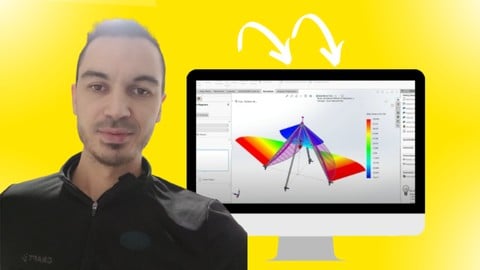
SOLIDWORKS FEA Static Analysis Fundamentals Course (Udemy.com)
Learn SOLIDWORKS FEA static analysis fundamentals, including essential tools, study setup, and different analysis types
Created by: Alen Oletic
Last updated July 2026
 What you will learn
- Set up SOLIDWORKS Static Analysis studies from start to finish.
- Apply materials, fixtures, and loads to simulate real engineering conditions.
- Generate and refine FEA meshes for accurate simulation results.
- Interpret stress, displacement, strain, and factor of safety plots with confidence.
- Perform different types of static analyses using practical engineering examples.
- Troubleshoot common FEA setup and simulation errors to improve result accuracy.
- Make informed engineering design decisions based on simulation results.
- Build a strong foundation in SOLIDWORKS Simulation for product design and engineering analysis.
How it compares
Against the other 545 rated Udemy courses in 3D Modeling on CourseDuck:
- Rating4.5 out of 5higher than 37% of them
- Reviews803#96 of 546 by number of reviews
- Length4.8 hoursshorter than 60% of them
- Last updatedJuly 2026more recently than 95% of them
 Course Description
Learn the fundamentals of SOLIDWORKS FEA Static Analysis and gain the skills to evaluate the strength, stiffness, and performance of your designs before they are manufactured
This course provides a structured, beginner-friendly introduction to finite element analysis (FEA), helping you understand how to set up, run, and interpret static simulations with confidence.
This isn't a course where you simply watch simulations being performed. You'll build analysis studies alongside the instructor, complete practical exercises, and work through engineering examples that reinforce every concept. Each lesson is designed to help you understand not only which settings to use, but also why they matter and how they affect the accuracy of your simulation results.
You'll go beyond learning which buttons to click. You'll understand how to:
- define materials
- apply fixtures and loads
- generate appropriate meshes
- interpret stress
- strain
- displacement
- and factor of safety results
- and perform different types of static analyses.
You'll also learn how to troubleshoot common simulation issues and make informed engineering decisions based on your results.
As a Udemy bestselling SOLIDWORKS instructor, I've helped more than 50,000 students worldwide develop practical SOLIDWORKS skills through clear explanations, hands-on exercises, and real-world engineering examples. My teaching focuses on helping students understand the principles behind FEA so they can confidently apply simulation tools in their own engineering projects.
Enroll today and get instant access to the:
- complete course
- including step-by-step video lessons
- downloadable practice files
- practical exercises
- analysis examples
- lifetime access
- and a certificate of completion.
Whether you're an engineering student, mechanical engineer, or SOLIDWORKS user looking to add simulation skills to your toolbox, this course will give you a strong foundation in SOLIDWORKS Static Analysis.
What Students Are Saying:
★★★★★ “Very good course, I learned and enjoyed lot, now I am able to work on static analysis. Thank you!” – Sandeep
★★★★★ “Many thanks. I had no previous experience in SW, just basic knowledge, which I was able to get browsing online. I really needed a well-structured course. The course guided me through model setup, key parameters, and simulations with clarity." - Lello
★★★★★ “It's my first time looking into finite element analysis, and I can say I'm impressed. Kudos!” – Oluwasegun

 Udemy Discount
The discount is applied through our link. Open the course from here and Udemy's current promotional price is applied at checkout on most courses, no code to type.
Some courses are excluded from Udemy's promotions. If the price does not drop, clear your browser cookies and use the button again.
Instructor Details

- 4.5 Rating
 803 Reviews
Alen Oletic
I’m a mechanical engineer, CAD instructor, and course creator with a Master’s degree in Mechanical Engineering.
Before becoming an online instructor, I worked in mechanical design, including designing welding resistance machines and other mechanical systems. This practical engineering experience helped me understand not only how CAD tools work, but also how they are used in real engineering and manufacturing environments.
Over the years, I have taught more than 50,000 students around the world and received over 3,000 reviews with an average rating of 4.6 stars. I have also created 3 bestselling courses on Udemy, helping students learn SOLIDWORKS, prepare for certification exams, and build practical CAD skills.
My teaching style is step-by-step, clear, and project-based. I focus on helping beginners understand what to learn first, how to build strong CAD foundations, and how to apply SOLIDWORKS tools in real modeling situations.
I know how confusing CAD can feel when you are just starting out. That is why my goal is to make complex tools easier to understand and help students gain confidence through structured lessons, practical examples, and real projects.
Whether you want to learn SOLIDWORKS from scratch, improve your modeling skills, or prepare for certification, my courses are designed to help you move forward with clarity and confidence.
 More courses by Alen Oletic

SOLIDWORKS Beginner Course: Complete CSWA Preparation (2026)
4.8 (569 Reviews)
 Provider: Udemy
 Time: 11.4h
$84.99
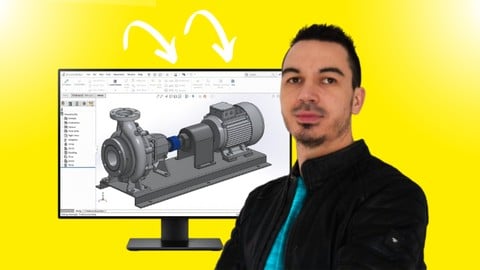
SOLIDWORKS Complete Course: Beginner to Advanced (2026)
4.6 (447 Reviews)
- Provider: Udemy
- Time: 13.5h
$69.99

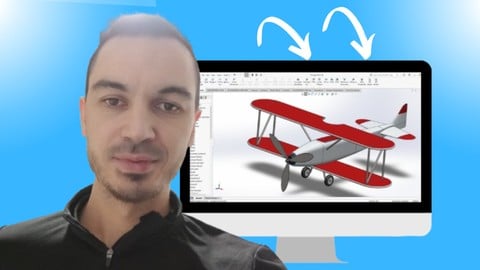
SOLIDWORKS Advanced Course: Complete CSWP Preparation (2026)
4.7 (412 Reviews)
- Provider: Udemy
- Time: 7.4h
$59.99

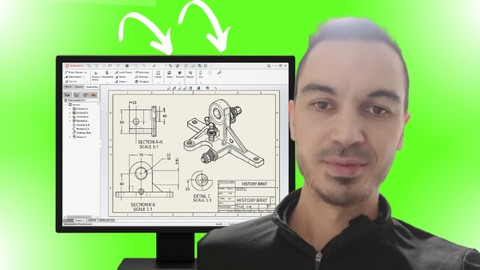
SOLIDWORKS Sheet Metal Fundamentals Course (2026)
4.3 (149 Reviews)
- Provider: Udemy
- Time: 5.5h
$64.99
More 3D Modeling courses

3D Printing with " Ultimaker CURA Slicer- Start to finish" (2025)
4.9 (192 Reviews)
- Provider: Udemy
- Time: 1h
$34.99

Girl and the Dog Creation in Zbrush for Intermediate Level (2020)
4.9 (173 Reviews)
- Provider: Udemy
- Time: 48.8h
$59.99



Blender Character Creator for Video Games (2026)
4.8 (9,160 Reviews)
- Provider: Udemy
- Time: 34.3h
$159.99

Master SOLIDWORKS 3D CAD using real-world examples (2022)
4.8 (2,451 Reviews)
- Provider: Udemy
- Time: 18.9h
$69.99
 Reviews

By Josemanuel Reynosa on 8/4/2026
Ho seguito il corso Solidwords FEA Static Analysis e l'ho trovato molto utila e ben strutturato. I concetti vengono spiegati in modo chiaro, partendo delle basi fino ad arrivare ad applicazioni pratiche . Grazie . Lo consiglio agli studenti , progettisti e ingegneri che vogliono acquisire una solida base nell'analisi strutturale
By Balasurya Shanmugasundaram on 4/22/2026
Great course. Loving it so far. I just have one doubt or query, in Section 3, Planar Symmetry - the 28th module called Loads and Fixture: Force and Bearing load are halved because of symmetry. But why is Pressure halved as well? It is a per area value already and I think halving it is not required. Correct me if I am wrong.
By Dhyan Bhavsar on 3/19/2026
This course has been an eye‑opener for me as a beginner! I finally understand factor of safety plots, design insights, and the load case manager—features I always found confusing before. The instructor explains everything clearly and makes FEA feel approachable. Highly recommended!
By Anonymized User on 3/4/2026
Le cours nous permet de bien maitriser les outils de FEA dans Solidworks. Les explications sont claires et la méthode pas à pas est détaillée et nous permet de bien comprendre comment appliquer les éléments finies.
By Jhon Kenneth Giner on 6/21/2025
This is a good Introduction (or a Review) to Finite Element Analysis using SolidWorks. Prior knowledge of FEA concepts and SolidWorks is needed for this course.
By Luke David on 8/21/2024
I have been working as a designer for over 16 yrs. and have worked closely with engineers along the way. This is the only piece of the puzzle that I haven't actually put my hands on in the whole design process. I think it was a good comprehensive course in FEA but I think it would be a little better if there was more emphasis on identifying model failures and methods of solving.
By Lello Primo on 12/11/2023
Many thanks. I had no previous experience in SW, just basic knowledge, which I was able to get browsing online. I really needed a well-structured course. The course guided me through model setup, key parameters, and simulations with clarity. The part covering the mesh verification, the 'aspect ratio,' gave me a better understanding of the quality of the results. Results are the key, and to rely on them, you need a quality mesh that you can trust. As well as understanding the difference between ‘truss’, ‘beam’ and ‘solid’ elements, how to extract the results data from each of them and validate the results. Great course!
By Anonymized User on 9/13/2023
Overall this was a good course. Alen explains things pretty clearly and shows examples in the videos. The exercises were useful in helping to learn the main commands. I think Alen's version of SolidWorks was older than mine, so in a few cases the menus were a bit different, but it was not too hard to figure out how to get to the same place. I think there are a couple of minor improvements that could be made: 1) sometimes you tell us to use a particular option when there is more than one available. It was not always clear why you chose the option you did (in some cases it was clearly stated, just not in all cases). 2) The video resolution was a bit low, so sometimes it is difficult to see clearly what is on the screen.
By Gabriele Maruca on 9/6/2022
Great course, well deserving of 5 stars, but I'll have to take away half of it because of some functions not having been explained thoroughly. Definitely recommended.
By Sahid Ballesteros on 7/21/2022
Definitivamente. La información del curso esta muy completa y bien explicada (El único detalle es que la traducción en algunos casos no coincide con la información que esta narrando el presentador. Para una persona que maneje el ingles esto es irrelevante pero para una persona que se esta apoyando en la traducción podría batallar un poco mas con el aprendizaje).
 Quality Score
No CourseDuck member has rated this course yet. Taken it? Give each part a thumbs up or down.
Overall Score : 90 / 100
- Video Duration:
 4.8h
4.8h - Price: $69.99
- Provider: Udemy
- Updated:
 July 2026
 - Level:
 Beginner
 - Language:
 English
 - Certificate:
 Yes
Yes
30-day money-back guarantee on most paid courses
Udemy Coupon Price Tracker
