
 Web Development
 Data Science
 Python
 SQL
SQL JavaScript
 Artificial Intelligence
 IT & Software
 IT Certifications
 Hacking
 AWS
AWS Arduino
 DevOps
 3D Modeling
 Graphic Design
 Photoshop
 Drawing
 Digital Painting
 UX Design
 Business
 Data Analysis
 Communication Skills
 Project Management
 Leadership & Management
 Human Resources
 Digital Marketing
 Social Media Marketing
 Marketing
 SEO
SEO Google Analytics
 Branding
 Excel
Excel Office Productivity
 SAP
SAP PowerPoint
 Microsoft Access
 SharePoint
 Finance & Accounting
 Trading & Investing
 Accounting
 Bitcoin
 Personal Finance
 Video Editing & Animation
 Photography
 Adobe Premier Pro
 Adobe Lightroom
 Personal Development
 Productivity
 Career Development
 Life Coaching
 Health & Fitness
 Meditation & Mindfulness
 Yoga
Yoga Music
Music Music Production
 Guitar
 Piano
Piano Singing
 Language Learning
 Teaching & Academics
 Engineering
 Math
Math Lifestyle
SOLIDWORKS Surfacing Fundamentals Course (Udemy.com)
Learn fundamentals in SOLIDWORKS surfacing with practical exercises, essential tools, and beginner-friendly projects
Created by: Alen Oletic
Last updated July 2026
 What you will learn
- Create smooth surface models using the essential SOLIDWORKS Surfacing tools.
- Master Lofted, Boundary, Swept, Filled, and Revolved Surfaces through guided exercises.
- Trim, Knit, and repair surface bodies to create clean, continuous geometry.
- Apply surfacing workflows to model complex curved and organic shapes.
- Complete beginner-friendly surfacing exercises to reinforce every new concept.
- Understand when to use surfacing instead of solid modeling for advanced designs.
- Build confidence creating consumer product and industrial design geometry with smooth transitions.
- Develop a strong surfacing foundation for advanced SOLIDWORKS modeling and real-world product design.
How it compares
Against the other 545 rated Udemy courses in 3D Modeling on CourseDuck:
- Rating4.5 out of 5higher than 37% of them
- Reviews342#220 of 546 by number of reviews
- Length5.8 hoursshorter than 51% of them
- Last updatedJuly 2026more recently than 95% of them
 Course Description
Learn the fundamentals of SOLIDWORKS Surfacing and discover how to create smooth, complex, and organic shapes that are difficult or impossible to build with standard solid features alone
This course provides a structured, beginner-friendly introduction to surfacing, helping you understand the essential tools and workflows used in product design and advanced CAD modeling.
This isn't a course where you simply watch demonstrations and move on. You'll model alongside the instructor, complete practical exercises, and work through beginner-friendly examples that reinforce every new concept. Each lesson is carefully structured to help you build confidence with surfacing by applying the tools immediately in real modeling scenarios.
You'll go beyond memorizing surfacing commands. You'll learn how and when to use:
- Extruded
- Revolved
- Swept
- Lofted
- Boundary
- Filled
- Trimmed
- and Knit Surfaces
while understanding how these tools work together to create smooth, high-quality geometry.
By the end of the course, you'll know not only how to create surfaces, but also why and when to choose surfacing instead of traditional solid modeling techniques.
As a Udemy bestselling SOLIDWORKS instructor, I've helped more than 50,000 students worldwide build practical SOLIDWORKS skills through clear explanations, hands-on exercises, and real-world examples. My teaching focuses on helping beginners understand the logic behind each tool so they can confidently apply it to their own designs.
Enroll today and get instant access to the:
- complete course
- including step-by-step video lessons
- downloadable practice files
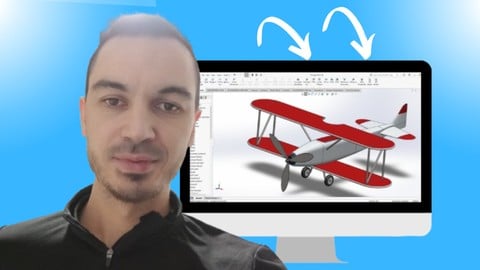
- practical exercises (Bottle, Joystick, Shovel, Bowl, Vintage Plane...)
- lifetime access
- and a certificate of completion.
Whether you're new to surfacing or want to expand your SOLIDWORKS skills to create more advanced, curved, and organic designs, this course will give you a strong foundation to build on.
What Students Say:
★★★★★ “I have a lot of Solidworks experience but never really with surface modelling. I think the best way to take this class is to follow the lessons with Solidworks open in real time. Was able to pass the CSWPA for Surfacing exam first try after taking this course and a little bit of practice.” – Andrew
★★★★★ “As someone who has been using Solidworks for close to ten years without a lot of experience in surfacing, I thought the course was great. Alen walks you through all the surfacing features, step by step and explains the function of almost every option within a feature. The real world examples were helpful, as well. I highly recommend the course.” – Jovan
★★★★★ “Very good course. I can only recommend. Great pronunciation, great topics, error-free construction. Thanks for the course! I now know my way around surface models.” – Theodossios

 Udemy Discount
The discount is applied through our link. Open the course from here and Udemy's current promotional price is applied at checkout on most courses, no code to type.
Some courses are excluded from Udemy's promotions. If the price does not drop, clear your browser cookies and use the button again.
Instructor Details

- 4.5 Rating
 342 Reviews
Alen Oletic
I’m a mechanical engineer, CAD instructor, and course creator with a Master’s degree in Mechanical Engineering.
Before becoming an online instructor, I worked in mechanical design, including designing welding resistance machines and other mechanical systems. This practical engineering experience helped me understand not only how CAD tools work, but also how they are used in real engineering and manufacturing environments.
Over the years, I have taught more than 50,000 students around the world and received over 3,000 reviews with an average rating of 4.6 stars. I have also created 3 bestselling courses on Udemy, helping students learn SOLIDWORKS, prepare for certification exams, and build practical CAD skills.
My teaching style is step-by-step, clear, and project-based. I focus on helping beginners understand what to learn first, how to build strong CAD foundations, and how to apply SOLIDWORKS tools in real modeling situations.
I know how confusing CAD can feel when you are just starting out. That is why my goal is to make complex tools easier to understand and help students gain confidence through structured lessons, practical examples, and real projects.
Whether you want to learn SOLIDWORKS from scratch, improve your modeling skills, or prepare for certification, my courses are designed to help you move forward with clarity and confidence.
 More courses by Alen Oletic
SOLIDWORKS FEA Static Analysis Fundamentals Course (2026)
4.5 (803 Reviews)
 Provider: Udemy
 Time: 4.8h
$69.99
SOLIDWORKS Beginner Course: Complete CSWA Preparation (2026)
4.8 (569 Reviews)
- Provider: Udemy
- Time: 11.4h
$84.99
SOLIDWORKS Complete Course: Beginner to Advanced (2026)
4.6 (447 Reviews)
- Provider: Udemy
- Time: 13.5h
$69.99
SOLIDWORKS Advanced Course: Complete CSWP Preparation (2026)
4.7 (412 Reviews)
- Provider: Udemy
- Time: 7.4h
$59.99

SOLIDWORKS Sheet Metal Fundamentals Course (2026)
4.3 (149 Reviews)
- Provider: Udemy
- Time: 5.5h
$64.99
More 3D Modeling courses

3D Printing with " Ultimaker CURA Slicer- Start to finish" (2025)
4.9 (192 Reviews)
- Provider: Udemy
- Time: 1h
$34.99

Girl and the Dog Creation in Zbrush for Intermediate Level (2020)
4.9 (173 Reviews)
- Provider: Udemy
- Time: 48.8h
$59.99



Blender Character Creator for Video Games (2026)
4.8 (9,160 Reviews)
- Provider: Udemy
- Time: 34.3h
$159.99

Master SOLIDWORKS 3D CAD using real-world examples (2022)
4.8 (2,451 Reviews)
- Provider: Udemy
- Time: 18.9h
$69.99
 Reviews

By Thi Han Soe on 9/23/2026
Great content but somewhat redundant. I have taken Alen's CSWA and CSWP prep courses. It would be better if this course is made more concise by assuming students already possessed CSWA and CSWP level proficiency. Now I feel many lecture videos are over explained on simple things. I am still thankful that Alen's courses are crucial in helping me pass the certs.
By Cliff Normand on 8/1/2026
I am semi retired and working on sensor projects with one of my sons supporting his efforts with product design using SOLIDWORKS for over a year at present. Udemy courses have tremendously helped me learn this new skill. I am amazed with Solidworks, incredible stuff. This surfacing course began a little slow for me as it appeared too simple, but as I continued I found that the instructor's methodology was perfect taking one from very basic concepts up through a CSWPA-PU practice exam. I learned some amazing things in this course and highly recommend it to anyone wanting to learn surfacing and advanced surfacing techniques. Thank you!
By Lee Roy Hamilton on 3/3/2025
The course is for the basics and fundamentals, it does not prepare you for the Surface Exam, the exam is way more challenging for you if you do not use surfacing all the time it's very difficult, and time is limited.
By Jovan Aleksic on 1/23/2025
As someone who has been using Solidworks for close to ten years without a lot of experience in surfacing, I thought the course was great. Alen walks you through all the surfacing features, step by step and explains the function of almost every option within a feature. The real world examples were helpful, as well. I highly recommend the course.
By Theodossios Beis on 10/23/2023
Very good course. I can only recommend. Great pronunciation, great topics, error-free construction. Thanks for the course! I now know my way around surface models. DE: Sehr guter Kurs. Kann ich nur weiterempfehlen. Super Aussprache, tolle themen, fehlerfreihe Konstruktion. Danke für den Lehrgang! Mit Flächenmodellen kenne ich mich jetzt aus.
By Ernest Barba on 7/12/2023
Good First Time Surfacing introductory course that you can follow a long and be introduced to toolkit and a few practice projects to apply your knowledge after each chapter. I had very little problems following the instructors directions. The course videos are also available on the instructors YouTube channel so you can watch them there.
By Samet Özer on 3/12/2023
İ have to say this course explain everything on surface toolbar for solidworks but the examples are simply and less.Maybe you can add some more exercises like car design or something else and when you give an example don't give ready sketches just explain and show what do you want.İ will wait the updates.
By Henry Wong on 11/19/2022
Each video is a small appetizer/treat on a narrow topic, can watch several in a row without getting overwhelmed. Clear logical explanation and teaching through demonstrations, examine the various options, “what if”, etc. Not too fast, not too slow, just right. The videos build upon each other in a sequence.
By Wes Vasher on 8/8/2022
This is a great introduction to surface modeling in Solidworks. The instructor walks through concepts and features in an easy to follow way. The lessons are short so you can fit them in when you want and the exercises help you learn how to actually use the tools to design the things you want. Highly recommend!
By Richard George on 3/18/2022
The quality of the course is excellent and the resources are well done too. The value you get for the price paid is exceptional! However, it would be more accurate to call this class: Hands On Solidworks SURFACE Course from BEGINNER to INTERMEDIATE level. This is a very high quality zero to intermediate class for Solidworks Surfacing. To get to professional level 3x to 5x as many exercises would be needed. Never the less, this is an excellent class.
 Quality Score
No CourseDuck member has rated this course yet. Taken it? Give each part a thumbs up or down.
Overall Score : 90 / 100
- Video Duration:
 5.8h
5.8h - Price: $64.99
- Provider: Udemy
- Updated:
 July 2026
 - Level:
 Beginner
 - Language:
 English
 - Certificate:
 Yes
Yes
30-day money-back guarantee on most paid courses
Udemy Coupon Price Tracker
