
 Web Development
 Data Science
 Python
 SQL
SQL JavaScript
 Artificial Intelligence
 IT & Software
 IT Certifications
 Hacking
 AWS
AWS Arduino
 DevOps
 3D Modeling
 Graphic Design
 Photoshop
 Drawing
 Digital Painting
 UX Design
 Business
 Data Analysis
 Communication Skills
 Project Management
 Leadership & Management
 Human Resources
 Digital Marketing
 Social Media Marketing
 Marketing
 SEO
SEO Google Analytics
 Branding
 Excel
Excel Office Productivity
 SAP
SAP PowerPoint
 Microsoft Access
 SharePoint
 Finance & Accounting
 Trading & Investing
 Accounting
 Bitcoin
 Personal Finance
 Video Editing & Animation
 Photography
 Adobe Premier Pro
 Adobe Lightroom
 Personal Development
 Productivity
 Career Development
 Life Coaching
 Health & Fitness
 Meditation & Mindfulness
 Yoga
Yoga Music
Music Music Production
 Guitar
 Piano
Piano Singing
 Language Learning
 Teaching & Academics
 Engineering
 Math
Math Lifestyle
SOLIDWORKS Beginner Course: Complete CSWA Preparation (Udemy.com)
Learn SOLIDWORKS Part Design, Assemblies, Drawings, and CSWA practice exams to become a certified SOLIDWORKS Associate
Created by: Alen Oletic
Last updated July 2026
 What you will learn
- Create professional SOLIDWORKS parts using sketches, features, and parametric modeling tools
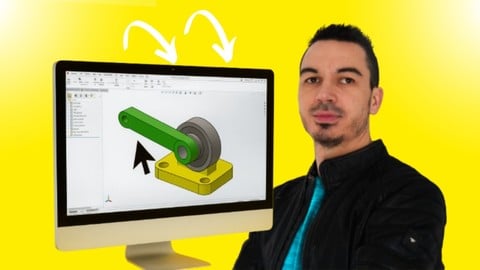
- Build complete assemblies using mates and component positioning techniques
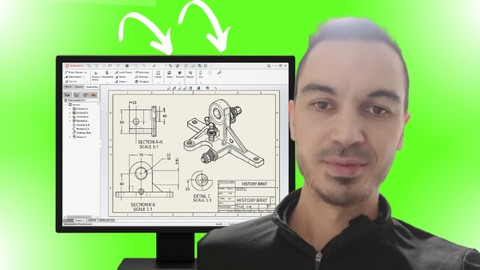
- Produce clear engineering drawings with dimensions, annotations, and standard drawing views.
- Complete CSWA-style practice exams to prepare for the SOLIDWORKS Certified Associate certification.
- Apply the most important SOLIDWORKS tools and workflows through guided, hands-on exercises.
- Model real-world mechanical components while developing practical CAD skills.
- Organize models using design intent and best modeling practices for easier modifications.
- Build a strong SOLIDWORKS foundation for advanced modeling, CSWP certification, and engineering projects.
How it compares
Against the other 335 rated Udemy courses in Engineering on CourseDuck:
- Rating4.8 out of 5higher than 95% of them
- Reviews569#140 of 336 by number of reviews
- Length11.4 hourslonger than 78% of them
- Last updatedJuly 2026more recently than 86% of them
 Course Description
Prepare for the SOLIDWORKS Certified Associate (CSWA) exam and build the core SOLIDWORKS skills used by engineers and designers
This course takes you from complete beginner to confident SOLIDWORKS user with a structured, step-by-step learning path covering:
- Part Design
- Assemblies
- Drawings
- CSWA exam preparation.
This isn't a course where you simply watch videos and hope everything clicks. You'll follow along by creating real SOLIDWORKS models, complete guided exercises, and work through hands-on projects that reinforce every new concept.
Each lesson builds on the previous one, helping you develop practical skills that you can apply immediately in your own designs and confidently use during the CSWA exam.
You'll go beyond learning which buttons to click. You'll understand how to:
- create sketches correctly
- build robust parts
- assemble components
- generate professional engineering drawings
- and apply the modeling techniques expected from a SOLIDWORKS Certified Associate.
Throughout the course, you'll also complete CSWA-style practice exercises and mock exams so you know not only what to do, but when and why to use each tool and workflow.
As a Udemy bestselling SOLIDWORKS instructor, I've helped more than 50,000 students worldwide learn SOLIDWORKS and prepare for industry-recognized certifications. My courses have received thousands of positive reviews because they focus on practical, real-world learning with clear explanations and step-by-step instruction that beginners can easily follow.
Enroll today and get instant access to the:
- complete course (including hours of on-demand video lessons)
- downloadable practice files
- guided exercises
- CSWA practice exams
- lifetime access
- and a certificate of completion.
Whether your goal is to pass the CSWA exam, improve your CAD skills, or build a strong foundation for more advanced SOLIDWORKS projects, you'll have everything you need to get started today.
Student Results Speak for Themselves
★★★★★ “I passed the CSWA in 9 days! The course explains EVERYTHING the exam covers and the practice exercises were perfect.” — Matthew
★★★★★ “I ACED the exam with an hour to spare. If you finish this course, you WILL pass.” — Moises
★★★★★ “Great course!!! After completion, I passed the CSWA exam in the row and obtained 240 out of 240 in 125 min (180min allowed)” — Eric
★★★★★ “This is the best course on SolidWorks ever. I got CSWA with perfect score after one week of following this training" — Khelil

 Udemy Discount
The discount is applied through our link. Open the course from here and Udemy's current promotional price is applied at checkout on most courses, no code to type.
Some courses are excluded from Udemy's promotions. If the price does not drop, clear your browser cookies and use the button again.
Instructor Details

- 4.8 Rating
 569 Reviews
Alen Oletic
I’m a mechanical engineer, CAD instructor, and course creator with a Master’s degree in Mechanical Engineering.
Before becoming an online instructor, I worked in mechanical design, including designing welding resistance machines and other mechanical systems. This practical engineering experience helped me understand not only how CAD tools work, but also how they are used in real engineering and manufacturing environments.
Over the years, I have taught more than 50,000 students around the world and received over 3,000 reviews with an average rating of 4.6 stars. I have also created 3 bestselling courses on Udemy, helping students learn SOLIDWORKS, prepare for certification exams, and build practical CAD skills.
My teaching style is step-by-step, clear, and project-based. I focus on helping beginners understand what to learn first, how to build strong CAD foundations, and how to apply SOLIDWORKS tools in real modeling situations.
I know how confusing CAD can feel when you are just starting out. That is why my goal is to make complex tools easier to understand and help students gain confidence through structured lessons, practical examples, and real projects.
Whether you want to learn SOLIDWORKS from scratch, improve your modeling skills, or prepare for certification, my courses are designed to help you move forward with clarity and confidence.
 More courses by Alen Oletic
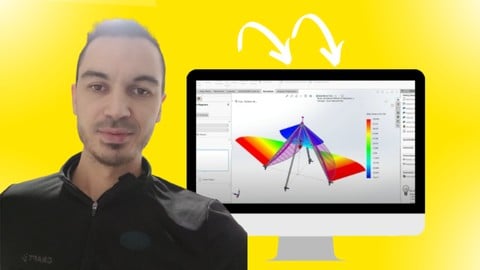
SOLIDWORKS FEA Static Analysis Fundamentals Course (2026)
4.5 (803 Reviews)
 Provider: Udemy
 Time: 4.8h
$69.99
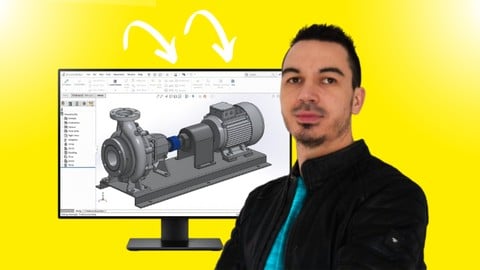
SOLIDWORKS Complete Course: Beginner to Advanced (2026)
4.6 (447 Reviews)
- Provider: Udemy
- Time: 13.5h
$69.99
SOLIDWORKS Advanced Course: Complete CSWP Preparation (2026)
4.7 (412 Reviews)
- Provider: Udemy
- Time: 7.4h
$59.99
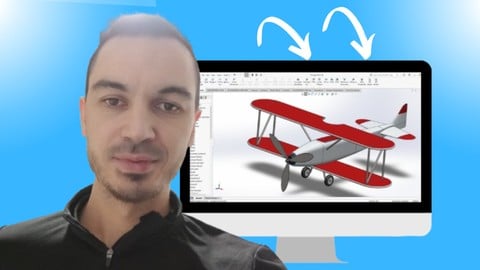

SOLIDWORKS Sheet Metal Fundamentals Course (2026)
4.3 (149 Reviews)
- Provider: Udemy
- Time: 5.5h
$64.99
More Engineering courses


Do it Yourself - Automotive Electrical Diagnosis - Beginner (2026)
4.8 (1,897 Reviews)
- Provider: Udemy
- Time: 2.1h
$12.99

ROS 2 for Beginners Level 2 - TF | URDF | RViz | Gazebo (2025)
4.8 (1,869 Reviews)
- Provider: Udemy
- Time: 13.8h
$10.99

Advanced Kalman Filtering and Sensor Fusion (2021)
4.8 (1,033 Reviews)
- Provider: Udemy
- Time: 8.3h
$84.99

Digital Electronics: Robotics, learn by building module II (2020)
4.8 (942 Reviews)
- Provider: Udemy
- Time: 13.1h
$14.99

 Reviews

By Milan Maity on 6/11/2026
Excellent course for learning SOLIDWORKS and preparing for the CSWA exam. Allen explains the topics in a clear and easy-to-follow manner, with detailed explanations and practical examples throughout the course. I especially appreciated how the concepts were explained step by step, making it easier to understand not just the tools, but also the design process behind them. The course helped me strengthen my SOLIDWORKS fundamentals and build confidence in using the software. Highly recommended for anyone looking to learn SOLIDWORKS or prepare for the CSWA certification.
By Luai Ammari on 2/7/2026
This course deserves its high rating! It is well structured, no fluff talk, straight to the point and offers lots of exercises, which I recommend everyone to work through all of them to master the different tools of SolidWorks. The instructor Alan knows what he's talking about, talks clearly with a very good accent and prepars you well for the CSWA Exam. Thank God I was able to complete the exam, review my answers and still have 40 minutes left, and got a full mark. Thanks Alan!
By Michael Murdoch on 8/15/2025
I passed my CSWA today with a 240/240 score! Overall this was a great course to learn SolidWorks and I'm glad I took it. I had trouble following along with some of the drawing exercises (in terms of difficulty reading them overall, particularly with where origins are placed). But those exercises were super helpful, definitely worth the time. There are a few things different about Solidworks 2025 than this that I had to look up, it may be time for a few updates to the course. Overall, it delivered on the value proposition – I passed!
By Javier Tinoco on 7/11/2025
I have enjoyed and learnt a lot this course. I would recommend this to everyone who wants to start with SW. If I have to say something to improve in this course, it would be that I would have liked that the teacher helps the students to configurate some features in SW, like the measure of the dashed lines, hidden lines or centerlines.
By Eric Anthony Barrera on 4/22/2025
great course. Passed the CSWA pretty easily. I however during the test i encountered a lot of use of the revolve tool and I wish that was covered in more detail as well as some of the trickery they do on the test and inferences you have to make based on other dimensions i believe should be covered more. overall great course.
By Jeremy Chee on 4/9/2025
Really great! My SolidWorks skills are getting dialed in and I seriously wish I took this course sooner. I am grateful for the instructors explanations. The sound was missing on one video but really wasn't necessary. The exercises help to solidify techniques just learned. Update: I passed the CSWA exam with a perfect score, thank you so much!
By MUSKAN D K on 6/29/2024
I loved the flow of teaching and the concepts are explained well with numerous examples to challenge ourselves. The instructional material is top-notch. The video lectures are clear, concise, and packed with practical examples. The instructor does a fantastic job of explaining complex concepts simply. The course does an excellent job preparing you for the CSWA certification exam. It covers all the topics in the exam syllabus and provides tips and strategies for tackling the exam questions. I feel well-prepared and confident.
By Walter Zanella on 9/12/2022
Though not new to the software, i found this course complete and clear, and visited all the tools necessary to complete the CSWA test. I took the test after completing the course and passed with 240/240 score, which was very satisfying! I surely recommend this course, also for the fact that Alen is very responsive with any comment or question you might have! A single note, on the last part concerning drawings, it feels a little rushed through, probably due to the overall length, where some exercises need a little bit of googling to figure out, since some little details were not explained. Overall, a great course though!
By Jake LaBombarbe on 6/24/2022
The instructor is absolutely correct, you cannot judge this course until you've gotten well into it. The first sections can be a little slow, especially if you have some experience with Solidworks. However, once you hit Section 4 and especially Section 5, the class kicks into high gear. I agree with some other reviewers that maybe getting into why certain parts are modeled one way over another would be helpful. Overall, I'm very satisfied with the material presented and I look forward to taking the surfacing class from the same instructor.
By Matthew Lee on 12/28/2021
I started as a complete beginner, and 9 days later I passed the CSWA! Alen explains the tools clearly and (in my opinion) in the perfect pace; not too quickly where you'll find it difficult to catch up and not too slowly where you get bored. After a chapter, about seven exercises are provided to ensure you really understand the concepts you just learned (do them all, don't skip any), each with a video solution as well. For those wondering, this course is many times better than the built-in tutorials in SOLIDWORKS. The thorough explanations and the practice purely from the provided exercises why I passed the exam. Everything you need to know for the exam is covered in this course.
 Quality Score
No CourseDuck member has rated this course yet. Taken it? Give each part a thumbs up or down.
Overall Score : 96 / 100
- Video Duration:
 11.4h
11.4h - Price: $84.99
- Provider: Udemy
- Updated:
 July 2026
 - Level:
 Beginner
 - Language:
 English
 - Certificate:
 Yes
Yes
30-day money-back guarantee on most paid courses
Udemy Coupon Price Tracker
