
 Web Development
 Data Science
 Python
 SQL
SQL JavaScript
 Artificial Intelligence
 IT & Software
 IT Certifications
 Hacking
 AWS
AWS Arduino
 DevOps
 3D Modeling
 Graphic Design
 Photoshop
 Drawing
 Digital Painting
 UX Design
 Business
 Data Analysis
 Communication Skills
 Project Management
 Leadership & Management
 Human Resources
 Digital Marketing
 Social Media Marketing
 Marketing
 SEO
SEO Google Analytics
 Branding
 Excel
Excel Office Productivity
 SAP
SAP PowerPoint
 Microsoft Access
 SharePoint
 Finance & Accounting
 Trading & Investing
 Accounting
 Bitcoin
 Personal Finance
 Video Editing & Animation
 Photography
 Adobe Premier Pro
 Adobe Lightroom
 Personal Development
 Productivity
 Career Development
 Life Coaching
 Health & Fitness
 Meditation & Mindfulness
 Yoga
Yoga Music
Music Music Production
 Guitar
 Piano
Piano Singing
 Language Learning
 Teaching & Academics
 Engineering
 Math
Math Lifestyle
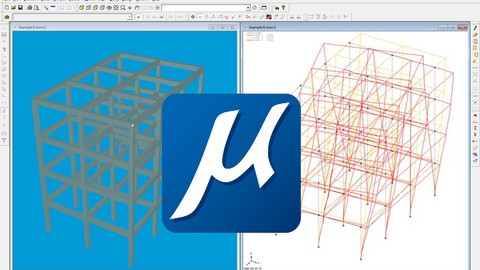
Microstran Structural Design with Microstation - AulaGEO (Udemy.com)
Master structural modeling, analysis, and reporting using Bentley Systems’ Microstran software
Created by: AulaGEO Academy
Last updated July 2026
 What you will learn
- Navigate the Microstran interface and toolbars confidently for structural design tasks.
- Model and analyze simple beams, columns, and trusses using Microstran software.
- Create and apply loads to frames and portal frames with accurate boundary conditions.
- Understand and generate shear force diagrams (SFD) and bending moment diagrams (BMD).
- Perform 3D structural modeling and effectively manipulate frame members.
- Use side toolbar functions to streamline structural modeling and editing workflows.
- Generate detailed structural analysis reports and learn printing options in Microstran.
- Learn the latest features and updates included in the Microstran CONNECT edition.
How it compares
Against the other 335 rated Udemy courses in Engineering on CourseDuck:
- Rating3.0 out of 5among the lower-rated ones
- Reviews16#335 of 336 by number of reviews
- Length2.2 hoursshorter than 82% of them
- Last updatedJuly 2026more recently than 88% of them
 Course Description
Microstran is a powerful structural analysis and design software developed by Bentley Systems, tailored for civil engineers, architects, and structural designers who require accurate and efficient modeling of beams, columns, trusses, and frames. This course offers a comprehensive introduction to Microstran, guiding learners through the fundamentals of the software interface, toolbars, and general functions.
With a balanced focus on both theory and practical application, you will explore how to model essential structural elements, apply loads, and generate analysis results that are crucial for the design and verification of structures. The workflow emphasizes clear, step-by-step techniques that help bridge engineering concepts with real-world software usage.
Whether you are new to structural design software or seeking to expand your knowledge within Bentley’s suite of products, this course presents an accessible yet professional approach. It prepares you to confidently manage typical projects, from simple beam modeling to advanced 3D frame analysis, ensuring your skills remain relevant in the fast-evolving field of structural engineering.
Throughout the lessons, you will gain hands-on experience creating structural models with accurate boundary conditions and load definitions, interpreting shear force and bending moment diagrams, and preparing detailed reports. The course culminates with updates on the latest Microstran CONNECT edition features, keeping you informed of ongoing software improvements and integration capabilities.
The learning approach combines conceptual insights with guided tutorials, ensuring you develop both technical understanding and practical competency in Microstran, suitable for professional application in architecture, construction, and engineering domains.
Learning Objectives
By the end of this course, you will be able to:
Navigate the Microstran software interface and toolbars effectively.
Create and analyze simple beams, columns, and trusses within Microstran.
Model frames and portal frames applying correct supports and loads.
Understand and generate shear force diagrams (SFD) and bending moment diagrams (BMD).
Perform 3D structural modeling and manipulation of members.
Utilize side toolbar functions for efficient modeling and editing.
Generate and print detailed structural analysis and design reports.
Stay up-to-date with the latest features in the Microstran CONNECT edition.
Integrate Microstran outputs with other Bentley Systems tools like STAAD and Prostructures.
Who Should Take This Course
Civil and structural engineers seeking practical software skills.
Architects interested in structural design integration.
Construction professionals involved in structural modeling and analysis.
BIM modelers requiring knowledge of structural software workflows.
Structural designers aiming to enhance their use of Bentley software.
Course Structure
Section 1: The basics
This section introduces the Microstran environment, including software overview, interface navigation, and essential toolbars to build a robust foundation for all subsequent modeling activities.
Section 2: Structure modeling
You will learn to create and analyze fundamental structural elements such as beams, columns, trusses, frames, and portal frames, incorporating the application of loads and boundary conditions effectively.
Section 3: 3D modeling and reports
This section covers advanced modeling techniques in 3D, use of side toolbar functions for editing, and how to produce comprehensive reports that communicate analysis results clearly.
Section 4: Bonus lessons
Gain insights into the latest advancements and enhancements in the Microstran CONNECT edition, including subscription services, new design codes, interoperability, and productivity features.
Why Take This Course
Taking this course equips you with essential hands-on expertise in Microstran, a widely used tool in Asia and growing globally within Bentley’s structural suite. Skills acquired here will help streamline your design process, improve accuracy in structural analyses, and facilitate clear reporting to stakeholders.
By mastering this software, you can reduce errors, save time, and increase the quality of your structural designs, positioning you as a proficient user able to meet the demands of modern engineering projects.
Furthermore, the course’s emphasis on recent software updates ensures you remain current with technological trends, enabling enhanced collaboration and integration across platforms.
Professional Context
This course is designed for professionals operating within the structural engineering and architectural domains, where precise modeling and analysis of structures form the backbone of safe and efficient design. Knowledge of Microstran supports workflows involving Bentley’s integrated solutions, facilitating multidisciplinary coordination and high-quality project delivery in the construction industry.

 Udemy Discount
The discount is applied through our link. Open the course from here and Udemy's current promotional price is applied at checkout on most courses, no code to type.
Some courses are excluded from Udemy's promotions. If the price does not drop, clear your browser cookies and use the button again.
Instructor Details

- 3.0 Rating
 16 Reviews
AulaGEO Academy
Welcome to our Academy platform, your ultimate destination for online courses covering a wide range of subjects, including GIS, CAD, BIM and Digital Twins applied to the land development environment. We are committed to providing comprehensive education and empowering individuals to excel in various domains related to infrastructures. Whether you are a student, a professional seeking to expand your knowledge, or an enthusiast passionate about these subjects, our platform offers a diverse selection of courses tailored to meet your specific needs.
At our Academy, we recognize the significance of these disciplines in the infrastructures life cycle, from initial design to project completion. To ensure the highest quality of education, we have collaborated with renowned industry expert Golgi Alvarez and assembled a team of AulaGEO Academy experts to create, adapt to English and/or Spanish languages and curate cutting-edge courses.
 More courses by AulaGEO Academy

Bentley MicroStation Masterclass: 2D & 3D CAD (2026)
4.3 (358 Reviews)
 Provider: Udemy
 Time: 8.8h
$64.99
Revit MEP Complete: Electrical, Plumbing & HVAC Design (2026)
4.1 (313 Reviews)
- Provider: Udemy
- Time: 9.9h
$10.99
Revit MEP: Electrical Systems Design and Modeling (2026)
4.1 (247 Reviews)
- Provider: Udemy
- Time: 3.4h
$11.99

3D Printing Fundamentals and Advanced Techniques (2026)
4.6 (152 Reviews)
- Provider: Udemy
- Time: 6.9h
$54.99

Draw, Design, and Document Your Structural Projects (2026)
3.8 (75 Reviews)
- Provider: Udemy
- Time: 3.5h
$44.99

Google Earth Mastery: From Basics to Advanced Applications (2026)
3.6 (16 Reviews)
- Provider: Udemy
- Time: 1.3h
$11.99
More Engineering courses


Do it Yourself - Automotive Electrical Diagnosis - Beginner (2026)
4.8 (1,897 Reviews)
- Provider: Udemy
- Time: 2.1h
$12.99

ROS 2 for Beginners Level 2 - TF | URDF | RViz | Gazebo (2025)
4.8 (1,869 Reviews)
- Provider: Udemy
- Time: 13.8h
$10.99

Advanced Kalman Filtering and Sensor Fusion (2021)
4.8 (1,033 Reviews)
- Provider: Udemy
- Time: 8.3h
$84.99

Digital Electronics: Robotics, learn by building module II (2020)
4.8 (942 Reviews)
- Provider: Udemy
- Time: 13.1h
$14.99

 Reviews

By Dulanka on 9/3/2025
Basic course But super
By Jay Shankar Sah on 4/28/2024
Basic level Course. Good for begineers.
By Kaitlin Jang on 11/15/2022
It was fine. Good simple examples but minimal exercises for individual practice. Only one 3D example.
By Umair on 8/25/2022
Very informative. Looking forward to learning about the latest version.
By iroshi dasanayaka on 12/23/2021
The Background noise is very distracting .
 Quality Score
No CourseDuck member has rated this course yet. Taken it? Give each part a thumbs up or down.
Overall Score : 60 / 100
- Video Duration:
 2.2h
2.2h - Price: See price on Udemy
- Provider: Udemy
- Updated:
 July 2026
 - Level:
 Intermediate
 - Language:
 English
 - Certificate:
 Yes
Yes
30-day money-back guarantee on most paid courses
Udemy Coupon Price Tracker
