
 Web Development
 Python
 SQL
SQL JavaScript
 Data Science
 Artificial Intelligence
 IT & Software
 IT Certifications
 Hacking
 Arduino
 AWS
AWS 3D Modeling
 Graphic Design
 Photoshop
 Drawing
 Digital Painting
 UX Design
 Business
 Data Analysis
 Communication Skills
 Project Management
 Leadership & Management
 E-Commerce
 Digital Marketing
 Social Media Marketing
 Marketing
 SEO
SEO Google Analytics
 Branding
 Office Productivity
 Excel
Excel Finance & Accounting
 Bitcoin
 Video Editing & Animation
 Photography
 Adobe Premier Pro
 Adobe Lightroom
 Personal Development
 Health & Fitness
 Music
Music Guitar
 Teaching & Academics
 Language Learning
 Engineering
 Lifestyle
The Complete Power BI Practical Course 2026 (Udemy.com)
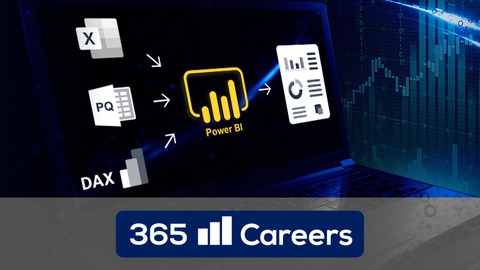
Power BI: Jump start your career as Power BI developer
Created by: 365 Careers
Last updated January 2026
 What you will learn
- How to create data models inside Power BI
- Learn how to manipulate data using Power Query
- Get a good solid understanding of DAX
- Connect from Power BI to SQL Databases, XMLA endpoints, Datalakes and more
- Integrate Power BI with various Azure services
- How to build beautiful and interactive dashboards that can be presented to clients
- How to translate complex business logic into DAX expressions
- Run Python scripts inside Power BI for Data Science
- Leverage the Power of ChatGPT to make better dashboards
- Run PySpark Notebooks and create PySpark Dataframes
- How to shape your data to meet the needs of the business
- Get a full exposure of the dashboard creation and sharing process
- Understand the fundamentals of dashboard design, no more boring dashboards
- Students will learn how to work with Power BI independently
- Clear and easy to follow, step by step approach in each lesson
 Course Description
Regular course updates!
Do you want to learn how to work with Microsoft Power BI?
Are you a beginner looking to become а proficient Power BI user?
If so, congratulations, as you have come to the right place!
This is a complete course that consists of four parts building on each other:
1. Power Query
2. Data modeling
3. DAX expressions
4. Building visually-pleasing and practical reports in Power BI
5. Utilize the power of ChatGPT to make your reports even better
6. Use Python to handle API feeds and perform out of the box data transformations
7. Hands-on exposure to Microsoft Fabric Lakehouse, PySpark Notebooks, Pipelines and more
In the process, you will learn how to apply a number of best practices the course author has learned on the job while working for some of the largest companies in the world.
Everyone wants to create a beautiful dashboard. But only few people are able to do so because it isn't an easy task.
By taking this course, you will learn how to:
Manipulate data with Power Query
Translate complex business logic into DAX expressions
Create data models inside Power BI
Understand the fundamentals of dashboard design
Build beautiful and interactive dashboards that can be presented to clients
Implement Python inside Power BI to unlock features outside the box
Work with Microsoft Fabric-based semantic models
All of this is shown step-by-step in a beginner-friendly manner.
This course is designed for students who like to learn by doing.
It contains over 20 hours of content, packed with real-life business scenarios along with quizzes and projects that allow you to apply what you have learned in practice. By completing the course you will acquire a solid understanding and will be able to jumpstart your career as Power BI developer.
We will not only teach you how to create stunning dashboards, but we will also introduce you to data modelling, data transformations, teach you how to write DAX, set up calculated columns and measures, generate roles, and of course share your dashboards with your team or clients.
This course goes offers out of the box Power BI features such as working with Python scripts, Data Science, handling API-requests, leveraging the power of ChatGPT to speed up your report development process and give you a walkthrough Microsoft Fabric.
Power BI allows you to connect to hundreds of data sources and quickly analyze your data for free. And, although Power BI desktop may not be available for Mac, this course will show you an easy solution that allows you to use Power BI desktop on your Mac for free for the next 12 months!
This course is suitable for complete beginners, intermediate and advanced users, as we’ll guide you every step of your journey with easy to understand explanations.
So, what are you waiting for?
Click 'Buy now' and start your Power BI journey today!

 Udemy Discount
The discount is applied through our link. Open the course from here and Udemy's current promotional price is applied at checkout on most courses, no code to type.
Some courses are excluded from Udemy's promotions. If the price does not drop, clear your browser cookies and use the button again.
Instructor Details

- 4.3 Rating
 3,643 Reviews
365 Careers
365 Careers is the #1 best-selling provider of business, finance, data science and AI courses on Udemy. The company’s courses have been taken by more than 4,000,000 students in 210 countries. People working at world-class firms like Apple, PayPal, and Citibank have completed 365 Careers trainings.
Currently, 365 focuses on the following topics on Udemy: 1) Finance – Finance fundamentals, Financial modeling in Excel, Valuation, Accounting, Capital budgeting, Financial statement analysis (FSA), Investment banking (IB), Leveraged buyout (LBO), Financial planning and analysis (FP&A), Corporate budgeting, applying Python for Finance, Tesla valuation case study, CFA, ACCA, and CPA
2) Data science – Statistics, Mathematics, Probability, SQL, Python programming, Python for Finance, Business Intelligence, R, Machine Learning, TensorFlow, Tableau, the integration of SQL and Tableau, the integration of SQL, Python, Tableau, Power BI, Credit Risk Modeling, and Credit Analytics, Data literacy, Product Management, Pandas, Numpy, Python Programming, Data Strategy
3) Entrepreneurship – Business Strategy, Management and HR Management, Marketing, Decision Making, Negotiation, and Persuasion, Tesla's Strategy and Marketing
4) Office productivity – Microsoft Excel, PowerPoint, Microsoft Word, and Microsoft Outlook
 More courses by 365 Careers

The Data Science Course: Complete Data Science Bootcamp 2026
4.5 (162,187 Reviews)
 Provider: Udemy
 Time: 32.4h
$139.99

The Complete Financial Analyst Course 2026
4.6 (104,926 Reviews)
- Provider: Udemy
- Time: 22.4h
$199.99

The Project Management Course: Beginner to PROject Manager (2026)
4.6 (91,887 Reviews)
- Provider: Udemy
- Time: 7.8h
$19.99


SQL - MySQL for Data Analytics and Business Intelligence (2026)
4.5 (65,586 Reviews)
- Provider: Udemy
- Time: 12.1h
$159.99

Beginner to Pro in Excel: Financial Modeling and Valuation (2026)
4.5 (61,653 Reviews)
- Provider: Udemy
- Time: 20.7h
$199.99
More Data Analysis courses


Complete neural signal processing and analysis: Zero to hero (2026)
4.8 (2,013 Reviews)
- Provider: Udemy
- Time: 46.9h
$12.99

Excel for Business Analysts Online Course (2023)
4.8 (636 Reviews)
- Provider: Udemy
- Time: 9.3h
$74.99

Alteryx Designer Advanced Certification Mega Bundle (2023)
4.8 (468 Reviews)
- Provider: Udemy
- Time: 16.9h
$69.99


The Complete SQL Bootcamp : From Beginner to Advanced (2026)
4.8 (130 Reviews)
- Provider: Udemy
- Time: 14.2h
$19.99
 Reviews

By Ronald Ruoff on 10/13/2025
Good Flow, Good coverage of items needed. However, starting to get dated as the software has changed some (the security around the API's and Fabric software as an example). Also a couple of items I were not really covered until the final practical example. But I did learn a lot.
By Chris Caldwell on 11/23/2024
This is a really fantastic course. Very happy I purchased it. I used Power BI a little bit in my work and wanted to learn more about it. I had no idea this tool has this much horsepower for working with tata. It is certainly a game changer. The instructor has done a great job breaking out the file. I had ran into an issue with my practice file where I made some bad changes and since there is different versions each step of the way I was able to go back to a previous course model without having to restart near the beginning.
By Marina Tsukerman on 9/28/2024
This is a comprehensive course that covers all aspects of Power BI and even goes beyond its scope, which is fantastic because it allows you to get acquainted with additional services and even start coding in Python! The course also highlights potential mistakes and challenges you might encounter along the way and offers solutions on how to overcome them. During my time taking the course, some features in Azure had changed, such as the names of certain sections, so I had to Google to find the correct ones. However, this turned out to be a valuable learning experience as well :). Thank you so much for this amazing course!
By Mateusz Wojajczyk on 10/14/2023
1 star less due to the weird mix-up of old and new PBI versions content in the same course while both are necessary to obtain the certificate. Personally I can say that this course has tons of knowledge, but I've already seen the possibilities of this app at work and had a glimpse of how it could be used so the order in which things were presented did not bother me - not sure if a total novice would feel the same way though
By Carlos Vazquez on 9/14/2023
A good course that combines both theoretical and practical concepts. As everything is focused on a single dashboard, these elements are gradually created. The instructor has a broad knowledge of PowerBi and explains it in a simple way to understand. You may need to have a basic knowledge of tables, data, and relationships, as this is not explained in detail, but if you do, you are good to go. As for improvements, the screen is too wide, especially in DAX formulas, so it is recommended to zoom in during these video moments to facilitate reading what is being done. Also, the auto-generated subtitles have many spelling errors (although this is not the instructor's fault).
By Emerson Fremming on 7/13/2023
The majority, if not all, of the lessons, appear to be presented in a disorganized manner, rendering it quite challenging to effectively follow along with the examples. The instructor tends to breeze through new concepts without delving into the crucial details, all the while introducing additional concepts. If you happen to possess a solid grasp of Power BI and are seeking supplementary video material, there's a likelihood of deriving value from this resource. However, for those who are new to the subject, it might be best to explore alternative options before purchasing this course.
By Tegegn Origino on 12/20/2022
The course was wonderful! Thanks Dimitar, for this insightful tutorial. My only comments are related to audio volume (too low specially in 2020 course version), video quality & of course the promise to offer 60 days Free Microsoft Power Service Access. Power BI desktop interface has changed a lot since your 2020 version & hence this aspect needs immediate attention
By Kavana on 12/3/2022
I am quite comfortable with the course proceedings, and able to grasp the course content. Only thing with catching the accent at times finding slight difficult. The is put the sub titles on and its good. There are a lot of similarities as well as differences between Power BI and Tableau. The content is vast, feel like needs multiple readings and more practice. Otherwise, I am enjoying this course as well like the other data science courses from 365 Careers.
By Sameer Kalekar on 6/8/2022
I was looking for a new start in my career so I found this tool called Power BI which was interesting and later found this course on Udemy. I found it more interesting while learning as each every part was explained in detail which was easy to learn. Thank you so much for making me solve my decision through this course and giving me good knowledge.
By Tinashe Mjanja on 12/1/2019
The course strikes a balance between new Power BI users and experienced ones. Course projects are real and rigorous, thereby giving enough revision of content covered throughout the course. Modeling part of the course is a bit intimidating to starters with less programming experience. However, the concepts are well explained.
 Quality Score
No CourseDuck member has rated this course yet. Taken it? Give each part a thumbs up or down.
Overall Score : 86 / 100
- Video Duration:
 21.3h
21.3h - Price: $124.99
- Provider: Udemy
- Updated:
 January 2026
 - Level:
 All Levels
 - Language:
 English
 - Certificate:
 Yes
Yes
30-day money-back guarantee on most paid courses
Udemy Coupon Price Tracker
