
 Web Development
 Data Science
 Python
 SQL
SQL JavaScript
 Artificial Intelligence
 IT & Software
 IT Certifications
 Hacking
 AWS
AWS Arduino
 DevOps
 3D Modeling
 Graphic Design
 Photoshop
 Drawing
 Digital Painting
 UX Design
 Business
 Data Analysis
 Communication Skills
 Project Management
 Leadership & Management
 Human Resources
 Digital Marketing
 Social Media Marketing
 Marketing
 SEO
SEO Google Analytics
 Branding
 Excel
Excel Office Productivity
 SAP
SAP PowerPoint
 Microsoft Access
 SharePoint
 Finance & Accounting
 Trading & Investing
 Accounting
 Bitcoin
 Personal Finance
 Video Editing & Animation
 Photography
 Adobe Premier Pro
 Adobe Lightroom
 Personal Development
 Productivity
 Career Development
 Life Coaching
 Health & Fitness
 Meditation & Mindfulness
 Yoga
Yoga Music
Music Music Production
 Guitar
 Piano
Piano Singing
 Language Learning
 Teaching & Academics
 Engineering
 Math
Math Lifestyle
Twinmotion: Easy VR and 3d Rendering For Arch Viz Projects (Udemy.com)
Use Twinmotion to quickly and easily translate your architectural models into photoreal renderings, animations and VR
Created by: Adam Zollinger
Last updated April 2020
 What you will learn
- Take your architectural projects from simple 3d model to VR walkthrough quickly and easily
- Create your first photoreal animations with twinmotion
- Create photoreal still renderings easily using provided models, materials, etc.
- Learn the ins and outs of the UI and every tool in Twinmotion
How it compares
Against the other 545 rated Udemy courses in 3D Modeling on CourseDuck:
- Rating4.5 out of 5higher than 37% of them
- Reviews119#418 of 546 by number of reviews
- Length2.5 hoursshorter than 80% of them
- Last updatedApril 2020earlier than 74% of them
 Course Description
*Join this course now to get instant access to the project models, including many very high quality furniture assets for you to add to your library.
WHY LEARN TWINMOTION
Twinmotion is a real time software, specifically aimed at making visualizations easier for architects who are untrained in 3d. The great strength of the software is its ease of use, and large library of 3d assets that can be used in any scene. So, if you are an architect, designer or 3d artist, jump into Twinmotion now and you will see that within a few hours you will be creating exciting imagery, animations and full virtual reality!
WHY THIS COURSE
Perhaps the most exciting thing about this course is that you will see exactly how to turn the provided model, and therefore any of your own models, into a finished product that can be proudly shared with clients, all in just a couple hours (or even faster). There is no prior expertise needed in 3d or this specific software. The goal of this course is to take you from nothing, to creating full VR walkthroughs, animations and still shots in a few easy steps.
THE FORMAT OF THE COURSE
At first we will be learning the basics of bringing in our 3d models (there are a few tricks to get this just right).
From there we will start exploring all the navigation, UI elements and tools in Twinmotion. We will also be adding to our own models with the vast library of models that Twinmotion provides.
Next we will be adjusting the materials that come with the project models, adding custom ones, and using some of the provided library materials
We will look at proper lighting, reflections, etc
Finally, we will set up animations, still shots and VR, and examine the proper settings for creating a nice result that can be shared.
We will go through all of this quickly and efficiently so that students can be up and running, visualizing their projects almost instantly.
CONCLUSION
Don't waste your time (and $) fidgeting around in a new software, I've already done that for you. For a very good price, I'll teach you everything I know, and you can have all my models too (<--these took a long time to make and are high quality). You'll be confident in your Twinmotion rendering skills in no time.
So, I'll see you in class!
*Buy now for lifetime access to all current and future content of this course

 Udemy Discount
The discount is applied through our link. Open the course from here and Udemy's current promotional price is applied at checkout on most courses, no code to type.
Some courses are excluded from Udemy's promotions. If the price does not drop, clear your browser cookies and use the button again.
Instructor Details

- 4.5 Rating
 119 Reviews
Adam Zollinger
Trusted by over 150,000 Udemy students | 4.5+ Instructor Rating | 3D Artist & Educator
Specializing in 3ds Max, V-Ray, Unreal Engine, and Photoreal Rendering
Adam Zollinger is an award-winning 3D artist with over two decades of professional experience. He works primarily in the architectural visualization industry and has created high-end graphics for architecture, games, mobile apps, and more.
He has courses and expertise expert in:
3ds Max
V-Ray
Unreal Engine 5
Photoshop
Twinmotion
Lumion
D5 Render
After Effects
...and various other industry-standard tools and plugins
Adam is self-taught and passionate about sharing what he's learned. His courses are designed to help you master powerful tools and workflows—without spending years figuring it all out on your own.
“I mostly work in the architectural visualization industry—this is a career I taught myself from the ground up. My goal is to help you get there faster.”
Join hundreds of thousands of students around the world learning from Adam’s experience—and start building your own professional-quality 3D projects today.
 More courses by Adam Zollinger

3ds Max + V-Ray: Master the PRO Archviz Workflow In 6 Hrs (2025)
4.4 (4,757 Reviews)
 Provider: Udemy
 Time: 24.8h
$22.99
Photoshop CC: The Essentials of Photoshop In Just 2 hrs (2025)
4.2 (2,357 Reviews)
- Provider: Udemy
- Time: 2.5h
Free
Master 3ds Max: Learn PRO 3D Modeling and Rendering Fast! (2025)
4.3 (2,080 Reviews)
- Provider: Udemy
- Time: 12.6h
$16.99

3ds Max & Vray: Master Interior Archviz Projects Quickly (2025)
4.4 (1,026 Reviews)
- Provider: Udemy
- Time: 9.8h
$12.99

Unreal Engine 4: Project Based VR Course for Arch Viz in UE4 (2025)
4.4 (898 Reviews)
- Provider: Udemy
- Time: 8.2h
$14.99

Unreal Engine for ArchViz | Unreal Engine PRO in 6 Hrs (2025)
4.2 (779 Reviews)
- Provider: Udemy
- Time: 13.2h
$84.99
More 3D Modeling courses

3D Printing with " Ultimaker CURA Slicer- Start to finish" (2025)
4.9 (192 Reviews)
- Provider: Udemy
- Time: 1h
$34.99

Girl and the Dog Creation in Zbrush for Intermediate Level (2020)
4.9 (173 Reviews)
- Provider: Udemy
- Time: 48.8h
$59.99



Blender Character Creator for Video Games (2026)
4.8 (9,160 Reviews)
- Provider: Udemy
- Time: 34.3h
$159.99

Master SOLIDWORKS 3D CAD using real-world examples (2022)
4.8 (2,451 Reviews)
- Provider: Udemy
- Time: 18.9h
$69.99
 Reviews

By MJ Chen on 11/26/2022
太快了 而且對整個介面不熟 不知道怎麼操作
By Raheem Bello on 6/26/2022
THE LEVEL OF VOCABULARY IS TOO ADVANCED FOR ME RIGHT NOW, BUT WITH FURTHER CLASSES I ATTEND IT WOULD SEEM EASY FOR ME.
By Steve Casey on 6/23/2020
Great intro to using Twinmotion. Not looked into creating VR's from my Max models before, but definately feel more confident about doing it after this course.
By Alan Maldonado Ramos on 6/11/2020
Buen curso, rápido y preciso, justo para empezar a usar el software, aunque recomiendo se propongan ejercicios específicos para poder practicar puntualmente algunas herramientas
By Peter Wiegersma on 6/6/2020
Thanks for showing all the options. Twinmotion is a pretty easy piece of software and easy to play with, at the beginning of the course i went ahead without following the tutorial and tried everything possible by myself. It seems i am lucky to play right away with the 2020 version, i noticed such bad 3D people and foliage in this tutorial. At the end i just watched all episodes of this tutorial to see if i missed maybe some tricks :) The tutorials of Adam are as always top notch!
By Mike Wright on 4/11/2020
Very clear and easy to follow description of how the software works and how to get the best out of it. Will definitely be doing more of his tutorials. Thanks very much!!
By BARUK Architekci on 1/18/2020
If you are a brand new to CGI it is a must have. I have been looking for a quick way to jump into the Twinmnotion World to preapare quick presentation. This course does the work. TM software is quite straightforward but I have learned a few new tools and it made myself familiarized with the soft. Adam is good teacher, the voice is nice, vocabulary, pronounciation is OK. Clear and not annoying (tryied to listen some other guys). Videos are preapared with a touch of pro art :). As mentioned there is not much of secret tips & tricks how to make renderings look really good (althought there are some). However bear in mind TM is now in redeveloping stage, left behind Lumion in terms of quality (apologies I'm v-ray guy as well :)). So big recommendations and I am looking for some more in the future :).
By Aisha Adam on 12/23/2019
The course is very on point, direct and quick. The software is very easy to learn as well, making it even quicker to go through the course. I'd really recommend it. The only downside for me is I wish there were more advanced "Tips and Tricks" shared that only Twinmotion experts would know. Overall it's a really great course to get you going with Twinmotion! Thank you Adam!
By Rebecca Thomas Easaw on 11/28/2019
Basics were covered in great detail with thorough explanation. Sir, Thank you very much for this amazing course, I learned a lot!!
By 5000_bc on 10/30/2019
Thank you very much Adam for another great course! I learned a lot from this course :)
 Quality Score
No CourseDuck member has rated this course yet. Taken it? Give each part a thumbs up or down.
Overall Score : 90 / 100
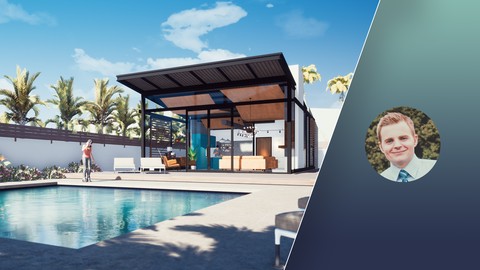
- Video Duration:
 2.5h
2.5h - Price: $49.99
- Provider: Udemy
- Updated:
 April 2020
 - Level:
 All Levels
 - Language:
 English
 - Certificate:
 Yes
Yes
30-day money-back guarantee on most paid courses
Udemy Coupon Price Tracker
