
 Web Development
 Data Science
 Python
 SQL
SQL JavaScript
 Artificial Intelligence
 IT & Software
 IT Certifications
 Hacking
 AWS
AWS Arduino
 DevOps
 3D Modeling
 Graphic Design
 Photoshop
 Drawing
 Digital Painting
 UX Design
 Business
 Data Analysis
 Communication Skills
 Project Management
 Leadership & Management
 Human Resources
 Digital Marketing
 Social Media Marketing
 Marketing
 SEO
SEO Google Analytics
 Branding
 Excel
Excel Office Productivity
 SAP
SAP PowerPoint
 Microsoft Access
 SharePoint
 Finance & Accounting
 Trading & Investing
 Accounting
 Bitcoin
 Personal Finance
 Video Editing & Animation
 Photography
 Adobe Premier Pro
 Adobe Lightroom
 Personal Development
 Productivity
 Career Development
 Life Coaching
 Health & Fitness
 Meditation & Mindfulness
 Yoga
Yoga Music
Music Music Production
 Guitar
 Piano
Piano Singing
 Language Learning
 Teaching & Academics
 Engineering
 Math
Math Lifestyle
Unreal Engine 5 + Blender Environment Design For Beginners (Udemy.com)
learn how to Create a beautiful factory interior environment , ready for First person and Third person projects.
Created by: Alireza Emami
Last updated March 2025
 What you will learn
- Think like an architect and develop a big picture for your environment design
- Blender basics and modeling tools
- Modeling modular assets in blender
- Import/Export files from blender to Unreal Engine 5
- Unreal Engine 5 Basics
- Using modular assets in Unreal and creating the environment
- Material basics in Unreal Engine 5
- Lighting basics in Unreal Engine 5
- Post Process effects In Unreal Engine 5
How it compares
Against the other 72 rated Udemy courses in Game Design on CourseDuck:
- Rating4.7 out of 5higher than 83% of them
- Reviews93#54 of 73 by number of reviews
- Length6.3 hoursshorter than 54% of them
- Last updatedMarch 2025more recently than 73% of them
 Course Description
Have you ever stared at a blank space and wondered, 'How on earth can I turn this nothingness into a visually stunning, and functional environment?
once you understand a few key design philosophies, approaches, and frameworks—and apply them using simple tools in Blender and Unreal Engine—environment design becomes not just achievable, but an enjoyable and rewarding experience.
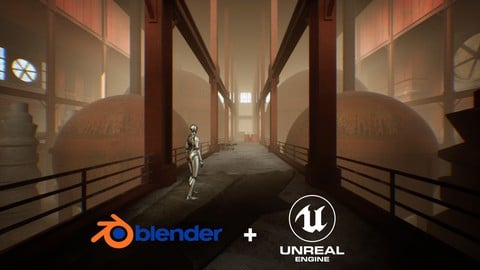
In this course we will learn how to design a factory interior environment using the most basic tools in blender and unreal engine 5.
This course is designed for beginners who wanna learn how to design and create an interior environment from scratch . So if you have little to no experience in environment design but want to learn how to get the job done with a fast, agile and efficient workflow, you are in the right place .
we are going to learn how to create our environment in only 4 chapters :
In Chapter 1, we will learn how to think like an architect and how to shape our ideas and concepts.
In Chapter 2, we will dive into Blender and after getting familiar with the software,we will create a rough blockout of the environment. next, we will focus on modeling simple assets. After that, we’ll cover UV mapping and Finally, we will export our assets in FBX format .
In Chapter 3, after becoming familiar with the Unreal Engine interface, we will import our assets and begin building our factory environment. Using the modular assets we created, we will start placing them in the level to bring our scene to life.
In Chapter 4, we will explore materials and lighting to enhance the visuals of our environment, we will polish our scene by adding additional props, decals, and final touches to bring everything together.

 Udemy Discount
The discount is applied through our link. Open the course from here and Udemy's current promotional price is applied at checkout on most courses, no code to type.
Some courses are excluded from Udemy's promotions. If the price does not drop, clear your browser cookies and use the button again.
Instructor Details

- 4.7 Rating
 93 Reviews
Alireza Emami
Hi, I am Alireza , a 3D enthusiast and Unreal Engine instructor with years of experience in architectural visualization, game development and Virtual Reality.
My passion for teaching led me to create beginner-friendly courses on Udemy and Step-by-Step tutorials on my Youtube channel Unreal ART with Alireza.
I break down complex concepts into easy-to-follow steps, making sure students like you can turn your ideas into fully functional projects.
Join me and let's create amazing 3D Worlds together !
 More courses by Alireza Emami
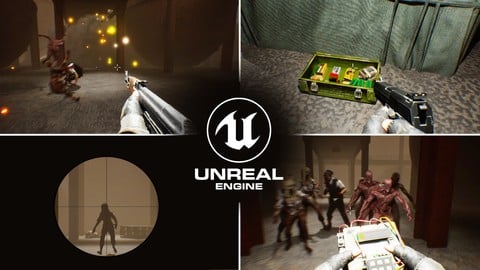
Unreal Engine 5: Make A FirstPerson Game With Blueprints (2026)
4.3 (137 Reviews)
 Provider: Udemy
 Time: 19.5h
$19.99
More Game Design courses
Master Procedural Maze Generation - Unity 6 Compatible (2025)
4.8 (412 Reviews)
- Provider: Udemy
- Time: 21h
$79.99
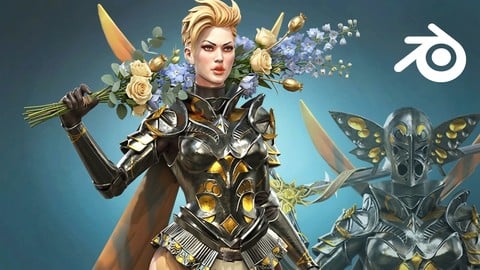
Full game character in Blender course - Moth Girl (2025)
4.8 (305 Reviews)
- Provider: Udemy
- Time: 49.9h
$19.99

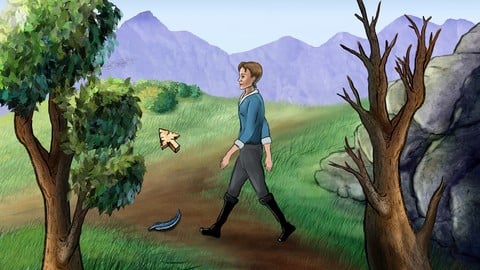
2D Adventure Game Creation: Art, Music, Programming and More (2019)
4.7 (338 Reviews)
- Provider: Udemy
- Time: 19.6h
$84.99

Indie Game Design: Build Your Game’s Core System (2026)
4.7 (155 Reviews)
- Provider: Udemy
- Time: 3.4h
$19.99
 Reviews

By Givi Amosi on 1/26/2026
A good course that covers the entire environment creation pipeline. The entire process, from modeling to building the finished level, is clearly explained. The course provides a solid foundation for further development.
By Paul Hudson on 12/27/2025
Great so far! The course has been very helpful on clarifying some issues I was experiencing, and fantastic for learning new concepts in both Blender and Unreal.
By Martin Della Vecchia on 12/16/2025
In my opinion there's too much show and tell and not doing. A small project increasing in difficulty would be much better for me.
By Lucas Vergara Sanfurgo on 10/17/2025
Excellent introduction to Blender and Unreal. While there's room for improvement in some areas, overall, the content is incredibly straightforward, easy to understand, and simple to follow. A great course!
By Wing Hong Lai on 10/14/2025
Nice and clear short course for introducing workflow in Blender modeling to Unreal materials for game environment design!! Great work !
By David Silva on 8/16/2025
A well structured no nonsense course, teaching the full pipeline of 3D object design and connecting two important development environments (Blender and UE5). I look forward to apply the concepts learned to my own designs.
By jerry ws on 8/12/2025
This course is perfect for those who are new to Unreal Engine! The basic operations are explained very clearly. Highly recommended for beginners to learn from this course!
By Nour Elhabrouk on 8/6/2025
This will help me with creating a level for my games.
By Udemy User on 3/5/2025
This course is a fantastic . The instructor explains everything clearly, making it easy to follow along, even for beginners. I appreciated the step-by-step approach, covering everything from modeling to texturing and rendering. The hands-on projects helped reinforce the concepts, and I feel much more confident using these tools now. Highly recommended for anyone.
By Esmaeil Ghaderi on 2/26/2025
I've taken several Unreal Engine courses, but this one truly stands out! He explains everything so clearly, making even complex topics easy to grasp. If you're serious about learning Unreal, this is the course to take. Highly recommend!
 Quality Score
No CourseDuck member has rated this course yet. Taken it? Give each part a thumbs up or down.
Overall Score : 94 / 100
- Video Duration:
 6.3h
6.3h - Price: $19.99
- Provider: Udemy
- Updated:
 March 2025
 - Level:
 Beginner
 - Language:
 English
 - Certificate:
 Yes
Yes
30-day money-back guarantee on most paid courses
Udemy Coupon Price Tracker
