
 Web Development
 Data Science
 Python
 SQL
SQL JavaScript
 Artificial Intelligence
 IT & Software
 IT Certifications
 Hacking
 AWS
AWS Arduino
 DevOps
 3D Modeling
 Graphic Design
 Photoshop
 Drawing
 Digital Painting
 UX Design
 Business
 Data Analysis
 Communication Skills
 Project Management
 Leadership & Management
 Human Resources
 Digital Marketing
 Social Media Marketing
 Marketing
 SEO
SEO Google Analytics
 Branding
 Excel
Excel Office Productivity
 SAP
SAP PowerPoint
 Microsoft Access
 SharePoint
 Finance & Accounting
 Trading & Investing
 Accounting
 Bitcoin
 Personal Finance
 Video Editing & Animation
 Photography
 Adobe Premier Pro
 Adobe Lightroom
 Personal Development
 Productivity
 Career Development
 Life Coaching
 Health & Fitness
 Meditation & Mindfulness
 Yoga
Yoga Music
Music Music Production
 Guitar
 Piano
Piano Singing
 Language Learning
 Teaching & Academics
 Engineering
 Math
Math Lifestyle
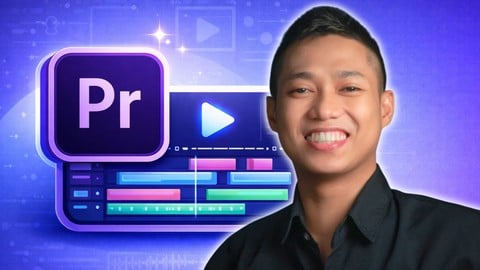
Video Editing in Adobe Premiere Pro for Complete Beginner (Udemy.com)
Adobe Premiere Pro for Beginners: Master Video Editing Basics, Effects, and Techniques Step-by-Step!
Created by: Paul Nene
Last updated March 2026
 What you will learn
- Understand Premiere Pro Interface: Navigate the Adobe Premiere Pro workspace with confidence and efficiency for streamlined editing.
- Import & Organize Media: Learn effective techniques for importing and organizing video and audio files for an efficient editing workflow.
- Enhance Video Quality: Apply essential techniques to improve the visual quality of your footage, ensuring professional-looking videos.
- You'll have your own edited videos using supplied free footages, photos and music available from downloadable materials.
- Build Compelling Stories: Master the art of storytelling through effective video structure, creating engaging narratives for your audience.
- Create Smooth Edits: Learn how to make seamless transitions and cuts, enhancing the flow of your videos for better viewer engagement.
- Improve Audio Levels: Balance and enhance audio for a polished sound, ensuring your videos resonate with your audience.
How it compares
Against the other 78 rated Udemy courses in Adobe Premier Pro on CourseDuck:
- Rating4.1 out of 5higher than 5% of them
- Reviews381#31 of 79 by number of reviews
- Length15.6 hourslonger than 87% of them
- Last updatedMarch 2026more recently than 87% of them
 Course Description
Adobe Premiere Pro for Beginners: Learn Video Editing from Scratch
Start your journey into video editing with Adobe Premiere Pro, the industry-standard software for creating professional-quality videos. This course is tailored for beginners who want to learn step-by-step how to edit videos and master basic video editing techniques.
What You'll Learn:
Adobe Premiere Pro Tutorial Essentials: Get familiar with the latest user interface, tools, and features.
Editing Fundamentals: Learn how to cut, trim, and arrange clips on the timeline.
Applying Effects and Transitions: Make your videos look professional with seamless transitions and effects.
Audio Editing Basics: Add music, adjust sound levels, and synchronize audio.
Exporting for Different Platforms: Learn to render videos optimized for YouTube, Instagram, or other platforms.
Why This Course?
Perfect for Beginners: No prior experience required. Learn Adobe Premiere Pro from the ground up.
Practical Projects: Apply your skills to real-world projects, including YouTube and social media content.
Updated Content: The course covers the latest Adobe Premiere Pro features.
SEO Tips Included: Learn how to optimize your videos for search engines to get more views.
Master the art of video editing with Adobe Premiere Pro and start creating videos that stand out. Whether you're aiming for a YouTube channel, professional work, or personal projects, this course will give you the confidence to edit like a pro.

 Udemy Discount
The discount is applied through our link. Open the course from here and Udemy's current promotional price is applied at checkout on most courses, no code to type.
Some courses are excluded from Udemy's promotions. If the price does not drop, clear your browser cookies and use the button again.
Instructor Details

- 4.1 Rating
 381 Reviews
Paul Nene
I help beginners take action and stop overthinking so you can move forward and finish what you start.
My courses are designed for people who feel stuck or unsure where to begin. Instead of overwhelming you with too much information, I focus on simple steps that help you see real progress quickly.
You won’t just watch. You’ll follow clear demos and step-by-step walkthroughs, take small actions, and build results as you go. Each course is practical, easy to follow, and designed to be completed in a short time.
With more than ten years of experience in video editing and digital workflows, I break complex topics into simple actions you can apply immediately. No pressure, no confusion, just clear guidance to help you get results.
If you want a simple, clear way to start and actually finish, you’re in the right place.
 More Adobe Premier Pro courses

The Complete Adobe Premiere Pro Video Editing Bootcamp (2025)
4.9 (7,316 Reviews)
 Provider: Udemy
 Time: 9.7h
$139.99

Video Editing complete course | Adobe Premiere Pro CC 2021
4.8 (529 Reviews)
- Provider: Udemy
- Time: 14.4h
$22.99

Adobe Premiere Pro CC – Essentials Training Course (2025)
4.7 (11,647 Reviews)
- Provider: Udemy
- Time: 15.8h
$129.99

Adobe Premiere Pro CC – Advanced Training Course (2025)
4.7 (1,922 Reviews)
- Provider: Udemy
- Time: 16.3h
$94.99

Adobe Premiere Pro Video Editing Course Beginner to Pro (2024)
4.7 (686 Reviews)
- Provider: Udemy
- Time: 9.1h
$54.99

Learn Video Editing with Premiere Pro CC for beginners (2015)
4.7 (476 Reviews)
- Provider: Udemy
- Time: 3.9h
$64.99
 Reviews

By Jhelky Walliya on 10/26/2024
sangat baik dan jelas namun ada beberapa alasan yang saya ingin sampikan saya inggin dalam video ini ada transelete bahasa indonesia karena saya tidak terlalu paham bahasa inggri sehingga harus ada penermahan agar saya dpat mudah di akses
By Kurugh Jennifer Mngohol on 9/23/2024
I bought this course because of Rose Nene, i took one of her courses on product photography and loved it. This course lacks a good structure. The topics covered are not arranged in such a way that you build up on what was learnt previously, it is just scattered and not concise which is quite disappointing. I have never returned a course before but I want to return the course Udemy.
By Lucas Culhaci on 4/30/2021
This was an amazing course, the instructor is really clear with his explanations and goes pretty detailed. As an old Vegas-pro user myself, I learned so much in this course. Thank you so much for making this course and god bless you man!
By Bonifacio Alcantara on 4/9/2021
Still I did not understand for its started the course without initial orientation. So for a while I will rate 3 star till I will be on track..
By Sebastian Kuźmiński on 9/16/2020
It was pleasure to take part in this course. Well done for the author. Great job! I have learnt many useful things. Thank you so much!
By Ahrar Tahmid Rubab on 9/12/2020
The spoken English of the instructor is not that good. The explanations of topics could be better and the instructor should stop saying 'arryt' every second because that is very annoying.
By Papi Kondalu on 8/25/2020
Actually he taught very interestingly, topic after topic, I understood well & thanks to the teacher, for the way he has arranged the resources to practice the same material that he taught.
By Ruturaj Shinde on 8/8/2020
Its better than what i had expected , really good learning site for those who want to learn phtoshop, premiere and other things .
By Arpit Alne on 8/4/2020
Hello Paul sir ,nice experience in learning through your tutorials this was my second course on premiere pro so i finally learn it.Thanks for your course it will help me . And i think that there should be more contents like complete documentary/any video tutorial or you should give assignment for these. Also you can provide adobe premiere pro effect/fonts/luts.
By K Yoheshwaran on 7/31/2020
Good work Paul and a small request Add a final thing what we are going to learn in the video infront of video like a teaser same this follow in the lecture intro also and use life time activities like marriage, documentry and so on It creates eager to learn
 Quality Score
No CourseDuck member has rated this course yet. Taken it? Give each part a thumbs up or down.
Overall Score : 82 / 100
- Video Duration:
 15.6h
15.6h - Price: $69.99
- Provider: Udemy
- Updated:
 March 2026
 - Level:
 Beginner
 - Language:
 English
 - Certificate:
 Yes
Yes
30-day money-back guarantee on most paid courses
Udemy Coupon Price Tracker
