
 Web Development
 Data Science
 Python
 SQL
SQL JavaScript
 Artificial Intelligence
 IT & Software
 IT Certifications
 Hacking
 AWS
AWS Arduino
 DevOps
 3D Modeling
 Graphic Design
 Photoshop
 Drawing
 Digital Painting
 UX Design
 Business
 Data Analysis
 Communication Skills
 Project Management
 Leadership & Management
 Human Resources
 Digital Marketing
 Social Media Marketing
 Marketing
 SEO
SEO Google Analytics
 Branding
 Excel
Excel Office Productivity
 SAP
SAP PowerPoint
 Microsoft Access
 SharePoint
 Finance & Accounting
 Trading & Investing
 Accounting
 Bitcoin
 Personal Finance
 Video Editing & Animation
 Photography
 Adobe Premier Pro
 Adobe Lightroom
 Personal Development
 Productivity
 Career Development
 Life Coaching
 Health & Fitness
 Meditation & Mindfulness
 Yoga
Yoga Music
Music Music Production
 Guitar
 Piano
Piano Singing
 Language Learning
 Teaching & Academics
 Engineering
 Math
Math Lifestyle
2D Animation Essentials in Moho & Anime Studio (Udemy.com)
Learn the essentials and start creating your own character animations
Created by: 2D Animation 101 Courses
Last updated May 2019
 What you will learn
- Create an Animation action scene working with keyframes
- Add dynamism to your Animation working with the Camera
- Draw characters using the Drawing Tools in Anime Studio
How it compares
Against the other 545 rated Udemy courses in 3D Modeling on CourseDuck:
- Rating4.3 out of 5higher than 15% of them
- Reviews371#206 of 546 by number of reviews
- Length2.5 hoursshorter than 80% of them
- Last updatedMay 2019earlier than 81% of them
 Course Description
UPDATE 1/17/2016 - The course is live and we are so excited! We have a lot of great content that we will be adding in the next week. McCoy is finishing the exercises for you to do after each lecture to make learning Moho & Anime Studio easy! We will also have a trailer shortly for the course as well. Can't wait to see you there!
-------------------------------------------------------------------------------------------------------------------
Try to remember the last time you tested some 2D animation software and you just didn’t like it, or didn’t understand it.
Probably the first step to start your journey is be deciding which animation software that you can master in a couple of days. Truth be told, mastering something takes years. But in this course we will have you mastering the essentials in days!
The problem is that, once you have the software, what happens if you don't understand how to use it?
Think about it, one of the main reasons beginners stop trying is because they just don’t get how the software works.
You can check tutorials on the internet, but most of the time, they are not presented in a sequential order, or maybe, they are either too advanced or too specific.
So what you need to do is: Learn how to use the software.
In this case, we are inviting you to give Moho & Anime Studio a try, learn the essentials and discover its power.
This is your first step to learn how to make an animation.
After you know the basics, you will have a stronger idea when deciding what to do next.
And because Anime Studio is so easy to use, we know you are going to love it.
It has been proven more than once that when people understand something, they make better decisions.
So give yourself this opportunity and take this Animation Course today.
How can this course help you?
This course is an introduction to Anime Studio Pro, it covers how to draw using the Add Points Tool, Curvature Tool, Transform Tool and Shape Tools.
Than we will learn about working with layers, and doing animation for a scene. To enhance the shot we will go through how to work with a camera in Anime Studio.
You will have the foundations to make your own animation.
You will learn with Video Training, and if you want, you can download the project files to follow along.
The course also comes with quizzes and exercises to help the student really learn all the techniques and tools covered in the course.
The course is about 1 hour of video tutorials, but the exercises can take you from a couple of minutes to maybe a whole hour, depending on your learning skills, and how well you remember the lessons.
The Course is divided in 3 sections:
The first is the Introduction Section, which covers a brief overview of the interface and how to set the project settings.
The second section is the Drawing Tools Section, which covers the different tools used to draw in Anime Studio as well as techniques to manipulate and transform the drawings.
And thirdly, the Animation Section, in which we will go through how to make an animation of a scene.
Anyone wanting to learn how to animate should give Moho & Anime Studio a test Drive and who knows… maybe this is the software that can get you to make your own animation, make your ideas become a reality.

 Udemy Discount
The discount is applied through our link. Open the course from here and Udemy's current promotional price is applied at checkout on most courses, no code to type.
Some courses are excluded from Udemy's promotions. If the price does not drop, clear your browser cookies and use the button again.
Instructor Details
- 4.3 Rating
 371 Reviews
2D Animation 101 Courses
Mark L. Diaz has a background of 10 years in the film industry at Autumn Leave Films, and with over 30 short films produced to this date, we are a group of animators who love to share everything we know about animation, from pre-production, animation, to post production.
Our aim is to equip future animators with all the necessary techniques and tips to help them do better projects. Our courses will help beginners along with intermediate users.
We have helped more than 160,000+ students to discover techniques and all the knowledge they need to start animating their projects.
 More courses by 2D Animation 101 Courses

Cinematography for 2D Animation Essentials (2018)
4.6 (1,357 Reviews)
 Provider: Udemy
 Time: 36 mins
$15.99
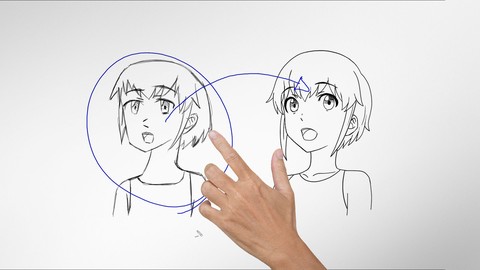
Improve Anime Drawings With Leonardo DaVinci Method (2018)
4.3 (1,217 Reviews)
- Provider: Udemy
- Time: 54 mins
Free

Adobe Illustrator Essentials for Character Design (2021)
4.6 (925 Reviews)
- Provider: Udemy
- Time: 2.1h
$11.99
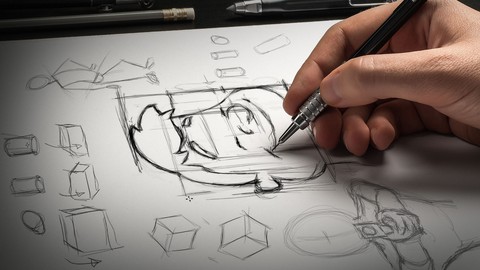

Character Design For Animation in Illustrator (2021)
4.6 (670 Reviews)
- Provider: Udemy
- Time: 2.2h
$54.99

2D Animation in Moho from Basic to Advanced (2018)
4.6 (625 Reviews)
- Provider: Udemy
- Time: 4h
$59.99
More 3D Modeling courses

3D Printing with " Ultimaker CURA Slicer- Start to finish" (2025)
4.9 (192 Reviews)
- Provider: Udemy
- Time: 1h
$34.99

Girl and the Dog Creation in Zbrush for Intermediate Level (2020)
4.9 (173 Reviews)
- Provider: Udemy
- Time: 48.8h
$59.99



Blender Character Creator for Video Games (2026)
4.8 (9,160 Reviews)
- Provider: Udemy
- Time: 34.3h
$159.99

Master SOLIDWORKS 3D CAD using real-world examples (2022)
4.8 (2,451 Reviews)
- Provider: Udemy
- Time: 18.9h
$69.99
 Reviews

By Steffi C on 1/15/2020
Awesome course and awesome instructor! I really like your way of teaching and purchased other courses on animation from you that I can't wait to check out. I purchased these courses to get into Moho 13 and I think this was a really good course to learn the basics of Moho/Anime Studio, I'm sure I will be able to easily apply these to Moho 13. But McCoy, if you're thinking about doing advanced and in depth Moho 13 tutorials in the future with all new features and everything (I'm really interested in doing bitmap animations), I'm in :D Can't wait to learn more from you!
By Leri M on 8/23/2019
It's not a beginner course. It's intermediate and I'm not ready for this. It’s frustrating that not enough instruction is given to actually follow along with the instructor. However I am learning some things. So for that reason I’ll give it two stars. But I don’t recommend buying his course, for beginners new to Moho.
By Sam Latimer on 9/3/2017
Very good but very basic. There is so much more to AS that isn't covered. To be honest, it would probably take a years worth of lessons to cover it all. This is very good to learn the very basics of the program. Thank you and look forward to taking more courses.
By Rawan Al-Hubail on 7/11/2017
Very fun, easy to follow, and useful course! He explains the basics so It is for complete beginners. I havn't done animation before. This is my first time and it was really fun i learned a lot! I'm using the demo mode of anime studio pro 12 and it's still easy to follow even though he is using a different version. Also, most videos are short and to the point so you don't get bored. Excellent job i loved this course. This is my second course in udemy and i recommend it for anyone who want to start learning about animation in anime studio. Thanks a lot for the wonderful course!!
By Jessica Kayembe on 6/26/2017
The course is really edifying and I really enjoyed it and I am looking forward to exploring more on my own with what I have learned.
By Richard Le on 12/6/2016
Fantastic introduction to the software. Rather than just go through feature by feature without any context, the course walks you through all the basic features in the context of creating a simple animation. I picked up enough to get comfortable and start animating. Note: I'm using the latest version of the software (now renamed Moho Pro) and only a few keyboard shortcuts and modifiers were different than in Anime Studio. So this course is still great even for Moho Pro users.
By Peter Richardson on 11/7/2016
McCoy's tutorial skills are second to none. He knows his way around Anime Studio and he knows how to share his knowledge (and enthusiasm) for this great software. He has a really engaging delivery and the way he has structured the course adds to the enjoyment of following the tutorials. A really great introduction to Anime Studio (now Moho). I would recommend this to anyone who wants to get to grips with this software.
By Bruno Alberto Becerra Gomez on 6/10/2016
When someone knowledgeable it's in action, you take that impact and transform it into information trough quality. This course shows that thanks to the instructor, the basics are always necessary to start something, and literally this is a gift for whoever want to do his/her first touch in Anime Studio.
By Ahmedmohamed Abdelmoneim on 4/30/2016
THERE is MORE stuff and tool that did't covered by this course p.s thanks for your response sorry i didn't read the description of this course i'm new in this site ^_^ i am looking forward to your paid courses sadly i have to wait 6 months to enroll because in my country ....to have credit card you must be 20 :( and i can't use my dad credit card any more :( but thanks for responding on my review goodluck
By David M. O'Neill on 1/19/2016
Although most graphic packages are similar in their production and control of elements, animation requires preparing those elements in different ways. This course shows you how Anime Studio Pro creates and controls those elements in a straight forward, concise way. This course is basic and only covers very simple animations.
 Quality Score
No CourseDuck member has rated this course yet. Taken it? Give each part a thumbs up or down.
Overall Score : 86 / 100

- Video Duration:
 2.5h
2.5h - Price: $54.99
- Provider: Udemy
- Updated:
 May 2019
 - Level:
 Beginner
 - Language:
 English
 - Certificate:
 Yes
Yes
30-day money-back guarantee on most paid courses
Udemy Coupon Price Tracker
