
 Web Development
 Data Science
 Python
 SQL
SQL JavaScript
 Artificial Intelligence
 IT & Software
 IT Certifications
 Hacking
 AWS
AWS Arduino
 DevOps
 3D Modeling
 Graphic Design
 Photoshop
 Drawing
 Digital Painting
 UX Design
 Business
 Data Analysis
 Communication Skills
 Project Management
 Leadership & Management
 Human Resources
 Digital Marketing
 Social Media Marketing
 Marketing
 SEO
SEO Google Analytics
 Branding
 Excel
Excel Office Productivity
 SAP
SAP PowerPoint
 Microsoft Access
 SharePoint
 Finance & Accounting
 Trading & Investing
 Accounting
 Bitcoin
 Personal Finance
 Video Editing & Animation
 Photography
 Adobe Premier Pro
 Adobe Lightroom
 Personal Development
 Productivity
 Career Development
 Life Coaching
 Health & Fitness
 Meditation & Mindfulness
 Yoga
Yoga Music
Music Music Production
 Guitar
 Piano
Piano Singing
 Language Learning
 Teaching & Academics
 Engineering
 Math
Math Lifestyle
Advanced Videography: Cinematography, Video Production+ (Udemy.com)
Creative Ways to Improve the Way Your Videos: Better Cinematography, Videography, Video Production, Filmmaking
Created by: Phil Ebiner
Last updated May 2024
Our take
Based on the ratings of 416 students, a sample of their written reviews and the syllabus, as the course stood in May 2024. No course pays to be reviewed.
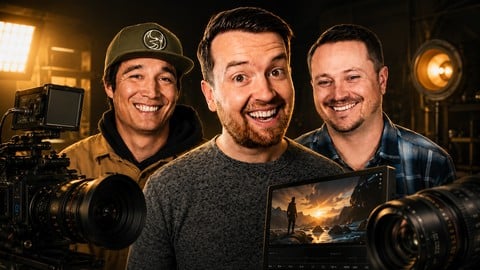
This is a 5.8 hour course from Phil Ebiner's Video School, built around three shoots: a commercial promo, a cinematic travel vlog and a documentary style piece. Each one walks through planning, storyboarding, capturing and then upgrading the shots. A separate section covers concepts like slow motion, lens choice, gimbals, drones, timelapses and interview lighting. It is listed as intermediate and assumes you know your camera and basic video settings. One reviewer names the hosts on camera as Sam and Will, and William Carnahan is credited as a co-instructor.
Most of the 416 ratings are positive, with 262 five-star and 118 four-star. Reviewers like the teaching in the field, the strong example footage and the friendly feel, with one saying it is like friends guiding the viewer through each decision. Several call it a good source of inspiration that works with any gear. The complaints are consistent. Examples get shown more than explained, and some find it closer to beginner than advanced. One says the early sections feel like the hosts are still learning, another found the talking rambling, and one calls the stock elements section an ad for Envato.
The last update was in May 2024, over two years ago, though shot composition and camera movement age slowly. At under six hours it is a quick watch. One reviewer says sections 4 and 5, the documentary project and the concepts deep dive, are the most practical. It works best as an idea generator for people who already shoot and feel stuck in a rut. If you need real depth on lighting or lens choice, expect to look elsewhere afterward.
Pros
- Three full shoots (commercial, travel vlog, documentary) show planning through capture
- Reviewers praise the example footage for illustrating each tip clearly
- Ideas apply whatever camera gear you own, according to reviewers
- Covers drones, gimbals, timelapses, slow motion and interview lighting in under six hours
Cons
- Explanations stay shallow, with reviewers wanting more on lighting, storyboarding and why
- Several reviewers found it closer to beginner level than the advanced title suggests
- Last updated May 2024, and one section reads like an Envato pitch to some
Lots of inspiration to make my next video even better! The course may not be technical or in-depth enough for some, but you'll find lots of inspiration and tips that can often be applied regardless of your equipment.
Listed as intermediate, though some reviewers found it beginner level. Suits people who already shoot and know basic camera settings.
 What you will learn
- Make your videos better with more creative & professional cinematography / video shooting
- Shot composition: learn how to pick and choose your shot composition depending on the scene you're filming
- Slow motion & Frames per Second (fps): learn how, when and why you would capture slow motion video
- Lens Selection & Focal Length: Learn how different focal lengths change the look of your shot
- Adding Movement: Learn how to add movement to improve your cinematography
- Aerial Footage: Learn when, why and how to use drones in your video projects
- Gimbals: Learn how to use stabilization tools like a gimbal to add steady movement to your videos
- Timelapses & Hyperlapses: Learn how to capture both timelapses and hyperlapses
- Video Portraits: Learn how to get great shots of people that tell their story
- Product Videography: Learn how to get great video shots of a product
- Interview Lighting: Learn how to properly set up lighting for an interview subject
- Natural vs. Artificial Lighting: Learn how to use both natural & lighting kits to better light your videos
- A-roll & B-roll: Learn how to capture both A-roll & B-roll to tell your video's stories
- Panning vs. Tracking Shots: Learn how to capture motion with two different types of shots
- Vlog Cinematography: Learn how to better capture your own vlogs
Course content
8 sections · 48 lectures · 5.8 hours of video 5 articles
- 1Welcome to Advanced Videography 2 free previews2 lectures · 14 min
- 2Video Project 1: Commercial Video 2 free previews10 lectures · 1.1 hours
- 3Video Project 2: Cinematic Travel Vlog10 lectures · 1.8 hours
- 4Video Project 3: Promotional Documentary Video8 lectures · 1.1 hours
- 5Deep Dive Video Concepts6 lectures · 40 min
- 6Thank You & What's Next1 lecture · 1 min
- 7Make Better Videos with Stock Elements (Video, Graphics, Titles, SFX, Music+)10 lectures · 49 min
- 8Conclusion1 lecture · 3 min
Who it is for
The instructor says it suits
- Video Creators
- YouTubers
- Aspiring Filmmakers
- Vloggers
- Course Creators
- TikTok, Instagram, & other Social Media Users
- Influencers
- Businesses who need video content
What you need before you start
- You should have a basic understanding of how to make videos. This course is meant to help you take your videos to the next level, but is not a course teaching you how to create videos for beginners.
How it compares
Against the other 293 rated Udemy courses in Video Editing & Animation on CourseDuck:
- Rating4.7 out of 5higher than 88% of them
- Reviews416#80 of 294 by number of reviews
- Length5.8 hourslonger than 70% of them
- Last updatedMay 2024more recently than 58% of them
 Course Description
Do you ever watch a video and wish your videos looked better?
Perhaps it's a YouTuber you follow, a documentary you saw on Netflix, or a narrative film you saw in theaters... you can capture shots that look just like the professionals.
This Advanced Videography Course tackles getting the right shot. We focus on how to improve the videos you capture: going from mediocre shots to professional & creative ones.
By the end of this class, you'll be inspired and know the exact steps to improving your next video.
Get Instant Access to:
Hours of easy-to-watch video tutorials
15+ ideas for improving your shots
Downloadable guide to improve your videography
Printable Storyboard Template
Premium support if you ever get stuck
Lifetime access to course updates
What is this course?
This course is meant to take your video productions to the next level. What does that mean? This means making your videos look more like the films & videos you watch online, on tv, or in theaters and dream of making.
Follow us as we create three video projects: a corporate documentary video, a commercial promotional video, and a cinematic travel vlog. Within each project, we walk through the entire process of:
Planning our project
Brainstorming & storyboarding our shots
Capturing our shots
Improving our shots
You'll see how we get good standard shots, but then take them to the next level with more advanced & creative shots.
What video production concepts will you learn?
Shot composition: learn how to pick and choose your shot composition depending on the scene you're filming
Slow motion & Frames per Second (fps): learn how, when and why you would capture slow motion video
Lens Selection & Focal Length: Learn how different focal lengths change the look of your shot
Adding Movement: Learn how to add movement to improve your cinematography
Aerial Footage: Learn when, why and how to use drones in your video projects
Gimbals: Learn how to use stabilization tools like a gimbal to add steady movement to your videos
Timelapses & Hyperlapses: Learn how to capture both timelapses and hyperlapses
Video Portraits: Learn how to get great shots of people that tell their story
Product Videography: Learn how to get great video shots of a product
Interview Lighting: Learn how to properly set up lighting for an interview subject
Natural vs. Artificial Lighting: Learn how to use both natural & lighting kits to better light your videos
A-roll & B-roll: Learn how to capture both A-roll & B-roll to tell your video's stories
Panning vs. Tracking Shots: Learn how to capture motion with two different types of shots
Vlog Cinematography: Learn how to better capture your own vlogs
Who should enroll in this course now?
You should take this course if you know how to use your camera to capture video; you know the basics of video settings; you already have experience making your own videos. But, you're wanting to take your videography to the next level.
You may wonder what it takes to get the shots you see on TV. Or perhaps you have just run out of ideas for how to capture an upcoming project.
This course is for anyone who wants to make their videos look more professional & eye-catching.
Who teaches this course?
This is a Video School course, co-taught by video creators Phil Ebiner, William Carnahan and Sam Shimizu-Jones. Together, they have over 30 years of professional experiences making videos that have appeared on all screens - from viral YouTube videos to films shown on a movie theater near you.
This is a great follow-up course to our Video Production Bootcamp, an introductory course to making your own videos. If you are brand new to video creation, we recommend starting with that course.
Enroll now to improve your videos today!
We can't wait to see you in class, and to help you feel more confident making videos.
Cheers,
Phil + Will + Sam

 Udemy Discount
The discount is applied through our link. Open the course from here and Udemy's current promotional price is applied at checkout on most courses, no code to type.
Some courses are excluded from Udemy's promotions. If the price does not drop, clear your browser cookies and use the button again.
Instructor Details

- 4.7 Rating
 416 Reviews
Phil Ebiner
I’m Phil Ebiner, an educator, photographer, filmmaker, and founder of Video School and Photography & Friends. Through my online courses and creative community, I’ve helped millions of students around the world learn practical skills in photography, video production, design, and more. My goal is to make creative skills feel accessible, useful, and encouraging, whether you’re picking up a camera for the first time or looking to take your work to the next level.
My teaching style is clear, supportive, and hands-on. I break complex topics into simple steps, explain the “why” behind each technique, and share real-world examples you can immediately apply. As a photographer and filmmaker, I believe great creative work is not just about gear or settings, but about storytelling, intention, observation, and connection. My goal is to help you feel confident, inspired, and capable of bringing your own creative ideas to life.
 More courses by Phil Ebiner
Photography Masterclass: Your Complete Guide to Photography (2026)
4.7 (78,808 Reviews)
 Provider: Udemy
 Time: 121.3h
$119.99
Adobe Premiere Pro Masterclass: Video Editing in Premiere (2025)
4.6 (46,724 Reviews)
- Provider: Udemy
- Time: 26.9h
$139.99

Digital Marketing Masterclass 2026: AI Marketing Course
4.4 (27,321 Reviews)
- Provider: Udemy
- Time: 66.8h
$124.99
Adobe Photoshop Masterclass with Photoshop + AI Updates (2026)
4.6 (22,629 Reviews)
- Provider: Udemy
- Time: 12.4h
$109.99
After Effects CC Masters: VFX, Motion Graphics, Animation+ (2024)
4.5 (15,653 Reviews)
- Provider: Udemy
- Time: 27.9h
$119.99

YouTube Masterclass: Your Complete Guide to YouTube Success (2026)
4.7 (13,768 Reviews)
- Provider: Udemy
- Time: 8.8h
$16.99
More Video Editing & Animation courses

Learn to Storyboard for Film or Animation (2024)
4.8 (2,727 Reviews)
- Provider: Udemy
- Time: 2.2h
$12.99


Fire Starter Sessions Video Workshop with Danielle LaPorte (2017)
4.8 (1,205 Reviews)
- Provider: Udemy
- Time: 3.7h
$11.99

The Ultimate Color Grading Bootcamp in DaVinci Resolve (2026)
4.8 (947 Reviews)
- Provider: Udemy
- Time: 8.7h
$19.99

The Complete Talking Head Video Production Masterclass (2026)
4.8 (319 Reviews)
- Provider: Udemy
- Time: 17.6h
$59.99

The Complete iMovie Course - from Beginner to Advanced 2026!
4.7 (2,021 Reviews)
- Provider: Udemy
- Time: 11.1h
$10.99
 Reviews

By Leemon Peterson Sr. on 7/8/2026
I know this is an advance course but a little more explanation about some of the terminology and tools set-up and usage would be very helpful. A little more explanation on how your B-Roll compliments your A-Roll and their interactions etc. to tie the entire shoot together. Even though I know there is a time requirement that you are working with. But a little more in-depth explanation, even though I have no complaint, the course offers a lot of knowledge.
By Angelique Bemelmans on 1/10/2024
Lots of inspiration to make my next video even better! The course may not be technical or in-depth enough for some, but you'll find lots of inspiration and tips that can often be applied regardless of your equipment.
By Mark Taylor on 6/14/2023
Nice presentation...it feels like friends are walking you through the considerations and decisions for the different types of videos presented. I got some generalized information as well as specific things to incorporate in my filming.
By Timothy Holloway on 2/20/2023
Had very little knowledge of videography at the start of this course, probably not enough to even be in this course, but now feel so much more confident in my abilities and in actually knowing what I'm doing. Very well taught. Very well spread out on topics covered. Great class.
By Raphique Harris on 6/8/2022
This course is extremely amazing. Half-way through the course in 1 day while taking great notes and understanding what they're teaching. I'm pumped to kick off my 1st video after this course.
By Victoria Augustine Ishabo on 6/6/2022
I am happy that I come across this course, I hopefully I will love to do the advances editing course as well. I notice some picture I took today of a friend, it looks much better and I feel good about it.
By Sean Kerrigan on 5/1/2022
The format for the course was great. 3 different projects each with different techniques and styles. I appreciated all the advanced tips and know this will help me take my new company to the next level. Recommend this course to intermediate filmakers.
By Charles Farmer on 4/16/2022
Yes. It was a good match. For me the most important part was seeing the actual filming of the various projects and a final result using the footage. Explanations of various concepts were very good and well illustrated. The thing that is missing for me, is the inclusion of smart phone examples. There are more constraints here but as a practical matter a smart phone is very portable and a lower-cost option.
By Jen Santoro on 4/10/2022
I have taken quite a few Phil, Will, Sam courses over the past three years and three cameras. On the strength of their excellent teaching, I created a documentary short that has already won a Best Documentary Short in a film festival. Not resting on my laurels though (see what I did there?) I already knew there were at least 10 things I wanted to fix on my next project, so when this course became available I knew it would help. I have probably learned more from this one than any because now we're fine-tuning. Really awesome course. The hints that seem small are actually huge. If you're new, this course is going to be a little high-level. But if you've been taking them and are looking to take your video production to the next level, then you're ready to hear what these three are saying. Also, I've said it before. You can really tell these guys work together, and there's something extra special about having them, as a team, to share their knowledge. After all, most productions are a team, so they are leading by example in the team department. Thank you three so much! I can't wait for the editing course that happens next!
By Kamal Eid Kassouf on 4/8/2022
I am a photographer with a plan to add video to my experience. Based on its description, this course seems to fit my need and is offered at a reasonable price allowing me to get started. Looking forward to completing the included Video Projects.
 Quality Score
No CourseDuck member has rated this course yet. Taken it? Give each part a thumbs up or down.
Overall Score : 94 / 100
- Video Duration:
 5.8h
5.8h - Price: $64.99
- Provider: Udemy
- Updated:
 May 2024
 - Level:
 Intermediate
 - Language:
 English
 - Certificate:
 Yes
Yes - Lectures:48 in 8 sections
- Students:4,333
- Subtitles:4 languages
30-day money-back guarantee on most paid courses
Udemy Coupon Price Tracker
