
 Web Development
 Data Science
 Python
 SQL
SQL JavaScript
 Artificial Intelligence
 IT & Software
 IT Certifications
 Hacking
 AWS
AWS Arduino
 DevOps
 3D Modeling
 Graphic Design
 Photoshop
 Drawing
 Digital Painting
 UX Design
 Business
 Data Analysis
 Communication Skills
 Project Management
 Leadership & Management
 Human Resources
 Digital Marketing
 Social Media Marketing
 Marketing
 SEO
SEO Google Analytics
 Branding
 Excel
Excel Office Productivity
 SAP
SAP PowerPoint
 Microsoft Access
 SharePoint
 Finance & Accounting
 Trading & Investing
 Accounting
 Bitcoin
 Personal Finance
 Video Editing & Animation
 Photography
 Adobe Premier Pro
 Adobe Lightroom
 Personal Development
 Productivity
 Career Development
 Life Coaching
 Health & Fitness
 Meditation & Mindfulness
 Yoga
Yoga Music
Music Music Production
 Guitar
 Piano
Piano Singing
 Language Learning
 Teaching & Academics
 Engineering
 Math
Math Lifestyle
Affinity Designer Complete Course: Beginner to Advanced (Udemy.com)
Master web and graphic design with Affinity Designer and learn to design beautiful websites, apps, logos and graphics!
Created by: Filip Kordanovski
Last updated May 2018
 What you will learn
- Learn how to design modern-looking apps, logos and graphics
- Design real-world, beautiful, minimalistic websites and 2D characters
- Explore and master countless tools, features and components of Affinity Designer
- Navigate, understand and work with the interfaces of all 3 Personas [Vector, Pixel, Export]
- Create and export professional & market-ready logos, illustrations and graphics
- Draw, texture and shade an amazing flat 2D character
- Lifetime access: 7.5+ hours of Full HD video material divided into 45+ lectures in 10 sections
- Adaptive and available instructor (24/7) to answer all of your questions ASAP
- Access to an exclusive Facebook group where we discuss graphic design & web topics and help each student with any questions they have!
- Get my e-book "75+ Must-Use Resources for Web Developers & Designers" completely free!
How it compares
Against the other 28 rated Udemy courses in Affinity Designer on CourseDuck:
- Rating4.2 out of 5higher than 7% of them
- Reviews142#16 of 29 by number of reviews
- Length7.5 hourslonger than 78% of them
- Last updatedMay 2018earlier than 89% of them
 Quality Score
Overall Score : 84 / 100
 Course Description
Have you ever wanted to start a career in the design world but weren't feeling comfortable or you just thought that design is not for you? Or maybe you've tried to learn web design but you weren't sure where to start?
Well, this complete Affinity Designer masterclass will take you from a total beginner to an advanced designer who's feeling comfortable designing logos, apps, graphics and even websites.
You absolutely don't have to have any experience in the design world or Affinity Designer, we'll go through everything step-by-step in the course. We'll go through the interface of the software, explain all of the panels, toolbars and settings and then we'll get to work within the 3 personas in Affinity Designer.
- PROJECT-BASED COURSE!
The masterclass contains many projects that we will be designing through the course, polishing and putting our learned skills to the test. You'll use the skills learned to create amazing creations, apps, logos, graphics and more!
SO, WHAT ARE YOU GOING TO DESIGN?
Let me introduce you to the design projects:
- Design an App Icon: With just few tools learned [rectangles and gradients], you'll be able to quickly design a very minimalistic, modern and sophisticated icon for an app.
- Convert a Pixel Graphic to a Vector Logo: Follow this very cool time-saving trick in order to turn any kind of pixel graphic to an amazing looking vector shape, logo or form.
- Enhance Photographs: Affinity Designer also allows us to edit pictures on the go with its huge set of photo manipulation options. Join me as we thoroughly go through the options.
- Design a Logo: With the techniques, tools and tricks learned you'll be able to design an eye-pleasing modern logo for a company. I'll go through the whole process and you'll design a brand new logo from scratch.
- Design a 2D Flat Character: You'll even design a 2D cartoon character from scratch using just plain tools as rectangles, spheres and curves! It will be really fun.
- Shading and Texturing: You'll learn the very important processes of shading and texturing and we'll be applying these techniques to the current graphics that we've already designed.
- DESIGN AN APP: If the above wasn't enough, I'll even walk you through the complete process of sketching/wireframing and designing a real-world app for a social media/dating app. We'll design 3 screens from scratch to complete finish.
- DESIGN A WEBSITE: As a final task, you'll be given an assignment with instructions to design a website with all of the things that you've learned during the course. Don't miss this!
- DESIGN A WEBSITE WITH SKILLS LEARNED: With all of the things learned in the last 7-8 hours, as a final assignment and a test, you'll be granted a task that will require you to design a landing page from scratch. If you were able to follow along designing the app, you should have absolutely no problem designing a website from scratch and you'll actually be very surprised how skillful you've become. I'll be taking a detailed look in every one of your submissions regarding this final finished website design. Get to work!
---------------------------5 MORE BONUSES WITH ENROLLING INTO THE COURSE:
- GET MY E-BOOK FOR FREE: "75+ Must Use Resources for Web Developers & Designers"is a book I've written especially for my students. Its supposed to beyour ultimate guide when it comes to finding web resources like stockphotos and videos, mockups, PSD templates, icon packs, fonts,typography, design inspiration and much more!
- ACCESS TO A FACEBOOK GROUP: My students are granted access to a completely private Facebook group where we discuss web design and development topics, share knowledge and help each other with bugs and issues. You can also contact me personally there, as well.
- MY PERSONAL FEEDBACK ON YOUR FINISHED DESIGNED WEBSITE: Onceyou've completed the course and the website you designed is ready, Iwill be very glad to take a look at it and give you some feedback andthoughts. Feel free to message me in the student chatroom and we'lldiscuss your website in detail!
- COMPLETE SUPPORT WITH QUESTIONS: I will be available 24/7 for your questions and queries regarding this course.If you're stuck, facing a problem or have a question regarding anything in Affinity Designer,I'll be glad to personally inspect your query and explain your the solution in atimely manner. Just post a discussion in the Q&A section and I'll bethere!
- 30-DAY FULL MONEY BACK GUARANTEE: In case the course didn't meet your expectations, I'm offering full 30-day money back guarantee, no questions asked.I would, however, appreciate if you give me feedback on what would youlike to be improved, so I can improve myself for my upcoming courses!
- Aspiring graphic designers looking to get inside the design world.
- Beginner web designers who want to learn how to design logos, apps and graphics.
- Any web or graphic designer wanting to learn a great new skillset with an Illustrator alternative.
- Students who love project based courses. You'll get your hands dirty!

 Udemy Discount
The discount is applied through our link. Open the course from here and Udemy's current promotional price is applied at checkout on most courses, no code to type.
Some courses are excluded from Udemy's promotions. If the price does not drop, clear your browser cookies and use the button again.
Instructor Details

- 4.2 Rating
 142 Reviews
Filip Kordanovski
Filip Kordanovski is a self-taught front-end web developer and designer from Skopje, Macedonia. He is truly passionate about his work and he has a deep understanding of various teaching methods and techniques.
BACKGROUND & INTERESTS:
Filip has more than 7 years experience in the field of web development & design and has recently started teaching and publishing courses online to share his knowledge with the world.
He is the founder of CodeCrack, a web development/design agency providing digital solutions, releasing courses and e-books.
He is also knowledgeable in various fields including Databases and Database Management Systems, Graphic Design, Video and Audio Editing, Game Design & Development and 3D Modelling & Digital Sculpting.
STATISTICS:
A truly dedicated persona with huge enthusiasm towards teaching, always aiming to deliver affordable, high quality education and content.
With more than 10000 students and 1300+ reviews with a rating of 4.4, he is one of the top-rated instructors on the platform. Also, one of his 6 courses is a Bestseller on Udemy.
Start learning with him today and make a significant impact on your professional career.
 More courses by Filip Kordanovski
PSD to Responsive HTML5: Beginner to Advanced (2018)
4.7 (1,023 Reviews)
 Provider: Udemy
 Time: 6h
$11.99
Build a Responsive Website with HTML5, CSS3 and Bootstrap 4 (2018)
4.3 (631 Reviews)
- Provider: Udemy
- Time: 6.8h
$64.99
HTML5, CSS3 & JavaScript Workshop: Build 7 Creative Projects (2018)
4.5 (346 Reviews)
- Provider: Udemy
- Time: 5.8h
$49.99
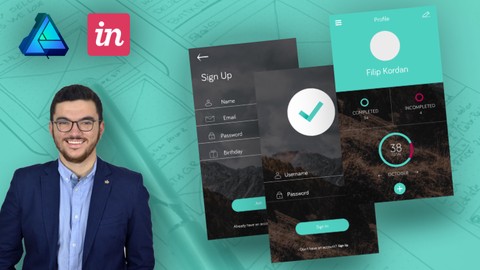
Mobile App Design in Affinity Designer: UX & UI from Scratch (2018)
4.5 (27 Reviews)
- Provider: Udemy
- Time: 3.5h
$54.99
More Affinity Designer courses

Affinity Designer: The Complete Guide to Affinity Designer (2024)
4.8 (5,274 Reviews)
- Provider: Udemy
- Time: 23.5h
$99.99
Affinity Designer for Beginners | Updated for Version 2 (2022)
4.8 (478 Reviews)
- Provider: Udemy
- Time: 4.3h
$74.99
Vector Drawing on the iPad with Affinity Designer (2019)
4.7 (1,702 Reviews)
- Provider: Udemy
- Time: 4.5h
$74.99

Essential Skills for Designers - Mastering the Pen Tool (2013)
4.7 (236 Reviews)
- Provider: Udemy
- Time: 2.1h
$64.99
 Reviews

By Jo Taylor
Too much chat
By Brock Peterson Jones
Not sure what he was talking about when he got to the bottom of the screen and talked about what that was. Huh?
By Nenad Simonovski
Again an amazing course from Filip, even in a web design/graphic design course he didnt disappoint. I am really well please with the content provided and the graphics we are designing are really nice. Thank you so much!
By Eray Beşirli
nice, simple to understand, exciting for to learn
By Bimalendu Deka
Simply Awesome!!!!
Illustrator PURE s#it!!!!
Adobe should learn from Sheriff
By Jim Carter
Very Good Course
By Arget Sundavr
I am definitely enjoying the content but the whole thing keeps going extremely blurry
By Villo Reka Balogh
It absolutely satisfying, the teacher explains everything and every detail. Very easy to follow. :)
By Tami Roos
I've been an Adobe user for over 20 years and going over the basics of the tools and the interface (which I was considering skipping) is definitely meeting my expectations in terms of giving me the confidence to use the app - I have both the desktop and iPad version of Affinity so I'm working through the course with both apps open and translating everything on the desktop version to my iPad version.
By Margaret
It is a good match and I am enjoying every split of a second.
By Camilo Torres
This course seems to be done by a person that uses the software but doesn't know it well enough to teach about it at an advanced level, sometimes he seems to not know well some features. It is not a beginner to the advanced course it's more a course to know the basics about the software. If you don't know this software at all, this class may be good for you, but if you have previous knowledge about affinity designer there is not much for you to learn in this course.
By Daniel L
- Instructor is a still fairly young, self-taught web designer which becomes very obvious in the course. Meaning he has minimal experience and only a very shallow background in the digital graphics world. Learning from tutorials and youtube videos is great, but one should not think that he can create a course after doing this for 3-4 years at this price point with 7.5h duration
- No explanations of deeper concepts in digital graphics at all. From such a course one should expect a true educator with years of professional background under his belt, tons of explanations, anecdotes and a solid, technical understanding of the matter. Examples:
1) What is DPI? Why change DPI for web and print? What are these different color formats? What is difference between RGB/8 and RGB/16?
2) File formats, he rushes through them at various stages in the course, but never with any meaningful explanations. And no, EPS and AI is not the same. But why not explain something meaningful about EPS while you're at it? In the export persona he choses for a slice the file format, and then after the matching preset which makes no sense at all.
3) Masking. Never really explained except for the one use case which is repeatedly used. The full power of this incredible tool should be much more presented.
4) Boolean operations. Again, quickly touched on, but the real power of this everyday tool in a designers life was not explained.
- The structure of the course can be summarized that he presents tool by tool with clicking on every button and reading what it says on the screen. Then performing some action with them. The exercises were fine, especially the moon. The UI workshop rather clunky, why not using rulers like any UI designer? Why not using symbols? Again here it shows that mentioned lack of real-world experience and being a professional designer what I would expect to see in such a course
- Multiple, repeat statements in style like "... this function should do this.. I think..", "... now I guess it should this when I click here.." don't give a feeling he has used the tool a lot or a solid grasp of it
- I still was able to learn some things here, but if I wouldn't have paid $10 at a discount rate (and instead $150) I would have requested an instant refund
- Video Duration:
 7.5h
7.5h - Price: $49.99
- Provider: Udemy
- Updated:
 May 2018
 - Level:
 All Levels
 - Language:
 English
 - Certificate:
 Yes
Yes
30-day money-back guarantee on most paid courses
Udemy Coupon Price Tracker
